
1. Introduction
This manual provides detailed instructions for the safe and efficient operation of your Tenergy T9688 Universal LCD Battery Charger. This charger is designed to charge NiMH and NiCd rechargeable batteries of various sizes, including AA, AAA, C, D, and 9V. It features an intelligent charging system with individual channel monitoring and advanced safety protections. Please read this manual thoroughly before first use to ensure proper functionality and to maximize the lifespan of your batteries and charger.
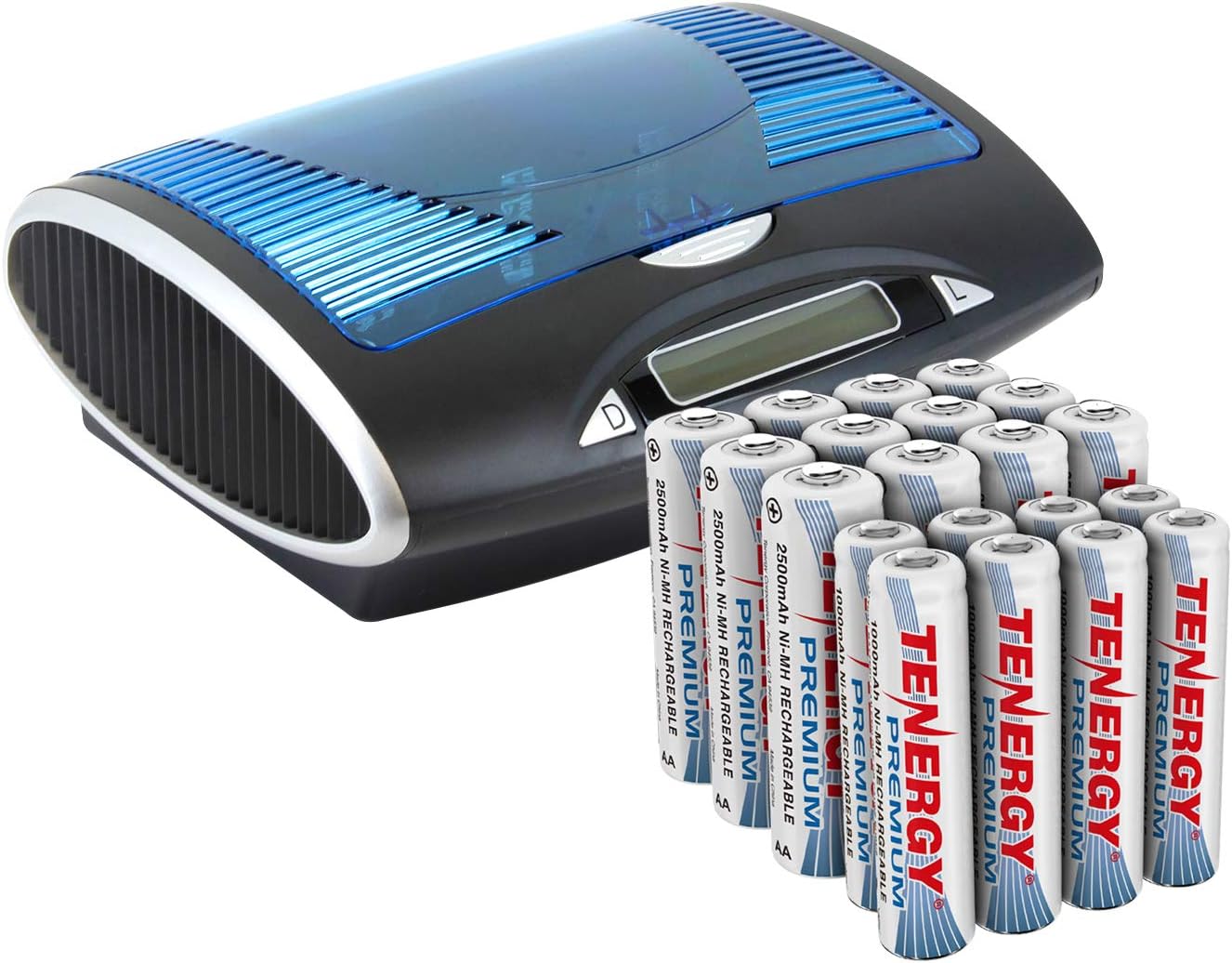
Figure 1.1: Tenergy T9688 Universal LCD Battery Charger and included batteries.
2. Product Overview
2.1 Key Features
- Universal Compatibility: Charges NiMH/NiCd AA, AAA, C, D, and 9V batteries.
- Individual Charging Channels: Allows simultaneous charging of different battery types and capacities.
- Backlit LCD Display: Provides clear notifications for battery status, including capacity level, charging, discharge, full, or bad battery.
- Discharge Function: Helps to optimize battery performance and lifespan by discharging before recharging.
- Advanced Safety Protections: Includes protection against overcharge, short circuit, and reverse polarity. Features auto-detection for defective and non-rechargeable batteries.
- USB A Port: Allows recharging of USB devices when not charging batteries.
- High Capacity Batteries: Included Premium NiMH AA and AAA batteries offer high capacity and faster refresh rates for high-drain devices.
- Wide Temperature Performance: Batteries are enhanced to deliver consistent performance from -4°F to 122°F.
- Long Lifespan: Rechargeable batteries can be recharged up to 1200 times.
2.2 Package Contents
- 1 x Tenergy T9688 Universal LCD Battery Charger
- 12 x Tenergy Premium NiMH AA Rechargeable Batteries
- 8 x Tenergy Premium NiMH AAA Rechargeable Batteries
- 1 x AC Power Adapter

Figure 2.1: The Tenergy T9688 charger and included battery assortment.

Figure 2.2: Tenergy Premium NiMH batteries provide high energy for high-tech and smart devices.

Figure 2.3: Premium performance in high-drain devices, such as camera flashes.
3. Setup
- Unpack the Charger: Carefully remove the Tenergy T9688 charger and all accessories from the packaging.
- Connect Power: Insert the DC plug of the provided AC power adapter into the 'INPUT: DC 12V' port on the back of the charger. Plug the AC adapter into a standard wall outlet (100-240V AC, 50/60Hz).
- Initial Check: The LCD display should illuminate briefly, indicating that the charger is powered on and ready for use.

Figure 3.1: The charger supports various NiMH/NiCd battery sizes.
4. Operating Instructions
4.1 Inserting Batteries
- Open the transparent lid of the charger.
- Insert batteries into the appropriate slots, ensuring correct polarity (+ and - ends match the markings in the charger).
- The charger has dedicated slots for AA/AAA/C/D batteries and two slots for 9V batteries.
- The charger automatically detects the battery type (NiMH/NiCd) and size, and selects the appropriate charging current.
4.2 Understanding the LCD Display
The backlit LCD screen provides real-time information for each battery slot:
- Battery Icons: Display the capacity level of each individual battery.
- Charging Indicator: Animated segments indicate that the battery is currently charging.
- Discharge Indicator: 'DISCHARGE' text appears when the discharge function is active.
- Full Indicator: 'FULL' text appears when the battery is fully charged.
- Bad Battery Indicator: 'BAD' text appears if a defective or non-rechargeable battery is detected.

Figure 4.1: Backlit LCD screen with detailed charging information.
4.3 Charging Process
- Once batteries are correctly inserted, the charger will automatically begin charging.
- The LCD will show the charging status for each battery.
- Charging stops automatically when batteries are full.
4.4 Discharge Function
- To activate the discharge function for a battery, press the corresponding 'D' (Discharge) button located below the battery slot.
- The LCD will display 'DISCHARGE' for that battery.
- Once discharged, the charger will automatically switch to charging mode. This process helps to reduce memory effect in NiCd batteries and can optimize the performance of NiMH batteries.

Figure 4.2: Easy to use with automatic charge current selection and discharge/charge button.
4.5 USB A Port Usage
- The charger includes a USB A output port (OUTPUT: 5V) on the back.
- This port can be used to recharge USB-powered devices (e.g., smartphones, tablets) when the charger is not actively charging batteries.
- Connect your USB device's charging cable to this port.

Figure 4.3: The USB A port allows recharging of USB devices.
5. Maintenance
- Cleaning: Disconnect the charger from power before cleaning. Use a soft, dry cloth to wipe the exterior of the charger. Do not use abrasive cleaners or solvents.
- Battery Storage: For optimal battery lifespan, store rechargeable batteries in a cool, dry place away from direct sunlight and extreme temperatures. The included NiMH batteries retain 85% capacity after one year in storage.
- Charger Storage: When not in use, store the charger in a dry environment.

Figure 5.1: Key battery performance metrics for Tenergy Premium NiMH batteries.

Figure 5.2: Tenergy batteries are designed for reliable performance across a wide temperature range.
6. Troubleshooting
If you encounter issues with your Tenergy T9688 charger, please refer to the following common problems and solutions:
| Problem | Possible Cause | Solution |
|---|---|---|
| LCD display is off / Charger not powering on. | No power connection. | Ensure the AC adapter is securely plugged into the charger and a live wall outlet. |
| Battery not charging / 'BAD' displayed on LCD. | Incorrect battery type, defective battery, or incorrect polarity. | Ensure only NiMH or NiCd batteries are inserted. Check battery polarity. Remove and reinsert the battery. If 'BAD' persists, the battery may be defective and should be replaced. |
| Charger gets warm during operation. | Normal operation. | It is normal for the charger and batteries to become warm during charging. Ensure adequate ventilation around the charger. |
| USB A port not charging devices. | Charger is actively charging batteries. | The USB A port is designed for use when the charger is not actively charging batteries. Remove batteries from charging slots to use the USB port. |
6.1 Advanced Safety Protection
The Tenergy T9688 charger incorporates several safety features to protect both the charger and your batteries:
- Over-Charge Protection: Prevents batteries from being overcharged, which can damage them and reduce their lifespan.
- Short Circuit Protection: Automatically shuts off power in case of a short circuit.
- Reverse Polarity Protection: Prevents damage if batteries are inserted incorrectly.
- Bad Battery Protection: Detects and indicates defective or non-rechargeable batteries, preventing them from being charged.
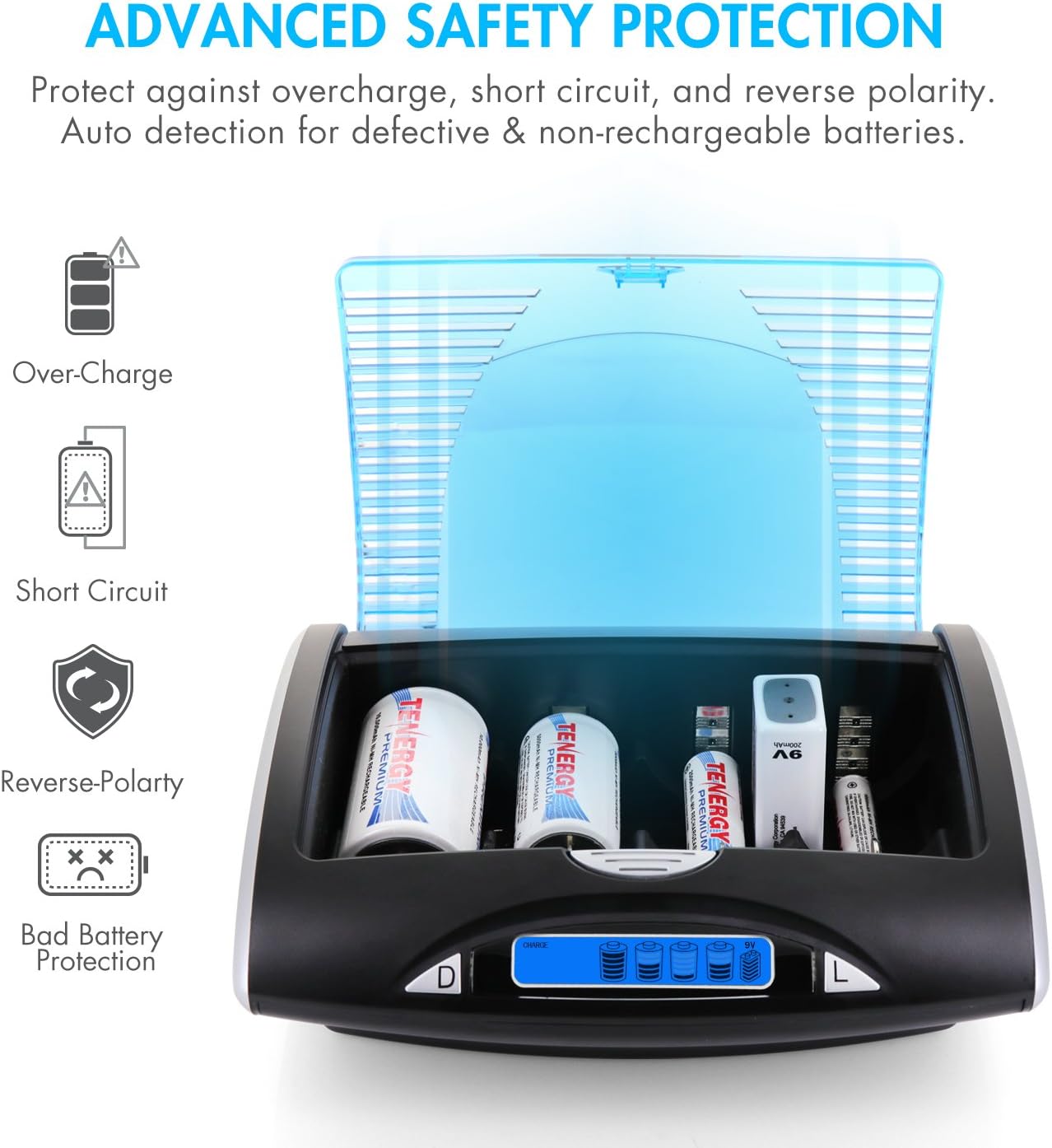
Figure 6.1: The charger's built-in safety mechanisms.
7. Specifications
| Feature | Specification |
|---|---|
| Model Number | 90273 |
| Compatible Battery Types | NiMH / NiCd (AA, AAA, C, D, 9V) |
| Input Voltage | DC 12V (via AC Adapter) |
| Output Voltage (Charger) | Varies by battery type (e.g., 1.2V for AA/AAA/C/D, 9V for 9V batteries) |
| Output Voltage (USB A Port) | 5 Volts (DC) |
| Charge Current (AAA) | 500mA |
| Charge Current (AA/C/D) | 1300mA |
| Charge Current (9V) | 30mA |
| Dimensions (Approx.) | 6.89 x 5 x 2.52 inches |
| Color | Clear (Lid) / Black (Body) |

Figure 7.1: Approximate dimensions of the Tenergy T9688 charger.
8. Warranty and Support
8.1 Warranty Information
Both the Tenergy T9688 Universal LCD Battery Charger and the included Tenergy Premium NiMH AA and AAA batteries come with a 12-month warranty from the date of purchase. This warranty covers manufacturing defects and ensures the product performs as advertised under normal use. Please retain your proof of purchase for warranty claims.
8.2 Customer Support
For technical assistance, warranty claims, or any questions regarding your Tenergy T9688 charger or batteries, please contact Tenergy Customer Support. Visit the official Tenergy website for contact information and further resources.
You can find more information and support at the Tenergy Store on Amazon.