1. Introduction
This user manual provides essential information for the safe and effective operation of your Panasonic BQ-821 AA and AAA Ni-MH Battery Charger. Please read this manual thoroughly before using the charger and retain it for future reference.
2. Safety Instructions
To prevent injury and damage, observe the following safety precautions:
- Use only Panasonic Ni-MH rechargeable batteries. Do not attempt to charge other types of batteries (e.g., alkaline, carbon-zinc, Ni-Cd) as this may cause explosion, rupture, or leakage.
- Do not disassemble or modify the charger.
- Do not expose the charger to rain, moisture, or extreme temperatures.
- Keep the charger away from direct sunlight and heat sources.
- Ensure proper ventilation during charging. Do not cover the charger.
- Unplug the charger from the power outlet when not in use or before cleaning.
- This appliance is not intended for use by persons (including children) with reduced physical, sensory or mental capabilities, or lack of experience and knowledge, unless they have been given supervision or instruction concerning use of the appliance by a person responsible for their safety.
- Children should be supervised to ensure that they do not play with the appliance.
3. Package Contents
Verify that all items are present in the package:
- Panasonic BQ-821 Battery Charger Unit
- AC Power Cord
- User Manual (this document)
4. Product Features
The Panasonic BQ-821 charger is designed for convenient and reliable charging of Ni-MH batteries.
- Charges up to four AA or AAA Ni-MH batteries simultaneously.
- Individual charging slots for flexible battery combinations.
- LED indicator for charging status.
- Compact and lightweight design.
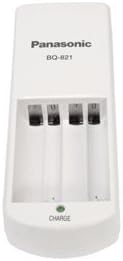
Figure 4.1: Front view of the Panasonic BQ-821 charger. It features four charging slots for AA or AAA batteries and a single green LED indicator at the bottom, labeled "CHARGE".
5. Setup
Follow these steps to set up your battery charger:
- Connect the AC Power Cord: Insert the small end of the AC power cord into the power input port located at the rear of the charger.
- Plug into Power Outlet: Insert the other end of the AC power cord (the plug) into a standard wall power outlet.
- The charger is now ready for use.
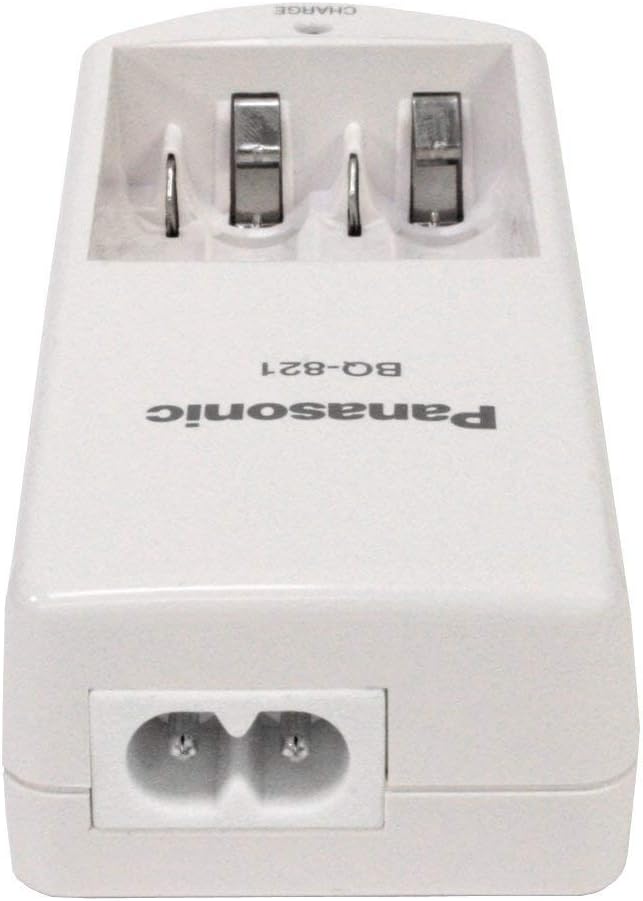
Figure 5.1: Rear view of the Panasonic BQ-821 charger. The power input port is clearly visible at the bottom, designed for a two-prong AC power cord.

Figure 5.2: AC power cord. This image shows a UK-style plug on one end and the charger-compatible connector on the other, ready to be plugged into a wall outlet and the charger.
6. Operating Instructions
To charge your Ni-MH batteries:
- Insert Batteries: Place one to four AA or AAA Ni-MH rechargeable batteries into the charging slots. Ensure the positive (+) and negative (-) terminals of the batteries match the polarity markings inside the charger slots.
- Begin Charging: Once batteries are correctly inserted and the charger is plugged into a power outlet, the "CHARGE" LED indicator will illuminate green, indicating that charging has begun.
- Charging Time: Charging time varies depending on the battery capacity and discharge level. Refer to the specifications section for approximate charging times. The charger does not have an automatic shut-off or full charge indicator beyond the initial "CHARGE" light. It is recommended to remove batteries after the estimated charging time to prevent overcharging.
- Remove Batteries: Once charging is complete, unplug the charger from the power outlet and remove the charged batteries.
Note: The charger is designed to charge batteries in pairs or individually. For optimal performance and safety, always ensure batteries are inserted correctly.
7. Maintenance
Proper maintenance ensures the longevity of your charger:
- Cleaning: Disconnect the charger from the power outlet before cleaning. Use a soft, dry cloth to wipe the exterior of the charger. Do not use liquid cleaners or solvents.
- Storage: Store the charger in a cool, dry place away from direct sunlight and moisture when not in use.
- Handling: Avoid dropping the charger or subjecting it to strong impacts.
8. Troubleshooting
If you encounter issues with your charger, refer to the following table:
| Problem | Possible Cause | Solution |
|---|---|---|
| Charger LED does not light up. |
|
|
| Batteries do not charge or charge slowly. |
|
|
| Charger or batteries become excessively hot. |
|
|
9. Specifications
Technical details for the Panasonic BQ-821 Battery Charger:
| Feature | Detail |
|---|---|
| Model Number | BQ-821 |
| Input | AC 100-240V, 50/60Hz (Assumed standard for chargers, not explicitly in JSON) |
| Output |
|
| Compatible Batteries | Ni-MH (Nickel-Metal Hydride) AA and AAA rechargeable batteries |
| Charging Slots | 4 (for AA or AAA) |
| Indicator | 1 x Green LED (CHARGE) |
| Approximate Charging Time (for fully discharged batteries) |
|
10. Warranty and Support
Warranty Information:
Panasonic products are manufactured to high quality standards. For specific warranty terms and conditions applicable to your region, please refer to the warranty card included with your purchase or visit the official Panasonic website for your country.
Customer Support:
If you have any questions or require assistance with your Panasonic BQ-821 charger, please contact Panasonic customer support. Contact details can typically be found on the official Panasonic website or on your product packaging.
- Online Support: Visit www.panasonic.com and navigate to the support section for your region.
- Telephone Support: Refer to your product documentation or the Panasonic website for local customer service phone numbers.