
AKG 3185X00110
Contents
AKG C214 Professional Large-Diaphragm Condenser Microphone User Manual
Model: 3185X00110 | Brand: AKG
1. Introduction
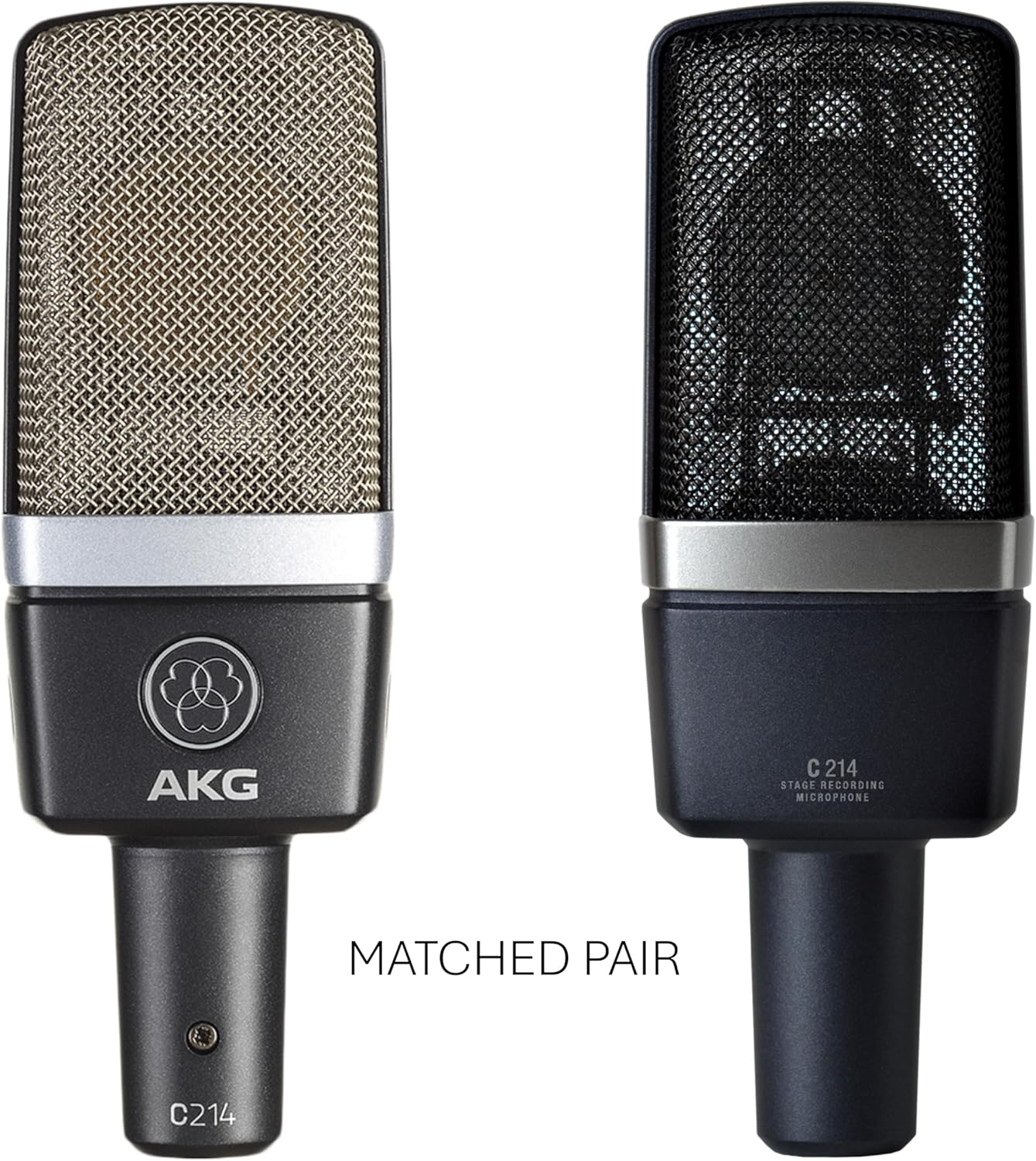
The AKG C214 is a professional large-diaphragm condenser microphone designed for high-quality audio capture in both studio and stage environments. This matched pair is ideal for stereo recording of various acoustic instruments. It leverages technology from the renowned C414 series, offering outstanding performance with crystal-clear audio fidelity.
2. What's in the Box
Your AKG C214 Matched Pair package includes the following components:
- 2 x AKG C214 Large-Diaphragm Condenser Microphones
- 2 x Elastic Spider Suspensions (Shock Mounts)
- 2 x Windscreen (Foam Pop Filters)
- 1 x Aluminum Carrying Case

3. Product Overview
The AKG C214 features a robust aluminum construction, ensuring durability and reliable performance. It is designed with a large diaphragm for capturing detailed sound and operates with a unidirectional (cardioid) polar pattern, making it effective at isolating the desired sound source while rejecting off-axis noise.


4. Setup
To set up your AKG C214 microphones, follow these steps:
- Unpack Components: Carefully remove both C214 microphones, elastic spider suspensions, windscreens, and the aluminum carrying case from their packaging.
- Attach Shock Mount: Securely attach each C214 microphone to its respective elastic spider suspension. The shock mount helps to isolate the microphone from vibrations and handling noise.
- Mount to Stand: Mount the shock mounts onto standard microphone stands. Ensure the stands are stable and positioned correctly for your recording setup.
- Connect XLR Cable: Connect a standard XLR cable to the XLR connector at the base of each microphone. The C214 requires phantom power, which is typically supplied by your audio interface or mixer.
- Connect to Audio Interface: Connect the other end of the XLR cables to your compatible audio interface or mixer. Ensure phantom power (+48V) is enabled on the input channels connected to the microphones.
- Attach Windscreen: Place the foam windscreen over the microphone grille to reduce plosives and breath noise, especially for vocal recordings.
5. Operating the Microphone
The AKG C214 is a versatile large-diaphragm condenser microphone suitable for a wide range of recording applications. Its unidirectional (cardioid) polar pattern ensures excellent sound isolation, making it ideal for capturing individual instruments or vocals with clarity.
- Placement: Position the microphone(s) appropriately for the sound source. For vocals, place the microphone a few inches from the singer. For instruments, experiment with distance and angle to achieve the desired tone.
- Stereo Recording: As a matched pair, the C214 microphones are excellent for stereo recording techniques (e.g., X-Y, A-B, ORTF) to capture a wide and natural soundstage for acoustic instruments, drum overheads, or ambient sounds.
- Gain Staging: Adjust the gain on your audio interface or mixer to achieve an optimal signal level without clipping. The C214 offers a high signal-to-noise ratio (88 dB) and low self-noise (13 dB), providing a clean signal.
- Frequency Response: The microphone captures frequencies across a broad range from 20 Hz to 20 kHz, ensuring full reproduction of audio details.
6. Maintenance
Proper maintenance will ensure the longevity and optimal performance of your AKG C214 microphones:
- Cleaning: Use a soft, dry cloth to wipe down the microphone body. Avoid using liquid cleaners or solvents, as they can damage the microphone's finish or internal components.
- Windscreen Care: The foam windscreens can be gently hand-washed with mild soap and water, then air-dried completely before re-use.
- Storage: Always store the microphones in the provided aluminum carrying case when not in use. This protects them from dust, moisture, and physical damage.
- Handling: Handle the microphones with care. Avoid dropping them or subjecting them to strong impacts, as this can affect their delicate internal components.
7. Troubleshooting
If you encounter issues with your AKG C214 microphones, consider the following common troubleshooting steps:
- No Sound Output:
- Ensure phantom power (+48V) is enabled on your audio interface or mixer.
- Check all XLR cable connections for proper seating and integrity.
- Verify that the input gain on your audio interface/mixer is turned up.
- Test with a different XLR cable to rule out cable failure.
- Low or Distorted Sound:
- Adjust the input gain on your audio interface or mixer. Too low gain results in weak signal, too high can cause distortion.
- Ensure the microphone is positioned correctly relative to the sound source.
- Check for any active pads or filters on your audio interface that might be affecting the signal.
- Excessive Noise/Hum:
- Ensure all connections are secure.
- Check for ground loops in your audio setup.
- Move the microphone away from sources of electromagnetic interference (e.g., power supplies, monitors).
- Test with different XLR cables.
If problems persist after attempting these steps, please contact AKG customer support for further assistance.
8. Specifications
| Feature | Specification |
|---|---|
| Brand | AKG |
| Model Name | C214 Pair |
| Item Model Number | 3185X00110 |
| UPC | 885038025849 |
| Microphone Form Factor | Large Diaphragm |
| Polar Pattern | Unidirectional |
| Connectivity Technology | XLR |
| Connector Type | XLR |
| Power Source | Corded Electric (requires Phantom Power) |
| Frequency Range | 20 Hz - 20 kHz |
| Audio Sensitivity | 20 dB |
| Signal-to-Noise Ratio | 88 dB |
| Noise Level | 13 dB |
| Material | Aluminum |
| Color | Black |
| Item Dimensions (L x W x H) | 11.3 x 8.6 x 3.9 inches |
| Item Weight | 3.15 pounds |
| Recommended Uses | Recording |
9. Warranty and Support
For detailed warranty information and technical support, please refer to the official AKG website or contact AKG customer service directly. Keep your proof of purchase for any warranty claims.
You can visit the official AKG store for more information: AKG Pro Audio Store
Ask a question about this manual
Ask about setup, troubleshooting, compatibility, parts, safety, or missing instructions. Manuals+ will review the question and use this page’s manual context to help answer it.