
1. Introduction
This manual provides instructions for the Ilco KABA EB3-V-HU100 GM High Security Electronic Key Blade. This product is designed as a replacement or additional key blade for specific General Motors vehicles. It requires an EH3P Phillips Electronic Key Head and specialized programming for full functionality.
Compatibility:
- Buick Lacrosse: 2010
- Chevrolet Camaro: 2010
- Chevrolet Equinox: 2010
- Saturn Astra: 2008-2009
2. Product Overview
The Ilco KABA EB3-V-HU100 is a high-security electronic key blade. It is designed to be integrated with a compatible electronic key head to form a complete functional key for your vehicle.
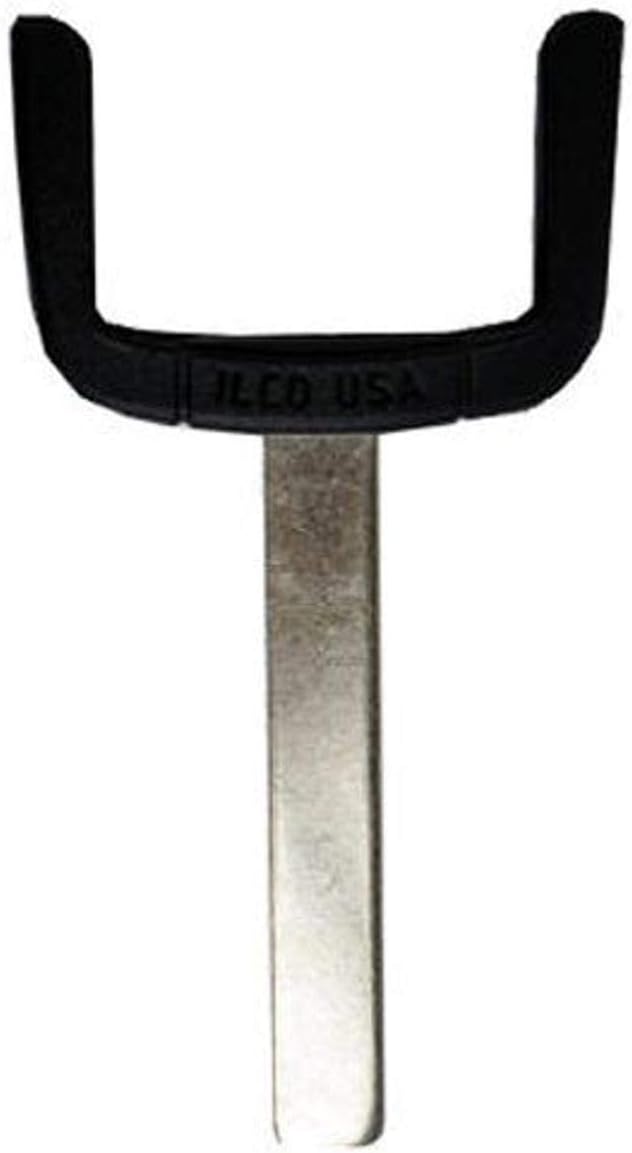
Figure 1: Ilco KABA EB3-V-HU100 GM High Security Electronic Key Blade. This image shows the metallic key blade component with a black plastic base, which is designed to connect to an electronic key head. The base has "ILCO USA" embossed on it.
3. Setup and Installation
The EB3-V-HU100 key blade requires professional installation and programming. It is not a standalone functional key.
- Acquire Compatible Components: Ensure you have an EH3P Phillips Electronic Key Head, which is required to complete the key assembly.
- Professional Programming: The key blade, once assembled with the electronic key head, must be programmed using an RW4 Plus or EZ-Clone Plus machine. This programming process links the key to your vehicle's immobilizer system.
- Consult a Professional: It is highly recommended to have this process performed by a qualified locksmith or automotive technician experienced with high-security electronic key programming. Attempting to program the key without the correct equipment or expertise may result in damage to the key or vehicle's electronic system.
Note: This key blade is manufactured in China. Easy installation refers to the physical assembly of the blade with the electronic head, not the programming process.
4. Operation
Once properly assembled with an EH3P Phillips Electronic Key Head and programmed to your vehicle, the key functions as a standard vehicle key. It will allow you to:
- Unlock and lock vehicle doors manually.
- Start the vehicle's engine.
Refer to your vehicle's owner's manual for specific instructions on using your vehicle's key and remote functions (if applicable to the electronic key head used).
5. Maintenance
To ensure the longevity and proper function of your key blade:
- Keep Clean: Periodically wipe the key blade with a soft, dry cloth to remove dirt and debris.
- Avoid Harsh Chemicals: Do not use abrasive cleaners or solvents, as these can damage the metal or plastic components.
- Protect from Damage: Avoid bending or subjecting the key blade to excessive force, which could deform it and prevent it from working correctly in the ignition or door locks.
- Storage: Store the key in a safe place, away from extreme temperatures or moisture.
6. Troubleshooting
If your key blade is not functioning as expected, consider the following:
- Key Does Not Turn in Ignition/Door:
- Ensure the key blade is fully inserted.
- Check for any visible damage or bending on the key blade.
- Verify that the key blade was cut correctly to match your vehicle's locks.
- Vehicle Does Not Start (Key Turns, But Engine Does Not Engage):
- This indicates a potential issue with the electronic programming. The key blade itself is a mechanical component; the electronic head and its programming are responsible for vehicle starting.
- Revisit a qualified locksmith or automotive technician to re-verify the programming of the electronic key head.
- Ensure the EH3P Phillips Electronic Key Head is properly attached and functional.
For persistent issues, contact a professional locksmith or your vehicle dealership.
7. Specifications
| Feature | Detail |
|---|---|
| Brand Name | KABA ILCO |
| Model Number | EB3-V-HU100 |
| Part Number | EB3-V-HU100 |
| Product Dimensions | 1.0" x 1.3" x 0.32" (2.54 cm x 3.30 cm x 0.81 cm) |
| Item Weight | 0.02 lb (0.32 ounces / 9.07 grams) |
| Country of Origin | China |
| Batteries Required | No (for the blade itself) |
| Included Components | Key Blade Only |
| Manufacturer | Standard Plumbing Supply |
| ASIN | B004YCJ0IS |
8. Warranty and Support
For information regarding warranty coverage, technical support, or replacement parts, please refer to the official Ilco website or contact your authorized Ilco dealer. Keep your purchase receipt as proof of purchase.
Ilco Official Website: www.ilco.us

