
1. Overview
The Memorex 05502 BD-RE Discs are high-capacity, rewritable Blu-ray media designed for reliable data storage and backup. Each disc offers 25GB of storage capacity and supports recording speeds of 1x to 2x. These discs are ideal for archiving large files, high-definition video, and important documents that may require multiple revisions or updates.
Key Features:
- Rewritable Media: Allows data to be written, erased, and rewritten multiple times.
- High Capacity: Each disc provides 25 GB of data storage.
- Recording Speed: Supports 1x to 2x recording speeds.
- Packaging: Supplied in 10 mm jewel cases for protection.
- Model Number: 05502.
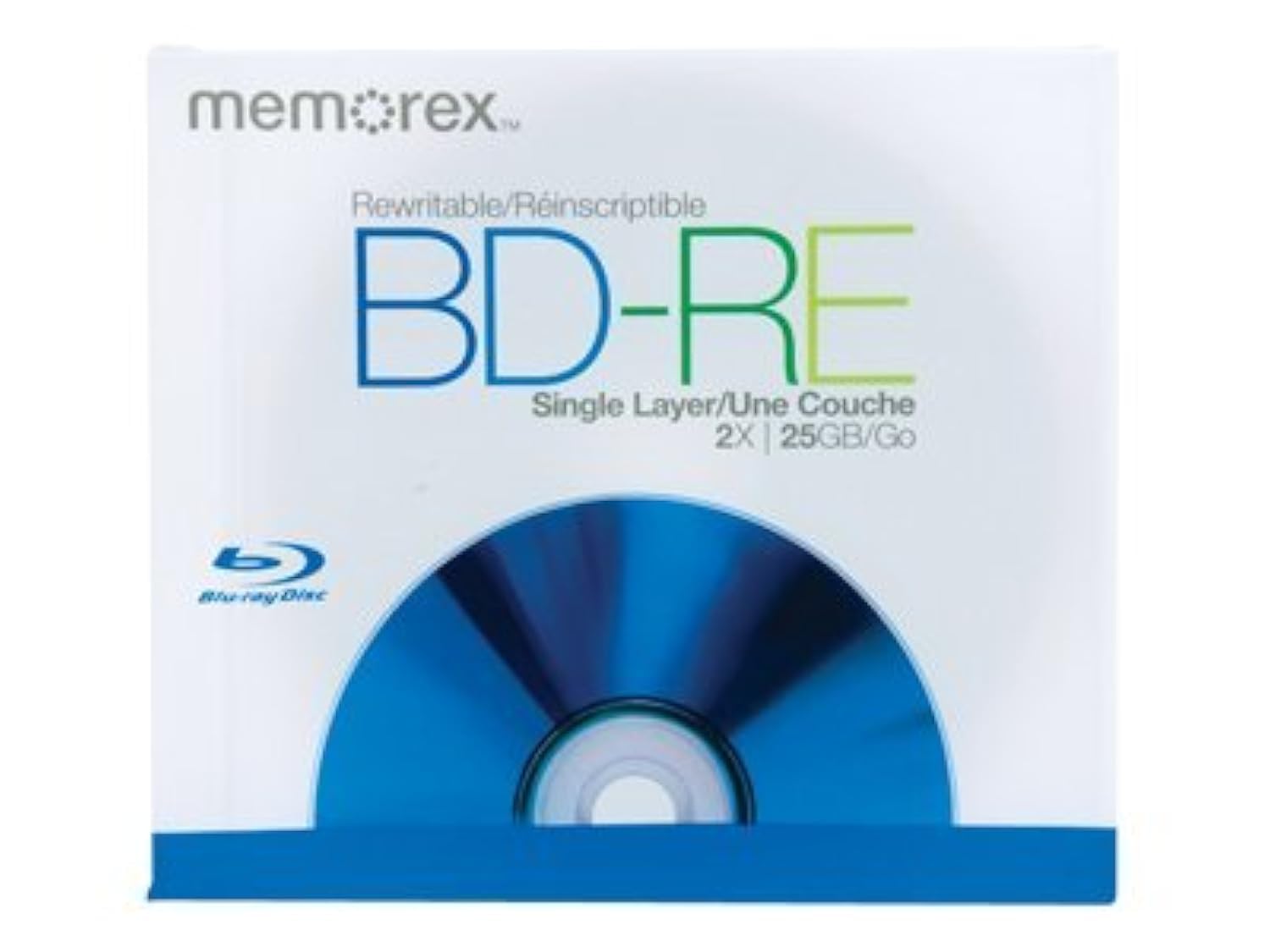
Image 1.1: Memorex 05502 BD-RE Discs, shown in their individual 10mm jewel cases. These discs are designed for rewritable data storage.
2. Setup
Before using your Memorex 05502 BD-RE discs, ensure you have the necessary equipment and software.
2.1 Required Equipment:
- Blu-ray Disc Recorder: A compatible Blu-ray drive (internal or external) capable of writing to BD-RE media. Ensure your drive supports 1x or 2x BD-RE writing speeds.
- Computer: A computer with sufficient processing power and memory to handle Blu-ray burning software.
- Burning Software: Blu-ray authoring or burning software (e.g., Nero, Roxio, ImgBurn, or built-in OS utilities that support Blu-ray).
2.2 Initial Disc Preparation:
- Unpack the Disc: Carefully remove the BD-RE disc from its jewel case. Hold the disc by its edges to avoid touching the recording surface.
- Insert into Drive: Open your Blu-ray recorder tray and place the disc label-side up. Close the tray.
- Software Recognition: Your operating system or burning software should recognize the blank BD-RE disc. If prompted, you may need to format the disc before its first use. Follow the on-screen instructions provided by your software.
3. Operation: Recording and Rewriting Data
Follow these general steps to record or rewrite data onto your Memorex 05502 BD-RE discs. Specific steps may vary slightly depending on your burning software.
3.1 Recording Data:
- Launch Software: Open your preferred Blu-ray burning software.
- Select Project Type: Choose the type of project you want to create (e.g., Data Disc, Video Disc, Audio Disc).
- Add Files: Drag and drop the files or folders you wish to burn onto the disc into the software interface. Ensure the total size does not exceed 25GB.
- Set Recording Speed: Select a recording speed of 1x or 2x. Using a lower speed can sometimes improve recording reliability.
- Start Burning: Initiate the burning process. Do not interrupt the computer or drive during this process.
- Eject Disc: Once burning is complete, the software will notify you, and the disc tray may automatically open. Remove the disc.
3.2 Rewriting Data:
To rewrite data, you must first erase the existing content on the BD-RE disc.
- Insert Disc: Place the previously recorded BD-RE disc into your Blu-ray recorder.
- Launch Software: Open your Blu-ray burning software.
- Select Erase Option: Look for an "Erase Disc" or "Format Disc" option within your software. Choose a full erase for maximum data integrity, though a quick erase is faster.
- Confirm Erase: Confirm the erase operation. This will remove all data from the disc.
- Record New Data: Once erased, the disc is ready for new data. Follow the steps for "Recording Data" above.
Video 3.1: This video demonstrates the general concept of using Blu-ray discs for permanent data storage and archival purposes. It highlights the benefits of BD-R technology for preserving digital memories.
4. Maintenance and Care
Proper care of your BD-RE discs will ensure their longevity and data integrity.
- Handle with Care: Always hold discs by the outer edge or the center hole. Avoid touching the recording surface.
- Storage: Store discs in their original jewel cases or other protective sleeves to prevent scratches, dust, and exposure to direct sunlight.
- Cleaning: If a disc becomes dirty, gently wipe it from the center outwards with a soft, lint-free cloth. Do not use abrasive materials or harsh cleaning solvents.
- Temperature and Humidity: Store discs in a cool, dry place away from extreme temperatures and high humidity, which can degrade the disc material over time.
- Labeling: Use a soft, felt-tip marker specifically designed for optical discs to label the non-recording side. Avoid ballpoint pens or sharp objects that could damage the disc.
5. Troubleshooting
If you encounter issues with your Memorex 05502 BD-RE discs, consider the following common solutions:
5.1 Disc Not Recognized:
- Check Drive Compatibility: Ensure your Blu-ray drive supports BD-RE media.
- Clean Disc: Inspect the disc for smudges or scratches. Clean if necessary (refer to Maintenance section).
- Update Drivers: Ensure your Blu-ray drive's firmware and drivers are up to date.
- Try Another Disc: Test with another BD-RE disc to determine if the issue is with the disc or the drive.
5.2 Burning Errors:
- Lower Speed: Try burning at a slower speed (e.g., 1x).
- Close Background Applications: Ensure no other demanding applications are running during the burning process.
- Check Source Files: Verify that the source files are not corrupted or locked.
- Sufficient Disk Space: Ensure your computer's hard drive has enough free space for temporary files during the burning process.
- Erase and Retry: For BD-RE discs, erase the disc completely and attempt the burn again.
5.3 Playback Issues:
- Player Compatibility: Ensure your Blu-ray player or drive supports BD-RE playback.
- Clean Disc: Clean the disc surface carefully.
- Try Another Player: Test the disc on a different Blu-ray player or drive.
6. Specifications
| Brand | Memorex |
| Model Number | 05502 |
| Disc Type | BD-RE (Blu-ray Disc Rewritable) |
| Memory Storage Capacity | 25 GB |
| Write Speed | 1x - 2x |
| Recording Capacity (Approx.) | 16.67 Minutes (for video, depends on compression) |
| Packaging | 10 mm Jewel Case |
| Color | Silver |
| Product Dimensions | 6 x 5 x 1.8 inches |
| Item Weight | 1.6 ounces |
| UPC | 034707055025 |
| GTIN | 034707055025 |
| ASIN | B004Y37KO8 |
| Date First Available | April 27, 2011 |
7. Warranty and Support
For specific warranty information regarding your Memorex 05502 BD-RE Discs, please refer to the packaging or visit the official Memorex website. General product support and FAQs may also be available on their website.
If you experience persistent issues not covered in the troubleshooting section, contact Memorex customer support for further assistance.
