
Hollon HS-610E
Hollon Safe HS-610E User Manual
Model: HS-610E | Brand: Hollon
1. Product Overview
The Hollon Safe HS-610E is a robust office safe designed to provide superior protection for your documents and valuables against fire and impact. Manufactured with advanced technology, it ensures the security of your important items.
Key Features:
- 2-Hour Fireproof Rating: Provides extensive protection for contents during a fire.
- 30 Foot Impact Rated: Designed to withstand significant drops without compromising integrity.
- Automatic Door Détente Device: Ensures the safe automatically locks upon closing the door.
- Airtight Construction: Recessed curvature design helps prevent smoke and water damage to contents.
- Electronic Lock System: Features an advanced electronic lock capable of supporting up to 4 distinct user codes.
2. Setup
2.1 Unboxing and Inspection
Carefully remove the safe from its packaging. Inspect the safe for any signs of damage that may have occurred during shipping. Report any damage to your dealer immediately.
2.2 Placement
The HS-610E safe is designed for freestanding or tabletop placement. Choose a secure, level location that is easily accessible but out of plain sight. Ensure the floor or surface can support the safe's weight of 176 pounds.
2.3 Battery Installation
The electronic lock requires batteries for operation. Locate the battery compartment, typically on the inside of the safe door or on the keypad itself. Install the required Alkaline batteries, ensuring correct polarity. Refer to the specific instructions provided with the electronic lock for detailed steps.
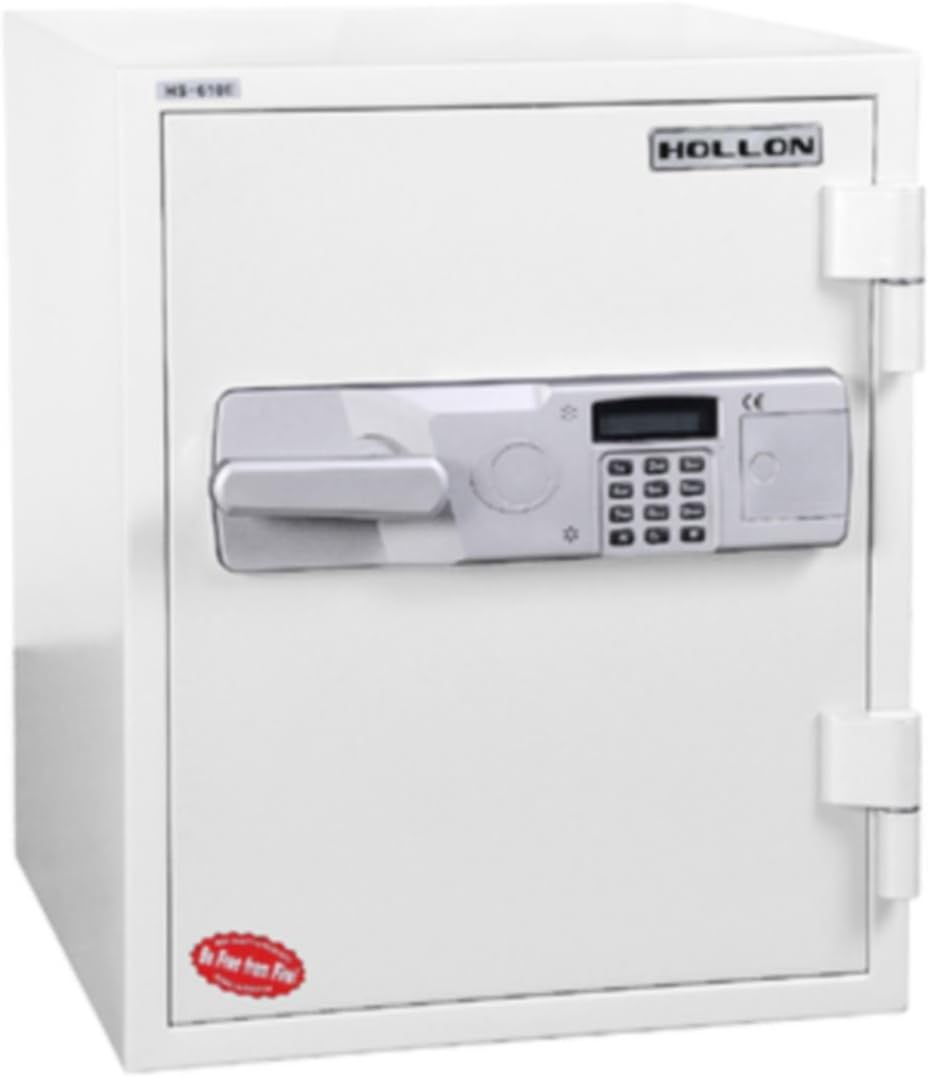
Figure 1: Front view of the Hollon Safe HS-610E, showing the electronic keypad and handle.
3. Operating Instructions
3.1 Opening the Safe
To open the safe, enter your valid user code on the electronic keypad. The lock will emit a confirmation signal (e.g., beep, light). Within a few seconds, turn the handle to the open position and pull the door open. If an incorrect code is entered, the lock will indicate an error.
3.2 Setting User Codes
The electronic lock supports up to 4 user codes. Refer to the specific instructions provided with your electronic lock for detailed programming steps. Generally, this involves entering a master code, then a programming sequence, followed by the new user code. It is recommended to change the factory default code immediately upon setup.
3.3 Locking the Safe
To lock the safe, simply close the door firmly. The door détente device will automatically engage the locking bolts, securing the safe. No need to turn the handle or re-enter a code to lock it.

Figure 2: Interior view of the Hollon Safe HS-610E with the door open, revealing internal storage shelves.
4. Maintenance
4.1 Battery Replacement
Replace the batteries in the electronic lock annually, or immediately if the low battery indicator activates or the keypad becomes unresponsive. Always use new Alkaline batteries of the specified type.
4.2 Cleaning
Clean the exterior of the safe with a soft, damp cloth. Avoid abrasive cleaners or solvents that could damage the finish. Do not spray cleaning solutions directly onto the electronic keypad.
4.3 General Care
Ensure the safe door closes smoothly and the locking bolts engage properly. Do not force the handle. Keep the area around the safe clear of obstructions.
5. Troubleshooting
5.1 Lock Not Responding
- Check battery levels and replace if necessary.
- Ensure correct code entry.
- Wait a few minutes if multiple incorrect entries have been made (some locks have a lockout period).
5.2 Door Not Opening After Code Entry
- Ensure the handle is turned fully after successful code entry.
- Check for any obstructions preventing the door from opening.
5.3 Door Not Locking
- Ensure the door is fully closed and flush with the safe body.
- Check for any obstructions in the door frame or around the locking bolts.
If issues persist, refer to the specific electronic lock manual or contact Hollon Safe customer support.
6. Specifications
| Feature | Detail |
|---|---|
| Brand | Hollon |
| Model Number | HS-610E |
| Product Dimensions (D x W x H) | 18.5"D x 19.76"W x 23.75"H |
| Capacity | 1.5 Cubic Feet |
| Item Weight | 176 Pounds |
| Lock Type | Electronic |
| Material | Alloy Steel |
| Color | Gray/Tan |
| Mounting Type | Freestanding, Tabletop |
| Fire Rating | 2-Hour Fireproof |
| Impact Rating | 30 Foot Impact Rated |
| Water Resistance Level | Not Water Resistant |
| Batteries Required | Yes (Alkaline) |
| Included Components | Safe |
| UPC | 231592315979, 713757037525 |

Figure 3: Dimensions of the Hollon Safe HS-610E, indicating height, width, and depth.
7. Warranty Information
Hollon Safe provides a warranty for all parts and labor, including all Hollon digital components, for a period of 1 year from the date of purchase against manufacturing defects. Additionally, a 2-year warranty is provided on all replacement parts. Please retain your proof of purchase for warranty claims.
8. Customer Support
For technical assistance, troubleshooting beyond this manual, or warranty inquiries, please contact Hollon Safe customer support. Refer to the official Hollon Safe website or your purchase documentation for the most current contact information.
Note: Always refer to the specific manual provided with your electronic lock for detailed programming and troubleshooting steps related to the lock mechanism.
Ask a question about this manual
Ask about setup, troubleshooting, compatibility, parts, safety, or missing instructions. Manuals+ will review the question and use this page’s manual context to help answer it.