
Introduction
This manual provides essential information for the safe and effective use of your Casdon Dyson Ball Toy Vacuum Cleaner. Designed for children aged 3 and above, this toy offers a realistic role-play experience, mimicking the functions and appearance of a full-sized Dyson Ball vacuum. Please read these instructions carefully before assembly and operation.
Setup
1. Unpacking and Component Check
Carefully remove all components from the packaging. Ensure all parts are present:
- Main vacuum unit
- Handle assembly
- Floor head
- Removable debris drawer
- Small screwdriver (for battery compartment)
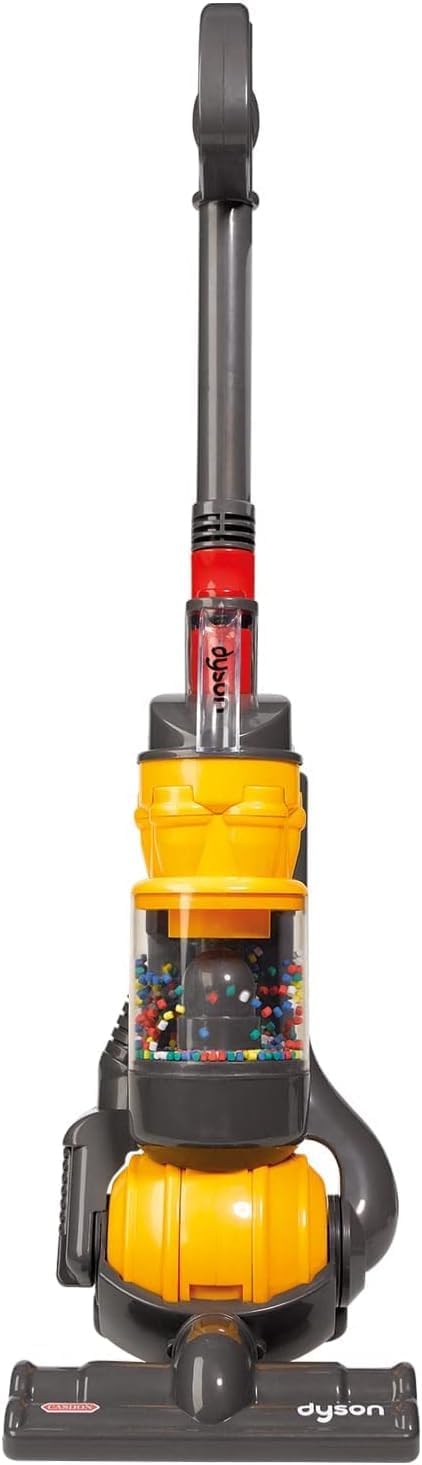
Figure 1: Casdon Dyson Ball Toy Vacuum Cleaner, showcasing its realistic design.
2. Battery Installation
The toy requires 4 x C batteries (not included). Use the provided screwdriver to open the battery compartment located on the main unit. Insert the batteries, ensuring correct polarity (+/-). Close the compartment and secure with the screw.
3. Assembly
- Attach the handle assembly to the main vacuum unit by aligning the connectors and pushing firmly until it clicks into place.
- Connect the floor head to the bottom of the main unit, ensuring a secure fit.
- Insert the removable debris drawer into its designated slot at the back of the main unit.

Figure 2: A young child kneeling on a wooden floor, actively engaging with the Casdon Dyson Ball Toy Vacuum Cleaner, demonstrating its child-friendly size and usability.
Operating Instructions
1. Power On/Off
Locate the power switch on the main unit. Slide the switch to the 'ON' position to activate the toy. Slide to 'OFF' to power down.
2. Realistic Features
- Sounds: The toy produces realistic vacuum cleaner sounds when powered on.
- Cyclone Action: Observe the colorful balls whizzing around in the clear cylinder, simulating the cyclone action of a real Dyson vacuum.
- Twist and Turn: The toy is designed with a 'twist and turn' action, allowing for easy maneuverability around obstacles, just like the actual Dyson Ball model.
- Light Suction: The foot of the vacuum provides light suction, capable of picking up small pieces of paper waste or poly beads.

Figure 3: The Casdon Dyson Ball Toy Vacuum Cleaner positioned to highlight its unique twist and turn maneuverability, mimicking a real Dyson vacuum.

Figure 4: A detailed view of the toy vacuum's clear cylinder, showing the colorful spinning beads that simulate cyclone action, and the accessible debris tray.
Video 1: Official product video demonstrating the features and operation of the Casdon Dyson Ball Toy Vacuum Cleaner, including its realistic sounds, cyclone action, and maneuverability.
Maintenance
1. Emptying the Debris Drawer
When small items are collected, the removable debris drawer can be easily detached from the back of the main unit. Empty the contents and re-insert the drawer securely.

Figure 5: A close-up image illustrating the removable debris drawer of the toy vacuum, designed for easy emptying of collected small items.
2. Cleaning
Wipe the exterior of the toy with a soft, damp cloth. Do not immerse the toy in water.
3. Battery Replacement
If the toy's sounds or lights become dim, it is time to replace the batteries. Follow the battery installation steps in the Setup section.
Troubleshooting
- Toy does not turn on: Ensure batteries are correctly installed and are not depleted. Replace batteries if necessary.
- No sounds or lights: Check battery installation and charge level.
- Reduced suction: Verify that the debris drawer is not full and that there are no blockages in the floor head or suction path.
Specifications
| Feature | Detail |
|---|---|
| Model Number | 64102 |
| Product Dimensions | 7 x 7.5 x 24.8 inches (17.8 x 19.1 x 63 cm) |
| Item Weight | 1.76 pounds (0.8 kg) |
| Recommended Age | 36 months - 10 years |
| Batteries Required | 4 x C batteries |
| Key Features | Realistic sound effects, whizzing colored balls (cyclone action), twist & turn action, removable debris drawer, light suction. |

Figure 6: An image displaying the height (63cm) and width (19.5cm) of the Casdon Dyson Ball Toy Vacuum Cleaner, providing scale information.
Warranty and Support
For warranty information or customer support, please refer to the manufacturer's official website or contact their customer service department directly. Keep your proof of purchase for any warranty claims.

