Introduction
The Coleman C5WP is a versatile digital camera designed for capturing still images and videos in various environments, including underwater. It features a 12.0-megapixel CMOS sensor, a 2.7-inch LCD screen, and is waterproof up to 33 feet (10 meters). This manual provides essential information for the proper use and care of your camera.
Setup
1. Battery Installation and Charging
The camera uses a Li-ion battery. Ensure the battery is fully charged before first use. Connect the camera to a power source using the provided USB 2.0 cable. The charging indicator will show the charging status.
To install the battery:
- Locate the battery compartment door on the camera.
- Open the door carefully.
- Insert the Li-ion battery according to the polarity indicators inside the compartment.
- Close the battery compartment door securely. Ensure it is latched completely to maintain waterproof integrity.
2. Memory Card Installation
The camera supports Micro SD cards up to 8 GB. A memory card is required to store photos and videos beyond the internal memory.
- Open the battery/memory card compartment door.
- Insert the Micro SD card into the designated slot with the contacts facing the correct direction. Push gently until it clicks into place.
- Close the compartment door securely, ensuring the latch is fully engaged to prevent water intrusion.

Figure 1: Back view of the Coleman C5WP camera. The LCD screen displays a person snorkeling underwater. To the right of the screen are control buttons for zoom (W/T), mode, playback, delete, menu, and OK.
Operating Instructions
1. Powering On/Off
- To power on: Press and hold the Power button (usually located on the top or side).
- To power off: Press and hold the Power button again until the camera shuts down.
2. Capturing Photos and Videos
- Photo Mode: Press the Mode button to select photo mode. Press the Shutter button (usually on top) to take a picture.
- Video Mode: Press the Mode button to select video mode. Press the Shutter button to start recording, and press it again to stop.
- Zoom: Use the 'W' (Wide) and 'T' (Telephoto) buttons to adjust the 1x optical zoom.
3. Scene Modes and Anti-Shake
The camera offers 10 scene modes to optimize settings for different shooting conditions. Access these modes through the Menu. The anti-shake technology helps reduce blur caused by camera movement.
- Navigate to the Menu using the Menu button.
- Select 'Scene Mode' and choose the appropriate setting (e.g., Landscape, Portrait, Sports, Beach, Underwater).
- Ensure 'Anti-Shake' is enabled in the settings for clearer images, especially in challenging conditions.
4. Special Features
- Self-Timer: Set a delay before the photo is taken, allowing you to be in the shot.
- Smile Shutter: The camera can automatically detect and capture a photo when a smile is detected.
5. Waterproof Operation
The Coleman C5WP is waterproof up to 33 feet (10 meters). Before submerging the camera, ensure all compartment doors (battery, memory card, USB port) are securely closed and latched. Failure to do so will result in water damage and void the warranty.
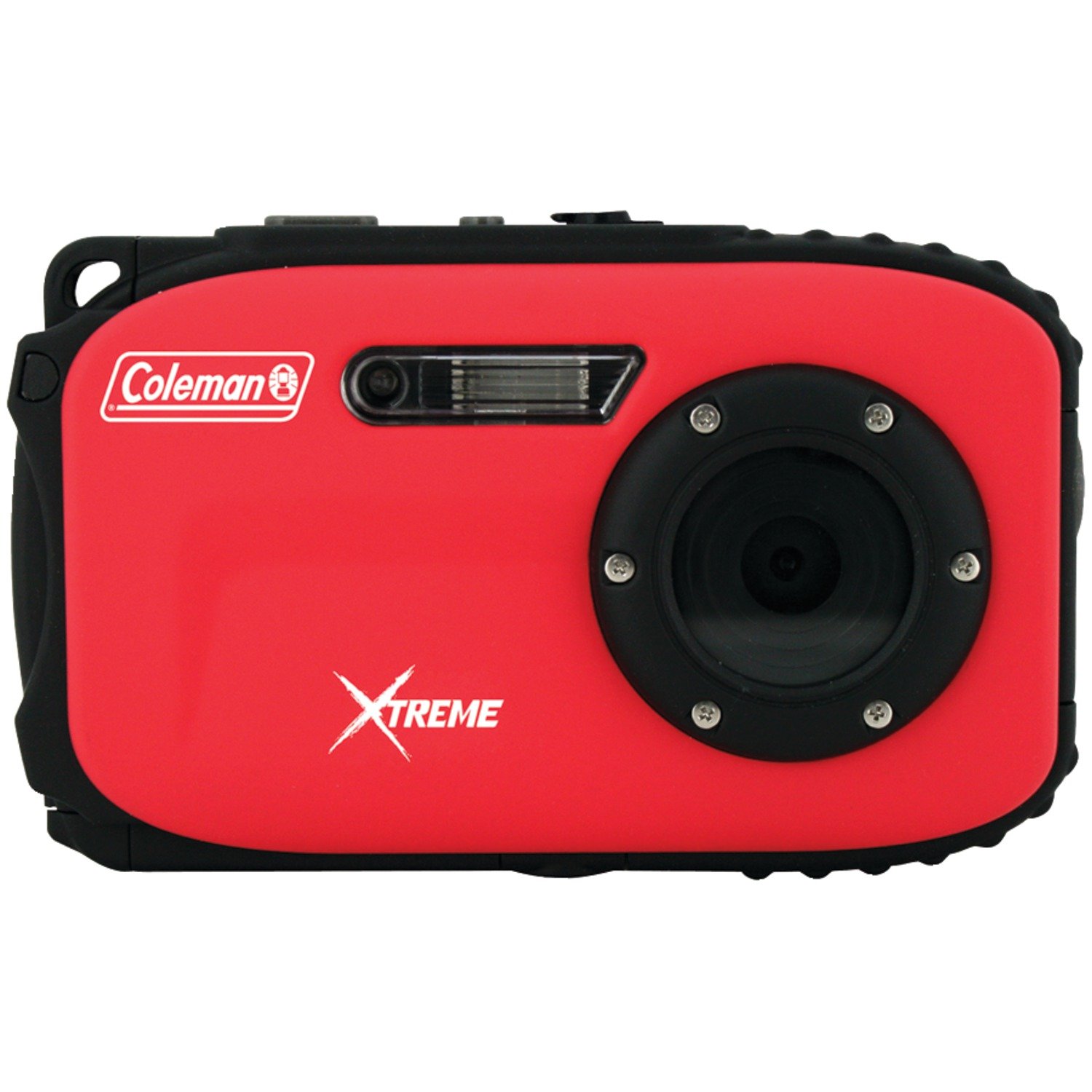
Figure 2: Front view of the Coleman C5WP camera. The camera features a red and black rugged design, with the lens and flash located on the front panel.
Maintenance
1. Cleaning the Camera
- After use, especially in saltwater, rinse the camera with fresh water and wipe it dry with a soft cloth.
- Clean the lens with a soft, lint-free cloth specifically designed for camera lenses. Do not use abrasive materials or harsh chemicals.
- Ensure no sand or debris is lodged in the compartment seals.
2. Checking Waterproof Seals
Regularly inspect the rubber seals around the battery/memory card compartment and USB port for any signs of damage, dirt, or wear. A damaged seal can compromise the camera's waterproof capabilities. Replace seals if necessary (contact support for replacement parts).
3. Battery Care
- Store the battery in a cool, dry place when not in use.
- Avoid fully discharging the battery frequently to prolong its lifespan.
- If the camera will not be used for an extended period, remove the battery.
Troubleshooting
| Problem | Possible Cause / Solution |
|---|---|
| Blurry Photos |
|
| Water Intrusion |
|
| Camera Not Powering On |
|
| Memory Card Error |
|
| Buttons Unresponsive |
|
Specifications
| Feature | Detail |
|---|---|
| Model Name | Coleman Xtreme C5WP |
| Photo Sensor Resolution | 12 MP |
| Effective Still Resolution | 16 MP |
| Sensor Type | CMOS |
| Screen Size | 2.7 inches |
| Optical Zoom | 1x |
| Image Stabilization | Digital, Optical |
| Water Resistance Level | Waterproof |
| Water Resistance Depth | 33 feet (10 meters) |
| Supported File Format | JPEG (Stills), MP4 (Video) |
| Memory Storage | Micro SD up to 8 GB |
| Battery Type | Lithium Ion |
| Connectivity | USB 2.0 |
| Item Weight | 0.4 Pounds |
| Color | Red |
Warranty Information
This Coleman C5WP camera comes with a 1 Year manufacturer's warranty. Please retain your proof of purchase for warranty claims. The warranty covers manufacturing defects but does not cover damage caused by misuse, accidents, or failure to follow operating instructions (e.g., improper sealing leading to water damage).
Support
For technical assistance, warranty claims, or inquiries regarding replacement parts, please contact Coleman customer support. Based on available information, you may contact E-lite Brands, the manufacturer's representative, at:
E-lite Brands: 800-441-1100
Please have your camera model number (C5WP) and proof of purchase ready when contacting support.


