1. Product Overview
The Coleman AIRXCEL 9430A3372 is a digital wall-mounted thermostat designed for recreational vehicles (RVs). It provides precise control over single-stage heating and cooling systems, ensuring comfortable indoor temperatures. This model is available in white and offers a clear digital display for easy temperature monitoring and mode selection.
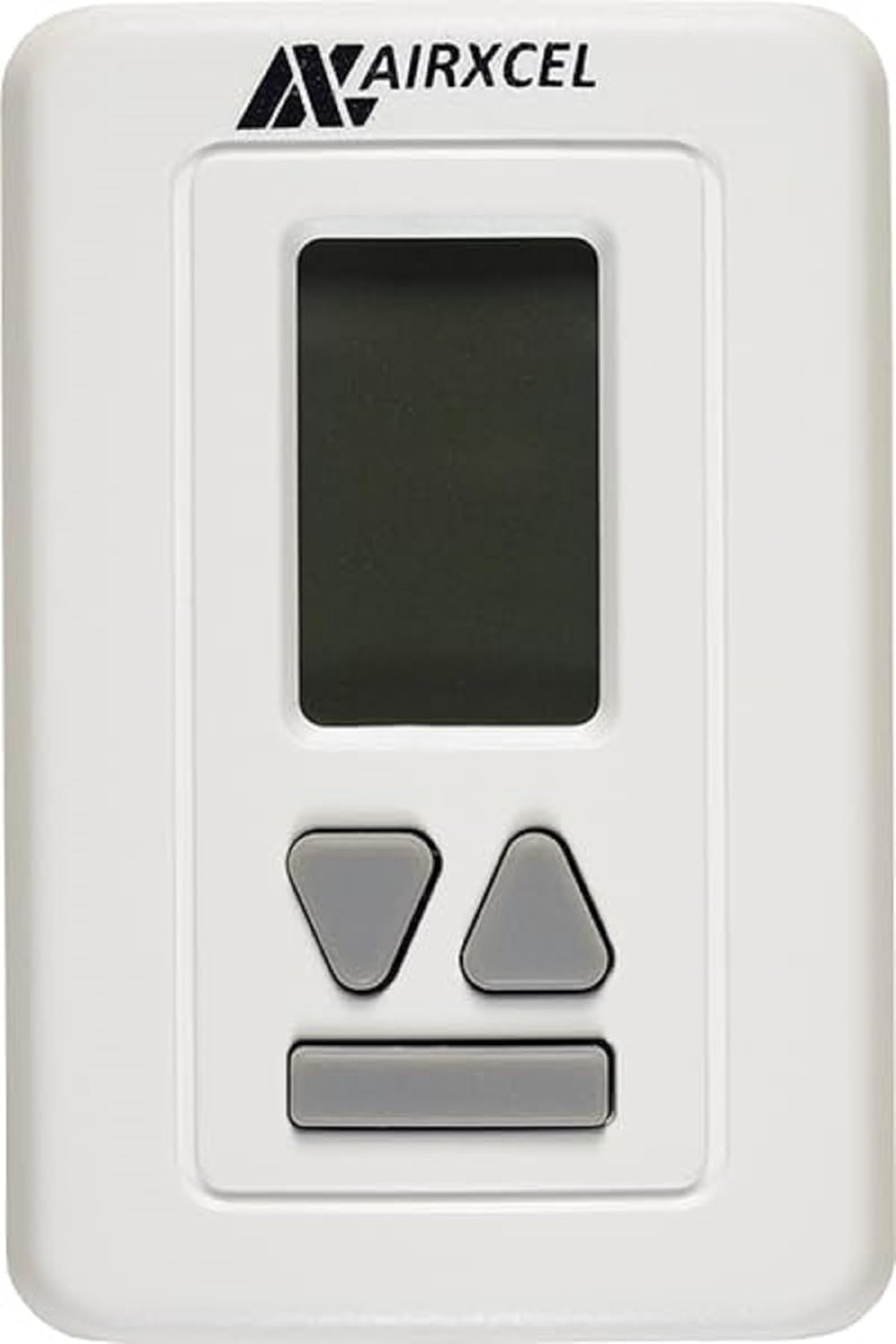
Image: Front view of the Coleman AIRXCEL 9430A3372 Digital RV Thermostat, white with a digital display and control buttons.
2. What's in the Box
Upon opening the package, verify that all components are present:
- Airxcel 9430A337 Digital Wall Thermostat (Heat/Cool)
- Installation and Operation Guide (this manual)
3. Setup and Installation
Proper installation is crucial for the optimal performance of your thermostat. If you are unsure about any steps, it is recommended to consult a qualified technician.
3.1 Safety Precautions
- WARNING: Always turn off the power to your RV's furnace and air conditioning unit at the circuit breaker before beginning any wiring or installation. Failure to do so can result in electrical shock or damage to the unit.
- Ensure the mounting surface is flat and free from obstructions.
3.2 Mounting the Thermostat
- Carefully remove your old thermostat from the wall. Note the existing wiring connections.
- Position the new Coleman AIRXCEL 9430A3372 thermostat in the desired location. The mounting holes are typically designed to match standard RV thermostat placements.
- Secure the thermostat base to the wall using appropriate screws (not included, typically reused from the old unit or provided with the RV).
3.3 Wiring Instructions
The Coleman AIRXCEL 9430A3372 is designed for straightforward replacement of many analog RV thermostats. The wiring connections are typically a direct wire-for-wire match.
- Identify the wires from your RV's system. There are typically six wires for single-stage heat/cool systems.
- Connect each wire from your RV to the corresponding terminal on the new thermostat. It is highly recommended to connect one wire at a time to ensure correct matching.
- Use wire nuts or appropriate connectors to secure the connections. Ensure all connections are tight and insulated.
- Once wiring is complete, carefully attach the thermostat faceplate to the base.
3.4 Initial Power-Up and Testing
- Restore power to your RV's furnace and air conditioning unit at the circuit breaker.
- The thermostat display should illuminate, showing the current room temperature.
- Test both heating and cooling functions to ensure proper operation.
Video: A detailed review of the Airexcel Digital RV Thermostat, demonstrating its features and basic operation. This video can assist with understanding the unit's functionality.
4. Operating Instructions
Your Coleman AIRXCEL 9430A3372 thermostat is designed for user-friendly operation. The digital display provides clear information, and the control buttons allow for easy adjustments.
4.1 Understanding the Display
The digital screen displays the current room temperature and the set temperature. Indicators for the selected mode (Cool, Heat, Fan) and fan speed (Lo, Hi, Auto) are also shown.
4.2 Adjusting Temperature
- Use the Up and Down arrow buttons to increase or decrease the desired set temperature.
- The set temperature will flash briefly and then lock in once adjusted.
4.3 Selecting Operating Mode
Press the Mode button (often a central button or labeled 'Mode') to cycle through the available operating modes:
- Cool: Activates the air conditioning to cool the RV to the set temperature. The fan will run continuously or cycle with the compressor depending on the fan setting.
- Heat (Gas): Activates the RV's propane furnace to heat the RV to the set temperature.
- Heat (Electric/Heat Pump): Utilizes the built-in heat pump in the AC unit to provide electric heating. This mode is energy-efficient in moderate temperatures.
- Dry Cool (Dehumidifier): This mode helps remove moisture from the air. The unit may run even if the room temperature is at or below the set temperature if high humidity is detected, potentially making the room cooler than the set point.
- Off: Turns off all heating and cooling functions.
4.4 Adjusting Fan Speed
After selecting a mode, you can often adjust the fan speed. Press the Fan button to cycle through fan speed options:
- Lo (Low): The fan operates at a lower speed.
- Hi (High): The fan operates at a higher speed for faster air circulation.
- Auto: The fan speed automatically adjusts based on the heating or cooling demand.
- You can also run the fan independently (without heating or cooling) to circulate air by selecting the "Fan" mode and choosing your desired speed.
5. Maintenance
Regular maintenance ensures the longevity and efficiency of your thermostat.
- Cleaning: Gently wipe the thermostat's exterior with a soft, damp cloth. Avoid using abrasive cleaners or solvents, as these can damage the finish or electronic components.
- Airflow: Ensure that the area around the thermostat is clear of obstructions to allow for accurate temperature sensing.
- Battery Replacement: (If applicable, check your specific model for battery compartment) If your thermostat uses batteries, replace them annually or when the low battery indicator appears on the display.
6. Troubleshooting
If you encounter issues with your thermostat, try these common troubleshooting steps:
- No Display/No Power:
- Check the circuit breaker for your RV's HVAC system and ensure it is in the "ON" position.
- Verify all wiring connections are secure.
- If battery-operated, replace the batteries.
- System Not Responding (No Heat/Cool):
- Ensure the thermostat is set to the correct operating mode (Cool or Heat) and the set temperature is appropriate (e.g., below room temp for cooling, above for heating).
- Check if the fan is running. If not, check fan settings.
- Allow a few minutes for the system to respond after making changes, as some systems have a built-in delay.
- Inaccurate Temperature Reading:
- Ensure the thermostat is not exposed to direct sunlight, drafts, or heat sources (like appliances or vents) that could affect its sensor.
- Clean any dust or debris from the thermostat's vents.
If these steps do not resolve the issue, contact Coleman customer support or a certified RV technician.
7. Specifications
| Feature | Detail |
|---|---|
| Brand | Coleman (Airxcel) |
| Model Number | 9430A3372 |
| Type | Digital Wall Thermostat |
| System Compatibility | Single Stage Heat/Cool |
| Voltage | 24 Volts |
| Item Weight | 0.01 ounces |
| Package Dimensions | 5.59 x 3.78 x 1.5 inches |
| Country of Origin | China |
| First Available | November 7, 2011 |
8. Warranty and Support
For detailed warranty information and customer support, please refer to the official Coleman or Airxcel website, or contact their customer service directly. Keep your purchase receipt as proof of purchase for warranty claims.
Online resources and FAQs may also be available on the manufacturer's website to assist with common questions and issues.


