
Introduction
The Philips AJ5000/12 is a digital tuning clock radio designed to provide timekeeping, alarm functions, and FM radio reception. It features a clear digital display, dual alarm settings, and mood-lighting capabilities to enhance your waking experience. This manual provides detailed instructions for setting up and operating your device.
Product Overview
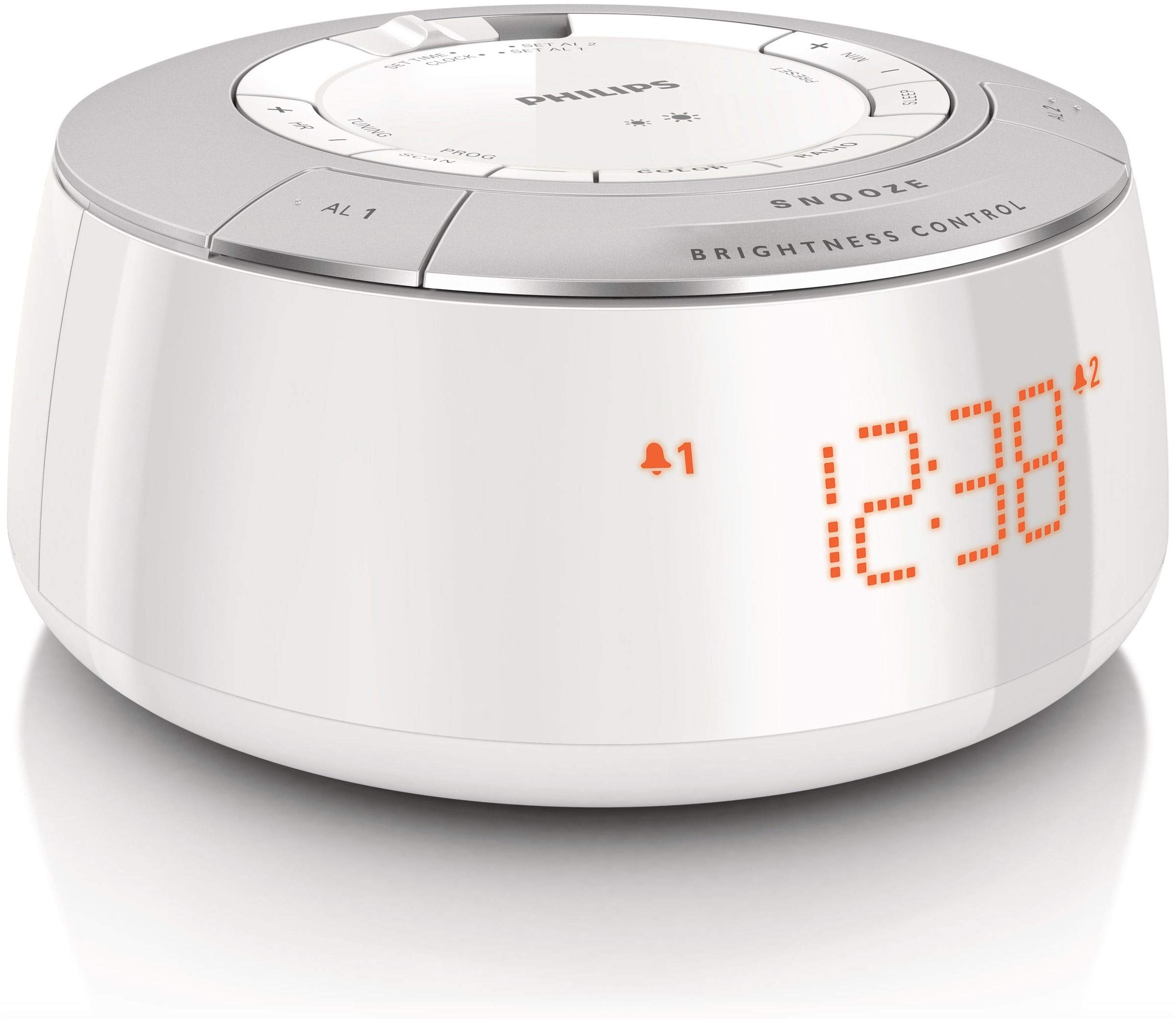
Figure 1: Front view of the Philips AJ5000/12 Digital Tuning Clock Radio, displaying the time and alarm indicators.
The Philips AJ5000/12 combines a clock, alarm, and FM radio into a compact unit. Key features include:
- Digital FM radio tuner for clear reception.
- Dual alarm function for separate wake-up times.
- Snooze feature for additional sleep time.
- Adjustable display brightness.
Setup
1. Power Connection
Connect the power adapter to the DC input jack on the back of the clock radio and then plug the adapter into a wall outlet. The unit will power on and the display will illuminate.
2. Battery Installation (Backup)
For backup power during outages, install 2 Lithium Ion batteries (not included) into the battery compartment located on the bottom of the unit. Ensure correct polarity (+/-) as indicated inside the compartment. These batteries maintain time and alarm settings during a power interruption but do not power the main functions of the device.
3. Antenna Setup
Extend the FM antenna wire fully for optimal radio reception. Adjust its position to improve signal clarity if needed.
Operating Instructions
1. Setting the Time
- Press and hold the 'TIME SET' button until the hour digits flash.
- Use the 'HOUR' and 'MINUTE' buttons to adjust the time.
- Press 'TIME SET' again to confirm the setting.
2. Setting Alarms (Alarm 1 and Alarm 2)
The clock radio features two independent alarms.
- Press and hold the 'ALARM 1' or 'ALARM 2' button until the alarm time digits flash.
- Use the 'HOUR' and 'MINUTE' buttons to set the desired alarm time.
- Press the 'ALARM 1' or 'ALARM 2' button again to select the alarm source (Buzzer or FM Radio). The corresponding alarm icon will appear on the display.
- To deactivate an alarm, press the 'ALARM 1' or 'ALARM 2' button repeatedly until the alarm icon disappears.
3. Snooze Function
When an alarm sounds, press the 'SNOOZE' button (located on top) to temporarily silence the alarm. The alarm will sound again after approximately 9 minutes.
4. FM Radio Operation
- Press the 'RADIO ON/OFF' button to turn on the FM radio.
- Press the 'TUNE +' or 'TUNE -' buttons to manually tune to a desired frequency.
- To auto-scan for stations, press and hold 'TUNE +' or 'TUNE -' until the frequency starts scanning.
- To preset a station, tune to the desired station, then press and hold a 'PRESET' button (e.g., P1, P2) until the preset number flashes. Release the button to save.
5. Display Brightness Control
Use the 'BRIGHTNESS CONTROL' button (located on top) to adjust the intensity of the digital display. Press repeatedly to cycle through different brightness levels.
Maintenance
Cleaning
Wipe the unit with a soft, dry cloth. Do not use abrasive cleaners, solvents, or strong detergents, as these may damage the plastic enclosure. Ensure the unit is unplugged before cleaning.
Battery Replacement
If the backup batteries are depleted, replace them with new Lithium Ion batteries to ensure time and alarm settings are retained during power outages. Dispose of old batteries responsibly.
Troubleshooting
| Problem | Possible Cause | Solution |
|---|---|---|
| No power / Display off | Power adapter not connected or faulty outlet. | Check power connection and try a different outlet. |
| Poor FM radio reception | Antenna not extended or interference. | Extend and reposition the FM antenna. Move unit away from other electronic devices. |
| Alarm does not sound | Alarm not activated or volume too low. | Ensure alarm icon is displayed. Increase radio volume if alarm source is radio. |
| Time/Alarm settings lost after power outage | Backup batteries are dead or not installed. | Install or replace backup batteries. |
Specifications
- Brand: Philips
- Model Number: AJ5000/12
- Power Source: AC Power (with 2 Lithium Ion batteries for backup)
- Item Weight: 0.6 Kilograms
- Display Type: Digital
- Enclosure Material: Plastic
- Special Features: Alarm, Radio
Warranty and Support
For warranty information and customer support, please refer to the warranty card included with your product or visit the official Philips support website. Keep your purchase receipt as proof of purchase for any warranty claims.


