
Breadman TR441 Automatic Bread Maker User Manual
Model: TR-441
Introduction
Thank you for choosing the Breadman TR441 Automatic Bread Maker. This appliance is designed to simplify the bread-making process, allowing you to enjoy fresh, homemade bread with minimal effort. The TR441 is capable of making a variety of breads, including 100% whole wheat bread, by handling the mixing, kneading, rising, and baking cycles automatically.
Please read this manual thoroughly before operating your new bread maker to ensure safe and efficient use.
Important Safety Instructions
When using electrical appliances, basic safety precautions should always be followed to reduce the risk of fire, electric shock, and injury to persons, including the following:
- Read all instructions.
- Do not touch hot surfaces. Use handles or knobs.
- To protect against electric shock, do not immerse cord, plugs, or appliance in water or other liquid.
- Close supervision is necessary when any appliance is used by or near children.
- Unplug from outlet when not in use and before cleaning. Allow to cool before putting on or taking off parts.
- Do not operate any appliance with a damaged cord or plug or after the appliance malfunctions or has been damaged in any manner.
- The use of accessory attachments not recommended by the appliance manufacturer may cause injuries.
- Do not use outdoors.
- Do not let cord hang over edge of table or counter, or touch hot surfaces.
- Do not place on or near a hot gas or electric burner, or in a heated oven.
- Extreme caution must be used when moving an appliance containing hot oil or other hot liquids.
- To disconnect, turn any control to 'off', then remove plug from wall outlet.
- Do not use appliance for other than intended use.
Setup
Unpacking
Carefully remove the bread maker and all accessories from the packaging. Retain the packaging for future storage or transport. Check that all parts are present and undamaged.
First Use Cleaning
- Before first use, wipe the exterior of the bread maker with a damp cloth.
- Wash the bread pan, kneading paddle, and measuring utensils in warm, soapy water. Rinse thoroughly and dry completely.
- Do not immerse the main unit in water.
Placement
Place the bread maker on a stable, flat, heat-resistant surface, away from direct sunlight and heat sources. Ensure there is adequate ventilation around the appliance.
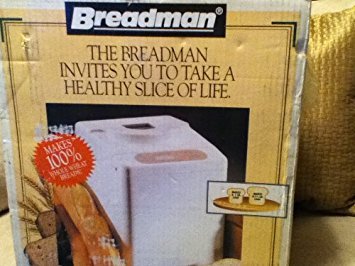
Front view of the Breadman TR441 Automatic Bread Maker, showing its compact design and control panel.
Operating Instructions
Control Panel Overview
The Breadman TR441 features an intuitive control panel with various buttons for program selection, crust color, loaf size, and start/stop functions. Refer to the detailed diagram in your printed manual for specific button identification.
Basic Bread Making Process
- Insert Kneading Paddle: Place the kneading paddle onto the shaft inside the bread pan.
- Add Ingredients: Add liquid ingredients first, followed by dry ingredients. Ensure yeast is added last, placed in a small well on top of the flour, away from liquids and salt.
- Place Bread Pan: Insert the bread pan into the bread maker and lock it into place. Close the lid.
- Select Program: Use the 'Menu' button to cycle through the 12 available programs (e.g., Basic, Whole Wheat, French, Sweet, Dough).
- Select Loaf Size and Crust Color: Adjust these settings according to your recipe and preference.
- Start Baking: Press the 'Start/Stop' button to begin the selected program. The bread maker will automatically mix, knead, rise, and bake.
- Remove Bread: Once the program is complete, unplug the appliance. Using oven mitts, carefully remove the hot bread pan. Invert the pan to release the bread onto a wire rack to cool.
Specialty Programs
The Breadman TR441 offers 12 distinct programs, including a dedicated setting for 100% Whole Wheat Bread, ensuring optimal results for various bread types. Consult your recipe book for specific ingredient quantities and program recommendations.
Maintenance
Cleaning
- Always unplug the bread maker and allow it to cool completely before cleaning.
- Exterior: Wipe the exterior of the appliance with a dry cloth. Do not use abrasive cleaners or immerse the unit in water.
- Bread Pan and Kneading Paddle: Remove the kneading paddle from the bread pan. Wash both in warm, soapy water. For stubborn residue, soak the pan and paddle for a short period. Rinse thoroughly and dry completely before reassembling or storing. Do not use metal utensils inside the bread pan as this can damage the non-stick coating.
- Lid and Viewing Window: Wipe with a damp cloth.
Storage
Ensure the bread maker is clean and dry before storing. Store in a cool, dry place, preferably in its original packaging, away from direct sunlight and moisture.
Troubleshooting
If you encounter issues with your Breadman TR441, refer to the following common problems and solutions:
- Bread does not rise: Ensure yeast is fresh and active. Check that the correct amount of yeast and liquid is used. Verify the bread maker is plugged in and the program started correctly.
- Dense or heavy bread: This can be caused by too much flour, too little liquid, or inactive yeast. Ensure accurate measurements and proper ingredient order.
- Bread sticks to pan: Ensure the non-stick coating is intact. Allow bread to cool slightly before attempting to remove. A small amount of cooking oil can be applied to the paddle before adding ingredients.
- Kneading paddle stuck in bread: This is common. Allow the bread to cool, then carefully remove the paddle using a non-metallic utensil.
- Appliance not turning on: Check the power cord connection and the wall outlet. Ensure the appliance is not in a fault state.
For issues not covered here, please contact customer support.
Specifications
| Model Number | TR-441 |
| Brand | Breadman |
| Color | White |
| Wattage | 1000 watts |
| Voltage | 120 Volts |
| Number of Programs | 12 |
| Material | Metal, Plastic |
| Item Weight | 16.95 pounds |
| Package Dimensions | 16.4 x 14.4 x 12 inches |
| Product Care Instructions | Wipe with Dry Cloth |
| Manufacturer | Salton/Maxim Housewares, Inc. |
| UPC | 740057001239 |
Warranty and Support
Warranty Information
For detailed warranty information, please refer to the warranty card included with your product packaging or visit the official Breadman website. Keep your purchase receipt as proof of purchase for any warranty claims.
Customer Support
If you require further assistance, have questions about your Breadman TR441, or need to report a problem, please contact the manufacturer's customer support. Contact details can typically be found on the manufacturer's website or in the product packaging.