
Goobay 95041-GB
Cabstone SoundBar Mini Speaker Black 95041 User Manual
Model: 95041-GB | Brand: Goobay
1. Introduction
Thank you for choosing the Cabstone SoundBar Mini Speaker. This compact and versatile speaker is designed to enhance your audio experience, whether at home or on the go. It features a wired connection, dual 3-watt speakers, and flexible power options. Please read this manual carefully to ensure proper use and maintenance of your device.

The Cabstone SoundBar Mini Speaker, showcasing its sleek black design and front grille.
2. Product Features
- Wired Connectivity: Connects via 3.5mm Aux or Micro USB.
- Powerful Sound: Features 2 x 3 Watts (6 Watts total) output with an aluminium-cone speaker and passive subwoofer for rich audio.
- Dual Power Options: Can be powered by 4 AAA batteries for portability or via Micro USB.
- Compact and Portable: Lightweight design (350g) with dimensions of 212mm x 65mm x 50mm, ideal for travel.
- Intuitive Controls: Easy-to-use buttons for power and volume.
- Wide Compatibility: Works with various devices including computers (Windows, Mac), smartphones, tablets, and televisions.
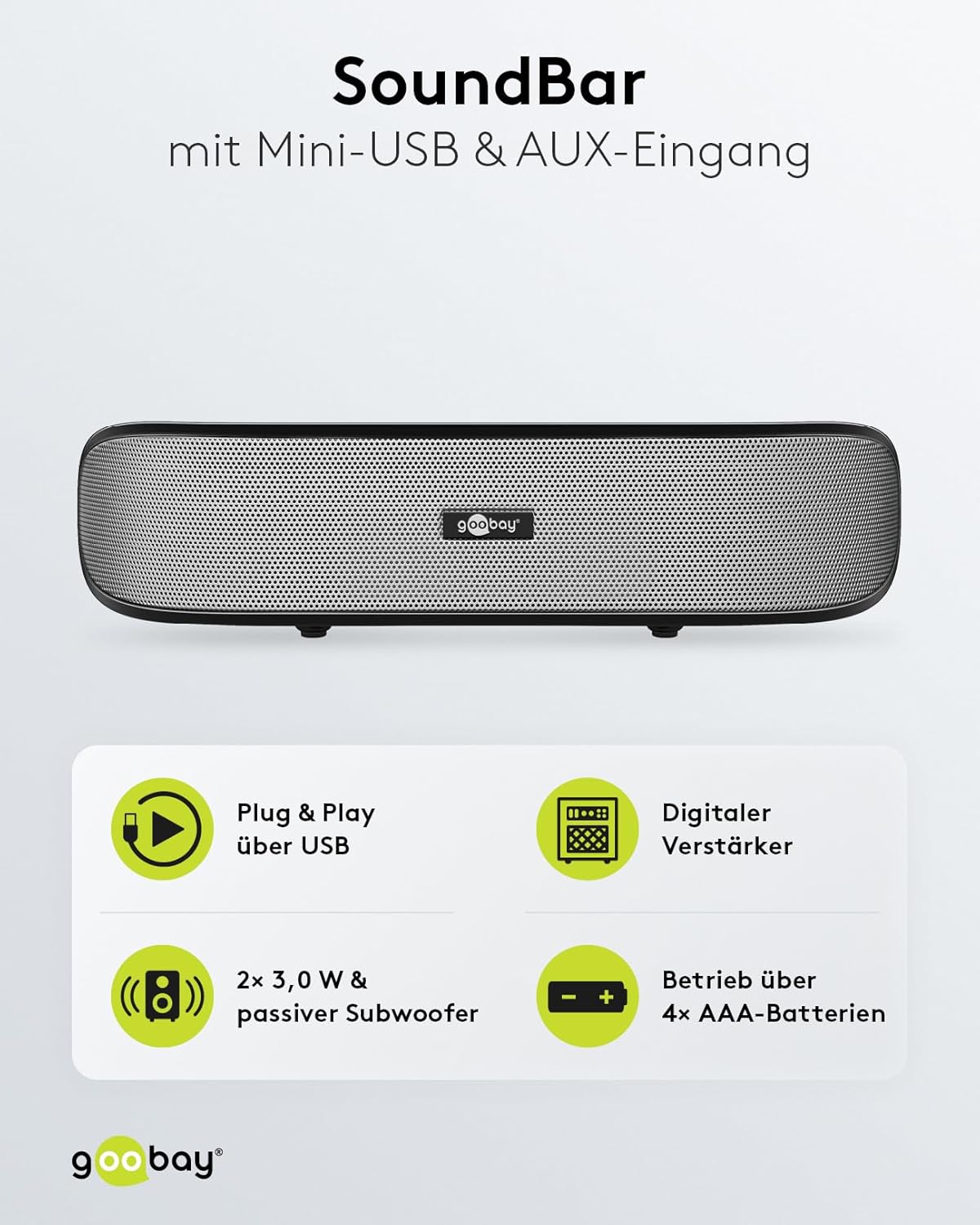
Key features of the SoundBar, including USB Plug & Play, digital amplifier, dual 3W speakers with passive subwoofer, and AAA battery operation.

The elegant design and compact dimensions of the SoundBar, highlighting its portability.

Detailed sound specifications, including the 2-way system, passive subwoofer, amplifier, and frequency response.
3. What's in the Box
Upon opening your package, you should find the following items:
- Cabstone SoundBar Mini Speaker
- Micro USB cable
- 3.5mm to 3.5mm audio cable
- Protective pouch for transport
- Quick Start Guide (not included in this manual)

All included accessories: protective pouch, USB-A to Mini-USB cable, and 3.5mm audio cable.
4. Setup
4.1 Powering the Speaker
The SoundBar Mini Speaker offers two power options:
- Battery Power: Insert 4 AAA batteries into the battery compartment located on the underside of the speaker. Ensure correct polarity. The speaker can operate for up to 6 hours on battery power.
- USB Power: Connect the supplied Micro USB cable from the speaker's Micro USB port to a USB power source (e.g., computer USB port, USB wall adapter).
4.2 Connecting to an Audio Source
The speaker supports two types of audio connections:
- 3.5mm Aux Connection: Use the provided 3.5mm audio cable to connect the speaker's 3.5mm jack to the headphone jack or audio output of your device (e.g., smartphone, tablet, computer, MP3 player).
- USB Audio Connection: Connect the speaker to your computer via the Micro USB cable. For some systems, this connection may also transmit audio, functioning as a Plug & Play USB speaker.

Rear view of the SoundBar, highlighting the 3.5mm audio jack and Micro USB port for connections.

Overview of the speaker's controls and connection ports for easy setup and operation.
5. Operating Instructions
5.1 Power On/Off
Press the Power Button located on the top of the speaker to turn the device on or off.
5.2 Adjusting Volume
Use the Volume Up and Volume Down buttons on the top of the speaker to adjust the audio output level.
5.3 Usage Scenarios
The SoundBar Mini Speaker is designed for flexible application across various devices and environments:
- Computers: Enhance audio for desktops and laptops (Windows, Mac).
- Mobile Devices: Improve sound from smartphones and tablets.
- Home Electronics: Connect to televisions or other audio systems for better sound.

The SoundBar's Plug & Play capability and compatibility with various operating systems and mobile devices.

Examples of flexible application, demonstrating the SoundBar's use with computers, smartphones, and televisions.
6. Maintenance
- Cleaning: Use a soft, dry cloth to clean the speaker's surface. Do not use liquid cleaners or abrasive materials.
- Storage: When not in use, store the speaker in a cool, dry place, preferably in its protective pouch.
- Battery Replacement: If using batteries, replace all 4 AAA batteries simultaneously when power is low to ensure optimal performance.
- Avoid Moisture: The speaker is not waterproof. Keep it away from water and high humidity.
7. Troubleshooting
- No Sound:
- Ensure the speaker is powered on.
- Check if the volume on both the speaker and the connected device is turned up.
- Verify that the audio cable is securely connected to both the speaker and the audio source.
- If using batteries, check if they are inserted correctly and have sufficient charge. Try connecting via USB power.
- If using USB audio, ensure your computer recognizes the speaker as an audio output device.
- Distorted Sound:
- Lower the volume on both the speaker and the connected device.
- Ensure the audio cable is not damaged.
- Check for interference from other electronic devices.
- Speaker Not Powering On:
- If using batteries, replace them with fresh ones.
- If using USB power, try a different USB port or power adapter.
8. Specifications
| Model Name | SoundBar Mini Speaker |
| Model Number | 95041-GB |
| Speaker Type | Soundbar |
| Connectivity Technology | USB, 3.5mm Aux |
| Audio Output Mode | Stereo (2.0 Channel) |
| Speaker Maximum Output Power | 6 Watts (2 x 3W) |
| Frequency Range | 80 - 20000 Hz |
| Power Source | Battery Powered (4x AAA), USB Powered |
| Item Weight | 350 Grams (12.3 ounces) |
| Product Dimensions | 8.3 x 2 x 2.6 inches (212 x 50 x 65 mm) |
| Color | Black |
| Manufacturer | Cabstone |
9. Warranty and Support
This Cabstone SoundBar Mini Speaker comes with a Limited Warranty. For specific details regarding warranty coverage and duration, please refer to the warranty card included with your product or contact the manufacturer directly.
For technical support or further inquiries, please visit the official Goobay website or contact their customer service department. Please have your product model number (95041-GB) and purchase information ready when seeking support.
Ask a question about this manual
Ask about setup, troubleshooting, compatibility, parts, safety, or missing instructions. Manuals+ will review the question and use this page’s manual context to help answer it.