
1. Introduction
The Manfrotto MP1-C01 Pocket Series Tripod is an ultra-slim, compact support designed for compact cameras. It provides stable and secure positioning for your camera in various situations. Its low-profile design allows it to remain attached to your camera, making it ready for use at any time without adding significant bulk.
The tripod features three legs with non-slip rubber feet that can be independently adjusted to ensure maximum stability on any surface. Constructed from durable metal with strong springs, it offers reliable support for cameras weighing up to 1.3 lbs.
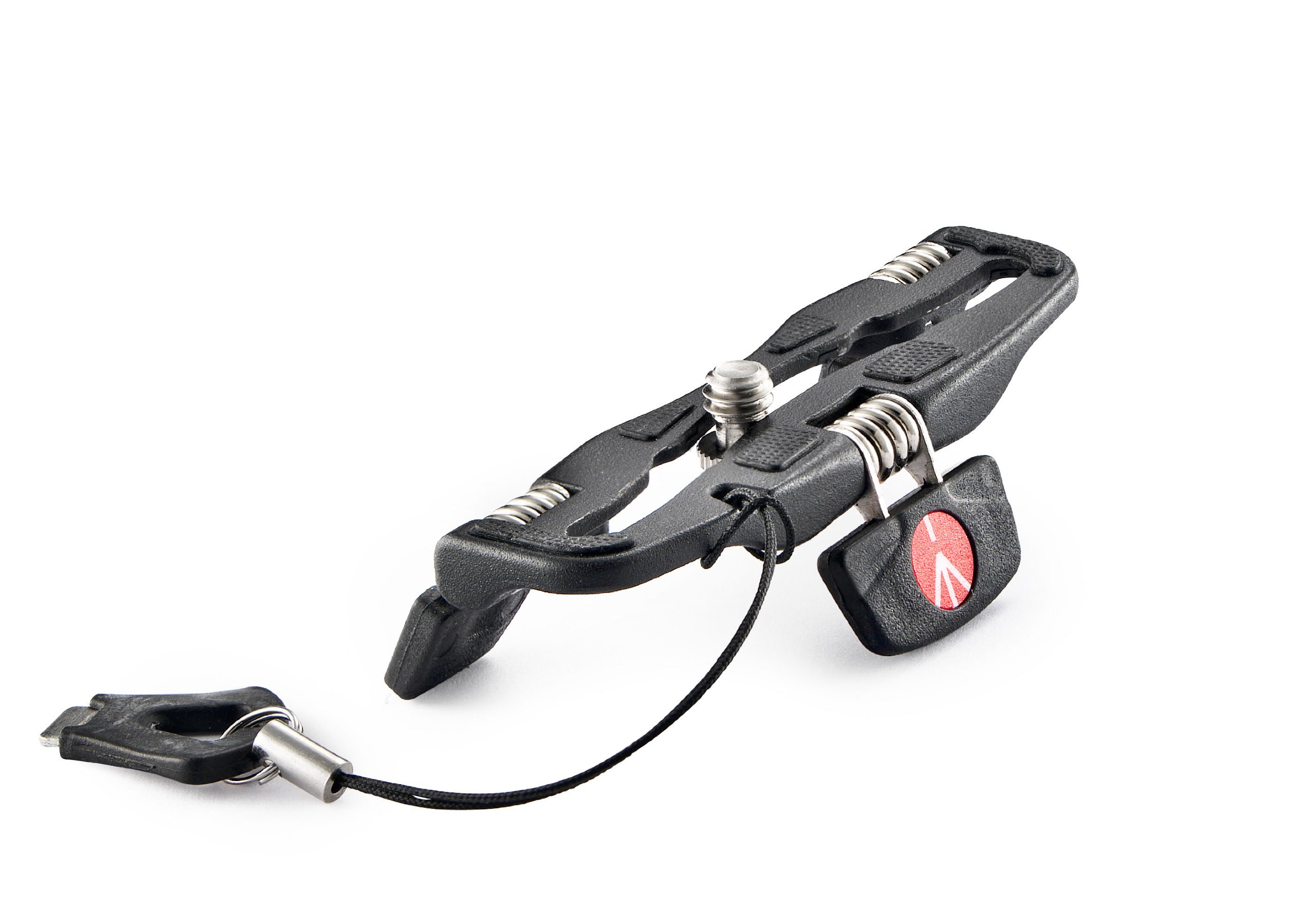
Figure 1: Manfrotto MP1-C01 Pocket Series Tripod with dimensions. The tripod measures approximately 3.93 inches in width, 1.81 inches in height, and 5.19 inches in length when folded.
2. Setup
2.1 Attaching the Tripod to Your Camera
- Locate the standard tripod attachment screw on the Manfrotto MP1-C01.
- Align the tripod screw with the camera's thread hole, typically found at the bottom of the camera body.
- Carefully screw the tripod onto the camera. The tripod features a channel that allows for lateral adjustment of the screw's position. Center the tripod on your camera body for optimal balance.
- Use the included attachment tool (often tethered to the tripod) to securely tighten the screw. Ensure it is firm but do not overtighten.

Figure 2: Close-up of the Manfrotto MP1-C01 Pocket Series Tripod, showing the attachment screw and foldable legs.
2.2 Unfolding the Legs
Once attached, the three legs of the tripod can be independently unfolded and positioned. Gently pull each leg outwards until it locks into a stable position. The non-slip rubber feet provide grip on various surfaces.
3. Operating Instructions
3.1 Positioning Your Camera
- Adjust each leg individually to achieve the desired camera angle and stability on uneven surfaces.
- For horizontal camera positioning on even surfaces, align the reference arrows on the tripod to ensure a level setup.
- The attachment screw can be tightened in one of three tracks to better balance the camera's weight, especially with cameras that have off-center weight distribution.
3.2 Folding for Storage
To store your camera with the tripod attached, simply fold the legs inward so they lie flat against the camera body. The ultra-slim design ensures the camera can still be stored in most pouches or bags without obstruction.
3.3 Product Demonstration Video
This official manufacturer video demonstrates the key features and usage of the Manfrotto Pocket Series Tripod, including attachment to various camera types, leg adjustment, and compact storage.
4. Maintenance
- Cleaning: Wipe the tripod with a soft, dry cloth to remove dust and debris. For stubborn dirt, a slightly damp cloth can be used, followed by immediate drying. Avoid abrasive cleaners or solvents.
- Storage: Store the tripod in a clean, dry environment away from extreme temperatures and humidity.
- Inspection: Periodically check the springs and attachment screw for any signs of wear or damage. Ensure the rubber feet are intact and provide adequate grip.
5. Troubleshooting
- Tripod feels unstable:
- Ensure all three legs are fully extended and independently adjusted to conform to the surface.
- Verify that the camera's weight does not exceed the maximum limit of 1.3 lbs.
- Check if the attachment screw is securely tightened and centered on the camera body.
- Difficulty attaching to camera:
- Confirm that the camera has a standard tripod thread.
- Ensure the screw is properly aligned with the camera's thread hole before tightening.
- Legs do not fold/unfold smoothly:
- Check for any obstructions or debris in the hinge mechanisms.
- Avoid forcing the legs; they should move with moderate pressure.
6. Specifications
| Feature | Specification |
|---|---|
| Brand | Manfrotto |
| Model Number | MP1-C01 |
| Color | Black |
| Compatible Devices | Camera (Compact) |
| Special Feature | Portable, Low Profile |
| Material | Metal, Rubber |
| Weight Limit | 1.3 pounds (0.6 kg) |
| Maximum Height | Approximately 2 inches (5 cm) |
| Tripod Head Type | Fixed Platform |
| Folded Size | 3.2 x 0.8 x 3 inches (8.1 x 2 x 7.6 cm) |
| UPC | 719821322931 |
7. Warranty Information
Manfrotto products are typically covered by a standard limited warranty. For specific details regarding the warranty period, coverage, and terms for your MP1-C01 Pocket Series Tripod, please refer to the warranty card included with your product or visit the official Manfrotto website.
8. Support
For further assistance, technical support, or to view additional product resources, please visit the official Manfrotto website:
You may also find helpful information and FAQs on the product page where you purchased your Manfrotto MP1-C01 Pocket Series Tripod.

