
1. Introduction
This manual provides essential information for the safe and effective operation of your Electro-Voice ELX112P 12-inch Live X Two-Way Powered Loudspeaker. Please read this manual thoroughly before using the product to ensure proper setup, operation, and maintenance. Retain this manual for future reference.
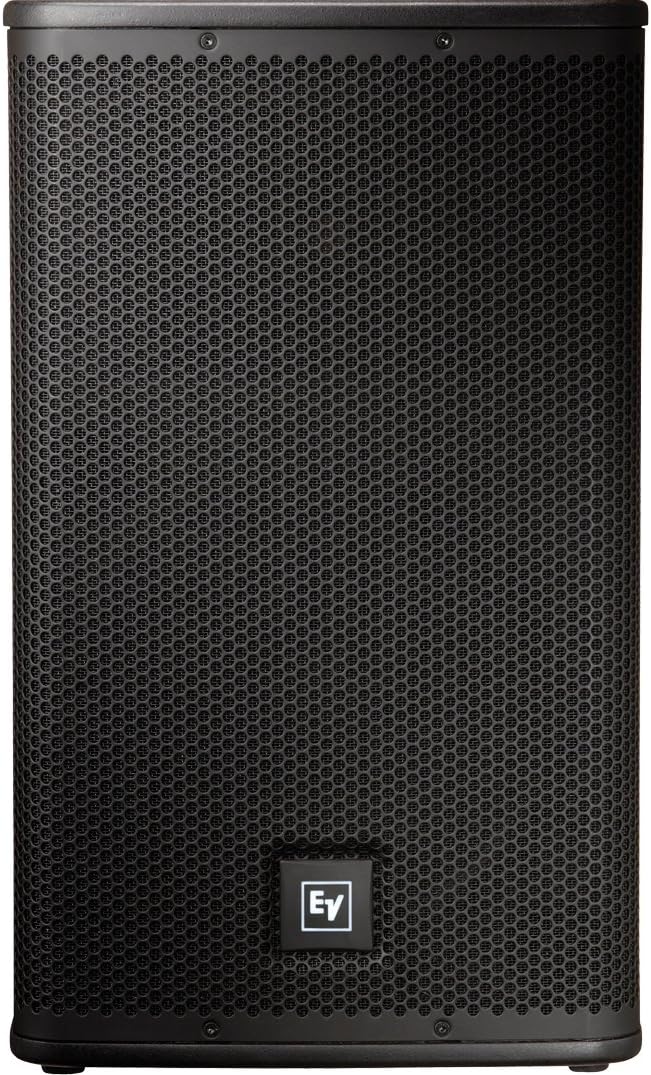
Figure 1: Front view of the ELX112P Loudspeaker.
2. Safety Information
WARNING: To reduce the risk of electric shock, do not expose this appliance to rain or moisture. Do not remove the cover. No user-serviceable parts inside. Refer servicing to qualified service personnel.
- Read these instructions.
- Keep these instructions.
- Heed all warnings.
- Follow all instructions.
- Do not use this apparatus near water.
- Clean only with a dry cloth.
- Do not block any ventilation openings. Install in accordance with the manufacturer's instructions.
- Do not install near any heat sources such as radiators, heat registers, stoves, or other apparatus (including amplifiers) that produce heat.
- Do not defeat the safety purpose of the polarized or grounding-type plug. A polarized plug has two blades with one wider than the other. A grounding-type plug has two blades and a third grounding prong. The wide blade or the third prong are provided for your safety. If the provided plug does not fit into your outlet, consult an electrician for replacement of the obsolete outlet.
- Protect the power cord from being walked on or pinched, particularly at plugs, convenience receptacles, and the point where they exit from the apparatus.
- Only use attachments/accessories specified by the manufacturer.
- Use only with the cart, stand, tripod, bracket, or table specified by the manufacturer, or sold with the apparatus. When a cart is used, use caution when moving the cart/apparatus combination to avoid injury from tip-over.
- Unplug this apparatus during lightning storms or when unused for long periods of time.
- Refer all servicing to qualified service personnel. Servicing is required when the apparatus has been damaged in any way, such as power-supply cord or plug is damaged, liquid has been spilled or objects have fallen into the apparatus, the apparatus has been exposed to rain or moisture, does not operate normally, or has been dropped.
3. Features
The Electro-Voice ELX112P loudspeaker is designed for high-performance audio applications, offering a robust and versatile solution for various sound reinforcement needs.
- Equipped with a 12-inch woofer and a 1.5-inch high-frequency titanium compression driver.
- Offers a broad frequency range of 50 Hz to 20 kHz.
- Capable of producing a maximum sound pressure level (SPL) of 132 dB.
- Features a 1000 W Class D lightweight amplifier, designed for efficient operation without requiring cooling fans.
- Provides versatile input and output options for easy connectivity and control.
4. Package Contents
Upon unpacking your ELX112P loudspeaker, please verify that the following items are included:
- Electro-Voice ELX112P Powered Loudspeaker
- AC Power Cable
- This Instruction Manual
If any items are missing or damaged, please contact your dealer immediately.
5. Setup
5.1 Physical Placement
The ELX112P loudspeaker offers flexible placement options to suit various applications.
- Floor Standing: The speaker can be placed directly on a stable, flat surface.
- Pole Mounting: Utilize the integrated pole mount socket on the bottom of the speaker for use with a standard speaker pole or tripod stand. Ensure the stand is stable and rated for the speaker's weight (approximately 48 lbs).

Figure 2: ELX112P on a tripod stand.
- Monitor Use: The cabinet design allows for use as a floor monitor, angled towards the performer.
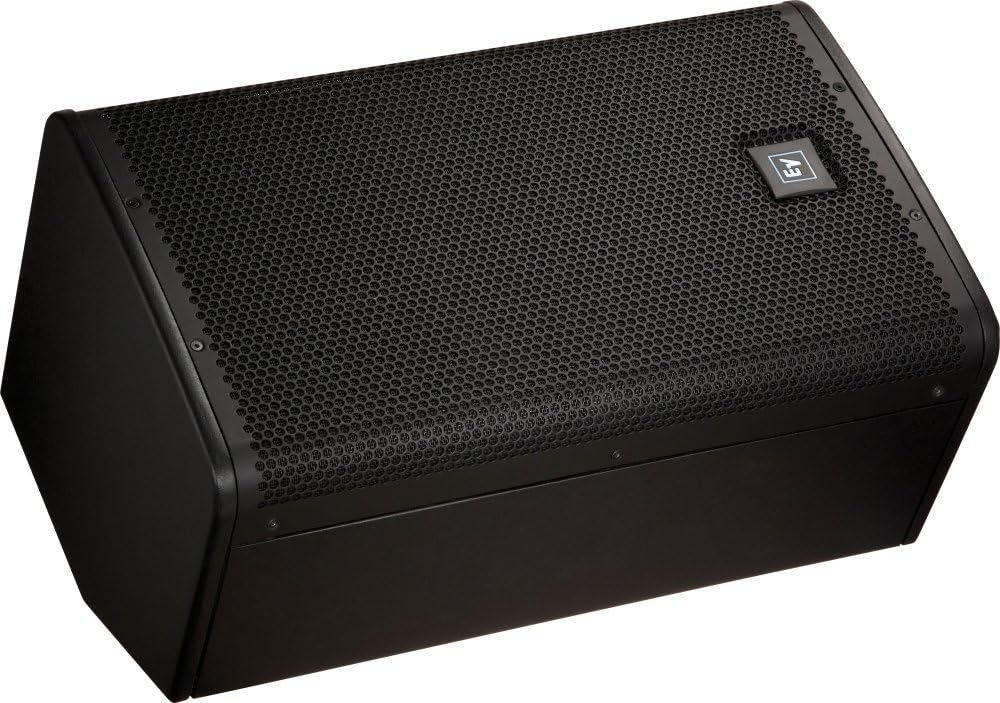
Figure 3: ELX112P configured as a floor monitor.
5.2 Connections
The rear panel of the ELX112P provides various input and output options for connecting to your audio system.
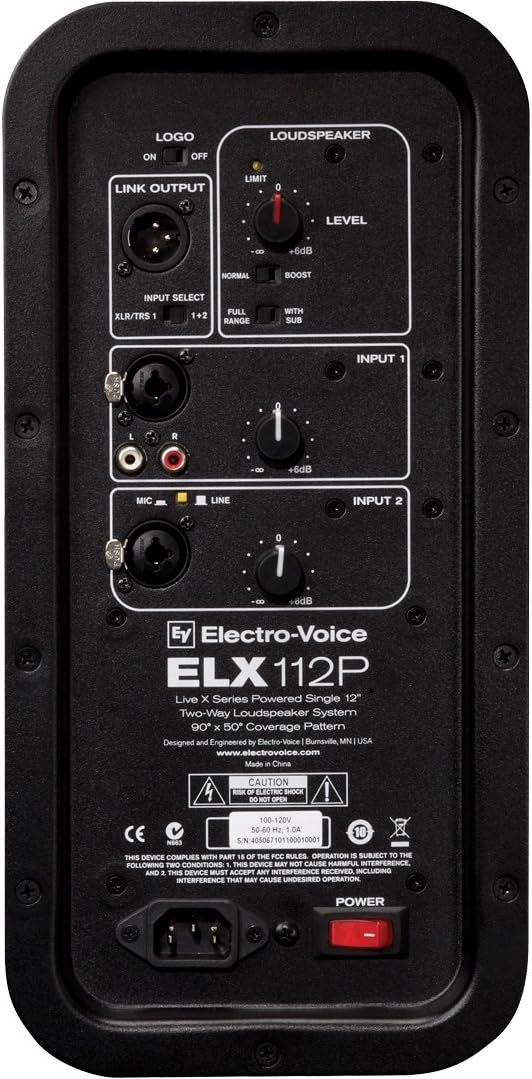
Figure 4: Rear Control Panel of the ELX112P.
- Input 1 (XLR/TRS Combo Jack): This input accepts both XLR and 1/4-inch TRS connectors. It is suitable for line-level signals from mixers, instruments, or other audio devices.
- Input 2 (XLR/TRS Combo Jack & RCA): This input also accepts XLR and 1/4-inch TRS connectors, and additionally features stereo RCA inputs. It is designed for line-level or microphone-level signals.
- Link Output (XLR): This XLR output allows you to send the mixed signal from Input 1 and Input 2 to another powered loudspeaker or audio device.
- Power Input: Connect the supplied AC power cable here. Ensure the power switch is in the OFF position before connecting to a power source.
6. Operating Instructions
6.1 Power On/Off
To power on the loudspeaker, ensure all connections are secure and then flip the POWER switch located at the bottom of the rear panel to the ON position. To power off, flip the switch to the OFF position.
6.2 Level Control
Each input (Input 1 and Input 2) has an independent LEVEL control knob. Adjust these knobs to achieve the desired volume for each input source. Start with the knobs at their minimum setting and gradually increase to prevent sudden loud sounds.
6.3 Input Select
For Input 2, a small button allows selection between MIC and LINE level. Press this button for microphone-level signals and ensure it is unpressed for line-level signals. For Input 1, the INPUT SELECT switch allows you to choose between 'XLR/TRS 1' (Input 1 only) or '1+2' (mix of Input 1 and Input 2 for the Link Output).
6.4 Loudspeaker Mode
The ELX112P features a LOUDSPEAKER section with controls to optimize its sound output:
- Level: This master level control adjusts the overall output volume of the loudspeaker.
- Normal/Boost: This switch allows you to select between a flat frequency response ('Normal') or a boosted low-end response ('Boost') for enhanced bass.
- Full Range/With Sub: This switch optimizes the speaker's frequency response for standalone use ('Full Range') or when paired with a subwoofer ('With Sub'), which typically applies a high-pass filter to the ELX112P.
- LIMIT LED: This indicator illuminates when the internal limiter is active, preventing distortion. If it flashes frequently or stays lit, reduce the input or master level.
6.5 Logo LED
The LOGO switch on the rear panel controls the illumination of the Electro-Voice logo on the front grille. Set to ON for illumination or OFF to disable.
7. Maintenance
Proper maintenance ensures the longevity and optimal performance of your ELX112P loudspeaker.
- Cleaning: Clean the cabinet with a soft, dry cloth. Do not use abrasive cleaners, solvents, or waxes. Ensure no liquids enter the speaker grille or control panel.
- Storage: When not in use, store the loudspeaker in a dry environment, away from extreme temperatures and direct sunlight. Consider using a protective cover to prevent dust accumulation.
- Inspection: Periodically check all cables and connectors for signs of wear or damage. Replace any damaged components immediately.
8. Troubleshooting
This section addresses common issues you might encounter with your ELX112P loudspeaker.
| Problem | Possible Cause | Solution |
|---|---|---|
| No sound output |
|
|
| Hissing or static noise |
|
|
| Sound is distorted or clipping |
|
|
| Lacking high-end frequencies or muffled sound |
|
|
| Lacking bass or low-end frequencies |
|
|
If you experience issues not covered here, or if the problem persists after attempting these solutions, please contact Electro-Voice customer support or a qualified service technician.
9. Specifications
Detailed technical specifications for the Electro-Voice ELX112P Powered Loudspeaker:
- Model Name: ELX112P
- Speaker Type: Woofer, Two-Way Full-Range
- Woofer Diameter: 12 Inches
- Tweeter Diameter: 1.5 Inches
- Output Wattage: 1000 Watts (Class D amplifier)
- Frequency Range: 50 Hz - 20 kHz
- Maximum SPL: 132 dB
- Impedance: 8 Ohms
- Connectivity Technology: XLR, TRS, RCA
- Mounting Type: Floor Standing, Pole Mount
- Special Feature: Lightweight, Durable
- Control Method: Touch (referring to push-buttons and rotary knobs)
- Power Source: Corded Electric
- Item Weight: 48 Pounds
- Product Dimensions: 15 x 14 x 24 inches (L x W x H)
- Color: Black
- Manufacturer: Electro-Voice
10. Warranty and Support
The Electro-Voice ELX112P Powered Loudspeaker comes with a Limited Warranty. Please refer to the warranty card included with your product or visit the official Electro-Voice website for detailed terms and conditions.
For technical support, service, or warranty inquiries, please contact Electro-Voice customer service through their official website or authorized service centers. Ensure you have your product model number (ELX112P) and purchase information available when contacting support.
Manufacturer: Electro-Voice
Website: www.electrovoice.com