1. Introduction
This manual provides essential instructions for the proper use, care, and maintenance of your Nikon Nikkormat FT2 35MM SLR Film Camera. Please read this manual thoroughly before operating the camera to ensure optimal performance and longevity. The Nikkormat FT2 is a robust mechanical camera designed for reliable film photography.
2. Setup
2.1. Battery Installation
The Nikkormat FT2 requires a 1.35V PX625 mercury battery for its light meter. While mercury batteries are no longer produced, suitable alkaline or zinc-air replacements are available. The camera operates mechanically without a battery, but the light meter will not function.
- Locate the battery compartment cover on the bottom of the camera body.
- Use a coin to unscrew the battery compartment cover counter-clockwise.
- Insert the new battery with the positive (+) terminal facing outwards.
- Replace the cover and screw it clockwise until secure.

Figure 2.1: Bottom view of the Nikkormat FT2, highlighting the battery compartment for meter power.
2.2. Lens Attachment
The Nikkormat FT2 uses the Nikon F-mount. Ensure the lens is compatible with this mount.
- Remove the body cap from the camera and the rear cap from the lens.
- Align the red dot on the lens barrel with the red dot on the camera's lens mount.
- Insert the lens into the camera mount and rotate it clockwise until it clicks into place.
- To remove the lens, press the lens release button on the camera body and rotate the lens counter-clockwise.
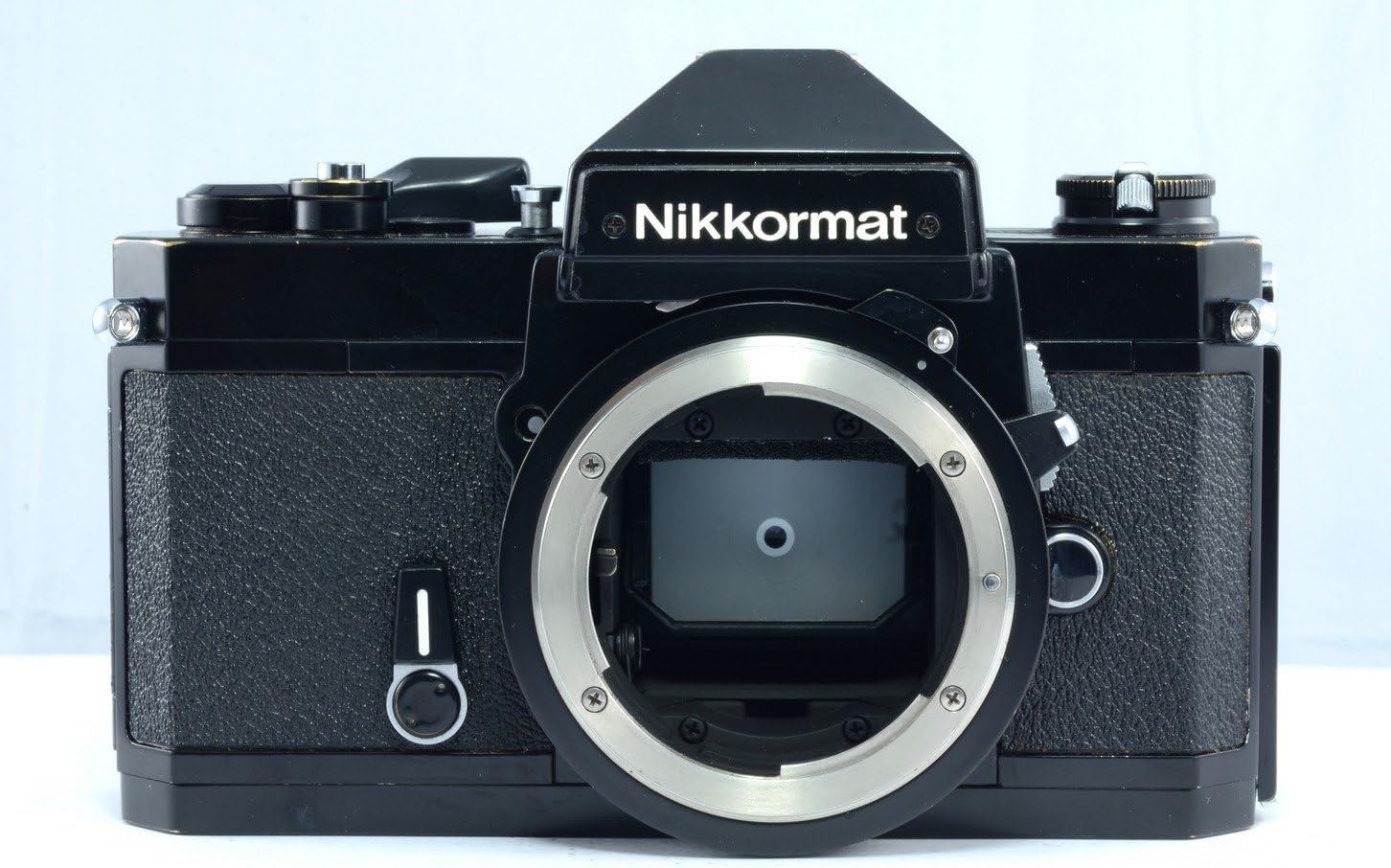
Figure 2.2: Front view of the Nikkormat FT2 camera body, showing the F-mount for lens attachment.
2.3. Film Loading
The Nikkormat FT2 uses standard 35mm film cartridges.
- Open the camera back by pulling up the film rewind knob until the back latch releases.
- Place a 35mm film cartridge into the film chamber on the left side.
- Pull the film leader across to the take-up spool on the right. Insert the leader into one of the slots on the take-up spool.
- Advance the film slightly using the film advance lever to ensure it catches securely.
- Close the camera back firmly until it clicks.
- Advance the film two blank frames (by pressing the shutter release and advancing the lever) to ensure the film is properly loaded and to reach the first frame. The frame counter should show '1'.

Figure 2.3: Rear view of the Nikkormat FT2, showing the film rewind knob and camera back.
3. Operating the Camera
3.1. Setting Film Speed (ASA/ISO)
Set the film speed (ASA/ISO) on the camera to match the film loaded. This is crucial for accurate light meter readings.
- Lift and rotate the outer ring of the shutter speed dial to align the correct ASA/ISO value with the index mark.
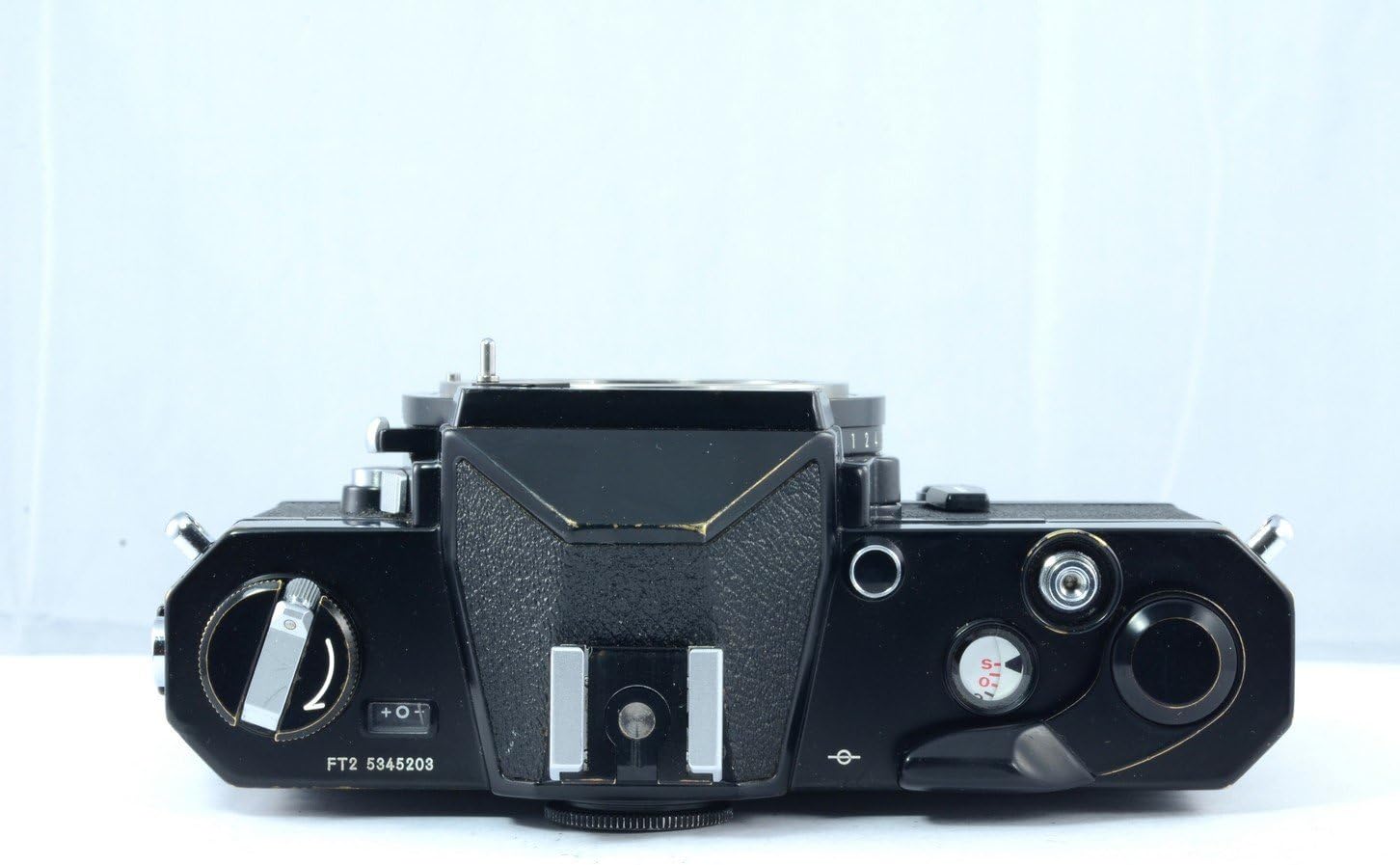
Figure 3.1: Top view of the Nikkormat FT2, indicating the shutter speed dial and ASA/ISO setting.
3.2. Setting Shutter Speed
The shutter speed dial is located on the top plate of the camera. Rotate the dial to select the desired shutter speed. Speeds range from 1 second to 1/1000th of a second, plus 'B' for Bulb mode.
- B (Bulb): Shutter remains open as long as the release button is pressed.
- 1 - 1000: Represents fractions of a second (e.g., 60 = 1/60 sec).
3.3. Setting Aperture
The aperture is set on the lens itself by rotating the aperture ring. This controls the amount of light entering the camera and the depth of field.
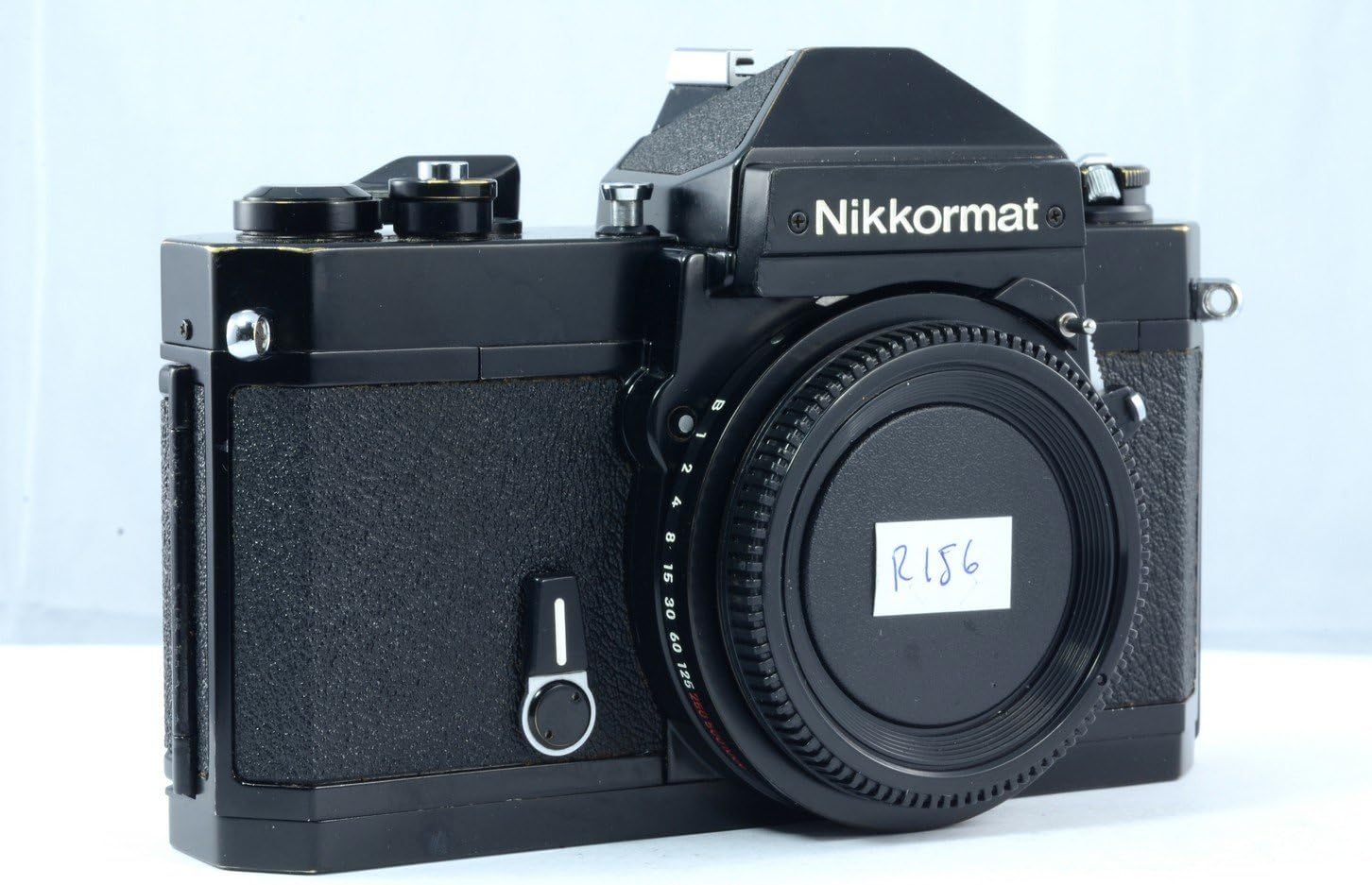
Figure 3.2: Front view of the Nikkormat FT2 with a lens, showing the aperture ring on the lens.
3.4. Focusing
Look through the viewfinder and rotate the focusing ring on the lens until your subject appears sharp. The Nikkormat FT2 typically features a split-image rangefinder and microprism collar for precise focusing.
3.5. Exposure Metering
The Nikkormat FT2 has a built-in TTL (Through-The-Lens) light meter. To activate the meter, pull the film advance lever slightly away from the camera body. Inside the viewfinder, you will see a needle indicator. Adjust shutter speed and/or aperture until the needle is centered, indicating correct exposure.
3.6. Taking a Picture
- Ensure the camera is wound by advancing the film advance lever until it stops.
- Compose your shot and focus on your subject.
- Set the correct exposure using the light meter.
- Gently press the shutter release button to take the picture.
3.7. Advancing Film and Frame Counter
After each shot, advance the film by pushing the film advance lever fully to the right. The frame counter will increment, indicating the number of exposures taken.
3.8. Rewinding Film
Once all frames on the film roll have been exposed (typically 24 or 36), rewind the film back into its cartridge.
- Press the film rewind release button located on the bottom of the camera.
- Unfold the crank on the film rewind knob and turn it clockwise until you feel the tension release, indicating the film is fully rewound.
- Open the camera back and remove the film cartridge.
4. Maintenance
4.1. Cleaning
- Camera Body: Use a soft, dry cloth to wipe the camera body. For stubborn dirt, a slightly damp cloth can be used, followed by a dry one. Avoid harsh chemicals.
- Lens: Use a lens brush or blower to remove dust. For smudges, use a specialized lens cleaning solution and a microfiber cloth. Never touch the lens elements with your fingers.
- Viewfinder/Mirror: Use a blower to remove dust. Avoid touching the mirror or viewfinder prism directly.
4.2. Storage
Store the camera in a cool, dry place away from direct sunlight and extreme temperatures. If storing for an extended period, remove the battery to prevent leakage. Keep the body cap and lens caps on to protect the internal components and lens elements.
5. Troubleshooting
| Problem | Possible Cause | Solution |
|---|---|---|
| Light meter not working | Dead or incorrectly installed battery; meter switch off. | Check/replace battery; ensure film advance lever is pulled out slightly to activate meter. |
| Film not advancing | Film not properly loaded; film leader detached from take-up spool. | Open camera back in a dark room (if film is exposed) and re-load film, ensuring leader is secure. |
| Shutter not firing | Camera not wound; self-timer engaged; shutter lock engaged. | Advance film lever fully; check self-timer lever; ensure shutter lock is disengaged. |
| Images are blurry | Incorrect focus; camera shake; slow shutter speed. | Ensure accurate focusing; use a tripod or faster shutter speed in low light. |
6. Specifications
- Brand: Nikon
- Model Name: Nikkormat FT2
- Film Format Type: 35mm
- Min Shutter Speed: 1/1000 Seconds
- Max Shutter Speed: 1 Second (and Bulb)
- Viewfinder Magnification: 0.9x
- Special Feature: Image Stabilization (Note: This is often a miscategorization for older film cameras, as true in-body image stabilization was not common. It might refer to a lens feature or a general benefit of SLR design.)
- Item Weight: 2.4 pounds
- Package Dimensions: 8.7 x 5.1 x 3 inches
- Date First Available: February 2, 2011
7. Warranty and Support
For information regarding warranty coverage, technical support, or service for your Nikon Nikkormat FT2 camera, please refer to the original purchase documentation or contact Nikon customer service directly. As this is a vintage camera model, specific warranty terms may vary depending on the seller and condition at the time of purchase.
You can often find additional resources and community support for vintage Nikon cameras through online forums and dedicated photography websites.


