
1. Introduction
The ViewSonic VA2248M-LED is a 22-inch (21.5-inch visible) widescreen LED-backlit monitor designed for various computing needs. It features a Full HD 1920x1080 resolution, a thin bezel design, and integrated stereo speakers. This monitor offers a 10,000,000:1 dynamic contrast ratio and a 5ms response time for clear visuals. Connectivity options include DVI with HDCP and VGA inputs. The monitor is VESA mountable and includes an automatic aspect ratio adjustment feature.
This manual provides instructions for setting up, operating, maintaining, and troubleshooting your ViewSonic VA2248M-LED monitor.
2. Package Contents
Verify that all items listed below are present in your product package:
- ViewSonic VA2248M-LED LCD Monitor
- Power Cable
- VGA Cable
- Quick Start Guide
- ViewSonic Wizard CD-ROM
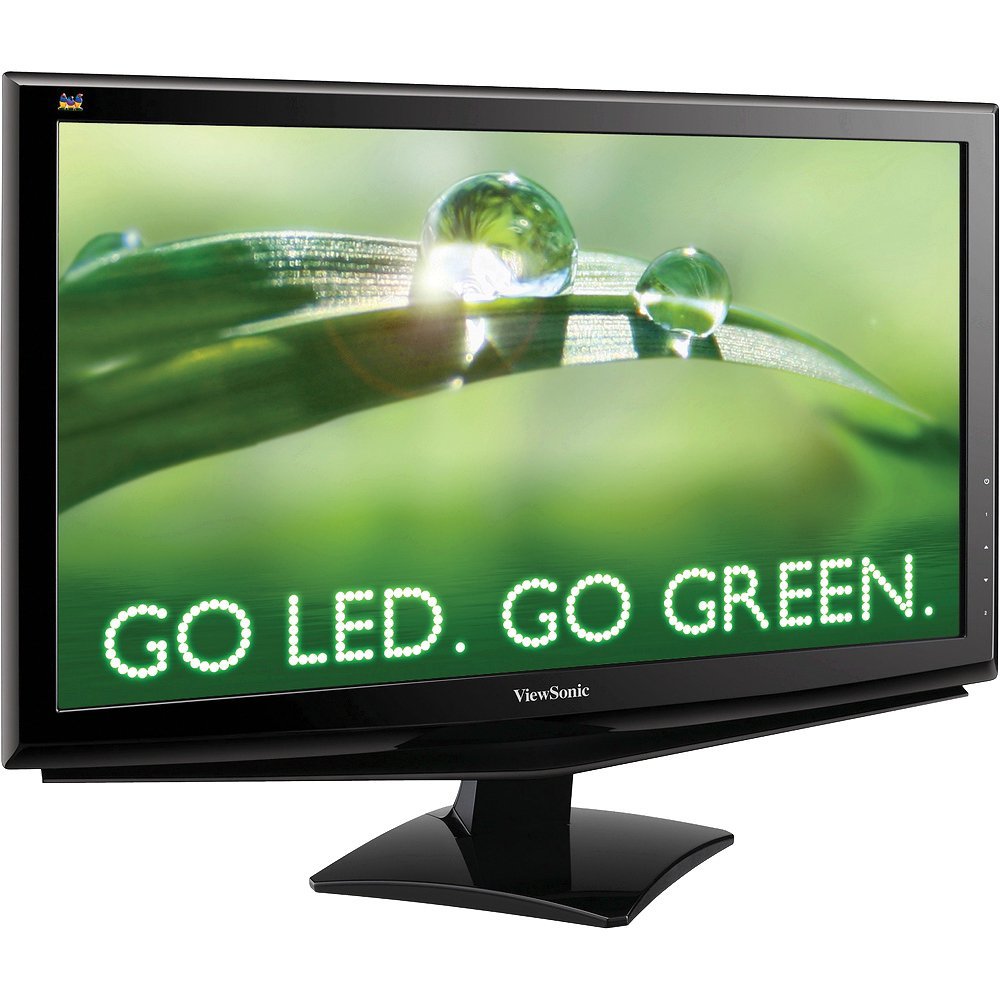
Image: The ViewSonic VA2248M-LED monitor with its stand and various cables, representing the typical package contents.
3. Setup
3.1 Assembling the Stand
Carefully remove the monitor from its packaging. Attach the base to the monitor stand column, ensuring it clicks securely into place. Then, attach the assembled stand to the back of the monitor. Ensure all connections are firm before placing the monitor on a stable surface.
3.2 Connecting the Monitor
- Power Connection: Connect the power cable to the monitor's power input and then to a grounded electrical outlet.
- Video Connection:
- VGA Connection: Connect one end of the VGA cable to the VGA port on your computer and the other end to the VGA input on the monitor. Tighten the screws on the VGA connector to secure the connection.
- DVI Connection: Connect one end of the DVI cable to the DVI port on your computer's graphics card and the other end to the DVI input on the monitor. Tighten the screws on the DVI connector to secure the connection.
Note: The monitor supports DVI with HDCP. Use only one video connection at a time.
- Audio Connection (Optional): If you prefer to use external speakers, connect your external speakers to your computer's audio output. The monitor has integrated speakers, but for enhanced audio, external speakers are recommended.
3.3 VESA Mounting
The ViewSonic VA2248M-LED monitor is VESA mountable (100mm x 100mm). To mount the monitor on a wall or an articulating arm, remove the stand assembly. Follow the instructions provided with your VESA-compatible mounting kit for proper installation.
4. Operating the Monitor
4.1 Powering On/Off
Press the power button located on the monitor's front or bottom bezel to turn the monitor on or off. The power indicator light will illuminate when the monitor is on.
4.2 On-Screen Display (OSD) Menu
The OSD menu allows you to adjust various display settings. Use the control buttons, typically located on the bottom right of the monitor, to navigate the menu.
- Menu Button: Opens the OSD menu.
- Up/Down or Left/Right Buttons: Navigate through menu options and adjust values.
- Select/Enter Button: Confirms a selection or enters a sub-menu.
- Exit Button: Exits the current menu or OSD.
4.3 Picture Adjustments
Within the OSD menu, you can fine-tune picture settings:
- Brightness: Adjusts the overall luminance of the screen.
- Contrast: Adjusts the difference between the lightest and darkest areas of the image.
- Color Temperature: Selects preset color modes (e.g., 9300K, 6500K, User Color).
- Aspect Ratio: The monitor features automatic aspect ratio adjustment. It will detect the input signal and display 4:3 signals with sidebars instead of stretching the image. Manual adjustment options may also be available in the OSD.
- Eco Mode: Activates energy-saving modes to reduce power consumption.
4.4 Audio Settings
The monitor includes integrated stereo speakers. You can adjust the volume through the OSD menu. For higher quality audio, connecting external speakers to your computer is recommended.
5. Maintenance
5.1 Cleaning the Screen
To clean the screen, power off the monitor and disconnect the power cable. Use a soft, lint-free cloth lightly dampened with water or a non-abrasive screen cleaner. Do not spray cleaner directly onto the screen. Avoid using alcohol, ammonia, or abrasive cleaners.
5.2 Cleaning the Cabinet
Wipe the monitor cabinet with a soft, dry cloth. For stubborn stains, use a cloth lightly dampened with a mild detergent solution. Ensure no liquid enters the monitor's vents.
5.3 General Care
- Avoid placing the monitor in direct sunlight or near heat sources.
- Ensure adequate ventilation around the monitor.
- Do not block the ventilation slots.
- Avoid dropping or subjecting the monitor to strong impacts.
6. Troubleshooting
| Problem | Possible Cause | Solution |
|---|---|---|
| No image on screen |
|
|
| Image is dim or too bright |
|
|
| Image is stretched or distorted |
|
|
| No sound from integrated speakers |
|
|
| Stuck pixel (a single pixel always on) |
|
|
7. Specifications
| Feature | Detail |
|---|---|
| Model Number | VA2248M-LED |
| Screen Size | 22 inches (21.5 inches visible) |
| Display Type | LED-backlit LCD |
| Resolution | Full HD 1920 x 1080 |
| Aspect Ratio | 16:9 |
| Refresh Rate | 75 Hz |
| Response Time | 5 milliseconds |
| Contrast Ratio | 10,000,000:1 (Dynamic) |
| Brightness | 250 cd/m² |
| Viewing Angle | 178 degrees |
| Connectivity | 1x DVI (with HDCP), 1x VGA |
| Integrated Speakers | Yes |
| VESA Mount Compatible | 100mm x 100mm |
| Power Consumption | Energy Star 5.0 Certified |
| Item Weight | 10.1 pounds |
| Color | Black |
8. Warranty and Support
8.1 Product Warranty
The ViewSonic VA2248M-LED monitor comes with a three-year limited manufacturer's warranty. This warranty covers defects in materials and workmanship under normal use. Please refer to the ViewSonic Wizard CD-ROM or the official ViewSonic website for complete warranty terms and conditions.
8.2 Technical Support
For technical assistance, product registration, or to download drivers and user guides, please visit the official ViewSonic support website. You may also contact ViewSonic customer service directly for further assistance.
Online Support: www.viewsonic.com/support


