Introduction
This manual provides comprehensive instructions for the installation, operation, maintenance, and troubleshooting of your Robertshaw RS3110 Digital 5-2 Day Programmable Thermostat. The RS3110 is designed to offer convenient and efficient temperature control for your heating and cooling systems.
Key features include simple touch button controls for weekly programming and worry-free memory retention to maintain settings during power outages.
Product Overview
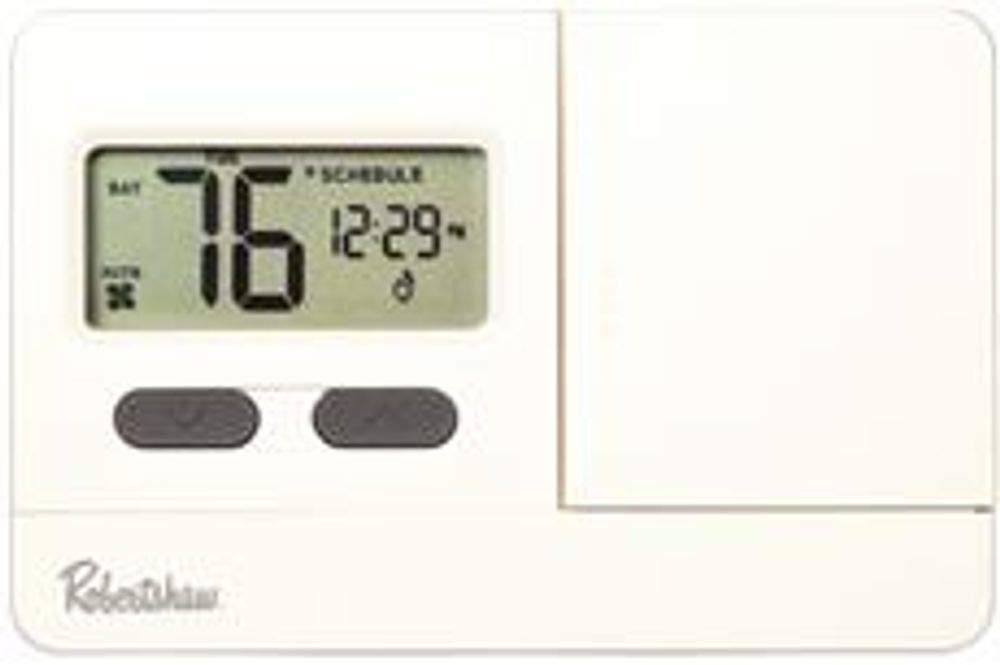
This image displays the front of the Robertshaw RS3110 thermostat, featuring a digital screen that shows the current temperature (76 degrees) and time (12:29). Below the screen are two control buttons. The Robertshaw logo is visible at the bottom left.
The Robertshaw RS3110 is a digital, 5-2 day programmable thermostat designed for 1 Heat/1 Cool systems. It features a clear digital display and intuitive push-button controls for easy temperature management and scheduling.
Setup and Installation
Before beginning installation, ensure the power to your HVAC system is turned off at the circuit breaker to prevent electrical shock.
1. Removing Your Old Thermostat
- Turn off power to the heating and cooling system at the main fuse or circuit breaker.
- Remove the cover of your old thermostat.
- Take a picture of the wiring connections for reference. Label each wire with the corresponding terminal letter (e.g., R, W, Y, G).
- Disconnect the wires and remove the old thermostat's mounting plate from the wall.
2. Mounting the RS3110 Thermostat
- Separate the front cover of the RS3110 from its base plate.
- Position the new base plate against the wall, ensuring wires can pass through the opening.
- Mark the screw holes and drill pilot holes if necessary.
- Secure the base plate to the wall using the provided screws.
3. Wiring
Connect the labeled wires from your system to the corresponding terminals on the RS3110 base plate. Refer to the wiring diagram provided with your thermostat for specific connections. This thermostat is compatible with 1 Heat/1 Cool systems.
4. Battery Installation
The RS3110 requires two AA batteries (included). Insert the batteries into the designated compartment, observing the correct polarity (+/-). The thermostat will retain settings during power outages due to its internal memory, but batteries are essential for operation.
5. Completing Installation
- Carefully attach the front cover of the thermostat to the base plate.
- Restore power to your HVAC system at the circuit breaker.
- The thermostat display should now illuminate.
Operating Instructions
1. Setting the Current Time and Day
Upon initial power-up or after battery replacement, you may need to set the current time and day. Refer to the specific instructions in your thermostat's included manual for button sequences to adjust these settings.
2. Selecting System Mode
Use the system mode switch (typically located on the thermostat) to select between:
- HEAT: Activates the heating system.
- COOL: Activates the cooling system.
- OFF: Turns off both heating and cooling.
3. Adjusting Temperature
Use the UP and DOWN arrow buttons (or similar controls) on the thermostat to set your desired temperature. The display will show both the current room temperature and your setpoint.
4. Programming 5-2 Day Schedule
The RS3110 allows for 5-2 day programming, meaning you can set one schedule for weekdays (Monday-Friday) and another for weekends (Saturday-Sunday). This feature helps optimize energy usage and comfort.
To program:
- Press the PROGRAM button (or similar, refer to your specific manual).
- Use the UP and DOWN buttons to adjust the start time and temperature for each program period (e.g., Wake, Leave, Return, Sleep).
- Navigate through the days and periods using the appropriate buttons.
- Save your settings once programming is complete.
5. Hold Function (Temporary Override)
To temporarily override the programmed schedule, adjust the temperature using the UP or DOWN buttons. The thermostat will maintain this new temperature until the next programmed period begins, or until you press a HOLD or RUN button to cancel the override.
6. Adjustable Temperature Differential
The RS3110 features an adjustable temperature differential, which controls the temperature range before the heating or cooling system activates. Adjusting this setting can prevent frequent cycling of your HVAC system. Consult your thermostat's full manual for instructions on how to access and modify this setting to suit your comfort preferences and system efficiency.
Maintenance
1. Battery Replacement
When the low battery indicator appears on the display, replace the two AA batteries promptly. Although the thermostat retains programming during power outages, fresh batteries ensure continuous operation and prevent system shutdown.
- Open the battery compartment (usually located on the side or front of the thermostat).
- Remove the old batteries.
- Insert two new AA alkaline batteries, ensuring correct polarity.
- Close the battery compartment.
2. Cleaning
Clean the thermostat's exterior with a soft, damp cloth. Do not use abrasive cleaners or solvents, as these can damage the finish or internal components.
Troubleshooting
| Problem | Possible Cause | Solution |
|---|---|---|
| No Display / Thermostat Unresponsive | Dead or incorrectly installed batteries. No power to the HVAC system. | Replace batteries with new AA alkaline batteries, ensuring correct polarity. Check the circuit breaker for your HVAC system and reset if tripped. |
| Heating/Cooling System Not Responding | Incorrect system mode selected. Wiring issues. Blown fuse in HVAC system. | Ensure the system mode is set to HEAT or COOL. Verify wiring connections are secure. Consult an HVAC technician if wiring is correct and system still doesn't respond. |
| Temperature Swings Are Too Large | Temperature differential setting is too wide. | Adjust the temperature differential setting to a narrower range. Refer to the operating instructions or the full product manual for details on this advanced setting. |
| Error Code E2 Displayed | Potential internal fault or sensor issue. | Try removing and reinserting batteries. If the error persists, contact customer support or a qualified technician. |
| Difficulty with Programming | Unfamiliarity with programming steps. | Review the "Programming 5-2 Day Schedule" section in this manual or the detailed instructions provided with your thermostat. Practice the steps without saving if possible. |
Specifications
| Brand | Robertshaw |
| Model Number | RS3110 |
| Controller Type | Push Button |
| Special Feature | Programmable |
| Color | White |
| Temperature Control Type | Programmable |
| Included Components | 2 x AA batteries |
| Power Source | Battery Powered |
| Voltage | 30 Volts |
| Item Weight | 0.7 Pounds (11.2 ounces) |
| Product Dimensions | 5.5 x 1.25 x 4.75 inches |
| Display Type | Digital |
| Control Method | Touch (Buttons) |
| Mounting Type | Wall Mount |
| Backlight | Yes |
| Batteries Required | Yes (2 AA batteries) |
| Average Battery Life | 1335 Hours |
| UPC | 662013219680, 020967031107 |


