
Armitron 45/7012BLK
Armitron Sport Women's Digital Chronograph Watch
Model: 45/7012BLK | Brand: Armitron
Product Overview
The Armitron Sport Women's Digital Chronograph Watch (Model 45/7012BLK) is designed for an active lifestyle, combining durability with essential timekeeping functions. It features a matte black resin case with a stainless steel top ring and a comfortable black resin strap. The LCD display provides clear visibility of time, seconds, day, and date.
Key Features:
- Matte black resin case with stainless steel top ring
- LCD display with time, seconds, day and date
- Black resin strap with buckle closure
- Water resistant to 330 feet (100M)
- Chrono-alarm function
- Stopwatch
- Dual time zone display
- Backlight for low-light conditions

Front view of the Armitron Sport Women's Digital Chronograph Watch, showing the digital display and black resin strap.
Setup and Basic Operation
Your Armitron Sport watch comes with four buttons for easy navigation and setting. These buttons are typically labeled MODE, RESET, ST/STP, and EL (for electroluminescent backlight).
Setting Time and Date
- In normal time display mode, press and hold the MODE button until the seconds begin to flash. This indicates you are in setting mode.
- Press the RESET button to cycle through the settings: seconds, hour, minute, year, month, and day.
- Use the ST/STP button to adjust the flashing value.
- Once all settings are adjusted, press the MODE button again to exit setting mode.
Using the Backlight (EL)
Press the EL button (usually located on the bottom right) to illuminate the display for easy reading in low-light conditions. The backlight will remain on for a few seconds.
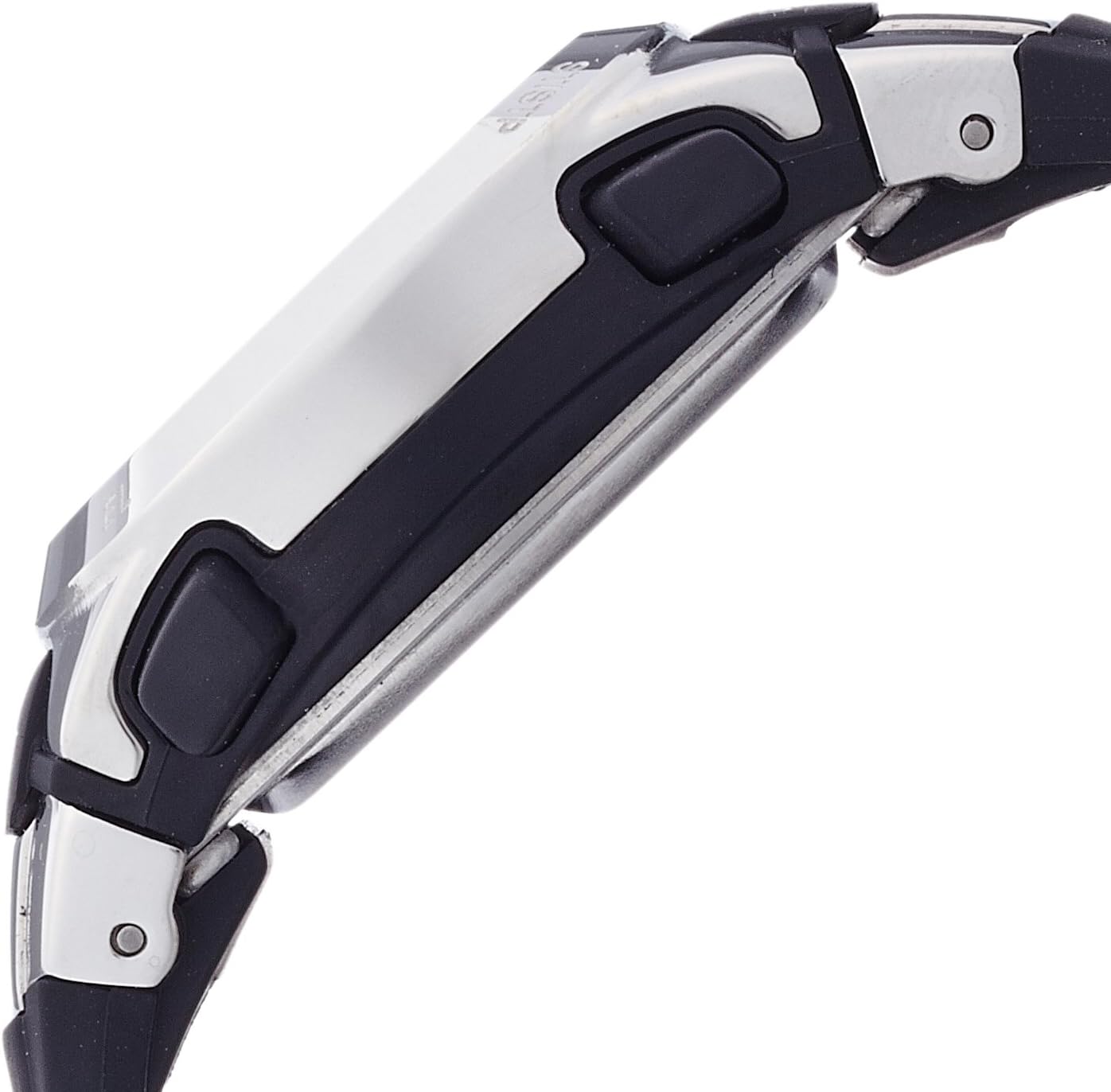
Side view of the watch, highlighting the control buttons for various functions.
Operating Functions
Alarm Function
From the normal time display, press the MODE button repeatedly until "AL" appears on the display, indicating the alarm mode. Use the ST/STP and RESET buttons to set the desired alarm time. Press the MODE button to confirm and activate the alarm.
Stopwatch Function
Press the MODE button repeatedly until "SP" appears on the display for stopwatch mode. Press ST/STP to start and stop the timer. Press RESET to clear the stopwatch to zero.
Dual Time Zone
To view or set a second time zone, press the MODE button until "T2" is displayed. You can adjust this time independently using the ST/STP and RESET buttons, similar to setting the main time.
Official product video demonstrating the Armitron Sport Women's 45/7012 Digital Chronograph Watch features and functions.
Maintenance
Cleaning
To clean your watch, wipe it with a soft, damp cloth. Avoid using harsh chemicals or abrasive materials that could damage the resin or stainless steel components.
Battery Replacement
The watch uses 1 LR44 battery (included). For optimal water resistance, it is recommended to have the battery replaced by a qualified watch technician. Improper battery replacement can compromise the watch's water resistance.
Water Resistance
This watch is water resistant to 330 feet (100M). This means it is suitable for swimming and snorkeling, but not for scuba diving. Always ensure all buttons are not pressed while the watch is submerged.

Water Resistance Chart: This watch is suitable for swimming and snorkeling (100M/330FT rating).
Troubleshooting
- Display is dim or blank: The battery may be low or depleted. Replace the battery.
- Watch not keeping accurate time: Ensure the time and date are set correctly. If the issue persists after resetting, the battery may be weak or the internal mechanism may require servicing.
- Alarm not sounding: Verify that the alarm function is activated and the alarm time is set correctly.
- Buttons are unresponsive: Ensure the watch is not submerged in water when pressing buttons. If buttons remain unresponsive, contact customer support.
- Strap feels loose or uncomfortable: The resin strap is adjustable. Ensure it is fastened securely but comfortably. If the strap is damaged, it may need replacement.
Specifications
| Brand | Armitron |
| Model Number | 45/7012BLK |
| Department | Women's Wrist Watches |
| Material | Resin (Strap), Stainless Steel (Top Ring, Case Back) |
| Water Resistance | 330 feet (100M) |
| Battery Type | 1 LR44 (included) |
| Country of Origin | China |
Warranty and Support
For warranty information, product support, or to purchase replacement parts, please visit the official Armitron website or contact their customer service. You can also find additional support and product details on the Armitron Store on Amazon.
Related documents45/7012BLK

Ask a question about this manual
Ask about setup, troubleshooting, compatibility, parts, safety, or missing instructions. Manuals+ will review the question and use this page’s manual context to help answer it.