
1. Introduction
The Coby CSMP88 3-D Sound Bar Speaker System is designed to enhance your audio experience for movies, music, and games. This sound bar features Sonic Emotion 3D sound technology, which utilizes advanced wave field synthesis to create an immersive sound field from a single speaker. It integrates six high-efficiency drivers and a built-in subwoofer to deliver a comprehensive audio output. This manual provides instructions for the proper setup, operation, and maintenance of your CSMP88 sound bar.
2. Product Overview
The CSMP88 sound bar is a compact audio solution designed for easy integration into various entertainment setups. It offers a complete surround experience without the need for multiple speakers or complex cabling.
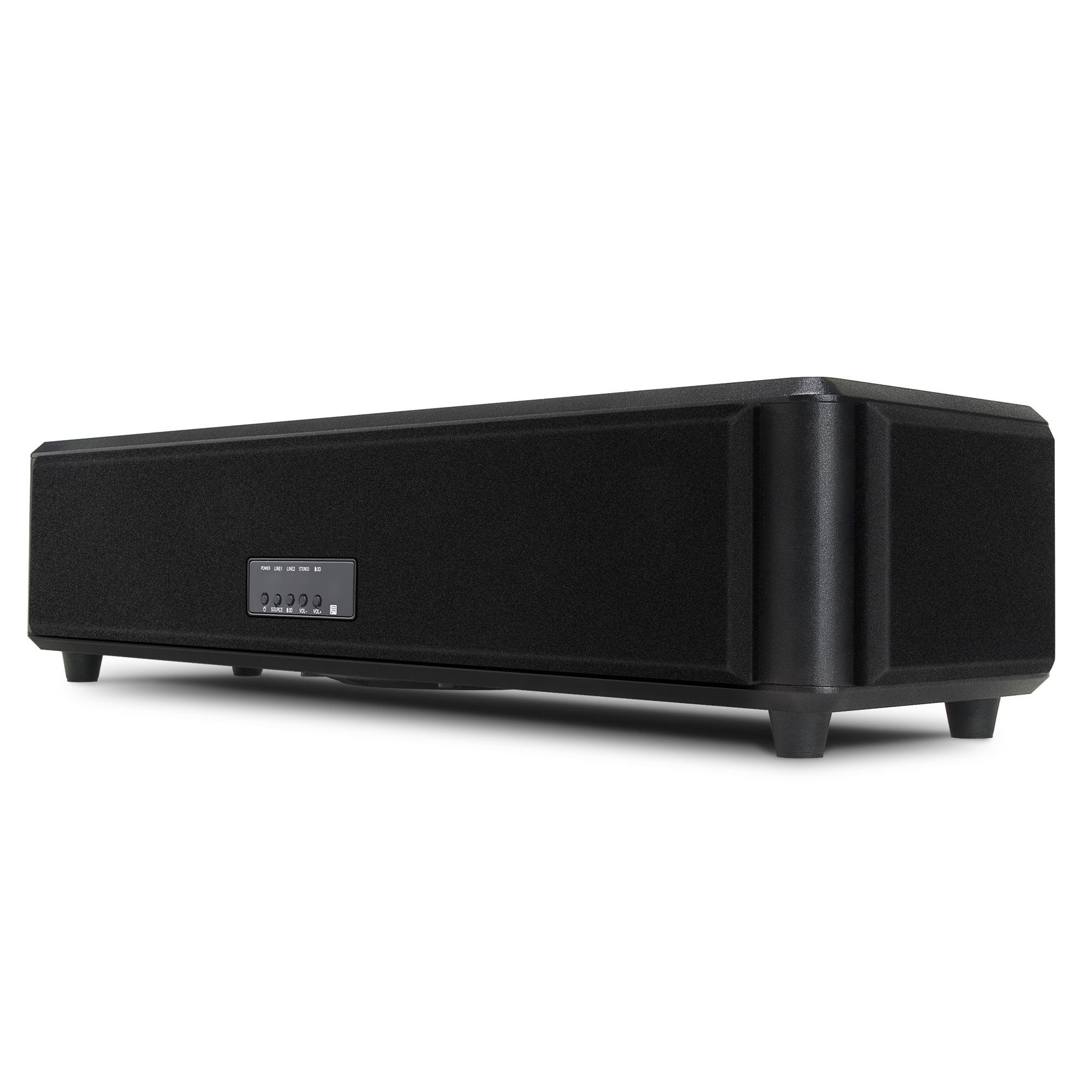
Figure 2.1: Coby CSMP88 Sound Bar with Dimensions
This image displays the Coby CSMP88 sound bar from a front-side angle, highlighting its compact design. The dimensions are clearly marked: approximately 58.42 cm (23 inches) in length, 17.78 cm (7 inches) in height, and 22.86 cm (9 inches) in depth. The front grille covers the speakers, and a small control panel is visible on the top right section of the front, featuring buttons for power, source selection, and volume control.
3. Setup Instructions
The CSMP88 sound bar is designed for simple plug-and-play setup, requiring no complex calibration.
3.1 Unpacking
- Carefully remove the sound bar and all accessories from the packaging.
- Retain the packaging for future transport or storage.
3.2 Placement
- Place the sound bar on a stable, flat surface, such as a TV stand or shelf.
- Ensure there is adequate space around the unit for ventilation.
- Avoid placing the unit near heat sources or in direct sunlight.
3.3 Connections
- Power Connection: Connect the power cord to the sound bar's power input, then plug the other end into a standard electrical outlet.
- Audio Input: Connect your TV, MP3 player, or other audio source to the sound bar using the appropriate audio cables (e.g., RCA, 3.5mm auxiliary). Refer to your source device's manual for output options.
4. Operating Instructions
The CSMP88 sound bar can be controlled via its integrated touch controls or the included remote control.
4.1 Power On/Off
- Press the Power button on the sound bar or remote control to turn the unit on or off.
4.2 Source Selection
- Press the Source button on the sound bar or remote control to cycle through available audio inputs (e.g., Line In, Aux).
4.3 Volume Control
- Use the Volume Up (+) and Volume Down (-) buttons on the sound bar or remote control to adjust the audio level.
4.4 3D Sound Activation
- The 3D sound feature is automatically engaged upon playback. No specific calibration or activation steps are required.
5. Maintenance
Proper care and maintenance will ensure the longevity of your sound bar.
5.1 Cleaning
- Disconnect the power cord before cleaning.
- Use a soft, dry cloth to wipe the exterior surfaces of the sound bar.
- Do not use liquid cleaners, aerosols, or abrasive materials, as these may damage the finish.
5.2 Storage
- If storing the unit for an extended period, disconnect it from power and store it in a cool, dry place.
- It is recommended to use the original packaging for protection during storage.
6. Troubleshooting
If you encounter issues with your CSMP88 sound bar, refer to the following common solutions.
| Problem | Possible Cause | Solution |
|---|---|---|
| No power | Power cord not connected; Power outlet not active | Ensure power cord is securely connected to the sound bar and a working electrical outlet. |
| No sound | Incorrect source selected; Volume too low; Audio cable not connected | Press the Source button to select the correct input. Increase volume. Check audio cable connections between the source device and sound bar. |
| Distorted sound | Volume too high; Poor audio cable connection; Source audio quality issue | Lower the volume. Ensure audio cables are securely connected. Test with a different audio source if possible. |
| Settings (volume/source) reset after power off | Normal operation for this model | This model does not retain volume or source settings after being powered off. Adjust settings each time the unit is turned on. Ensure volume is lowered before selecting a source to avoid sudden loud audio. |
If the problem persists after attempting these solutions, please contact customer support.
7. Specifications
| Model Name | CSMP88 |
| Brand | Coby |
| Speaker Type | Soundbar |
| Audio Output Mode | Surround |
| Number of Audio Channels | 6.1 |
| Speaker Maximum Output Power | 80 watts |
| Control Method | Remote, Touch |
| Mounting Type | Tabletop |
| Colour | Black |
| Product Dimensions (L x H x D) | 58.42 x 17.78 x 22.86 cm (23 x 7 x 9 inches) |
| Item Weight | 6.65 kg (14.70 pounds) |
| Power Source | Corded Electric |
| UPC / GTIN | 716829230916 |
8. Warranty and Support
For warranty information and technical support, please refer to the documentation included with your purchase or contact Coby Electronics directly.
Manufacturer Information:
- Manufacturer: Coby Electronics - Canada
- Place of Business: VANCOUVER, WA, 98685 US
Please retain your proof of purchase for warranty claims.


