
1. Introduction
Thank you for purchasing the Axion AXN-8706 7-Inch Widescreen Portable LCD TV. This device is designed to provide portable entertainment, allowing you to watch television programs and play digital media files on the go. This manual provides essential information for the safe and efficient use of your new portable TV. Please read it thoroughly before operation and retain it for future reference.
2. Safety Information
- Power Source: Use only the specified power adapter. Ensure the voltage matches the requirements of your region.
- Battery Safety: The device contains a rechargeable Lithium-Polymer battery. Do not expose to extreme temperatures, puncture, or disassemble. Dispose of batteries according to local regulations.
- Water and Moisture: Do not expose the unit to rain, moisture, or immerse it in water. This can cause electric shock or fire.
- Ventilation: Ensure proper ventilation around the unit. Do not block ventilation openings.
- Cleaning: Disconnect the power before cleaning. Use a soft, dry cloth. Avoid liquid cleaners or aerosols.
- Servicing: Do not attempt to service this product yourself. Refer all servicing to qualified service personnel.
3. Package Contents
Please check the box for the following items:
- Axion AXN-8706 Portable LCD TV
- Power Cable / AC Adapter
- Remote Control
- User Manual (this document)
- Stand
- Batteries (for remote control)
- Detachable External Antenna
4. Product Overview
The Axion AXN-8706 features a 7-inch widescreen LCD display, a built-in ATSC tuner for digital TV reception, and a digital media player. It supports various memory cards and USB devices for media playback.
Front View
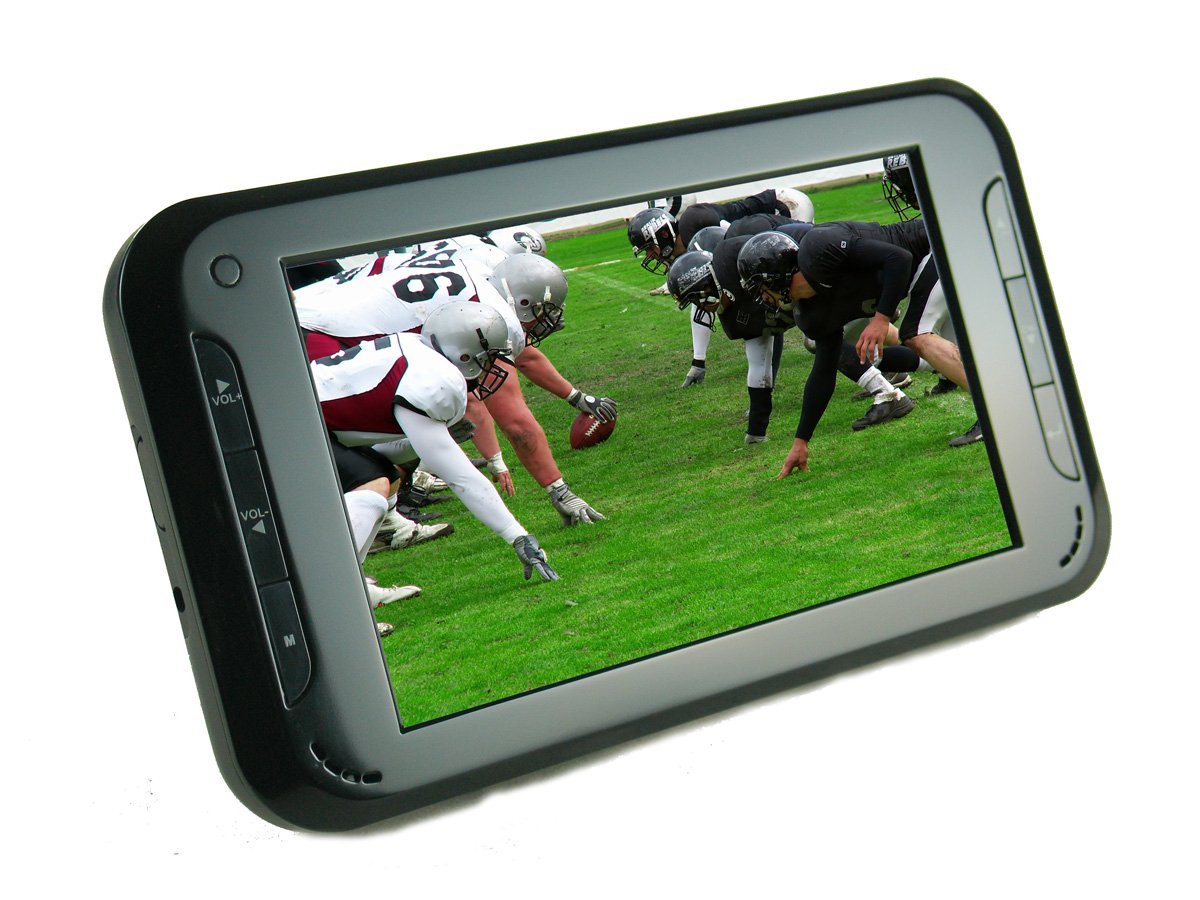
Image 1: Front view of the Axion AXN-8706 Portable LCD TV, showing the 7-inch widescreen display and control buttons below the screen.
Side/Rear View (Ports and Controls)

Image 2: Side view of the Axion AXN-8706 Portable LCD TV, illustrating the various input/output ports such as USB, SD card slot, and antenna input.
Key Features:
- 7-Inch Widescreen LCD Screen
- Built-In ATSC Tuner for Digital TV
- Built-In Digital Media Player
- Support for SD, MMC, Memory Stick, and USB 2.0 devices
- Integrated Rechargeable Li-Polymer Battery
5. Setup
5.1 Initial Battery Charging
- Connect the supplied AC adapter to the DC IN port on the TV and plug it into a power outlet.
- Allow the unit to charge for approximately 3-4 hours before first use to ensure a full charge. The charging indicator light will typically change color or turn off when fully charged.
5.2 Connecting the Antenna
- Locate the antenna input port on the side or rear of the TV.
- Connect the supplied external antenna to this port. For optimal reception, position the antenna as high as possible and away from obstructions. The magnetic base can be attached to metal surfaces.
5.3 Powering On and Initial Scan
- Press the Power button on the unit or the remote control to turn on the TV.
- Upon first power-on, the TV may prompt you to perform an automatic channel scan. Follow the on-screen instructions to scan for available digital TV channels. This process may take several minutes.
- If not prompted, navigate to the 'Channel Setup' or 'Auto Scan' option in the main menu to initiate the scan.
6. Operating Instructions
6.1 Basic TV Functions
- Channel Selection: Use the CH+/CH- buttons on the unit or remote to change channels. You can also enter channel numbers directly using the remote's numeric keypad.
- Volume Control: Use the VOL+/VOL- buttons on the unit or remote to adjust the volume.
- Menu Navigation: Press the MENU button to access the main menu. Use the arrow keys to navigate and the OK/ENTER button to confirm selections. The EXIT/RETURN button will take you back to the previous screen or exit the menu.
- Input Source: Press the SOURCE or INPUT button to switch between TV mode and Media Player mode.
6.2 Digital Media Player
The Axion AXN-8706 can play various media files from USB flash drives or SD/MMC/Memory Stick cards.
- Insert a USB flash drive into the USB port or an SD/MMC/Memory Stick card into the corresponding slot. Ensure the card is inserted correctly. Note that SD cards may protrude slightly from the slot.
- Switch the input source to 'Media Player' or 'USB/Card'.
- Use the menu to navigate through your files (Video, Music, Photo).
- Select a file and press OK/ENTER to play.
Supported Media Formats:
- Video: MPEG1 (.MPG), MPEG2 (.MPG), MPEG4 (.MP4 - Xvid codec recommended)
- Audio: MP3, WMA, AAC
- Images: BMP, PNG, GIF, JPG
6.3 Remote Control
The included remote control provides full functionality for the TV. Ensure the battery is correctly installed. If the remote is unresponsive, check or replace the battery.
7. Maintenance
7.1 Cleaning
- Always unplug the TV before cleaning.
- Use a soft, lint-free cloth to gently wipe the screen and exterior surfaces.
- For stubborn marks on the screen, lightly dampen the cloth with water. Do not spray cleaners directly onto the screen.
- Avoid using abrasive cleaners, waxes, or solvents.
7.2 Battery Care
- To maximize battery life, allow the battery to fully discharge occasionally before recharging.
- Avoid leaving the TV plugged in constantly for extended periods once fully charged, as this can reduce battery capacity over time.
- If storing the TV for a long time, charge the battery to about 50% and store in a cool, dry place. Recharge every 3-6 months.
8. Troubleshooting
If you encounter issues with your Axion AXN-8706, please refer to the following common solutions:
| Problem | Possible Cause | Solution |
|---|---|---|
| No power | Battery discharged; AC adapter not connected or faulty. | Connect AC adapter and charge battery. Ensure adapter is working and plugged in securely. |
| Poor TV reception / No channels | Antenna not connected; poor antenna positioning; weak signal. | Ensure antenna is securely connected. Adjust antenna position (higher, different orientation). Perform a channel re-scan. Consider a stronger external antenna if in a weak signal area. |
| No sound | Volume too low; Mute function active. | Increase volume. Press the MUTE button on the remote to deactivate. |
| Media files not playing | Unsupported file format; USB/SD card not inserted correctly or faulty. | Ensure files are in supported formats (see Section 6.2). Reinsert USB/SD card. Try a different USB/SD card. |
| Remote control not working | Dead battery; obstruction; remote not aimed at sensor. | Replace remote control battery. Ensure no obstructions between remote and TV. Aim remote directly at the TV's IR sensor. |
9. Specifications
| Feature | Specification |
|---|---|
| Model Number | AXN-8706 |
| Screen Size | 7 inches |
| Display Technology | LCD |
| Refresh Rate | 120 Hz |
| Aspect Ratio | 1.77:1 |
| Response Time | 2 milliseconds |
| Tuner Type | ATSC (Digital) |
| Connectivity | USB 2.0 (1 port) |
| Hardware Interface | Memory Stick, Secure Digital Card, USB |
| Built-In Media | Digital Media Player |
| Battery | Rechargeable Li-Polymer |
| Item Weight | 1.9 pounds |
| Line Voltage | 110 VAC 60 Hz |
10. Warranty and Support
Axion products are manufactured to high-quality standards. For information regarding warranty coverage, please refer to the warranty card included in your product packaging or visit the official Axion website. For technical support or service inquiries, please contact Axion customer service through the contact information provided on their official website.