
1. Introduction
The Dirt Devil F22 Filter (Part 1LV1110000) is a replacement filter designed for use with select Dirt Devil vacuum cleaner models. This filter is crucial for maintaining optimal vacuum performance by trapping dust and debris, ensuring cleaner air and efficient suction. Regular replacement of your vacuum filter is essential for the longevity and effectiveness of your appliance.
This filter is compatible with the following Dirt Devil vacuum models: UD40000, M084590, M085855CA, M085850, UD40350, M085850RED, UD40270RM, UD40270, UD40005, UD40285, M085855.
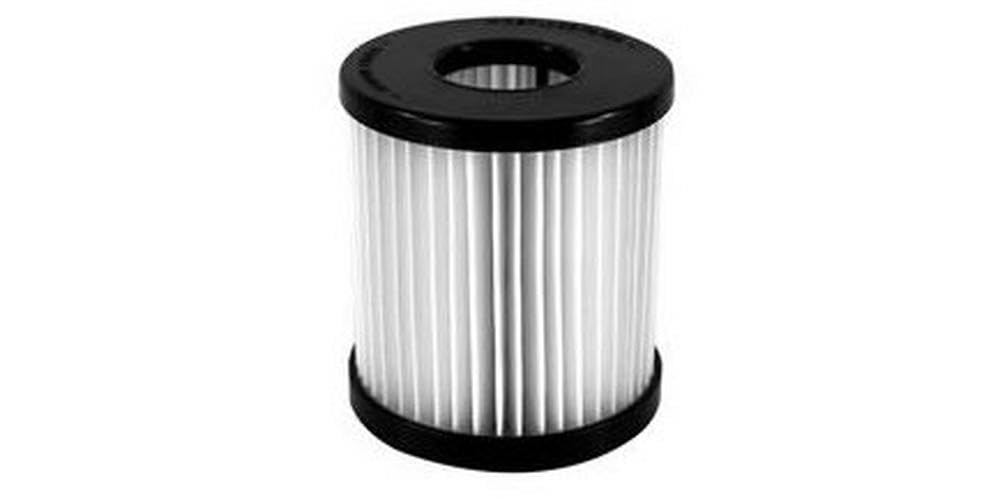
Image of the Dirt Devil F22 Filter.
2. Setup and Installation
Follow these general steps to install your new Dirt Devil F22 Filter. Always refer to your specific vacuum cleaner's user manual for detailed instructions and diagrams.
- Safety First: Before beginning any installation or maintenance, ensure your vacuum cleaner is unplugged from the electrical outlet to prevent accidental startup.
- Locate Filter Compartment: Identify the filter compartment on your Dirt Devil vacuum. This is typically found near the dust cup or motor housing.
- Remove Old Filter: Open the filter compartment and carefully remove the old, dirty filter. Dispose of the old filter according to local regulations.
- Insert New Filter: Place the new Dirt Devil F22 Filter (Part 1LV1110000) into the compartment. Ensure it is seated correctly and fits snugly without forcing it.
- Secure Compartment: Close the filter compartment securely. Ensure all latches or covers are properly fastened before operating the vacuum.
3. Operating with the F22 Filter
Once the F22 filter is correctly installed, your Dirt Devil vacuum is ready for operation. The filter works automatically to capture dust and allergens during cleaning, contributing to a cleaner home environment.
- Always ensure the filter compartment is securely closed before operating the vacuum cleaner.
- The F22 filter is an integral part of your vacuum's filtration system; operating the vacuum without a filter or with a damaged filter can lead to reduced performance and potential damage to the motor.
4. Maintenance
The Dirt Devil F22 Filter is designed for disposable use. It is not intended to be washed or cleaned for reuse, as this can damage the filter material and reduce its effectiveness.
- Regular Inspection: For optimal performance, inspect the filter regularly, especially after heavy use.
- When to Replace: Replace the filter when it appears visibly dirty, discolored, or if you notice a decrease in vacuum suction power. A clogged filter can significantly impair your vacuum's cleaning ability.
- Frequency: The frequency of replacement depends on usage and the type of debris being vacuumed. Refer to your vacuum cleaner's manual for recommended filter replacement intervals.
- Disposal: Dispose of used filters responsibly according to local waste disposal guidelines.
5. Troubleshooting
If you encounter issues related to your vacuum's performance, consider the following filter-related troubleshooting steps:
- Reduced Suction Power: If your vacuum's suction power decreases, check the F22 filter. A clogged or excessively dirty filter is a common cause of reduced suction. Replace the filter if it is dirty.
- Dust Escaping Vacuum: Ensure the F22 filter is correctly installed and the filter compartment is securely closed. If dust is still escaping, the filter may be damaged or improperly seated. Replace if damaged.
- Unusual Noises: While less common for filters, ensure the filter is not obstructing any moving parts within the vacuum. Reinstall the filter to ensure proper fit. If the noise persists, consult your vacuum's main manual.
6. Specifications
| Feature | Detail |
|---|---|
| Model Number | 1LV1110000 |
| Item Weight | 3.2 ounces |
| Package Dimensions | 3.6 x 3.2 x 3 inches |
| Material | Plastic |
| Reusability | Disposable |
| Number of Pieces | 1 |
| Compatible Devices | UD40000, M084590, M085855CA, M085850, UD40350, M085850RED, UD40270RM, UD40270, UD40005, UD40285, M085855 |
7. Warranty Information
Warranty information for the Dirt Devil F22 Filter is not provided in this manual. Please refer to the original purchase documentation or contact Dirt Devil customer support for details regarding product warranty.
8. Support
For further assistance, product inquiries, or to purchase additional filters, please visit the official Dirt Devil website or contact their customer service department.
You can find more information and products at the Dirt Devil Store.


