

1. Product Overview
The Makita BL1014 12V Max Lithium-Ion Battery is designed to provide reliable power for compatible Makita 12V max and 10.8V tools. This battery offers extended run time and features low self-discharge, ensuring it holds a charge for a prolonged period. It can be recharged at any time without experiencing memory effect, which preserves its capacity over time.
- Holds charge for long time with low self discharging-charging.
- Charge anytime without any memory effect.
- Approximately 43 percent more compact than the Makita 9.6V Ni-Cd battery.

Figure 1: Front view of the Makita BL1014 12V Max Lithium-Ion Battery.
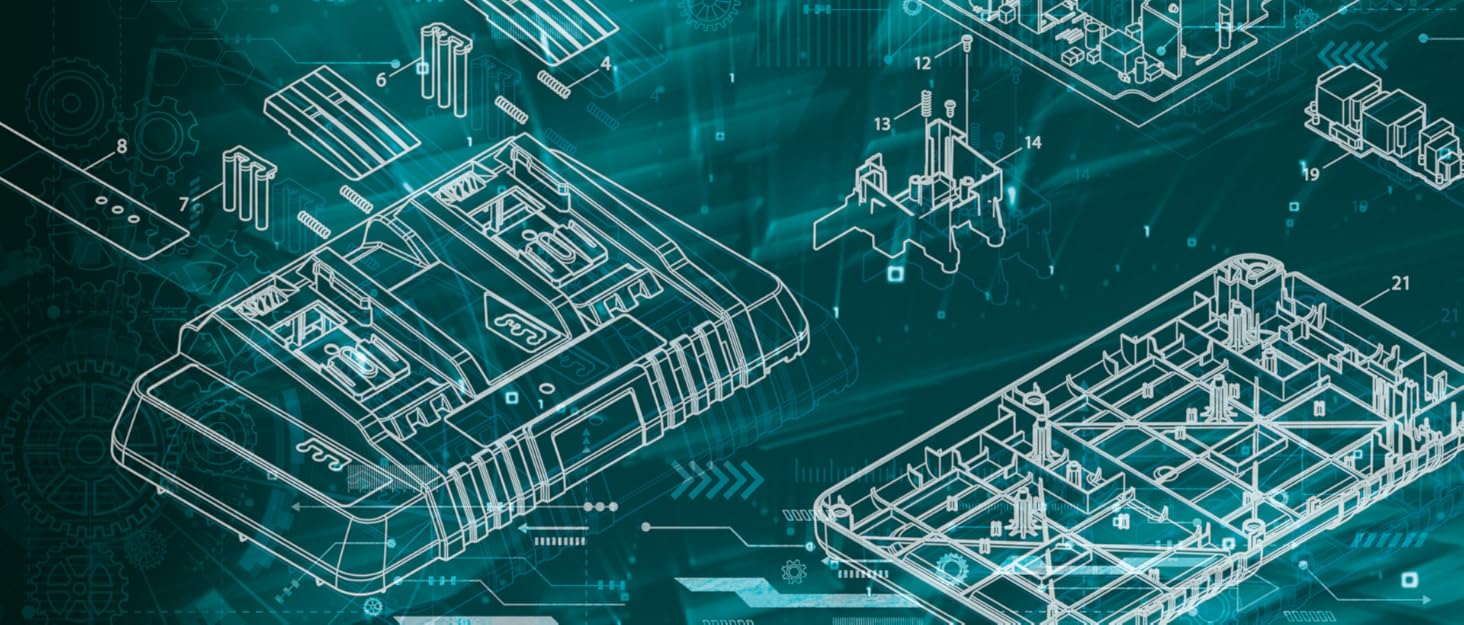
Figure 2: Schematic diagram illustrating the internal components and design of a Makita battery.
2. Safety Information
Always observe the following safety precautions when handling, charging, or using the battery:
- Do not disassemble, open, or shred battery pack or cells.
- Do not expose battery pack or cells to heat or fire. Avoid storage in direct sunlight.
- Do not short-circuit a battery pack or cells. Do not store battery packs or cells haphazardly in a box or drawer where they may short-circuit each other or be short-circuited by other metal objects.
- Do not remove a battery pack or cells from its original packaging until required for use.
- Do not subject battery pack or cells to mechanical shock.
- In the event of a battery leaking, do not allow the liquid to come into contact with the skin or eyes. If contact has been made, wash the affected area with copious amounts of water and seek medical advice.
- Do not use any charger other than that specifically provided for use with the equipment.
- Keep battery pack or cells clean and dry.
- Recharge only with the charger specified by Makita.
- Do not use any battery pack or cell which is not designed for use with the equipment.
- Keep battery pack or cells out of the reach of children.
- Retain the original product literature for future reference.
- Dispose of properly. Do not dispose of in household waste.
Proposition 65 Warning: This product may contain chemicals known to the State of California to cause cancer and birth defects or other reproductive harm. For more information, visit www.P65Warnings.ca.gov.
3. Setup and Charging
Before first use, or after extended storage, the battery must be fully charged. Use only genuine Makita chargers designed for 12V Max Lithium-Ion batteries.
- Inspect the Battery: Before charging, inspect the battery for any signs of damage, cracks, or leaks. Do not charge a damaged battery.
- Connect to Charger: Insert the battery pack firmly into the designated slot on the Makita 12V Max Lithium-Ion battery charger. Ensure it clicks into place.
- Plug in Charger: Connect the charger's power cord to a standard electrical outlet.
- Monitor Charging: The charger will typically have indicator lights to show the charging status. Refer to your specific charger's manual for details on light patterns (e.g., solid red for charging, solid green for fully charged).
- Remove After Charging: Once fully charged, disconnect the charger from the power outlet and remove the battery. Do not leave the battery on the charger indefinitely after it is fully charged.
The battery can be recharged at any time without affecting its memory, allowing for flexible charging schedules.
4. Operating Instructions
The Makita BL1014 battery is designed for use with Makita 12V max and 10.8V cordless power tools.
- Insert Battery into Tool: Align the battery with the battery receptacle on the power tool. Slide the battery into the tool until it locks securely into place. A click sound usually indicates proper engagement.
- Verify Connection: Gently pull on the battery to ensure it is firmly seated and will not accidentally detach during operation.
- Tool Operation: Operate the power tool according to its specific instruction manual. The battery provides consistent power until its charge is depleted.
- Remove Battery from Tool: To remove the battery, press the battery release button(s) on the tool and slide the battery out.
For optimal performance, ensure the battery is fully charged before beginning tasks that require sustained power.
5. Maintenance and Storage
Proper maintenance and storage extend the life of your Makita BL1014 battery.
- Cleaning: Keep the battery terminals clean and free of dirt or debris. Use a dry cloth to wipe the battery surface. Do not use water or cleaning solvents.
- Storage Temperature: Store the battery in a cool, dry place, away from direct sunlight and extreme temperatures. Ideal storage temperature is between 10°C and 40°C (50°F and 104°F).
- Long-Term Storage: For long-term storage, it is recommended to store the battery with a partial charge (around 50%). Fully discharged batteries can enter a deep discharge state, and fully charged batteries can experience faster degradation over time.
- Avoid Moisture: Do not expose the battery to water or rain. Moisture can damage the internal components and pose a safety risk.
- Regular Use: If storing for extended periods, it is beneficial to periodically charge and discharge the battery to maintain its health.
6. Troubleshooting
If you encounter issues with your Makita BL1014 battery, consider the following common solutions:
| Problem | Possible Cause | Solution |
|---|---|---|
| Battery not charging |
|
|
| Tool not operating with charged battery |
|
|
| Reduced run time |
|
|
If problems persist after attempting these solutions, contact Makita customer support or an authorized service center.
7. Specifications
| Attribute | Detail |
|---|---|
| Model Number | BL1014 |
| Battery Type | Lithium-Ion |
| Voltage | 12 Volts (Max) |
| Item Weight | 4.8 ounces |
| Product Dimensions | 5 x 3 x 9 inches |
| Color | Black |
| Material | Plastic |
| Power Source | Hand Powered (refers to the tool it powers) |
| Manufacturer | Makita |
| First Available Date | January 3, 2011 |
8. Warranty and Support
Warranty Information
The Makita BL1014 12V Max Lithium-Ion Battery comes with a 1-year limited warranty from the date of purchase. This warranty covers defects in materials and workmanship under normal use. It does not cover damage resulting from misuse, abuse, alteration, or unauthorized repair.
For specific warranty terms and conditions, please refer to the official Makita warranty statement provided with your product or visit the official Makita website.
Customer Support
For technical assistance, troubleshooting beyond this manual, or warranty claims, please contact Makita customer support:
- Official Website: Visit the official Makita website for support resources, FAQs, and service center locations.
- Contact Information: Refer to the contact section on the Makita website for phone numbers or email support.
- Brand Store: You can also visit the Makita Store on Amazon for product information and related accessories.


