Introduction
This manual provides essential instructions for setting up, operating, maintaining, and troubleshooting your Kodak EasyShare M583 14 MP Digital Camera. Please read this guide thoroughly to ensure proper use and to maximize your camera's performance.
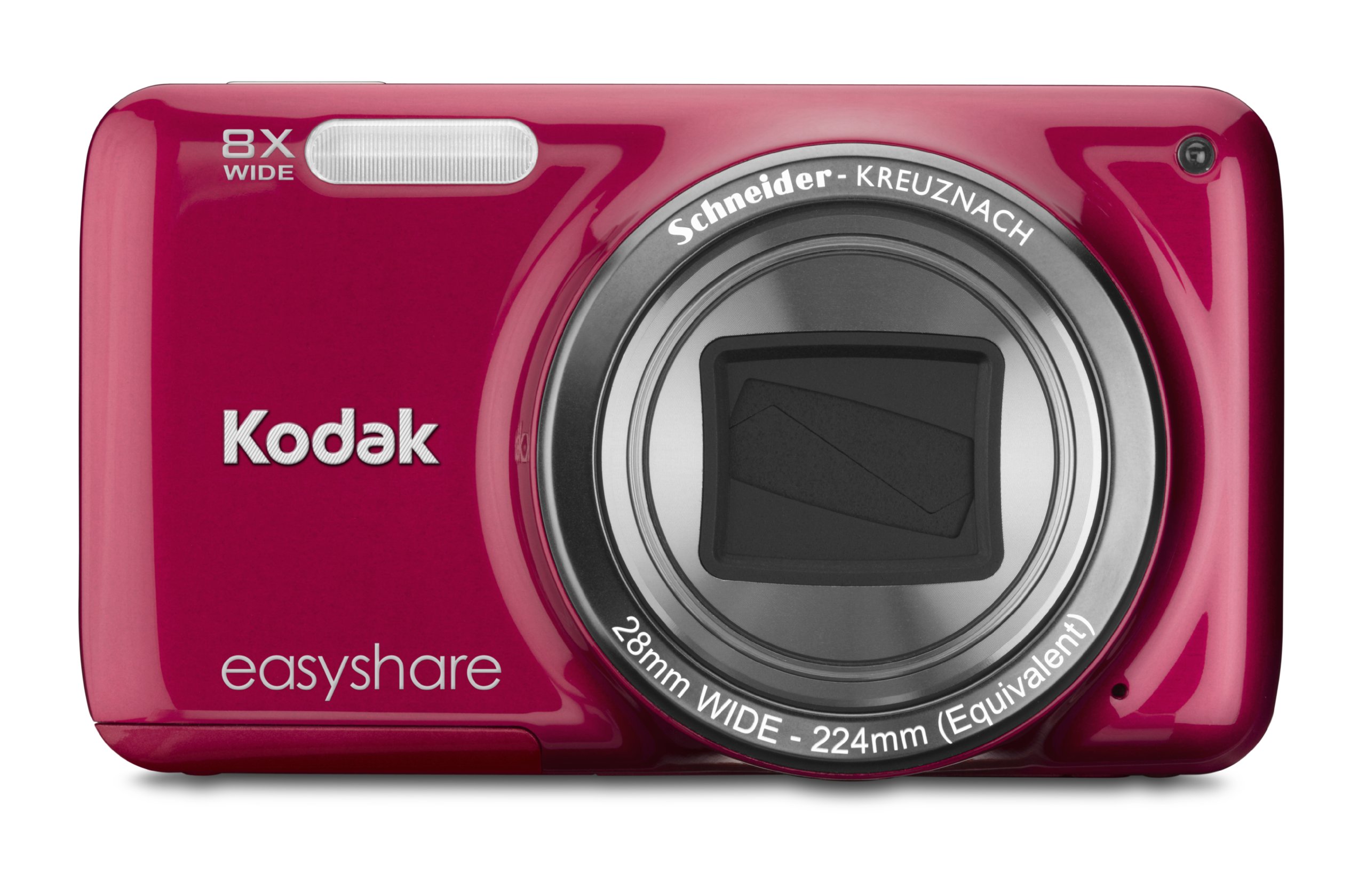
Image: Front view of the Kodak EasyShare M583 Digital Camera in red, showcasing the lens and branding.
Setup
1. Battery Installation and Charging
The Kodak EasyShare M583 uses a rechargeable Li-Ion battery.
- Open the battery compartment cover located on the bottom of the camera.
- Insert the Li-Ion battery, ensuring the contacts align correctly.
- Close the battery compartment cover securely.
- Connect the camera to a power source using the supplied USB cable for charging. The battery indicator light will show charging status.
2. Memory Card Installation
The camera supports MicroSD and MicroSDHC memory cards. A memory card is required to store photos and videos.
- Locate the memory card slot, typically near the battery compartment.
- Insert the MicroSD/MicroSDHC card with the gold contacts facing down, pushing gently until it clicks into place.
- To remove, press the card in again until it springs out.
Note: The camera supports up to 4 GB of memory. Ensure the card is formatted in the camera before first use.
Operating Instructions
1. Powering On and Basic Photography
- Press the Power button to turn on the camera. The lens will extend.
- Frame your shot using the 3-inch LCD screen.
- Press the shutter button halfway down to focus. The camera will confirm focus.
- Press the shutter button completely to capture the image.

Image: Front view of the Kodak EasyShare M583 camera, showing the extended lens and flash unit.
2. Zoom Function
The camera features an 8x optical zoom. Use the zoom lever (W/T) located near the shutter button to adjust the focal length.
- Move the lever towards T (Telephoto) to zoom in.
- Move the lever towards W (Wide) to zoom out.
3. Video Recording
To record videos, press the dedicated video record button. The camera supports 720p HD video.
- Press the Video Record button to start recording.
- Press the button again to stop recording.
- Videos are saved to the memory card in MP4 format.
4. Image Stabilization and Flash Modes
- The camera incorporates both digital and optical image stabilization to reduce blur caused by camera shake.
- The built-in flash operates in automatic mode, activating when lighting conditions require it.
5. Reviewing and Sharing Content
View your captured photos and videos on the 3-inch LCD screen.
- Press the Review button (usually indicated by a play icon) to enter playback mode.
- Use the directional pad to navigate through your images and videos.
- To share content, press the dedicated Share button. This allows one-button upload to email, KODAK PULSE Display, and various social networking sites.

Image: Rear view of the Kodak EasyShare M583 camera, displaying the 3-inch LCD screen with sharing options for platforms like Twitter and Facebook.
6. Connecting to a Computer
Connect the camera to your computer using the supplied USB cable to transfer photos and videos.
- Ensure the camera is powered on.
- Connect one end of the USB cable to the camera's USB port and the other end to your computer.
- The camera will appear as a removable drive, allowing you to access your media files.
Maintenance
1. Cleaning the Camera
- Use a soft, lint-free cloth to clean the camera body.
- For the lens and LCD screen, use a specialized lens cleaning cloth and solution. Avoid abrasive materials.
- Do not use organic solvents such as alcohol or thinner.
2. Battery Care
- Charge the battery fully before first use.
- Avoid exposing the battery to extreme temperatures.
- If the camera will not be used for an extended period, remove the battery.
3. Storage
- Store the camera in a cool, dry place away from direct sunlight and high humidity.
- Use a camera case to protect it from dust and scratches.
Troubleshooting
| Problem | Solution |
|---|---|
| Camera does not power on. | Ensure the battery is fully charged and correctly inserted. Try charging the battery for at least 30 minutes. |
| Blurred pictures. | Press the shutter button halfway to allow the camera to focus before fully pressing to capture. Ensure sufficient lighting. Image stabilization is active, but excessive movement can still cause blur. |
| Lens does not extend or retract. | Check for obstructions around the lens. Remove and reinsert the battery to reset the camera. If the issue persists, contact support. |
| Memory card not recognized. | Ensure the MicroSD/MicroSDHC card is inserted correctly. Try reinserting the card. If possible, test with another compatible memory card. Format the card in the camera if it's new or causing issues (this will erase all data). |
| Camera freezes or becomes unresponsive. | Remove the battery for a few seconds, then reinsert it and power on the camera. |
Specifications
| Feature | Detail |
|---|---|
| Model Name | M583 |
| Photo Sensor Resolution | 14 MP |
| Optical Zoom | 8x |
| Digital Zoom | 5x |
| Screen Size | 3 Inches (LCD) |
| Image Stabilization | Digital, Optical |
| Video Resolution | 720p (30 FPS) |
| Supported File Format | JPEG (Images), MP4 (Video) |
| Memory Card Type | Micro SD, Micro SDHC |
| Battery Type | Lithium Ion |
| Connectivity | USB |
| Item Weight | 0.32 Pounds |
| Lens | 28mm wide-angle lens with 8x optical zoom |
| Maximum Aperture | F2.8 |
Warranty Information
KODAK products are manufactured to high quality standards. For specific warranty terms and conditions applicable to your Kodak EasyShare M583 camera, please refer to the warranty card included with your purchase or visit the official KODAK support website. Keep your proof of purchase for warranty claims.
Customer Support
If you encounter issues not covered in this manual or require further assistance, please contact KODAK customer support.
- Online Support: Visit the official KODAK support website for FAQs, drivers, and software downloads.
- Telephone Support: Refer to your product packaging or the KODAK website for regional contact numbers.
When contacting support, please have your camera model (M583) and serial number ready.