
Walker Edison WQ52C4DRTB
Contents
Walker Edison Traditional Wood Universal TV Stand User Manual
Model: WQ52C4DRTB
Introduction
This user manual provides detailed instructions for the assembly, operation, maintenance, and troubleshooting of your Walker Edison Traditional Wood Universal TV Stand. Please read this manual thoroughly before beginning assembly or use to ensure proper setup and longevity of your product.
The Walker Edison Traditional Wood Universal TV Stand is designed to accommodate TVs up to 55 inches and features ample storage with four cabinets, including two end cabinets with swing-out shelves and two glass-front middle doors with an adjustable shelf. Crafted from laminate and high-grade MDF, this entertainment center offers a traditional design with practical functionality.
Safety Information
Always follow basic safety precautions when assembling and using this product to reduce the risk of injury or damage.
- Ensure all parts are present and undamaged before assembly. Do not use damaged parts.
- Assemble on a soft, clean surface to prevent scratching.
- Do not overtighten screws. Hand-tighten only unless otherwise specified. Power tools may damage the material.
- This unit is designed to support up to 250 lbs. Do not exceed this weight limit.
- Place the TV stand on a level surface to prevent tipping.
- Use the provided cable management features to prevent tripping hazards and keep cords organized.
- Keep small parts away from children during assembly.
Setup and Assembly
Assembly is required for this TV stand. It is recommended to have two people for assembly due to the weight and size of the components. A Phillips head screwdriver is the only tool required, though a power drill on a low torque setting may be used with caution for certain screws.
Package Contents:
- All necessary wood panels and shelves.
- Hardware packet (screws, dowels, hinges, handles).
- Assembly Guide (also available as PDF: Installation Manual (PDF)).
Assembly Steps:
- Unpack and Identify Parts: Carefully unpack all components and lay them out on a soft, clean surface. Refer to the included assembly guide to identify each part by its label.
- Assemble Base and Side Panels: Begin by attaching the side panels to the base using the specified hardware. Ensure proper alignment as indicated in the diagrams.
- Install Shelving: Insert the fixed and adjustable shelves into their designated slots. The adjustable shelf in the middle section allows for customization of storage space.
- Attach Back Panel: Secure the back panel to the assembled frame. This panel typically includes cutouts for cable management.
- Install Doors: Attach the four cabinet doors using the provided hinges. The two end cabinets feature a unique swing-out design for additional storage. The two middle doors are glass-fronted.
- Attach Handles: Secure the metal handles to all four doors.
- Final Placement: Once fully assembled, carefully move the TV stand to its desired location. Ensure it is placed on a stable, level surface.
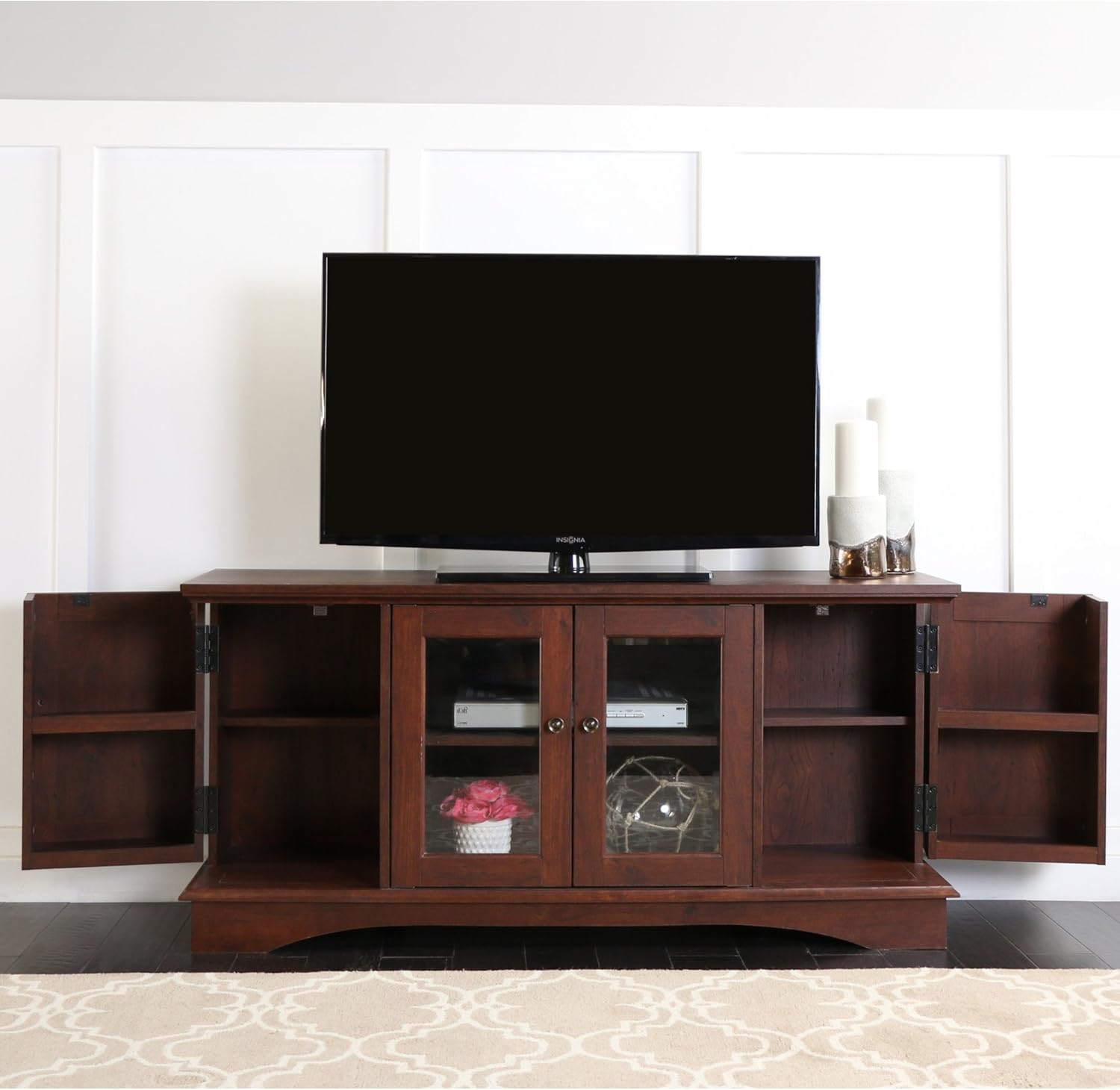
Image: The Walker Edison TV stand with all four doors open, showcasing the interior storage compartments. The two outer doors swing open to reveal additional shelving, while the two central glass doors provide visibility to media devices.

Image: The Walker Edison TV stand with a television placed on its top surface, and all cabinet doors closed, demonstrating its appearance in a living room setting.

Image: An angled view of the Walker Edison TV stand with a television on top, highlighting its traditional design and brown finish.

Image: A detailed close-up of the swing-out storage feature on the side cabinet of the Walker Edison TV stand, showing how DVDs or other media can be organized.

Image: A detailed close-up showing the wood grain and traditional brown finish of the Walker Edison TV stand's top surface.

Image: A close-up of the central glass doors and the round metal handles on the Walker Edison TV stand, highlighting the hardware and transparent storage.
Operating Instructions
The Walker Edison TV Stand is designed for straightforward use as an entertainment console and storage unit.
Placing Your Television:
Carefully place your television on the top surface of the stand. Ensure the TV's base is centered and stable. This stand supports TVs up to 55 inches and a maximum weight of 250 lbs.
Utilizing Storage Cabinets:
- Side Cabinets: The two outer cabinets feature a unique swing-out design, providing deep storage for DVDs, CDs, or other media. Gently pull the door to swing out the inner shelves.
- Middle Cabinets: The two central cabinets have glass doors, ideal for displaying media players, gaming consoles, or decorative items. The internal shelf is adjustable to accommodate items of various heights.
Cable Management:
The back panel of the TV stand includes cutouts for cable management. Route all power cords and AV cables through these openings to maintain a tidy appearance and prevent tangles or tripping hazards.
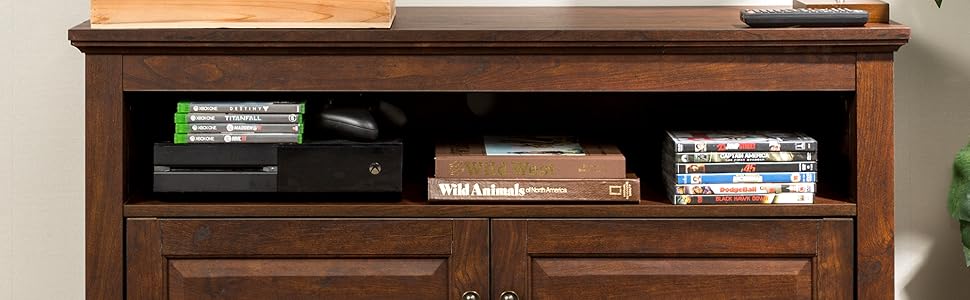
Image: An interior view of the TV stand's central compartment, demonstrating how media devices and cables can be neatly organized using the built-in cable management features.
Video: This video demonstrates the functionality and features of the Walker Edison Transitional 4-Door Storage TV Stand, including its storage capabilities and overall design. It shows how the stand can help organize a living space.
Maintenance and Care
Proper care will help maintain the appearance and extend the life of your TV stand.
- Cleaning: Wipe the surface with a soft, damp cloth. Avoid using harsh chemicals, abrasive cleaners, or polishes that may damage the finish.
- Spills: Immediately wipe up any spills to prevent staining or damage to the wood finish.
- Sunlight Exposure: Avoid prolonged exposure to direct sunlight, which can cause fading or discoloration.
- Heat and Moisture: Protect the surface from extreme heat and moisture. Use coasters under drinks and heat pads under hot items.
- Hardware Check: Periodically check all screws and fasteners to ensure they remain tight. Retighten if necessary, but do not overtighten.
Troubleshooting
| Problem | Possible Cause | Solution |
|---|---|---|
| Unit wobbles or is unstable. | Uneven floor surface; loose fasteners; incorrect assembly. | Ensure the unit is on a level surface. Check and tighten all screws and bolts. Review assembly instructions to confirm all parts are correctly installed. |
| Doors do not align or close properly. | Hinges are loose or improperly adjusted; door installed incorrectly. | Check hinge screws and tighten them. Adjust hinges as per the assembly guide for proper door alignment. Ensure the correct door is on the correct side. |
| Scratches or minor surface damage. | Accidental impact; abrasive cleaning. | For minor scratches, a wood repair kit or furniture marker matching the finish color may be used. Avoid abrasive materials for cleaning. |
| Missing or damaged parts upon arrival. | Shipping damage; packaging error. | Contact Walker Edison customer support immediately for replacement parts. Refer to the "Support and Warranty" section. |
Specifications
- Brand: Walker Edison
- Model Number: WQ52C4DRTB
- Color: Traditional Brown
- Material: Engineered Wood (Laminate and High-Grade MDF)
- Product Dimensions (L x W x H): 52" x 16" x 24" (132.08 cm x 40.64 cm x 60.96 cm)
- Item Weight: 94 lbs (42.64 kg)
- Weight Limit: Up to 250 lbs (113.4 kg)
- TV Size Compatibility: Up to 55 inches
- Number of Cabinets: 4 (2 swing-out side cabinets, 2 glass-front middle cabinets)
- Shelves: Adjustable shelving in middle section
- Features: Cable management, metal hardware
- Assembly Required: Yes

Image: A diagram illustrating the key dimensions of the Walker Edison TV Stand: 52 inches in length, 16 inches in depth, and 24 inches in height.
Warranty and Support
Warranty Information:
This product comes with a 30-day manufacturer's warranty against defects. This warranty covers manufacturing defects and does not cover damage caused by misuse, improper assembly, or normal wear and tear.
Customer Support:
For any questions, missing parts, or assistance with assembly, please contact Walker Edison customer support:
- Phone: 1-801-433-3008
- Email: service@walkeredison.com
Replacement parts are available. Please contact Walker Edison within 30 days of delivery for any issues.

Image: Contact information for Walker Edison customer support, including phone number and email address, for assistance with the product.
Documents and downloads
Ask a question about this manual
Ask about setup, troubleshooting, compatibility, parts, safety, or missing instructions. Manuals+ will review the question and use this page’s manual context to help answer it.