
Product Overview
The GIGABYTE Radeon HD 6850 1GB GDDR5 PCI-Express 2.1 Graphics Card is designed to deliver high-performance graphics for computing and gaming. Featuring GIGABYTE's WINDFORCE 2X cooling technology, it ensures efficient heat dissipation. This card supports multiple display outputs including DVI, HDMI, and DisplayPort, enabling versatile monitor configurations.
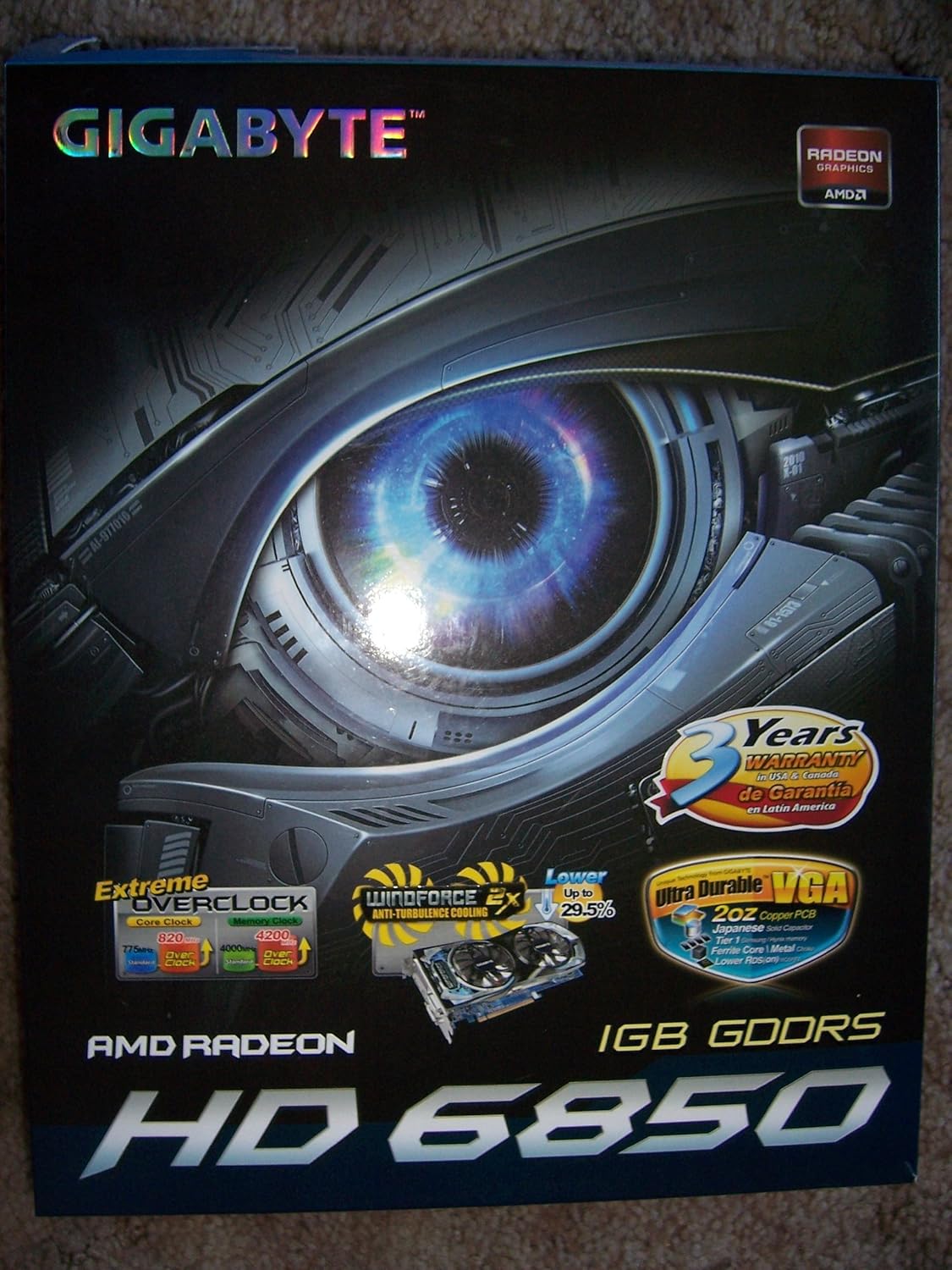
Front view of the GIGABYTE ATI Radeon HD6850 graphics card retail box, highlighting key features like Windforce cooling and 3-year warranty.
Setup and Installation
Follow these steps to properly install your GIGABYTE HD6850 graphics card into your computer system.
- Prepare Your System: Power off your computer and disconnect all cables. Open the computer case.
- Locate PCI-Express Slot: Identify an available PCI-Express 2.1 x16 slot on your motherboard. Remove the corresponding expansion slot cover(s) from the rear of your computer case.
- Insert Graphics Card: Carefully align the graphics card with the PCI-Express slot and press down firmly until it is securely seated. Ensure the retention clip on the slot engages.
- Connect Power: Connect a 6-pin PCI-E power connector from your power supply unit (PSU) to the graphics card. If your PSU does not have a 6-pin connector, use the included adapter to convert two 4-pin peripheral power connectors.
- Secure Card: Secure the graphics card to the computer case with the screw(s) removed earlier.
- Close Case and Connect Displays: Close the computer case. Connect your monitor(s) to the appropriate output ports on the graphics card (DVI, HDMI, or DisplayPort).
- Install Drivers: Power on your computer. Once the operating system loads, install the latest graphics drivers from the GIGABYTE or AMD website for optimal performance and stability.

The PCI-Express 2.1 x16 interface connector on the GIGABYTE HD6850 graphics card, with the model number GV-R685OC-1GD visible on the PCB.

Close-up of the 6-pin PCI-E power connector on the GIGABYTE HD6850 graphics card, required for supplemental power.

Rear view of the GIGABYTE HD6850 graphics card showing the output ports: two DVI, one HDMI, and one DisplayPort.
Operating the Graphics Card
Once installed and drivers are updated, your GIGABYTE HD6850 graphics card will enhance your system's visual capabilities.
- Display Configuration: Utilize the dual DVI, HDMI, and DisplayPort outputs to connect up to three monitors simultaneously using ATI Eyefinity Technology. Adjust display settings through your operating system or the AMD Catalyst Control Center.
- Resolution Support: The card supports a maximum resolution of 2560 x 1600, providing crisp and detailed visuals.
- Gaming and Multimedia: The 1GB GDDR5 memory and 820 MHz engine clock are optimized for smooth performance in games and high-definition multimedia playback.
- API Support: The card supports Microsoft DirectX 11, Shader Model 5.0, and OpenGL 4.1, ensuring compatibility with modern applications and games.
Maintenance
Regular maintenance helps ensure the longevity and optimal performance of your graphics card.
- Dust Cleaning: Periodically clean dust from the graphics card's fans and heatsink using compressed air. Ensure the system is powered off and unplugged before cleaning. Dust accumulation can impede cooling and lead to overheating.
- Airflow: Ensure proper airflow within your computer case. Keep cables tidy and ensure case fans are functioning correctly to prevent heat buildup.
- Driver Updates: Regularly check the GIGABYTE or AMD website for the latest driver updates. Updated drivers can improve performance, stability, and compatibility.
Troubleshooting
If you encounter issues with your graphics card, refer to the following common troubleshooting steps.
- No Display Output:
- Ensure the monitor cable is securely connected to the graphics card and the monitor.
- Verify the 6-pin PCI-E power connector is properly attached to the graphics card.
- Check if the graphics card is fully seated in the PCI-Express slot.
- Test with a different monitor or cable if possible.
- System Instability/Crashes:
- Ensure your power supply unit (PSU) meets the minimum wattage requirements for your system, including the graphics card.
- Update your graphics drivers to the latest version.
- Monitor the graphics card temperature using monitoring software. Excessive heat can cause instability. Ensure proper cooling and airflow.
- Poor Performance in Games/Applications:
- Ensure you have the latest graphics drivers installed.
- Check in-game graphics settings; reduce resolution or detail levels if necessary.
- Verify that your system meets the minimum requirements for the application or game.
Specifications
| Feature | Detail |
|---|---|
| Chipset | Radeon HD6850 |
| Engine Clock | 820 MHz |
| Video Memory | 1GB GDDR5 |
| Memory Clock | 4200 MHz |
| Memory Interface | 256-bit |
| Bus Interface | PCI-Express 2.1 x16 |
| RAMDAC | 400 MHz |
| Stream Processors | 960 |
| Max. Resolution | 2560 x 1600 |
| Connectors | Dual DVI, HDMI, DisplayPort |
| Thermal Solution | Fansink (Dual PWM Fan) |
| API Support | Microsoft DirectX 11, Shader Model 5.0, OpenGL 4.1 |
| Operating System Support | Microsoft Windows 7/Vista |
| Additional Technologies | ATI Avivo HD, HDCP, ATI CrossFireX, ATI Eyefinity |
| Item Weight | 2.75 pounds |
| Manufacturer | Gigabyte |
| Date First Available | December 13, 2010 |
Warranty and Support
The GIGABYTE ATI Radeon HD6850 Video Card comes with a 3-year warranty from the manufacturer. For technical support, driver downloads, or warranty claims, please visit the official GIGABYTE website or contact their customer service department.
For further assistance, refer to the GIGABYTE support page or contact their technical support team directly.