Introduction
This manual provides essential information for the safe and efficient operation of your De'Longhi Ariadry Slim Compact Dehumidifier, model DES16EW. Please read these instructions carefully before using the appliance and retain them for future reference. This dehumidifier is designed to reduce humidity levels in indoor environments, contributing to a healthier and more comfortable living space.
Safety Instructions
Always observe the following safety precautions to prevent electric shock, injury, or damage to the appliance.
- Ensure the voltage indicated on the appliance's rating label matches your mains voltage before connecting.
- Do not operate the dehumidifier with a damaged cord or plug. If the supply cord is damaged, it must be replaced by the manufacturer, its service agent, or similarly qualified persons to avoid a hazard.
- Keep the appliance away from heat sources, direct sunlight, and flammable materials.
- Do not block the air inlet or outlet grilles. Maintain adequate clearance around the unit for proper airflow.
- Never immerse the appliance, power cord, or plug in water or other liquids.
- Unplug the appliance from the power outlet before cleaning, performing maintenance, or when not in use for extended periods.
- This appliance is not intended for use by persons (including children) with reduced physical, sensory or mental capabilities, or lack of experience and knowledge, unless they have been given supervision or instruction concerning use of the appliance by a person responsible for their safety.
- Do not use the appliance in areas where gasoline, paint, or other flammable liquids or vapors are stored.
Product Overview
The De'Longhi Ariadry Slim Compact Dehumidifier DES16EW is designed for efficient moisture removal. Key components include the control panel, air inlet/outlet grilles, and a removable water tank.
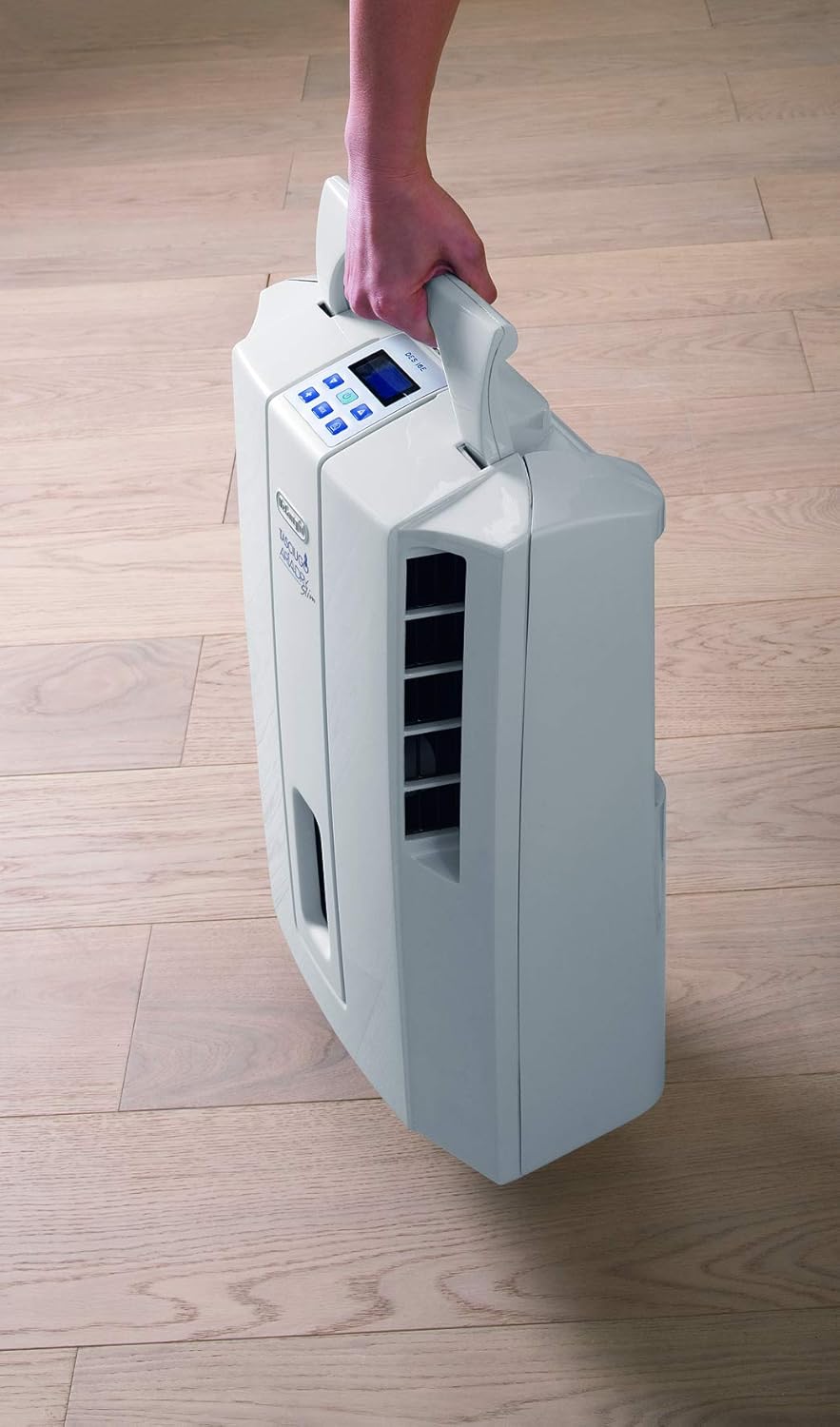
Figure 1: Front view of the De'Longhi Ariadry Slim Dehumidifier, highlighting the control panel and visible water level indicator.
The unit features an intuitive electronic control panel for easy operation and a transparent water tank to monitor the water level.
Setup
Proper placement and initial setup are crucial for the dehumidifier's performance.
1. Unpacking and Placement
- Remove all packaging materials.
- Place the dehumidifier on a stable, level surface. Ensure there is at least 20 cm (8 inches) of space around the unit for proper air circulation.
- The unit is lightweight and features integrated castors for easy movement between rooms.

Figure 2: The dehumidifier's integrated handle allows for easy portability.
2. Wall Mounting (Optional)
A wall mounting kit is included for permanent installation. Ensure the wall can support the unit's weight (approximately 9 kg) and follow the instructions provided with the kit for secure installation. Maintain a minimum separation of 5 cm from the wall for proper airflow.

Figure 3: The dehumidifier can be wall-mounted using the provided kit.
3. Power Connection
- Plug the power cord into a suitable electrical outlet (230 Volts).
- Ensure the power cord is not pinched or placed under heavy objects.
Operating Instructions
Familiarize yourself with the control panel to operate the dehumidifier effectively.
1. Power On/Off
Press the Power button on the control panel to turn the unit on or off.
2. Setting Desired Humidity Level
Use the humidity control buttons (usually '+' and '-') to set your desired relative humidity level. The unit will operate until this level is reached, then cycle on and off to maintain it. Recommended humidity levels are typically between 40% and 60%.
3. Fan Speed
The DES16EW offers 2 fan speeds. Press the Fan Speed button to cycle through the available options. A higher fan speed will dehumidify faster but may produce more noise.
4. Timer Function
The 24-hour electronic timer allows you to program the unit to turn on or off automatically after a set period. Refer to the control panel icons for timer setting instructions.
5. Laundry Drying Function
This mode is specifically designed to assist in drying clothes indoors. When activated, the unit operates continuously at a high fan speed to remove moisture from the air, helping clothes dry faster and preventing musty odors.
6. Auto Mode
The Auto mode automatically adjusts the dehumidification settings based on the current room humidity and temperature, as detected by the integrated hygrometer and thermometer display.
7. Electronic Antifreeze Device
The unit is equipped with an electronic antifreeze device, allowing it to operate effectively in low room temperatures, down to 2 degrees Celsius, without freezing internal components.
Maintenance
Regular maintenance ensures optimal performance and longevity of your dehumidifier.
1. Emptying the Water Tank
When the water tank is full, the unit will automatically shut off, and an indicator light will illuminate. Carefully remove the tank, empty the collected water, and reinsert it securely. The transparent tank allows for easy monitoring of the water level.

Figure 4: Removing the water collection tank for emptying.
2. Cleaning the Air Filter
The dehumidifier features a Bio Silver Tech System filter, which helps keep the air cleaner and reduces the spread of bacteria. The filter should be cleaned regularly (e.g., every two weeks or as needed) to maintain efficiency.
- Turn off and unplug the unit.
- Remove the filter from its housing (refer to the diagram on the unit or in the full manual for exact location).
- Clean the filter with a vacuum cleaner or wash it gently with lukewarm water and a mild detergent.
- Allow the filter to dry completely before reinserting it.
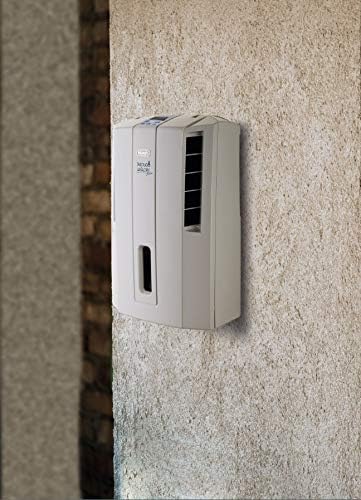
Figure 5: The removable air filter for cleaning.
3. General Cleaning
Wipe the exterior of the unit with a soft, damp cloth. Do not use abrasive cleaners or solvents.
Troubleshooting
If you encounter issues with your dehumidifier, refer to the following common problems and solutions:
| Problem | Possible Cause | Solution |
|---|---|---|
| Unit does not turn on. | No power supply; power cord not plugged in; water tank full or incorrectly inserted. | Check power connection; ensure water tank is empty and correctly positioned. |
| No water collected. | Room temperature too low; humidity level already low; air filter clogged; unit in fan-only mode. | Ensure room temperature is above 2°C; check desired humidity setting; clean air filter; select a dehumidification mode. |
| Unit is noisy. | Unit not on a level surface; air filter clogged; fan speed set too high. | Place on a level surface; clean air filter; reduce fan speed. |
| Reduced dehumidification efficiency. | Air filter clogged; air inlet/outlet blocked; room too large or too many open windows/doors. | Clean air filter; ensure clear airflow; close windows/doors in the operating area. |
For issues not listed here, or if problems persist, please contact customer support.
Specifications
- Brand: De'Longhi
- Model Number: 0148716223 (DES16EW)
- Colour: White
- Product Dimensions: 37.5 x 19 x 48.5 cm
- Item Weight: 9 kg
- Water Tank Capacity: 3 Litres
- Power/Wattage: 250 watts
- Voltage: 230 Volts
- Material: Plastic
- Number of Speeds: 2
- Noise Level: 42 Decibels
- Special Features: Timer, Water Level Indicator, Electronic Antifreeze Device, Bio Silver Tech System
Warranty and Support
For detailed warranty information, please refer to the warranty card included with your product packaging or visit the official De'Longhi website. If you require technical assistance or have questions regarding your De'Longhi Ariadry Slim Compact Dehumidifier, please contact De'Longhi customer support through their official channels.


