
1. Product Overview
The Konus Memox-10 Stopwatch (Model KO4261) is a versatile timing device designed for various applications, including sports, training, and general timekeeping. It features a digital display, multiple timing modes, and a memory function.

Figure 1: Front view of the Konus Memox-10 Stopwatch, showing the display and control buttons.
Key features include:
- Current time display
- Alarm function
- Stopwatch with lap/split memory
- Pace mode (40-180 BPM)
- Countdown timer
- 10-week memory recall
2. Setup
2.1. Initial Power On and Battery
The Konus Memox-10 Stopwatch typically comes with a pre-installed battery. If the display is blank or dim, the battery may need replacement. Refer to the "Maintenance" section for battery replacement instructions.
2.2. Setting the Current Time
- Press the MODE button repeatedly until the time display mode is shown.
- Press and hold the LAP/RESET button for a few seconds until the time digits begin to flash.
- Use the ST/SPLIT button to adjust the flashing digit (hours, minutes, seconds).
- Press the MODE button to move to the next digit.
- Once all settings are complete, press the LAP/RESET button to exit the setting mode.
3. Operating Instructions
3.1. Mode Selection
Press the MODE button to cycle through the different functions: Time Display, Stopwatch, Alarm, Pace Mode, and Countdown Timer.
3.2. Stopwatch Function
- Navigate to the Stopwatch mode using the MODE button.
- Press ST/SPLIT to start the stopwatch.
- Press ST/SPLIT again to pause/stop the stopwatch.
- To record a lap or split time while the stopwatch is running, press LAP/RESET. The lap time will be displayed temporarily.
- To reset the stopwatch to zero, ensure it is stopped, then press LAP/RESET.
3.3. Alarm Function
- Navigate to the Alarm mode using the MODE button.
- Press and hold the LAP/RESET button until the alarm time digits flash.
- Use the ST/SPLIT button to adjust the hours and minutes.
- Press the MODE button to switch between hours and minutes.
- Press LAP/RESET to save the alarm time and exit setting mode.
- To activate/deactivate the alarm, press ST/SPLIT while in Alarm mode. An alarm icon will appear/disappear on the display.
3.4. Pace Mode
The pace mode allows you to set a desired beat per minute (BPM) from 40 to 180 BPM, providing an audible signal to help maintain a consistent rhythm.
- Navigate to the Pace mode using the MODE button.
- Press and hold the LAP/RESET button until the BPM digits flash.
- Use the ST/SPLIT button to adjust the BPM value.
- Press LAP/RESET to save the BPM and exit setting mode.
- Press ST/SPLIT to start the pace signal. Press again to stop.
3.5. Countdown Timer
- Navigate to the Countdown Timer mode using the MODE button.
- Press and hold the LAP/RESET button until the timer digits flash.
- Use the ST/SPLIT button to adjust the hours, minutes, and seconds.
- Press the MODE button to move between hours, minutes, and seconds.
- Press LAP/RESET to save the countdown time and exit setting mode.
- Press ST/SPLIT to start the countdown. Press again to pause/resume.
- When the timer reaches zero, an audible alarm will sound. Press any button to stop the alarm.
3.6. Memory Recall (10-Week Memory)
The Memox-10 stopwatch stores up to 10 weeks of data. Specific details on how to access and navigate this memory are typically found in the full product manual. Generally, you would enter a dedicated memory mode and use the ST/SPLIT and LAP/RESET buttons to scroll through stored records.
4. Maintenance
4.1. Cleaning
Wipe the stopwatch with a soft, dry cloth. For stubborn dirt, a slightly damp cloth can be used, followed by immediate drying. Do not use abrasive cleaners or solvents, as these can damage the casing or display.
4.2. Battery Replacement
When the display becomes dim or unresponsive, it's time to replace the battery. The Konus Memox-10 typically uses a standard button cell battery (e.g., CR2032).
- Locate the battery compartment on the back of the stopwatch.
- Using a small screwdriver, carefully open the battery compartment cover.
- Remove the old battery, noting its polarity (+/-).
- Insert a new battery with the correct polarity.
- Replace the battery compartment cover and secure it.
Dispose of old batteries according to local regulations.
4.3. Storage
Store the stopwatch in a cool, dry place away from direct sunlight and extreme temperatures. If storing for an extended period, consider removing the battery to prevent leakage.
5. Troubleshooting
| Problem | Possible Cause | Solution |
|---|---|---|
| Display is blank or dim. | Low or dead battery. | Replace the battery (refer to Section 4.2). |
| Buttons are unresponsive. | Temporary software glitch or low battery. | Remove and reinsert the battery. If problem persists, replace battery. |
| Incorrect time displayed. | Time not set correctly. | Reset the current time (refer to Section 2.2). |
| Alarm does not sound. | Alarm not activated or volume too low (if adjustable). | Ensure alarm is activated in Alarm mode (refer to Section 3.3). Check for any volume settings. |
6. Specifications
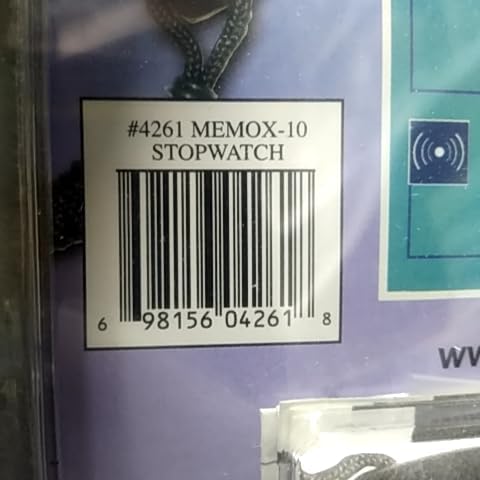
Figure 2: Packaging detail showing model number and UPC.
- Brand: Konus
- Model: Memox-10
- Product Number: KO4261
- UPC: 698156042618
- Dimensions: Approximately 19.81 x 2.54 x 14.48 cm (7.8 x 1.0 x 5.7 inches)
- Weight: Approximately 22.68 g (0.8 oz)
- Pace Mode Range: 40-180 BPM
- Memory: 10 weeks of data
- Battery: (Type not specified, typically button cell like CR2032)
7. Warranty and Support
Konus products are manufactured to high-quality standards. For specific warranty information, please refer to the warranty card included with your product or visit the official Konus website. Keep your purchase receipt as proof of purchase.
Customer Support:
For technical assistance, troubleshooting, or warranty claims, please contact Konus customer support. Contact details can typically be found on the product packaging or the official Konus website.
- Website: www.konus.com (Example, actual URL may vary)
- Email: support@konus.com (Example)