1. Important Safety Information
Always use the Bosch PDO Multi Digital Detector safely and responsibly. Failure to follow these instructions may result in electric shock, fire, and/or serious injury.
- Do not use near sensitive equipment or in places where damage may occur.
- Keep the device away from children and pets.
- Consult this user manual for specific safety instructions before operation.
- Ensure the work area is well-lit and free from obstructions.
- Do not operate the device in explosive atmospheres, such as in the presence of flammable liquids, gases, or dust.
2. Product Overview
The Bosch PDO Multi Digital Detector is a versatile tool designed for detecting various materials behind walls, ceilings, and floors. It helps locate ferrous and non-ferrous metals, live electrical cables, and wood substructures, enhancing safety and precision during drilling or renovation tasks.
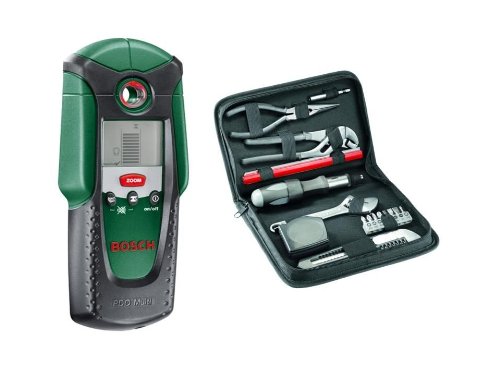
Image: Front view of the Bosch PDO Multi Digital Detector, showing its display, control buttons, and ergonomic design.
Key Features:
- Multi-Material Detection: Detects ferrous (steel) and non-ferrous (copper pipes) metals, live electrical cables, and wood.
- Clear Digital Display: Features a large digital display for clear and easy-to-understand results.
- Drilling Ring Indicator: A visual drilling ring indicates when it is safe to drill, minimizing risks.
- Automatic Calibration: Ensures consistent accuracy and immediate readiness for use.
- Ergonomic Design: Compact tool with an ergonomic soft grip for optimal handling and control.
- Included Tool Set: Comes with a 17-piece hand tool set in a soft carrying case for added utility.
3. Setup and Preparation
3.1. Battery Installation
- Open the battery compartment cover located on the back of the device.
- Insert the required disposable batteries, ensuring correct polarity (+/-).
- Close the battery compartment cover securely.
3.2. Initial Power On and Calibration
- Press the "on/off" button to power on the device.
- The device will perform an automatic calibration. Ensure the detector is held in the air, away from any surfaces or objects, during this process.
- Wait for the calibration to complete, indicated by a stable display.
4. Operating Instructions
4.1. General Detection Procedure
- Place the detector flat against the surface you wish to scan.
- Slowly move the detector horizontally across the surface. Maintain constant contact and pressure.
- Observe the digital display for indications of detected materials. The drilling ring will illuminate when it is safe to drill.
- Audio signals may also indicate detections.
4.2. Detecting Metal and Live Wires
The PDO Multi is designed to identify both ferrous and non-ferrous metals, as well as live electrical wiring.

Image: A hand holding the Bosch PDO Multi Digital Detector near an electrical outlet, demonstrating its ability to detect live wires within the wall.
- When metal or live wires are detected, the display will show corresponding symbols and the signal strength.
- Exercise extreme caution when live wires are indicated. Always verify with other methods if possible before drilling.
4.3. Detecting Wood Substructures
The detector can also locate wooden studs or beams behind drywall or other common wall materials.

Image: The Bosch PDO Multi Digital Detector being used on a drywall surface, indicating the detection of a wooden stud behind the wall with insulation visible.
- Move the detector slowly across the wall to identify changes in density.
- The display will indicate the presence of wood.
4.4. Practical Application Examples

Image: A person using the Bosch PDO Multi Digital Detector on a tiled kitchen wall, preparing to install shelving, with a drill and tools nearby.
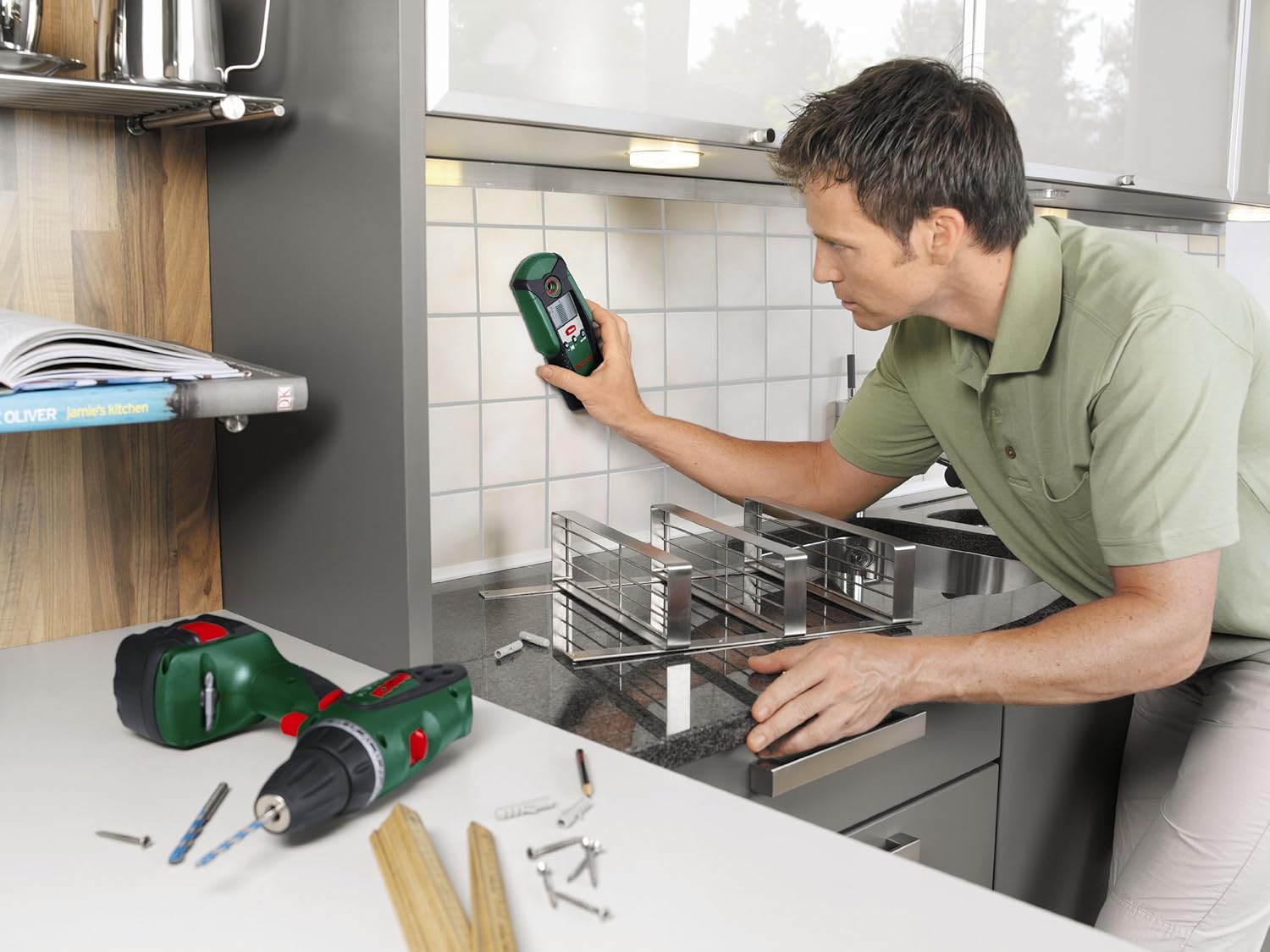
Image: The Bosch PDO Multi Digital Detector being used on a tiled bathroom wall, showing its capability to detect pipes behind the surface, with a faucet and sink in the foreground.
5. Maintenance and Care
- Cleaning: Wipe the device with a soft, damp cloth. Do not use abrasive cleaners or solvents.
- Storage: Store the detector in a dry, dust-free environment, away from direct sunlight and extreme temperatures. Remove batteries if storing for extended periods.
- Battery Replacement: Replace batteries when the low battery indicator appears on the display. Dispose of old batteries responsibly.
- Inspection: Regularly inspect the device for any signs of damage. Do not use a damaged device.
6. Troubleshooting
| Problem | Possible Cause | Solution |
|---|---|---|
| Device does not turn on. | Dead or incorrectly inserted batteries. | Check battery polarity or replace batteries. |
| Inaccurate readings. | Improper calibration or external interference. | Recalibrate the device in the air. Ensure no other electronic devices are nearby. |
| No detection of expected materials. | Material too deep or device not held correctly. | Ensure firm, flat contact with the surface. Move slowly. Note detection depth limits. |
7. Technical Specifications
| Feature | Detail |
|---|---|
| Manufacturer | Robert Bosch |
| Model Number | 0603010001 |
| Detection Capabilities | Ferrous metal, Non-ferrous metal, Live electrical cables, Wood |
| Power Source | Disposable Batteries |
| Display Type | Digital |
| Package Dimensions | 25.8 x 16.6 x 11.4 cm |
| Weight | 1.48 kg (including package) |
| Included Accessories | 17-piece hand tool set |
8. Warranty and Support
For warranty information and customer support, please refer to the documentation included with your product at the time of purchase or visit the official Bosch website. Keep your proof of purchase for any warranty claims.
Online Resources: For additional support, FAQs, and product registration, please visit Bosch DIY Service & Support.