
1. Introduction
The Samson LM5 is a compact, omnidirectional lavalier microphone designed for clear voice reproduction in various applications. It features a 3.5mm miniplug connector, specifically engineered for seamless integration with Samson wireless beltpack transmitters. This manual provides essential information for the proper setup, operation, and maintenance of your LM5 microphone, ensuring optimal performance and longevity.
Included Components:
- LM5 Lavalier Microphone
- Foam Windscreen
- Microphone Clip
2. Setup
2.1 Attaching the Microphone Clip
Secure the included microphone clip to the body of the LM5 lavalier microphone. The clip allows for easy attachment to clothing, such as a lapel or tie, ensuring stable positioning during use.
2.2 Installing the Foam Windscreen
Gently slide the foam windscreen over the microphone capsule. The windscreen helps to reduce plosive sounds (P-popping) and wind noise, improving overall audio clarity.
2.3 Connecting to a Transmitter
The LM5 microphone is designed for use ONLY with Samson wireless beltpack transmitters. Insert the 3.5mm miniplug connector firmly into the microphone input jack on your Samson wireless beltpack transmitter. Ensure the connection is secure to prevent signal loss.
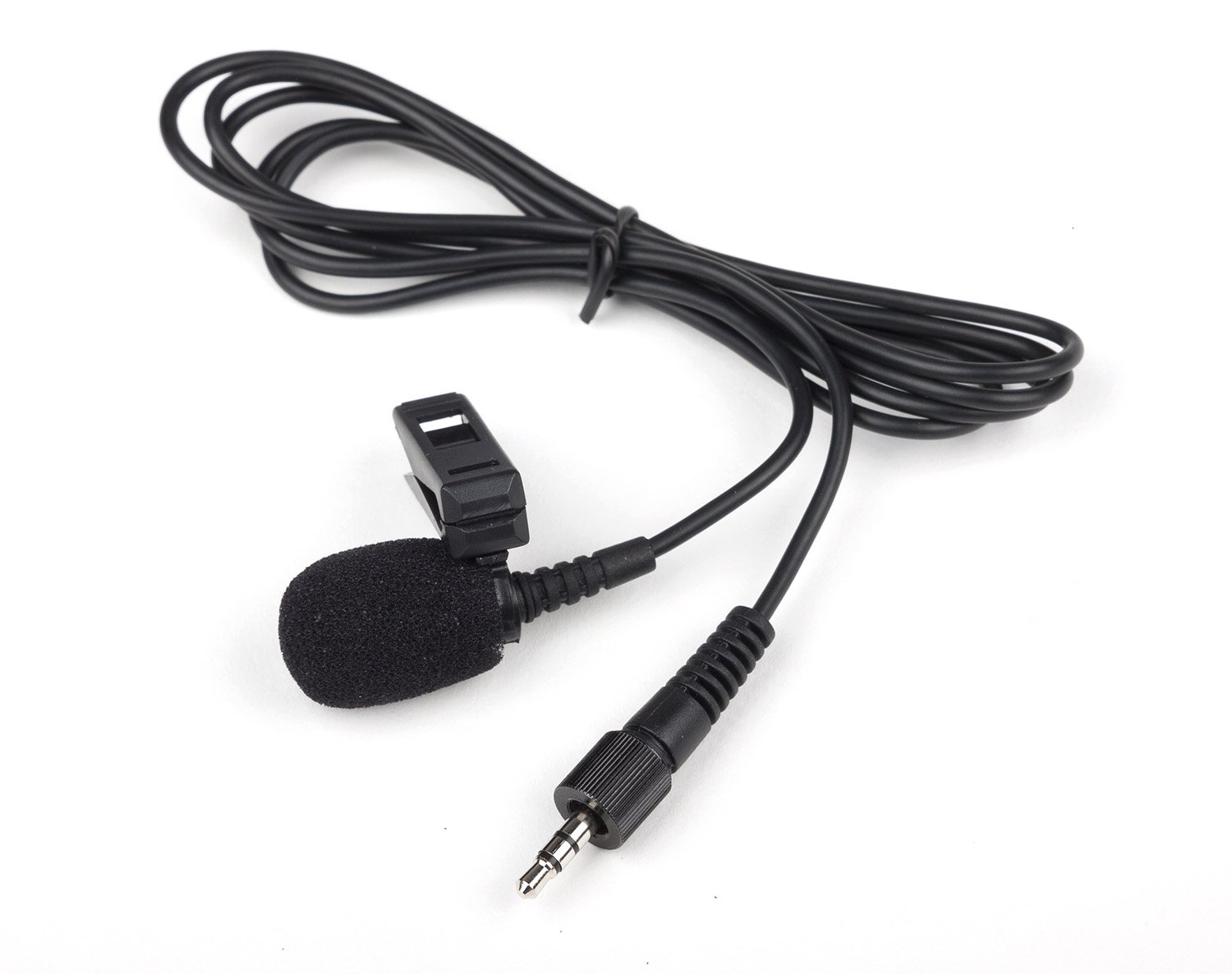
Image: The Samson LM5 Lavalier Microphone, shown with its 3.5mm miniplug connector and an attached foam windscreen. This image illustrates the microphone's compact design and its primary components.
3. Operating Instructions
3.1 Microphone Placement
For optimal sound quality, position the LM5 microphone approximately 6-8 inches (15-20 cm) from the speaker's mouth. Attach it to clothing in a location that minimizes rubbing or contact with other objects, which can cause unwanted noise.
3.2 Powering On
Once connected to your Samson wireless beltpack transmitter, refer to your transmitter's manual for instructions on powering it on and establishing a wireless connection with its receiver.
3.3 Adjusting Levels
Adjust the input gain on your Samson wireless beltpack transmitter and the corresponding receiver to achieve appropriate audio levels. Monitor the audio output to prevent clipping or distortion.
4. Maintenance
4.1 Cleaning
To clean the microphone, gently wipe the exterior with a soft, dry cloth. Do not use liquid cleaners or solvents. The foam windscreen can be carefully removed and cleaned with mild soap and water, then allowed to air dry completely before reattaching.
4.2 Storage
When not in use, store the LM5 microphone in a clean, dry place, away from extreme temperatures and humidity. Avoid tightly coiling the cable to prevent damage.
4.3 Cable Care
Handle the microphone cable with care. Avoid sharp bends, kinks, or excessive pulling, which can damage the internal wiring and connector.
5. Troubleshooting
5.1 No Sound Output
- Check Connection: Ensure the 3.5mm miniplug is fully inserted into the Samson wireless beltpack transmitter.
- Transmitter Power: Verify that the wireless beltpack transmitter is powered on and functioning correctly.
- Receiver Connection: Confirm the wireless receiver is properly connected and receiving a signal from the transmitter.
- Compatibility: Remember the LM5 is designed for Samson wireless beltpack transmitters only.
5.2 Poor Sound Quality / Excessive Noise
- Microphone Placement: Adjust the microphone's position to be closer to the sound source and away from clothing or jewelry that might cause rubbing noise.
- Windscreen: Ensure the foam windscreen is properly installed to reduce plosives and wind noise. Replace if damaged.
- Gain Levels: Check and adjust the gain settings on your transmitter and receiver to avoid distortion or low signal.
- Interference: If using a wireless system, check for potential wireless interference and adjust channels if necessary (refer to your wireless system's manual).
5.3 Clip Issues
If the microphone clip becomes loose or breaks, it may need to be replaced. Contact Samson support for replacement parts.
6. Specifications
| Feature | Specification |
|---|---|
| Brand | SAMSON |
| Model Name | SWAS5LM5 |
| Connectivity Technology | Wireless (via compatible transmitter) |
| Connector Type | 3.5 mm Miniplug |
| Special Feature | Clip included |
| Compatible Devices | Samson Wireless Beltpack Transmitters |
| Color | Black |
| Polar Pattern | Omnidirectional |
| Microphone Form Factor | Lavalier (microphone only) |
| Power Source | Corded Electric (via transmitter) |
| Signal-to-Noise Ratio | 78 dB |
| Enclosure Material | Stainless Steel |
| Item Weight | 24.77 g |
| Item Dimensions | 51.57 x 0.2 x 0.2 inches |
| Manufacturer | Samson Technologies |
7. Warranty and Support
7.1 Warranty Information
The Samson LM5 Lavalier Microphone is covered by a 1-year parts and labor warranty from the date of purchase. This warranty covers defects in materials and workmanship under normal use. Please retain your proof of purchase for warranty claims.
7.2 Customer Support
For technical assistance, troubleshooting, or warranty service, please visit the official Samson Technologies website or contact their customer support department. Contact information can typically be found on the Samson website or in the documentation provided with your wireless beltpack transmitter.


