
Introduction
This manual provides essential instructions for the setup, operation, and maintenance of your Dynex DX-19L150A11 19-inch LCD Television. Please read this manual thoroughly before using your television to ensure proper and safe operation.
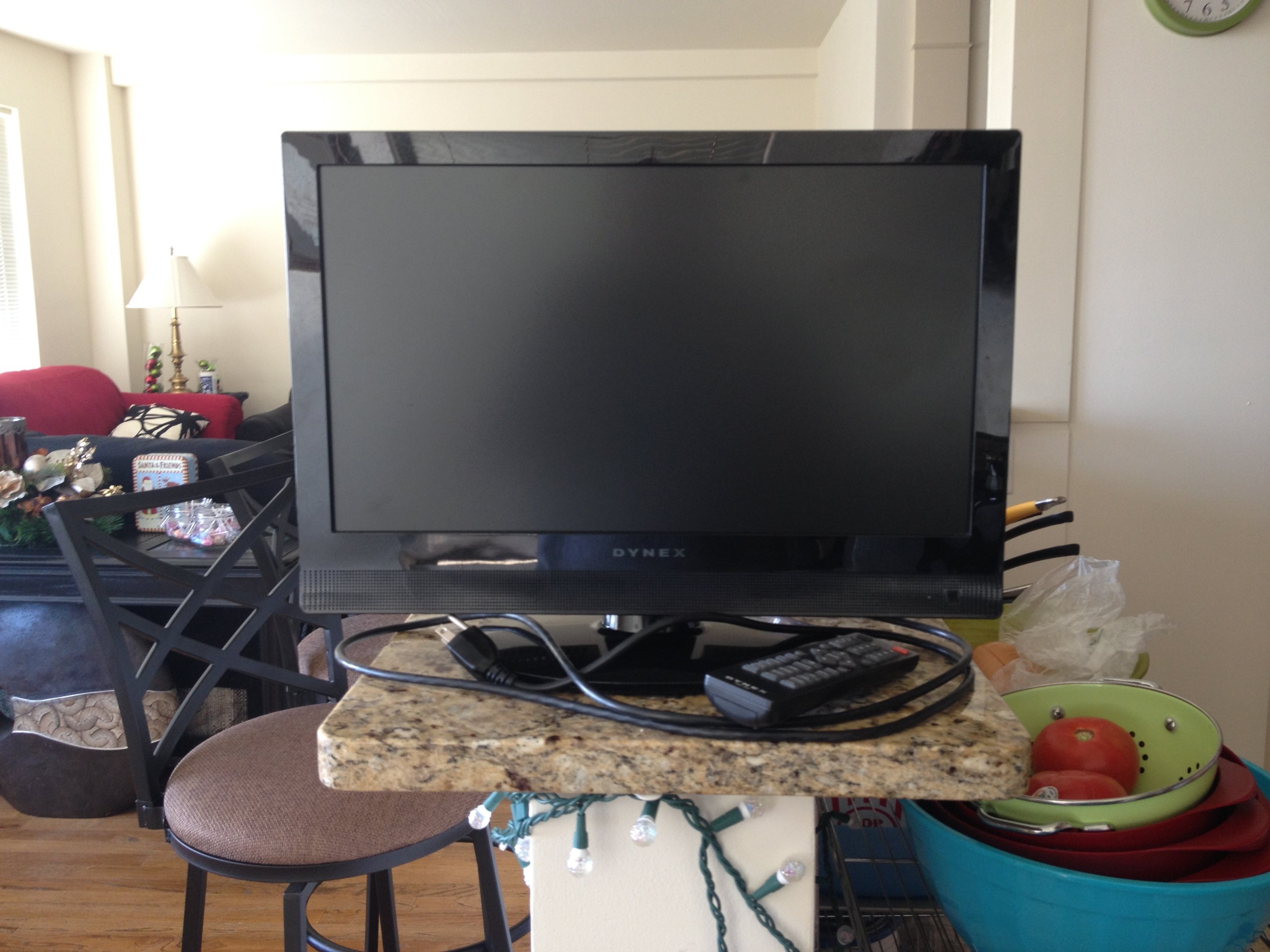
Figure 1: Front view of the Dynex DX-19L150A11 19-inch LCD Television with its stand attached.
What's in the Box
Verify that all the following items are included in your package:
- Dynex DX-19L150A11 19-inch LCD Television
- Television Stand
- Remote Control (batteries not included)
- Power Cord
- User Manual (this document)
Setup
1. Attaching the Stand
- Carefully place the television face-down on a soft, clean surface to prevent screen damage.
- Align the television stand with the mounting holes on the bottom of the television.
- Secure the stand using the provided screws. Ensure the stand is firmly attached before proceeding.
- Carefully lift the television and place it on a stable, level surface.
Alternatively, the television supports VESA 200 x 200 mm mounting for wall installation (wall mount sold separately).
2. Connecting Devices
- Power Connection: Plug the power cord into the AC IN port on the back of the television, then plug the other end into a wall outlet.
- HDMI Devices: Connect an HDMI cable from your external device (e.g., cable box, DVD player) to the HDMI port on the television. This model features one HDMI port.
- Antenna/Cable: Connect an antenna or cable TV coaxial cable to the ANT/CABLE IN port for over-the-air or cable broadcasts.
Operating Instructions
1. Powering On/Off
- Press the POWER button on the remote control or on the television to turn the TV on or off.
2. Using the Remote Control
Insert two AAA batteries (not included) into the remote control. The remote allows you to control various functions:
- CH +/-: Change channels.
- VOL +/-: Adjust volume.
- INPUT: Select input source (HDMI, TV, AV).
- MENU: Access the on-screen display (OSD) menu for settings.
- ARROW buttons: Navigate through menu options.
- ENTER: Confirm selections.
3. Selecting Input Source
Press the INPUT button on the remote control repeatedly to cycle through available input sources (e.g., TV, HDMI).
4. Adjusting Picture and Sound Settings
Press the MENU button on the remote control to access the main menu. Use the arrow buttons to navigate to Picture or Sound settings and adjust options such as brightness, contrast, color, and audio mode.
Specifications
| Feature | Specification |
|---|---|
| Model Number | DX-19L150A11 |
| Screen Size | 19 inches |
| Display Technology | LCD |
| Resolution | 1080p |
| Refresh Rate | 60 Hz |
| Contrast Ratio | 4000:1 |
| Maximum Display Brightness | 250 Nit |
| Aspect Ratio | 16:9 |
| Connectivity | 1x HDMI, Wired |
| Mounting Type | Table Mount, VESA 200 x 200 mm |
| Audio Output | Built-in speakers (2.0 or 2.1 channels, 6 watts) |
| Product Dimensions (D x W x H) | 20"D x 16.7"W x 20"H |
Troubleshooting
If you encounter issues with your television, refer to the following common problems and solutions:
- No Power:
- Ensure the power cord is securely plugged into both the TV and a working electrical outlet.
- Check if the power outlet is functional by plugging in another device.
- Press the power button on the TV itself, not just the remote.
- No Picture/Sound:
- Verify that the correct input source is selected (e.g., HDMI 1, TV).
- Check all cable connections (HDMI, antenna) to ensure they are secure.
- Adjust the volume and ensure the TV is not muted.
- Try a different input source or device to isolate the problem.
- Remote Control Not Working:
- Replace the batteries with new ones.
- Ensure there are no obstructions between the remote and the TV's remote sensor.
Maintenance
Cleaning the Television
- Always unplug the television from the power outlet before cleaning.
- Use a soft, dry, lint-free cloth to gently wipe the screen and cabinet.
- For stubborn marks, lightly dampen the cloth with water or a mild, non-abrasive screen cleaner. Never spray cleaner directly onto the screen.
- Avoid using abrasive cleaners, waxes, or solvents as they can damage the finish.
Warranty and Support
Your Dynex DX-19L150A11 19-inch LCD Television is covered by a Limited Warranty. Please refer to the warranty card included with your purchase for specific terms and conditions, including coverage duration and limitations.
For technical support, service inquiries, or to obtain replacement parts, please contact Dynex customer service. Contact information can typically be found on the manufacturer's official website or on your product packaging.


