
SANYO SPM-RB1000
SANYO GOPAN Premium White SPM-RB1000 Rice Bread Cooker Instruction Manual
1. Introduction
Thank you for purchasing the SANYO GOPAN Premium White SPM-RB1000 Rice Bread Cooker. This appliance is designed to bake delicious bread, including unique rice bread, from scratch. This manual provides essential information for safe and efficient operation, setup, maintenance, and troubleshooting.
2. Important Safety Information
Please read all safety instructions carefully before using the appliance to prevent injury or damage. Keep this manual for future reference.
- Electrical Requirements: This appliance operates on 100V AC, 50/60Hz. For use in regions with different voltage (e.g., 120V in the USA), a suitable step-down transformer is required. Failure to use a transformer will damage the unit and void the warranty.
- Ensure the bread pan, kneading blade, and automatic dispenser are securely installed before operation.
- Do not use the appliance on unstable surfaces such as tablecloths or carpets, or near open flames or in humid environments.
- Steam will be emitted from the steam vent during use. There is a risk of burns, so do not touch the vent.
- Place the appliance at least 5 cm (2 inches) away from walls and other objects to ensure proper ventilation.
- Do not place cloths or other objects on the lid or main unit during operation.
- Always use oven mitts or similar heat protection when removing the hot bread pan or automatic dispenser after baking.
- Do not place hot items directly on top of the appliance.
- When cleaning the bread pan, kneading blade, and automatic dispenser, do not use metal spatulas, scrub brushes, or abrasive powders, as these can damage the surfaces.

Image 2.1: Product label displaying electrical specifications (100V, 450W, 50-60Hz) and various safety warnings in Japanese. This label is located on the side of the bread maker.
3. Package Contents
Verify that all items listed below are included in your package:
- SANYO GOPAN SPM-RB1000 Main Unit (Rice Bread Cooker)
- Bread Pan
- Kneading Blade
- Measuring Cups and Spoons (various sizes)
- Cleaning Brush
- Cookbook (Japanese)
- Instruction Manual (Japanese)

Image 3.1: Overview of the SANYO GOPAN SPM-RB1000 Rice Bread Cooker and its included accessories, including the main unit, bread pan, various measuring tools, and documentation.
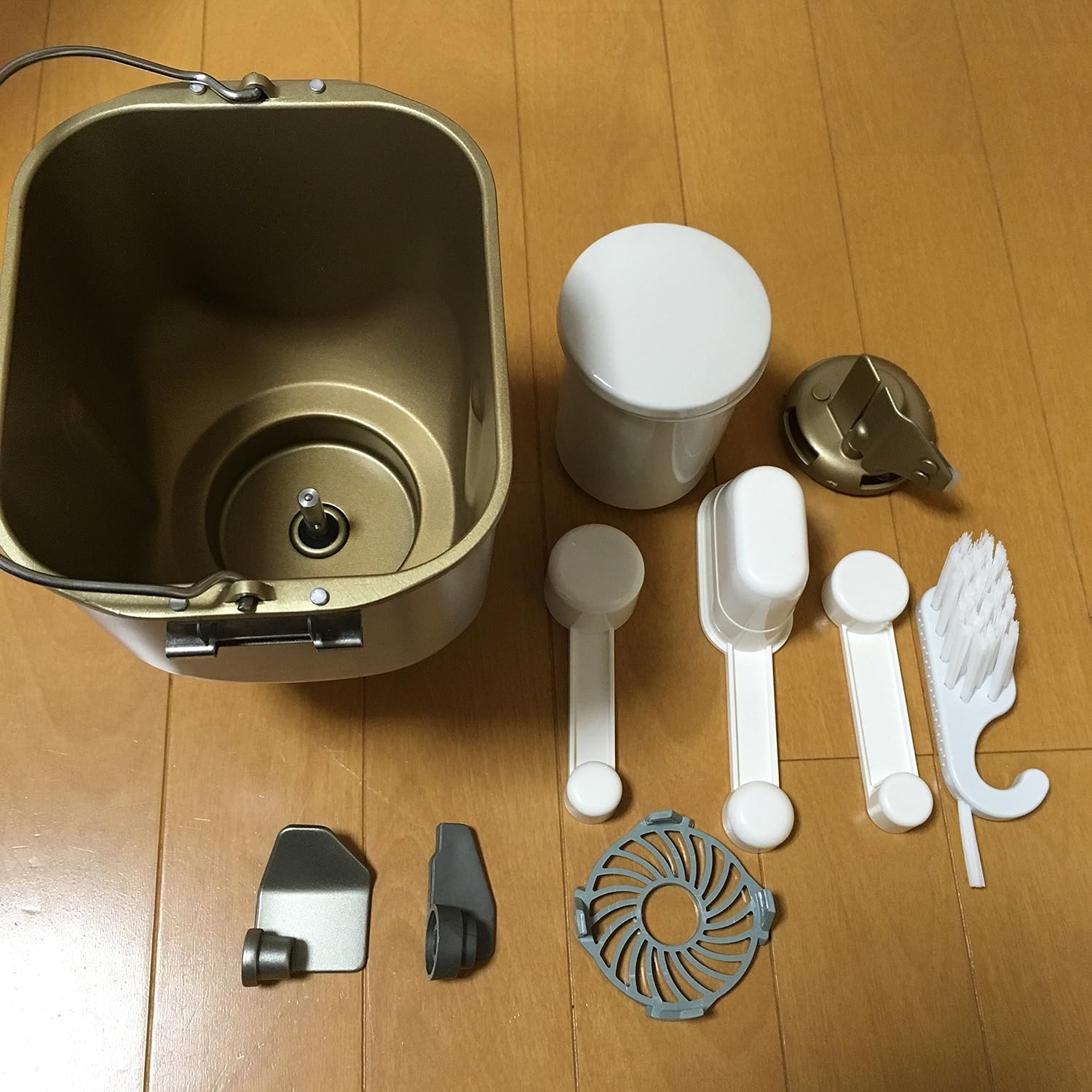
Image 3.2: Detailed view of the bread pan, kneading blade, measuring cups, measuring spoons, and cleaning brush, which are essential components for bread making.
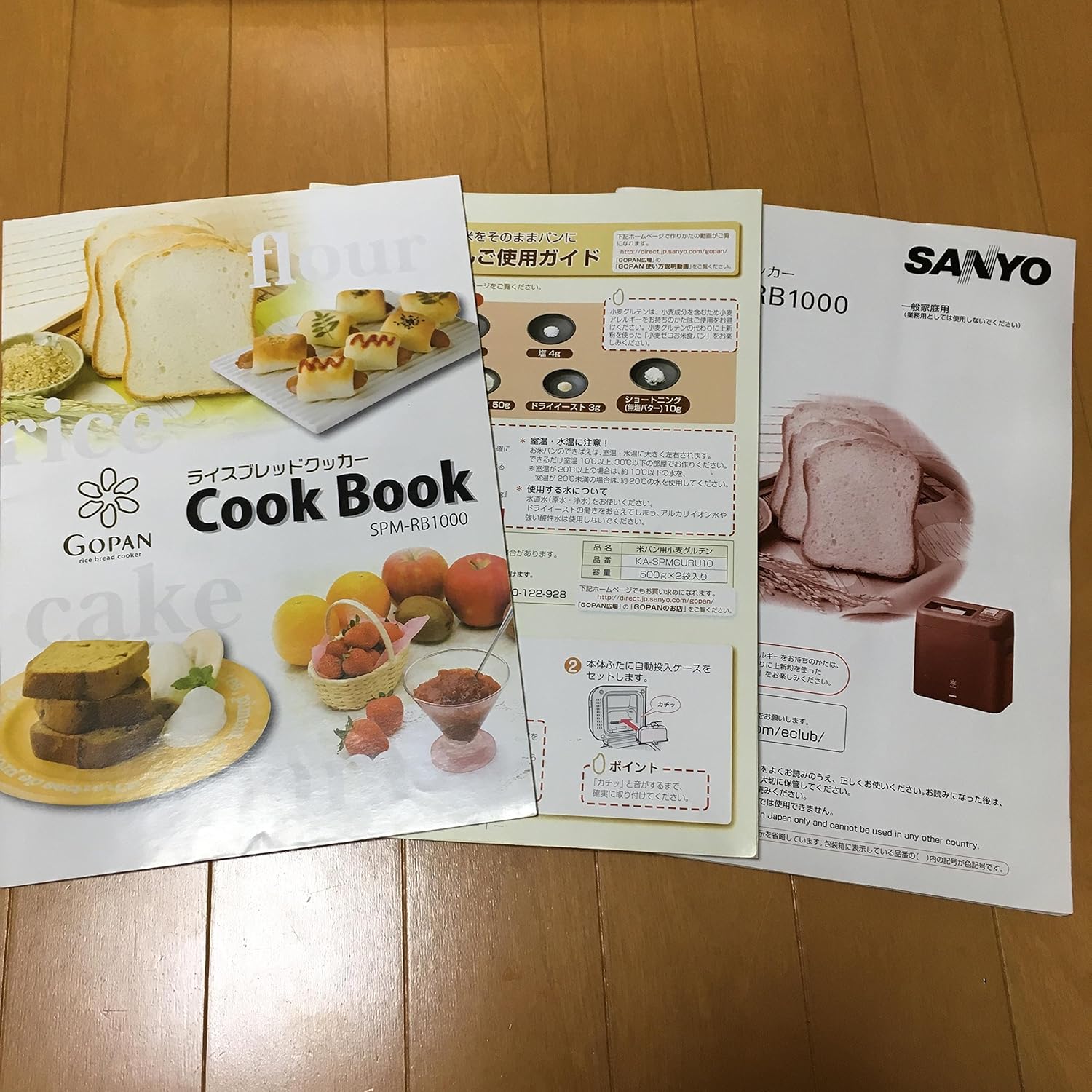
Image 3.3: The included Japanese cookbook and instruction manual, providing recipes and detailed operational guidance for the SANYO GOPAN SPM-RB1000.
4. Setup
Follow these steps to set up your SANYO GOPAN Rice Bread Cooker:
- Unpack: Carefully remove all components from the packaging. Retain packaging for future transport or storage.
- Placement: Place the main unit on a stable, level, heat-resistant surface, ensuring it is at least 5 cm (2 inches) away from walls or other appliances for adequate ventilation.
- Power Connection: Connect the power cord to a suitable 100V AC outlet. If your region uses a different voltage (e.g., 120V or 240V), you must use a step-down transformer with appropriate wattage capacity.
- Install Bread Pan: Insert the bread pan into the main unit, ensuring it clicks securely into place.
- Install Kneading Blade: Attach the kneading blade onto the shaft at the bottom of the bread pan. Ensure it is firmly seated.

Image 4.1: The SANYO GOPAN SPM-RB1000 main unit, viewed from the top-front, highlighting the control panel, display, and viewing window for monitoring the baking process.

Image 4.2: An interior view of the SANYO GOPAN SPM-RB1000, illustrating the cavity where the bread pan is placed, along with the central shaft for the kneading blade and the internal heating elements.

Image 4.3: The rear of the SANYO GOPAN SPM-RB1000, showing the ventilation grilles necessary for proper airflow and the area where the power cord connects.
5. Operating Instructions
The SANYO GOPAN SPM-RB1000 offers various programs for different types of bread. Refer to the included cookbook for specific recipes and ingredient quantities.
5.1 Basic Operation
- Add Ingredients: Place the specified ingredients into the bread pan according to your chosen recipe. Ensure liquids are added first, followed by dry ingredients, and finally yeast (if not using the automatic dispenser).
- Automatic Dispenser: For recipes requiring yeast or other small ingredients to be added at a specific time, place them in the automatic dispenser compartment. The machine will release them at the appropriate stage.
- Select Program: Close the lid. Use the control panel buttons to select the desired bread program (e.g., Rice Bread, Gluten-Free Bread, Dough).
- Start Baking: Press the 'Start' button to begin the baking process. The machine will automatically knead, rise, and bake the bread.
- Remove Bread: Once the program is complete, the machine will beep. Carefully open the lid and, using oven mitts, remove the hot bread pan. Invert the pan to release the bread onto a cooling rack.
5.2 Program Selection
The control panel features buttons for various functions and programs. While the labels are in Japanese, common functions typically include:
- Rice Bread: For making bread from rice grains or rice flour.
- Gluten-Free Bread: A specific program optimized for gluten-free recipes.
- Dough: For preparing dough only, without baking.
- Bake Only: For baking pre-prepared dough.
- Timer/Delay Start: To set a delayed start time for baking.
- Crust Color: To select light, medium, or dark crust.
6. Maintenance and Cleaning
Regular cleaning ensures the longevity and optimal performance of your bread cooker.
- Unplug: Always unplug the appliance from the power outlet and allow it to cool completely before cleaning.
- Bread Pan and Kneading Blade: Remove the bread pan and kneading blade. Wash them with warm, soapy water using a soft sponge. Do not use metal spatulas, scrub brushes, or abrasive powders, as these can damage the non-stick coating. Rinse thoroughly and dry completely.
- Automatic Dispenser: Clean the automatic dispenser with a damp cloth. Ensure no residue remains.
- Exterior: Wipe the exterior of the main unit with a soft, damp cloth. Do not immerse the main unit in water or any other liquid.
- Interior: Use a soft, dry cloth to wipe the interior of the baking chamber. Remove any crumbs or flour residue.
- Storage: Store the clean and dry appliance in a cool, dry place.
7. Troubleshooting
If you encounter issues with your SANYO GOPAN Rice Bread Cooker, refer to the following common problems and solutions:
| Problem | Possible Cause | Solution |
|---|---|---|
| Bread does not rise | Incorrect yeast amount, expired yeast, incorrect water temperature, wrong program selected. | Check yeast freshness and quantity. Ensure water temperature is as specified in the recipe. Select the appropriate program. |
| Bread is too dense | Too much flour, too little liquid, insufficient kneading. | Accurately measure ingredients. Ensure the kneading blade is properly installed. |
| Loud noise during operation | Kneading blade not properly seated, appliance on an unstable surface. | Ensure the kneading blade is firmly attached. Place the appliance on a stable, level surface. |
| Appliance does not turn on | Not plugged in, power outage, incorrect voltage. | Check power connection. Verify power supply. Ensure a step-down transformer is used if required for your region. |
For issues not listed here, or if solutions do not resolve the problem, please contact customer support.
8. Specifications
| Feature | Detail |
|---|---|
| Model Number | SPM-RB1000(W) |
| Manufacturer | SANYO |
| Product Dimensions | 17.7 x 16.9 x 13.8 inches |
| Item Weight | 31.3 pounds |
| Electrical Rating | 100V AC, 450W, 50/60Hz |
| Date First Available | May 22, 2011 |
9. Warranty and Support
Specific warranty details are not provided in the product information. For warranty claims, technical support, or service inquiries, please contact your original retailer or the SANYO customer service department in your region. Ensure you have your model number (SPM-RB1000) and proof of purchase available.
Ask a question about this manual
Ask about setup, troubleshooting, compatibility, parts, safety, or missing instructions. Manuals+ will review the question and use this page’s manual context to help answer it.