
H2O Audio IE2-BK
H2O Audio Surge Waterproof Sport In-Ear Headphones
Model: IE2-BK
Brand: H2O Audio
Introduction
Welcome to the H2O Audio Surge Waterproof Sport In-Ear Headphones user manual. These headphones are designed for active individuals, providing high-quality audio in various environments, including underwater. With an IPX8 waterproof rating, they are built to withstand heavy perspiration, rain, and complete submersion, making them ideal for swimming, running, biking, and other watersports.
This manual provides essential information on setting up, operating, maintaining, and troubleshooting your Surge headphones to ensure optimal performance and longevity.
What's in the Box
Your H2O Audio Surge Waterproof Sport In-Ear Headphones package includes:
- H2O Audio Surge Waterproof Sport In-Ear Headphones (Model IE2-BK)
- 5 sets of high-quality elastomer earplugs (sizes XS-XL)
- 3 sets of tree tip earplugs
- User Manual

Image: Included earplug sets for a customized fit.
Setup
1. Selecting the Correct Ear Tips
Achieving a proper seal is crucial for both sound quality and waterproofing. Experiment with the provided 5 sets of elastomer earplugs (XS-XL) and 3 sets of tree tip earplugs to find the best fit for your ears. A good seal will provide optimal bass response and prevent water from entering the ear canal during aquatic activities.
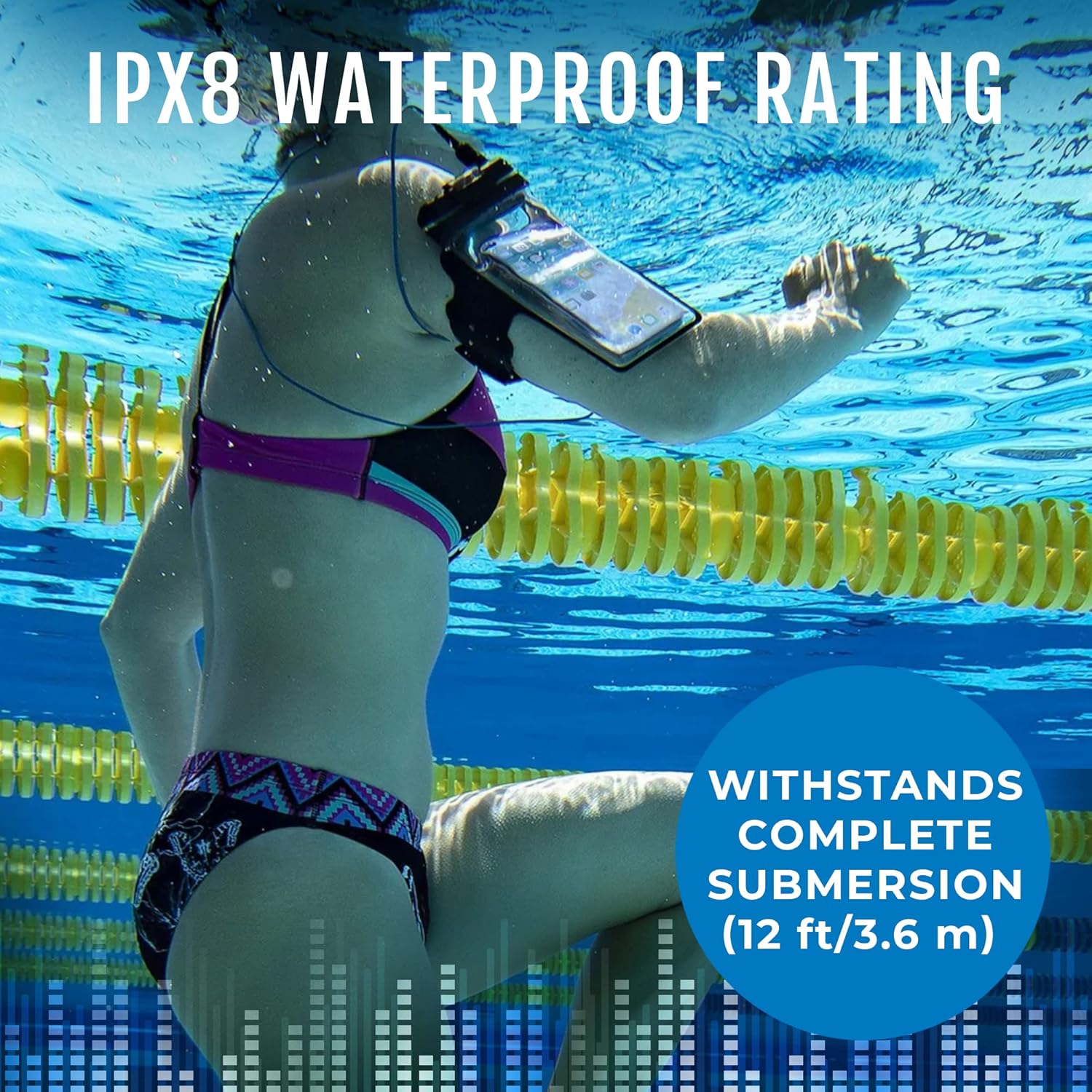
Image: Close-up of the earbud design, highlighting the ear tip.
2. Connecting to Your Device
The H2O Audio Surge headphones feature a standard 3.5mm audio jack. Connect the headphones to any compatible device, such as an MP3 player, smartphone, iPad, iPod, laptop, tablet, or computer. Ensure the jack is fully inserted into the device's audio port for a secure connection.

Image: The 3.5mm audio jack and coiled cable of the headphones.
Operating Instructions
General Use
Once connected to your audio device and with the correct ear tips in place, simply play your desired audio. The headphones are designed to provide a warm sound with dynamic bass response and sound isolation, enhancing your listening experience during any activity.
Underwater Use
The H2O Audio Surge headphones boast an IPX8 waterproof rating, allowing for complete submersion up to 12 feet (3 meters) of water. For optimal performance underwater, ensure the ear tips create a watertight seal. If water enters the ear canal, sound quality may be temporarily muffled. Adjust the ear tips or re-insert them to restore the seal.

Image: A swimmer using the headphones underwater, demonstrating their waterproof capability.
Volume Control
Volume control is managed directly through your connected audio device. The headphones themselves do not feature integrated volume controls.
Maintenance
To ensure the longevity and performance of your H2O Audio Surge headphones, follow these maintenance guidelines:
- Cleaning: After each use, especially after exposure to chlorinated or saltwater, rinse the headphones with fresh water. Gently wipe them dry with a soft cloth.
- Ear Tips: Regularly remove and clean the ear tips with mild soap and water. Ensure they are completely dry before reattaching them to the earbuds. Inspect ear tips for any tears or damage, and replace if necessary to maintain a proper seal.
- Storage: Store the headphones in a clean, dry place away from extreme temperatures and direct sunlight. Avoid tangling the cord to prevent damage.
- Avoid Harsh Chemicals: Do not use abrasive cleaners or harsh chemicals on the headphones, as this can damage the waterproof seals and materials.
Troubleshooting
No Sound or Muffled Sound
- Check Connection: Ensure the 3.5mm audio jack is fully and securely plugged into your audio device.
- Volume Level: Verify that the volume on your audio device is turned up and not muted.
- Ear Tip Seal: For optimal sound, especially underwater, a tight seal in your ear canal is essential. Experiment with different ear tip sizes to find the best fit. If sound is muffled underwater, water may have entered the ear canal; remove and re-insert the earbud to re-establish the seal.
- Audio Source: Test the headphones with a different audio device to rule out issues with the source device.
Headphones Do Not Stay in Ear
- Ear Tip Size: Use a smaller or larger ear tip size to achieve a more secure and comfortable fit.
- Proper Insertion: Ensure the earbuds are inserted correctly into your ear canal. A slight twist can sometimes help secure them.
Water Leakage
- Ear Tip Seal: The most common cause of water leakage is an improper ear tip seal. Re-evaluate your ear tip choice and insertion method.
- Inspect for Damage: Check the headphone cable and earbuds for any visible damage that might compromise the waterproof integrity.
Specifications
| Feature | Detail |
|---|---|
| Brand | H2O Audio |
| Model Number | IE2-BK |
| Color | Black (with blue accents) |
| Ear Placement | In Ear |
| Form Factor | In Ear |
| Noise Control | Active Noise Cancellation |
| Water Resistance Level | IPX8 (Water Resistant, Submersible up to 12 feet / 3 meters) |
| Connectivity Technology | Wired |
| Headphone Jack | 3.5 mm Jack |
| Cable Length | 3.6 ft (109 cm) |
| Frequency Range | 20 Hz - 20,000 Hz |
| Audio Driver Type | Dynamic Driver |
| Material | Plastic |
| Specific Uses | Sport (Swimming, Biking, Running, Surfing, Paddleboarding) |
Warranty and Support
Warranty Information
H2O Audio backs the durability of their products with a "Go Beyond Promise," offering a 1-year limited warranty. This warranty covers manufacturing defects and ensures product functionality under normal use conditions. For specific details regarding warranty claims, please refer to the official H2O Audio website or contact customer support.
Customer Support
For further assistance, technical support, or warranty inquiries, please visit the official H2O Audio website or contact their customer service department. Contact information can typically be found on the product packaging or the brand's official online presence.
Product Video
Video: An overview of the H2O Audio Surge+ Waterproof Sport Headphones, showcasing their features and use in various activities like swimming, walking, exercising, and jogging. This video highlights the IPX8 waterproof rating, bass-amplified sound, and comfortable fit.
Related documentsIE2-BK


Ask a question about this manual
Ask about setup, troubleshooting, compatibility, parts, safety, or missing instructions. Manuals+ will review the question and use this page’s manual context to help answer it.