
DELTA FAUCET 9992T-DST
Delta Faucet Addison Touch Bar Faucet User Manual
Brand: DELTA FAUCET | Model: 9992T-DST
Product Overview
The Delta Faucet Addison Touch Bar Faucet with Pull Down Sprayer, Model 9992T-DST, is a sophisticated and functional addition to any kitchen. It incorporates Delta's innovative Touch2O Technology, allowing for water activation with a simple touch anywhere on the spout or handle. The faucet features a high-arc design and a pull-down spray wand for extended reach and versatility. Its durable chrome finish and advanced internal components ensure reliable, long-term performance.

Figure 1: Delta Faucet Addison Touch Bar Faucet, Chrome finish.
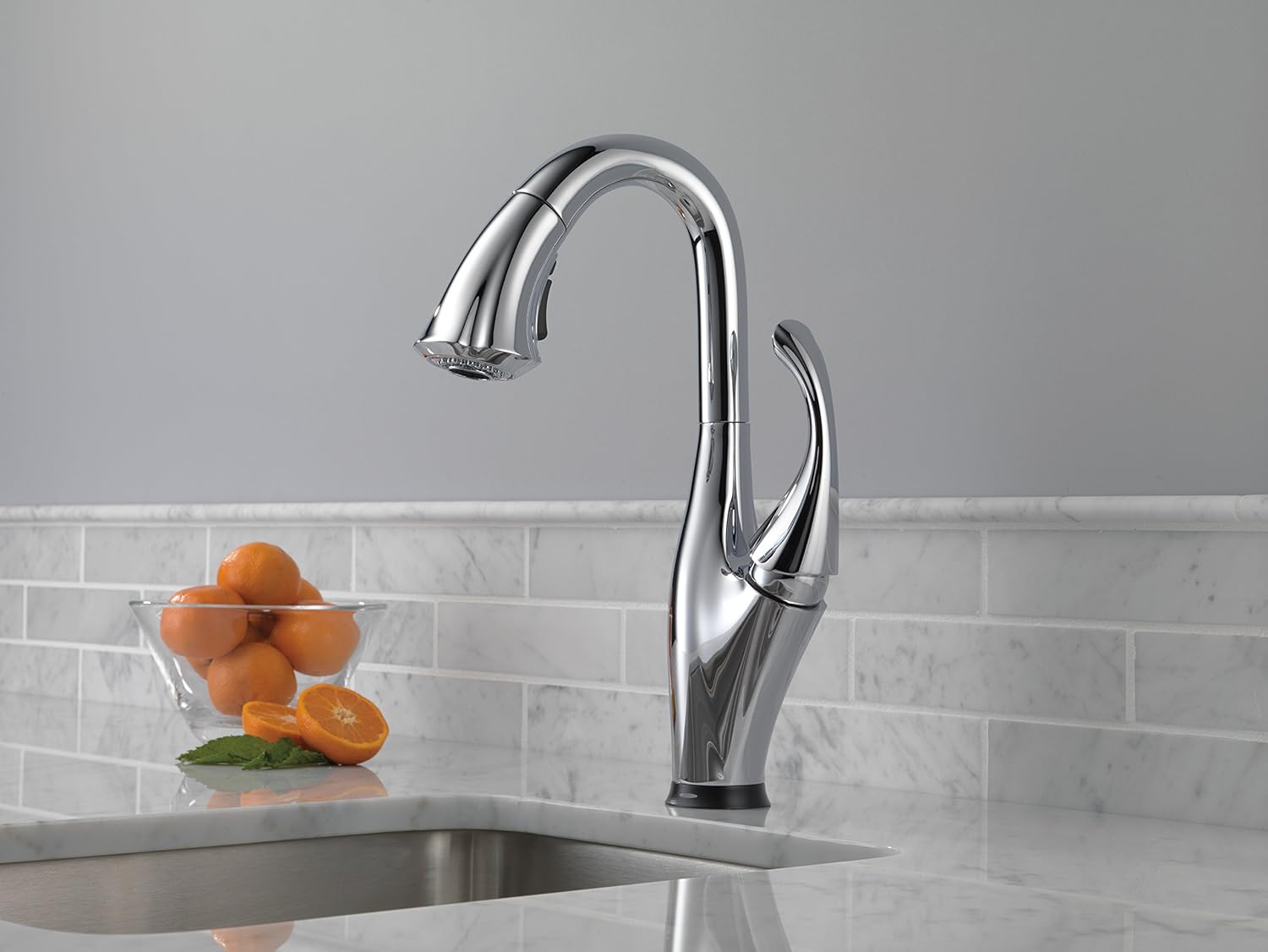
Figure 2: The Addison faucet seamlessly integrated into a kitchen environment.
Key Features
- Touch2O Technology: Activates water flow with a simple touch, offering convenience when hands are full or messy.
- Pull-Down Sprayer: Features a 62-inch hose providing a 20-inch reach, ideal for cleaning the entire sink area.
- Multi-Flow Functionality: Delivers both 1.5 GPM (gallons per minute) stream and spray settings for water efficiency, and a 2.0 GPM stream for faster filling.
- MagnaTite Docking: Utilizes a powerful integrated magnet to hold your faucet spray wand firmly in place.
- DIAMOND Seal Technology: Features a valve with a tough diamond coating, ensuring the faucet lasts up to five million uses and keeps water out of contact with potential metal contaminants.
- Durable Construction: Made with zinc and stainless steel components for lasting quality.
- High-Arc Spout: Swivels 360 degrees for complete sink access.
Setup and Installation
The Delta Faucet Addison Touch Bar Faucet is designed for single-hole deck mounting. For detailed step-by-step instructions, please refer to the official installation manual. This model is battery-operated, requiring 6 AA batteries (included) for the Touch2O functionality. The battery pack is typically mounted under the sink for easy access.

Figure 3: The Touch2O Technology allows for easy water activation.
For comprehensive installation guidance, including diagrams and specific requirements, download the Installation Manual (PDF).
Operating Instructions
Touch2O Technology
To activate or deactivate water flow, simply touch the faucet spout or handle. The Touch2O system provides a convenient way to control water, especially when your hands are full or dirty. Ensure the handle is in the 'on' position for touch functionality to work.
Pull-Down Sprayer
Gently pull down the spray wand from the faucet spout. The flexible hose allows for extended reach. To return the wand, guide it back into the spout; the MagnaTite Docking system will securely hold it in place.
Multi-Flow Settings
The spray wand features a button to switch between stream and spray modes. Press the button once for a focused stream, and again to switch to a wider spray. The faucet also offers a higher flow rate for quick filling of pots.
Maintenance
Cleaning
To maintain the chrome finish, clean the faucet regularly with a soft, damp cloth and mild soap. Avoid abrasive cleaners, harsh chemicals, or scouring pads, as these can damage the finish.
Battery Replacement
The Touch2O Technology is powered by 6 AA alkaline batteries. Battery life can vary but typically lasts about one year. When the touch functionality becomes inconsistent or stops working, it's time to replace the batteries. The battery pack is located under the sink. Follow the instructions in the installation manual for safe and proper battery replacement.
Troubleshooting
- No water flow or inconsistent touch activation: Check if the handle is fully in the 'on' position. Verify the battery pack connection and replace batteries if necessary.
- Low water pressure: Ensure water supply valves are fully open. Check for any kinks in the water lines. The aerator on the spray head may need cleaning if it's clogged.
- Leaking: If leaks occur from the handle or base, consult the installation manual for proper component seating or contact customer support.
For more complex issues, refer to the detailed troubleshooting guide in the installation manual or contact Delta Faucet customer support.
Product Specifications
| Attribute | Value |
|---|---|
| Brand | DELTA FAUCET |
| Model Name | 9992T-DST |
| Color | Chrome |
| Style | Touch2O |
| Material | Stainless Steel, Zinc |
| Mounting Type | Deck Mount |
| Number of Handles | 1 |
| Hole Count | 1 |
| Spout Height | 14.41 Inches |
| Spout Reach | 20 Inches |
| Maximum Flow Rate | 1.5 Gallons Per Minute (GPM) / 2.0 GPM (Multi-Flow) |
| Valve Type | Electronic with DIAMOND Seal Valve |
| Item Weight | 8.6 Pounds |
| Product Dimensions | 6.39 x 5 x 6.39 inches |
| Batteries Required | 6 AA batteries (included) |
Warranty and Support
Warranty Information
This Delta Faucet product is covered by the manufacturer's warranty. For full details regarding warranty terms and conditions, please refer to the documentation provided with your product or visit the official Delta Faucet website.
Customer Support
For any questions, technical assistance, or to order replacement parts, please contact Delta Faucet customer support. You can also find additional resources and FAQs on their official website.
An Installation Manual (PDF) is available for download, providing detailed instructions and diagrams for installation and troubleshooting.
Related documents9992T-DST


Ask a question about this manual
Ask about setup, troubleshooting, compatibility, parts, safety, or missing instructions. Manuals+ will review the question and use this page’s manual context to help answer it.