
1. Introduction
The Dakota Alert DCMA-2500 is a wireless motion detector and receiver kit designed to alert you to activity in your driveway or property. This system features a 1/2 mile radio range between the sensor and receiver. The motion-detecting sensor can identify a person or vehicle up to 50 feet away. Upon detection, the sensor transmits a signal to the receiver, which then provides an audible alert. Actual range may vary based on local terrain and environmental conditions.
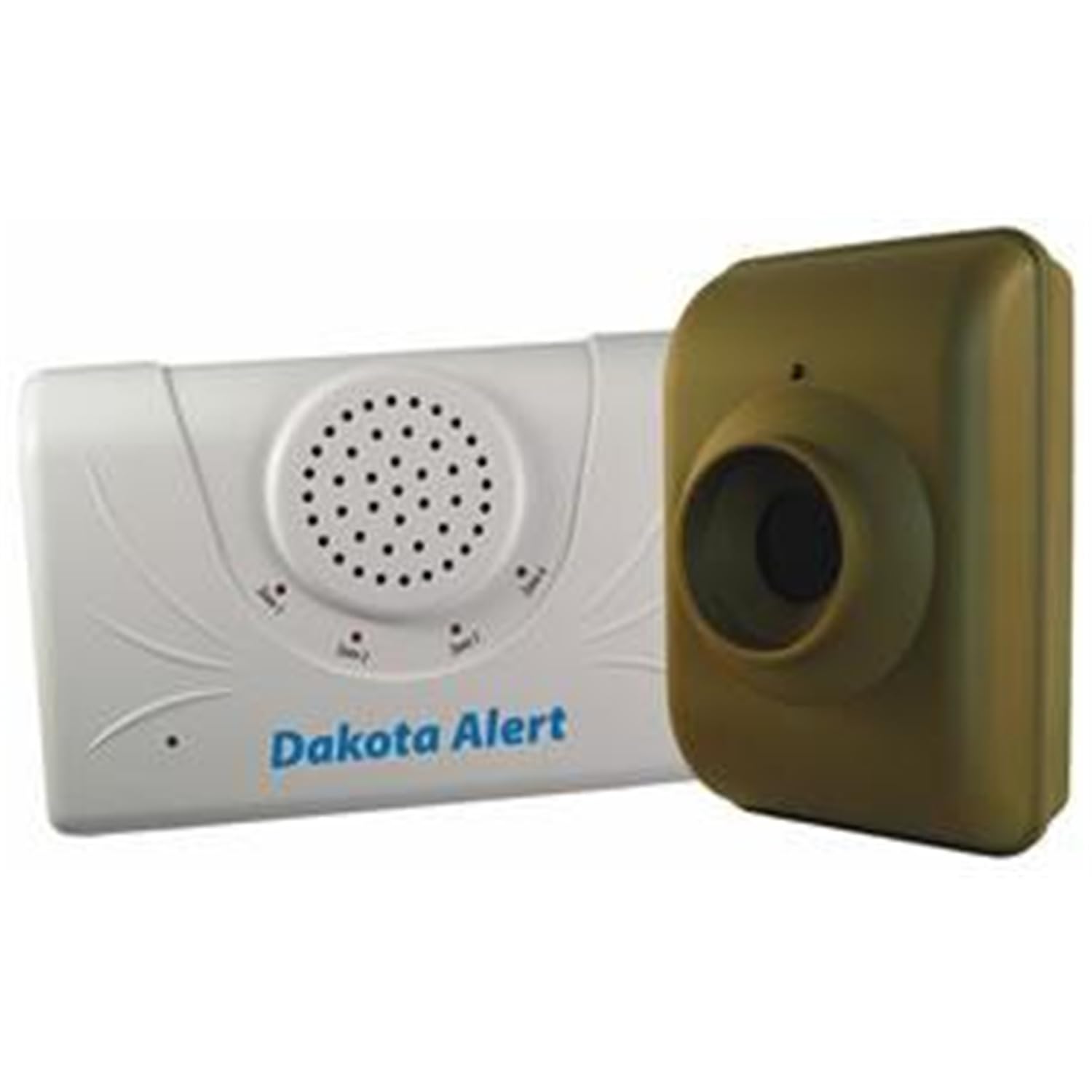
Figure 1: Dakota Alert DCMA-2500 Driveway Motion Alert System components. This image shows the wireless motion sensor and the indoor receiver unit, illustrating the primary parts of the alert system.
2. Package Contents
Verify that all items are present in your package:
- Transmitter (Motion Sensor)
- Receiver Unit
- Software (if applicable, for advanced configuration)
- Magnet (for mounting or testing)
- Mounting Plate (2)
- 1.5V AA Battery (4) - Note: The product description states the sensor operates on one 9-volt battery, while the 'whats_in_the_box' lists 4 AA batteries. Please refer to the product packaging for exact battery requirements.
- Quick Installation Guide
3. Key Features
- Extended Wireless Range: Up to a 1/2 mile wireless range between the sensor and receiver, offering reliable performance over long distances.
- Easy Installation: Designed for do-it-yourself setup, requiring minimal tools and effort.
- Customizable Receiver: Features four selectable tones (Classical, Westminster, Ding-Dong, Whistle) and adjustable volume control.
- Advanced Receiver Outputs: Includes a 12 VDC output and a relay output for integration with other systems.
- Weatherproof Transmitter: The outdoor sensor is designed to withstand various weather conditions.
- Battery-Powered Sensor: The transmitter operates on a 9-volt battery (not included), detecting movement up to 50 feet away.
4. Setup and Installation
4.1 Transmitter (Motion Sensor) Installation
- Battery Installation: Open the battery compartment of the transmitter. Insert one 9-volt battery (not included), ensuring correct polarity. Close the compartment securely.
- Mounting Location: Select an outdoor location for the transmitter, such as a tree or a sturdy post, where it can effectively monitor the desired area (e.g., driveway entrance). Ensure the sensor has a clear line of sight to the detection zone.
- Mounting: Use the provided mounting plate and hardware to securely attach the transmitter. Position the sensor to detect people or vehicles up to 50 feet away. The ball mount allows for angling the sensor for optimal coverage and to minimize false alarms from environmental factors like wind-blown objects.
- Weather Protection: While the transmitter is weatherproof, consider additional protection from direct heavy rain or snow to prolong its lifespan.
4.2 Receiver Unit Setup
- Power Connection: Plug the receiver unit into a standard electrical outlet inside your house or desired indoor location.
- Placement: Place the receiver in a central location within your home, ideally within the 1/2 mile wireless range of the transmitter. Avoid placing it near large metal objects or other electronic devices that might interfere with the wireless signal.
- Testing: After installing both units, walk or drive through the sensor's detection zone to test its functionality. The receiver should emit an audible alert.
5. Operating Instructions
5.1 Adjusting Receiver Settings
- Volume Control: The receiver unit includes a volume control knob or buttons. Adjust the volume to a comfortable listening level.
- Tone Selection: Choose from four available alert tones: Classical, Westminster, Ding-Dong, or Whistle. Refer to the receiver's controls for specific instructions on how to cycle through and select your preferred tone.
5.2 Advanced Outputs (Optional)
The receiver is equipped with a 12 VDC output and a relay output. These can be used to integrate the DCMA-2500 system with other security or home automation devices. Consult the detailed product manual or contact Dakota Alert support for specific wiring diagrams and compatibility information if you plan to utilize these features.
6. Maintenance
- Battery Replacement: The transmitter's 9-volt battery should be replaced periodically, typically every 6-12 months, depending on usage and environmental conditions. A low battery indicator may be present on the receiver or transmitter.
- Cleaning: Periodically clean the sensor lens on the transmitter with a soft, damp cloth to ensure optimal detection performance. Avoid using abrasive cleaners.
- Environmental Checks: Regularly inspect the transmitter's mounting for stability and ensure no new obstructions (e.g., overgrown foliage) are blocking its detection path.
7. Troubleshooting
| Problem | Possible Cause | Solution |
|---|---|---|
| No Alert from Receiver |
|
|
| False Alarms |
|
|
| Short Detection Range |
|
|
| Intermittent Operation / System Failure |
|
|
8. Specifications
- Brand: Dakota Alert
- Model Number: DCMA-2500
- Power Source: Battery Powered (Transmitter), AC Powered (Receiver)
- Transmitter Battery: 1 x 9-volt battery (not included)
- Item Weight: Approximately 1.7 Pounds (total kit)
- Maximum Detection Range: 50 Feet (for sensor)
- Maximum Wireless Range: Up to 1/2 mile (actual range varies)
- Mounting Type: Tabletop (Receiver), Post/Tree Mount (Transmitter)
- Manufacturer: International Supplies
9. Warranty and Support
9.1 Manufacturer's Warranty
The Dakota Alert DCMA-2500 system comes with a 1-year manufacturer's warranty. Please retain your proof of purchase for warranty claims. For detailed warranty terms and conditions, refer to the documentation included with your product or visit the Dakota Alert official website.
9.2 Customer Support
Should you have any questions, concerns, or require technical assistance with your DCMA-2500 system, Dakota Alert provides friendly and knowledgeable customer support. Please refer to the contact information provided in your product packaging or on the official Dakota Alert website for assistance.
For more information, visit the Dakota Alert Store.


