Introduction
This manual provides detailed instructions for the proper use, setup, and maintenance of your Casio Youth Digital Grey Dial Men's Watch, model DB-520A-1AUZ (DB05). Please read this manual thoroughly to ensure optimal performance and longevity of your timepiece.

Figure 1: Front view of the Casio DB-520A-1AUZ digital watch, showing the grey dial, digital display, and silver stainless steel band.
Product Overview
The Casio DB-520A-1AUZ is a digital watch featuring a grey dial and a durable stainless steel band. It is designed for daily wear and includes various timekeeping functions.
Key Features:
- Digital Display with Grey Dial
- Stainless Steel Band (Silver Color)
- Quartz Movement
- Water Resistance (as indicated on the watch face)
- Data Bank Functionality (as indicated by "DATA BANK 50" on the watch face)
- Alarm and World Time Functions

Figure 2: Side view of the watch, highlighting the control buttons for adjustment and mode selection.
Setup and Initial Configuration
1. Setting the Time and Date:
- Press the ADJUST/SELECT/MODE button (usually top-left) until the seconds begin to flash, indicating time setting mode.
- Use the FORWARD or REVERSE buttons (bottom-right/left) to adjust the seconds to 00.
- Press the ADJUST/SELECT/MODE button again to move to the hour setting. Use FORWARD or REVERSE to set the correct hour (12/24-hour format may be selectable).
- Repeat for minutes, year, month, and day.
- Press ADJUST/SELECT/MODE to exit the setting mode.
2. Adjusting the Band:
The stainless steel band can be adjusted for a comfortable fit. It is recommended to have this done by a professional jeweler or watch repair service to prevent damage to the band or clasp mechanism.
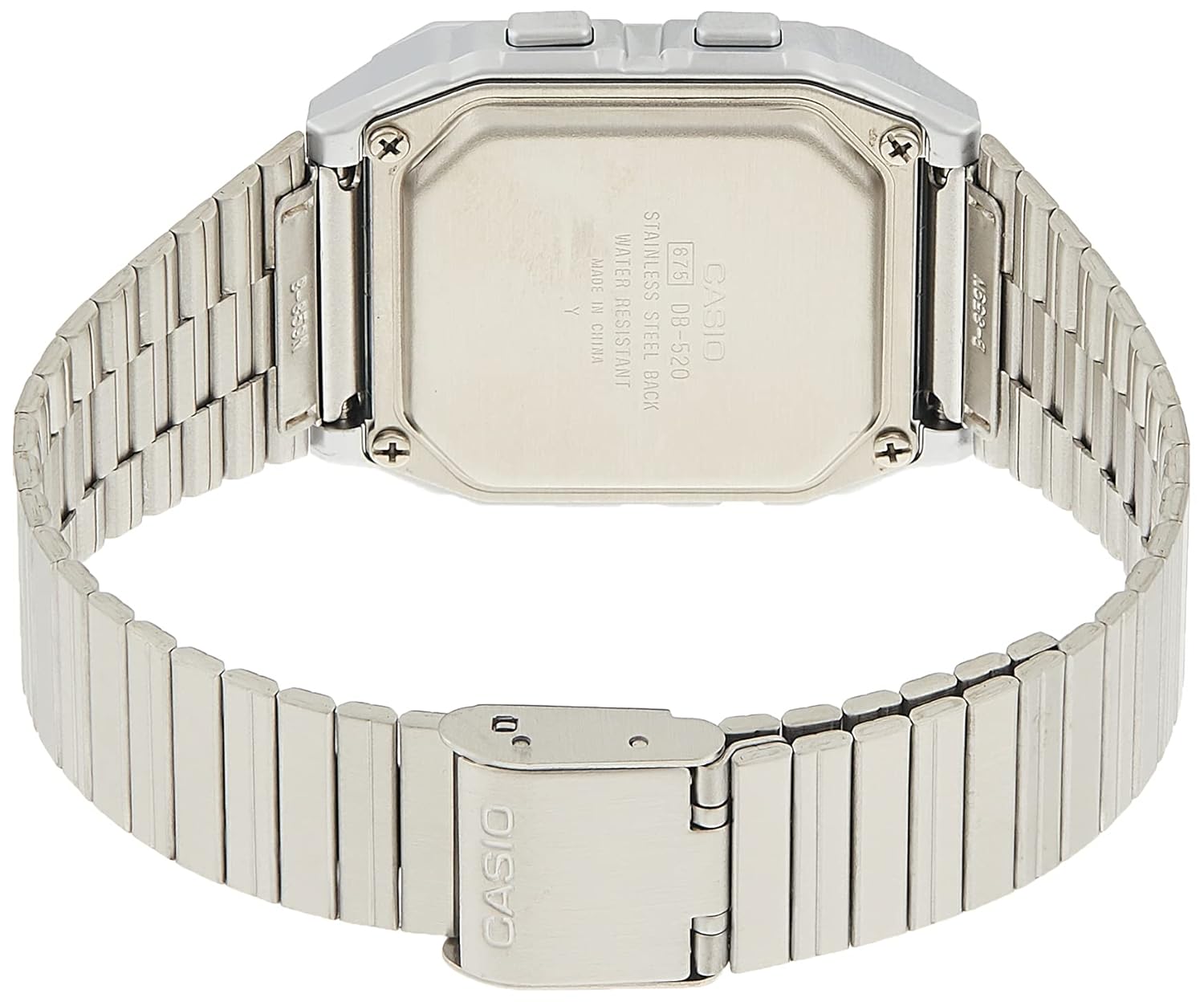
Figure 3: Rear view of the watch, showing the stainless steel case back and the clasp mechanism of the band.
Operating Instructions
Timekeeping Mode:
This is the default mode, displaying the current time and date.
Using the Data Bank:
The Data Bank function allows you to store numerical and textual information. Refer to the markings on the watch face (SCH, WORLD TIME, TEL, MEMO) for specific button functions related to data entry and recall.
- Press the MEMO button to enter Data Bank mode.
- Use FORWARD or REVERSE to scroll through stored entries.
- To add a new entry, press ADJUST/SELECT/MODE while in Data Bank mode and follow the on-screen prompts.
Alarm Function:
To set an alarm:
- Press the ADJUST/SELECT/MODE button repeatedly until you reach the Alarm mode.
- Use FORWARD or REVERSE to set the desired alarm time.
- Press ADJUST/SELECT/MODE to confirm and activate the alarm.
World Time Function:
The World Time mode displays the current time in various major cities around the world.
- Press the ADJUST/SELECT/MODE button until you reach the World Time mode.
- Use FORWARD or REVERSE to cycle through different time zones/cities.

Figure 4: The watch displayed on a wrist, demonstrating its size and fit.
Maintenance and Care
- Cleaning: Wipe the watch regularly with a soft, dry cloth. For stubborn dirt, use a slightly damp cloth and mild soap, then dry thoroughly. Avoid harsh chemicals.
- Water Resistance: This watch is water resistant. Avoid operating buttons while the watch is wet to prevent water ingress. Do not expose to hot water or steam.
- Battery Replacement: When the display becomes dim or functions become erratic, it is time to replace the battery. This should be done by a qualified technician to ensure proper sealing and water resistance.
- Temperature Extremes: Avoid exposing the watch to extreme temperatures, both hot and cold, as this can affect battery life and accuracy.
Troubleshooting
| Problem | Possible Cause | Solution |
|---|---|---|
| Display is blank or dim. | Low battery. | Replace battery. |
| Time is incorrect. | Time not set correctly or accidental button press. | Re-set the time and date as per "Setup" section. |
| Buttons are unresponsive. | Watch may be in a locked mode or battery is very low. | Try pressing all buttons to see if any respond. If not, consider battery replacement. |
| Water inside the display. | Seal compromised or excessive water exposure. | Immediately take to a qualified service center. Do not attempt to dry it yourself. |
Specifications
- Model Number: DB-520A-1AUZ (DB05)
- Display Type: Digital
- Movement Type: Quartz
- Case Shape: Square
- Dial Color: Grey
- Band Material: Stainless Steel
- Band Color: Silver
- Case Diameter: 40 Centimeters
- Item Weight: 196 Grams
- Product Dimensions: 6 x 10.4 x 9.6 cm (Packaging dimensions)
- Manufacturer: Casio
Warranty and Support
Warranty Information:
This product comes with a 2 Years Domestic Warranty provided by the manufacturer. Please retain your purchase receipt as proof of purchase for warranty claims.
Customer Support:
For any issues not covered in this manual, or for warranty service, please contact Casio customer support. Refer to the official Casio website or your product packaging for the most current contact information.
Figure 5: The product packaging for the Casio watch.


