1. Introduction
The Bosch OD850-F1 Outdoor TriTech Detector is designed for reliable motion detection in outdoor and challenging environmental conditions. This detector utilizes a combination of Passive Infrared (PIR) and microwave detection technologies, coupled with advanced signal processing, to accurately identify intruders while minimizing false alarms. It is engineered to differentiate between minor, repetitive movements, such as foliage swaying in the wind, and the distinct movements of an intruder. This manual provides essential information for the proper installation, operation, and maintenance of your OD850-F1 detector.
2. Safety Information
Please read and understand all safety instructions before installing or operating the detector. Failure to follow these instructions may result in injury, damage to the device, or improper operation.
- Electrical Safety: Installation must be performed by qualified personnel in accordance with all local and national electrical codes. Ensure power is disconnected before wiring.
- Mounting: Mount the detector securely to a stable surface. Avoid locations where it may be subject to excessive vibration or direct impact.
- Environmental Considerations: While designed for outdoor use, it is recommended to install the detector under an eave or in a sheltered location to protect it from direct exposure to heavy rain, snow, and prolonged direct sunlight, which can extend its lifespan and ensure optimal performance.
- Servicing: Do not attempt to service the detector yourself. Refer all servicing to qualified service personnel.
3. Product Overview
The OD850-F1 detector integrates two primary detection technologies:
- Passive Infrared (PIR): Detects changes in infrared energy caused by moving objects. Features Motion Analyzer II signal processing for enhanced accuracy.
- Microwave: Emits microwave energy and detects changes in the reflected signal caused by movement. Utilizes Linear Travel Distance (LTD) signal processing.
These combined technologies provide superior detection capabilities and resistance to false alarms.
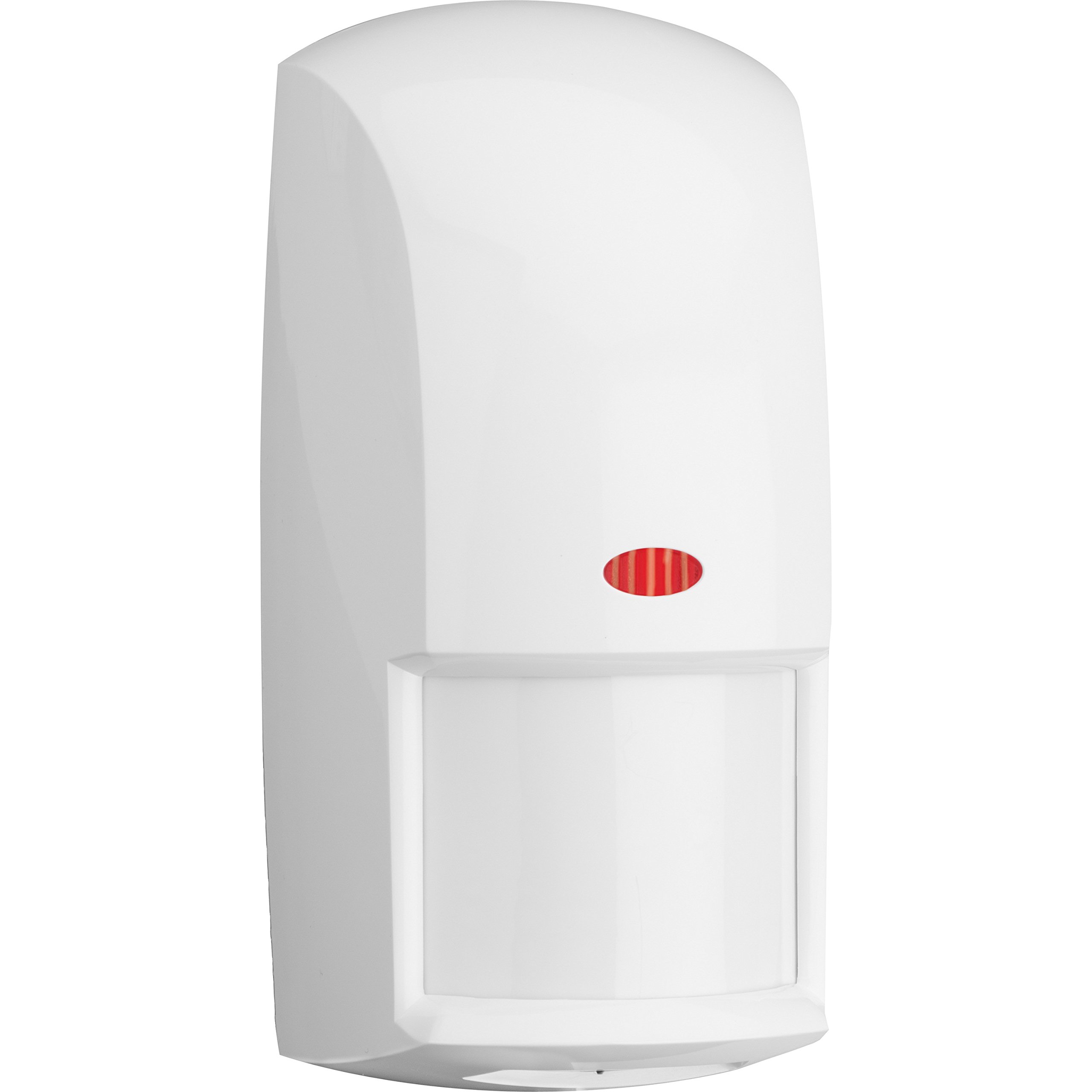
Figure 3.1: Front view of the Bosch OD850-F1 Outdoor TriTech Detector, showing its compact and weather-resistant housing.
4. Installation and Setup
Proper installation is crucial for optimal performance. This device is designed for wall mount installation and requires a corded electric power source.
4.1 Mounting Location
- Choose a stable wall surface that provides an unobstructed view of the detection area.
- Avoid aiming the detector directly at reflective surfaces, moving foliage, or heat sources that could cause false alarms.
- Consider mounting height to optimize coverage and minimize detection of small animals if desired.
4.2 Wiring
The OD850-F1 requires a 12V power supply and provides a Normally Open (NO) or Normally Closed (NC) alarm contact output for integration with security systems, security cameras, alarm systems, or smart home hubs. Refer to the detailed wiring diagram provided in the product packaging for specific connections.
- Ensure all wiring is secure and protected from environmental elements.
- Use appropriate gauge wiring for the distance and power requirements.
4.3 Sensitivity Settings
The detector features two user-selectable sensitivity levels. These settings are typically adjusted via DIP switches located inside the unit. Consult the internal labeling or the full installation guide for precise switch configurations.
- High Sensitivity: Provides maximum detection range and responsiveness. May be more prone to environmental disturbances.
- Low Sensitivity: Reduces the likelihood of false alarms from minor disturbances, potentially at the cost of a slightly reduced detection range.
After initial setup, perform a walk test to verify detection coverage and adjust sensitivity as needed for your specific environment.
5. Operating Instructions
Once installed and powered, the OD850-F1 detector operates continuously to monitor its detection zone. When both the PIR and microwave sensors simultaneously detect motion that meets the configured sensitivity criteria, the detector will activate its alarm output.
- Detection Logic: The TriTech design requires both PIR and microwave detection to trigger an alarm, significantly reducing false alarms compared to single-technology detectors.
- Alarm Output: The detector's alarm contacts will change state (open or close depending on configuration) when an alarm condition is met. This output is then connected to your security system's alarm input.
- LED Indicator: An internal or external LED may indicate detection events or power status. Refer to the full installation guide for LED behavior specifics.
6. Maintenance
The OD850-F1 detector is designed for minimal maintenance. However, periodic checks can ensure continued optimal performance.
- Cleaning: Gently wipe the detector's lens and housing with a soft, damp cloth to remove dust, dirt, or spiderwebs. Do not use abrasive cleaners or solvents.
- Obstruction Check: Periodically inspect the detection area for new obstructions (e.g., growing plants, new structures) that might block the sensor's view or cause false alarms.
- Functionality Test: Conduct a walk test annually or after any significant environmental changes to confirm the detector is functioning correctly and its coverage area is still appropriate.
7. Troubleshooting
If you experience issues with your OD850-F1 detector, consider the following common troubleshooting steps:
| Problem | Possible Cause | Solution |
|---|---|---|
| False Alarms | Environmental disturbances (e.g., moving branches, small animals, direct sunlight, reflective surfaces), high sensitivity setting. | Adjust sensitivity to a lower level. Re-aim the detector to avoid problematic areas. Clear obstructions. Ensure proper mounting location. |
| No Detection | Power loss, incorrect wiring, obstructed view, low sensitivity setting, detector malfunction. | Check power supply and wiring connections. Clear any obstructions. Increase sensitivity. Perform a walk test. If issues persist, contact support. |
| Intermittent Operation | Loose wiring, unstable power, environmental interference. | Verify all wiring connections are secure. Ensure stable power supply. Check for intermittent environmental factors. |
If these steps do not resolve the issue, contact Bosch technical support for further assistance.
8. Specifications
| Feature | Detail |
|---|---|
| Brand | Bosch |
| Model Number | OD850-F1 |
| Detection Technology | TriTech (PIR and Microwave) |
| Microwave Frequency | 10.525 GHz |
| Power Source | Corded Electric |
| Mounting Type | Wall Mount |
| Compatible Devices | Security System, Security Camera, Alarm System, Smart Home Hub |
| Product Dimensions | 1.2 x 1.18 x 1.57 inches (30.5 x 30 x 40 mm) |
| Item Weight | 9.2 ounces (260 grams) |
| Color | White |
9. Warranty and Support
The Bosch OD850-F1 Outdoor TriTech Detector comes with a manufacturer's warranty. For specific warranty terms and conditions, please refer to the warranty card included with your product or visit the official Bosch Security Systems website. For technical support, troubleshooting assistance, or to inquire about service, please contact Bosch customer service through their official channels.
- Online Resources: Visit the Bosch Store on Amazon or the official Bosch Security Systems website for product documentation and support.
- Contact Support: Refer to your product packaging or the Bosch website for current contact information for technical support.


