
1. Introduction
The Celestron SkySync GPS Accessory is designed to enhance the accuracy and efficiency of computerized telescope alignment. This device automatically provides precise time, date, and location data from orbiting GPS satellites directly to your telescope's hand control or mount, eliminating the need for manual entry.
This manual provides comprehensive instructions for the proper setup, operation, and maintenance of your SkySync GPS Accessory.
2. Safety Information
Please read and understand all safety precautions before using this product. Failure to do so may result in injury or damage to the device.
- Do not attempt to disassemble or modify the SkySync GPS Accessory. This may void your warranty and cause damage.
- Keep the device away from water and extreme temperatures.
- Ensure all connections are secure before powering on your telescope.
- Handle the device with care to prevent physical damage.
3. Package Contents
Verify that all items are present in your package:
- Celestron SkySync GPS Accessory Unit
- Velcro Strap for mounting
4. Setup
4.1 Physical Installation
The SkySync GPS Accessory is designed for easy attachment to your telescope's tripod leg.
- Locate a suitable tripod leg on your telescope mount.
- Use the provided Velcro strap to securely fasten the SkySync GPS unit to the tripod leg. Ensure it is positioned where it will not interfere with telescope movement or operation.

Description: A black Celestron SkySync GPS Accessory unit with a coiled cable is shown. The unit has a small display and an AUX port. It is designed to attach to a telescope tripod leg.
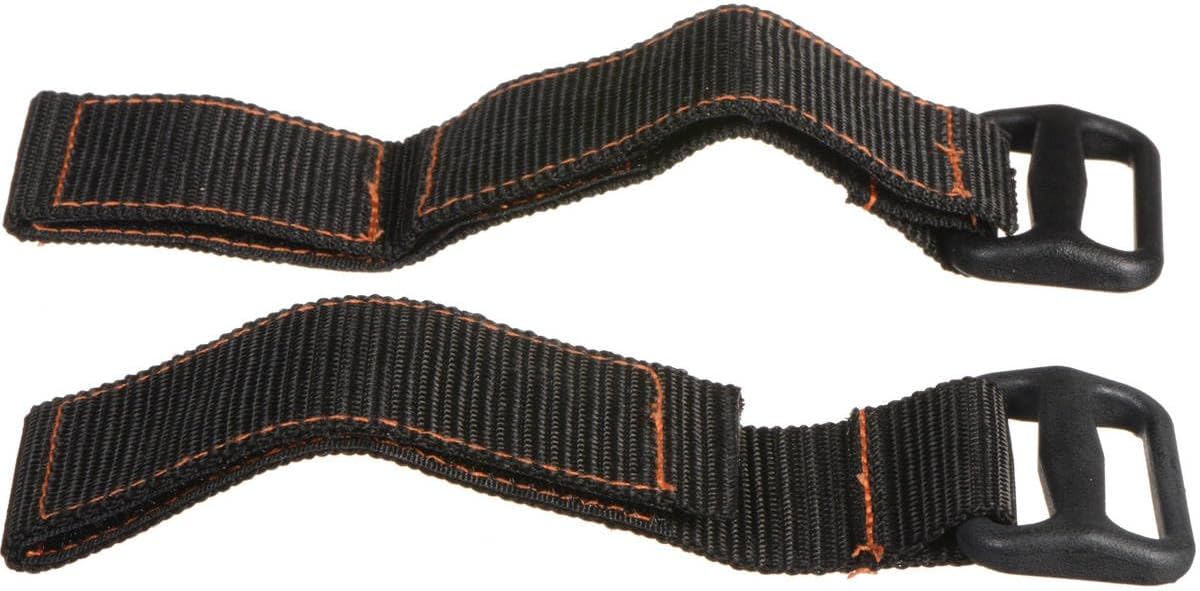
Description: Two black Velcro straps with orange stitching are shown, used for securing the SkySync GPS unit to a tripod leg.
4.2 Connection
Connect the SkySync GPS Accessory to your telescope mount:
- Locate an available AUX port on your Celestron computerized telescope mount or hand control.
- Plug the coiled cable from the SkySync GPS unit into the AUX port.

Description: A close-up of the back of the Celestron SkySync GPS Accessory, highlighting the AUX port where the cable connects to the telescope mount.
4.3 Power-up
The SkySync GPS Accessory draws power directly from your telescope mount. No external batteries are required for the GPS unit itself.
- Once connected, power on your Celestron computerized telescope.
- The SkySync unit will automatically begin searching for GPS signals. A small indicator light on the unit may illuminate to show activity.
5. Operating Instructions
5.1 Automatic Data Acquisition
The primary function of the SkySync GPS Accessory is to provide real-time 16-channel GPS data to your telescope. This includes:
- Accurate time (UTC)
- Current date
- Precise geographical location (latitude and longitude)
This information is crucial for the telescope's internal model of the night sky, ensuring optimal pointing and tracking accuracy.
5.2 Telescope Alignment
With the SkySync GPS Accessory connected, your telescope will automatically receive the necessary time, date, and location data. This significantly streamlines the alignment process, saving you time and improving accuracy compared to manual data entry.
Refer to your specific Celestron computerized telescope's instruction manual for detailed steps on initiating the alignment procedure after the SkySync has acquired its data.
5.3 Compatibility
The SkySync GPS Accessory is compatible with all non-GPS Celestron computerized mounts. It is designed to integrate seamlessly with your existing Celestron setup.
Video Description: A brief product summary video demonstrating the Celestron SkySync GPS Accessory and its function in providing automatic time, date, and location data to a computerized telescope for simplified setup.
6. Maintenance
The Celestron SkySync GPS Accessory requires minimal maintenance:
- Keep the unit clean by wiping it with a soft, dry cloth. Avoid using abrasive cleaners or solvents.
- Store the device in a dry, dust-free environment when not in use.
- Inspect the cable and connectors periodically for any signs of wear or damage.
7. Troubleshooting
If you encounter issues with your SkySync GPS Accessory, consider the following:
- No GPS Signal / Incorrect Data: Ensure the SkySync unit has a clear, unobstructed view of the sky. GPS signals can be blocked by buildings, dense foliage, or indoor environments. Move the telescope and SkySync to an open outdoor location.
- Connection Issues: Verify that the cable is securely plugged into both the SkySync unit and the telescope's AUX port. Try unplugging and re-plugging the cable.
- Telescope Hand Control Settings: Confirm that your telescope's hand control is configured to use the GPS accessory for time and location data, rather than manual entry. Consult your telescope's manual for specific menu options.
- Power: Ensure your telescope mount is receiving adequate power, as the SkySync unit draws its power from the mount.
8. Specifications
| Product Dimensions | 6.25 x 6.25 x 4.5 inches |
| Item Weight | 3.2 ounces |
| Model Name | SkySync GPS Accessory |
| Connectivity Technology | Auxiliary |
| Special Feature | Upgrade your Celestron computerized telescope to GPS with SkySync |
| Included Components | GPS SkySync |
| Color | Black |
9. Warranty and Support
Celestron provides a 2-Year US Warranty for this product. For warranty claims or technical assistance, please contact Celestron's customer support team. Unlimited support from US-based experts is available to assist you with any questions or issues you may encounter.
For the latest support information, product updates, and contact details, please visit the official Celestron website.


