
1. Introduction
This manual provides essential information for the proper use, installation, and maintenance of your Panasonic WER9606Y136 Replacement Inner Blade. This high-quality, original inner blade is designed to restore the optimal cutting performance of your compatible Panasonic beard trimmer or hair clipper.

Figure 1: Panasonic WER9606Y136 Replacement Inner Blade. A close-up view of the Panasonic WER9606Y136 replacement inner blade, showcasing its sharp cutting edge and durable construction.
2. Compatibility
The Panasonic WER9606Y136 Replacement Inner Blade is compatible with the following Panasonic beard trimmer and hair clipper models:
- ERGY10CM
- ERGB44
- ERGB43
- ERGB52
- ERGB42
- ERGB40
- ER2403
Ensure your trimmer model is listed above for proper fit and function.

Figure 2: Compatible Trimmer Models. An image showing the replacement blade's compatibility with Panasonic trimmers, specifically listing models ER-GB52, ER-GB44, ER-GB43, and ER-GB42.
3. Installation (Blade Replacement)
To replace the inner blade on your Panasonic trimmer, follow these steps:
- Ensure the trimmer is turned off and unplugged from any power source.
- Carefully remove the existing blade unit from the trimmer head. This typically involves unscrewing two small screws on the trimmer head or releasing a snap-in mechanism, depending on your specific model. Refer to your trimmer's original user manual for precise instructions on removing the blade unit.
- Gently detach the old inner blade from the outer foil (if applicable).
- Align the new WER9606Y136 inner blade with the corresponding slots or guides on the trimmer head or outer foil.
- Press firmly until the new blade clicks securely into place.
- Reattach the entire blade unit to the trimmer body, ensuring it is firmly secured.
- Test the trimmer briefly to ensure the blade is properly installed and operating smoothly.

Figure 3: Simple Blade Replacement. A hand demonstrating the simple process of replacing the blade on a Panasonic trimmer, showing the blade being attached to the trimmer head.
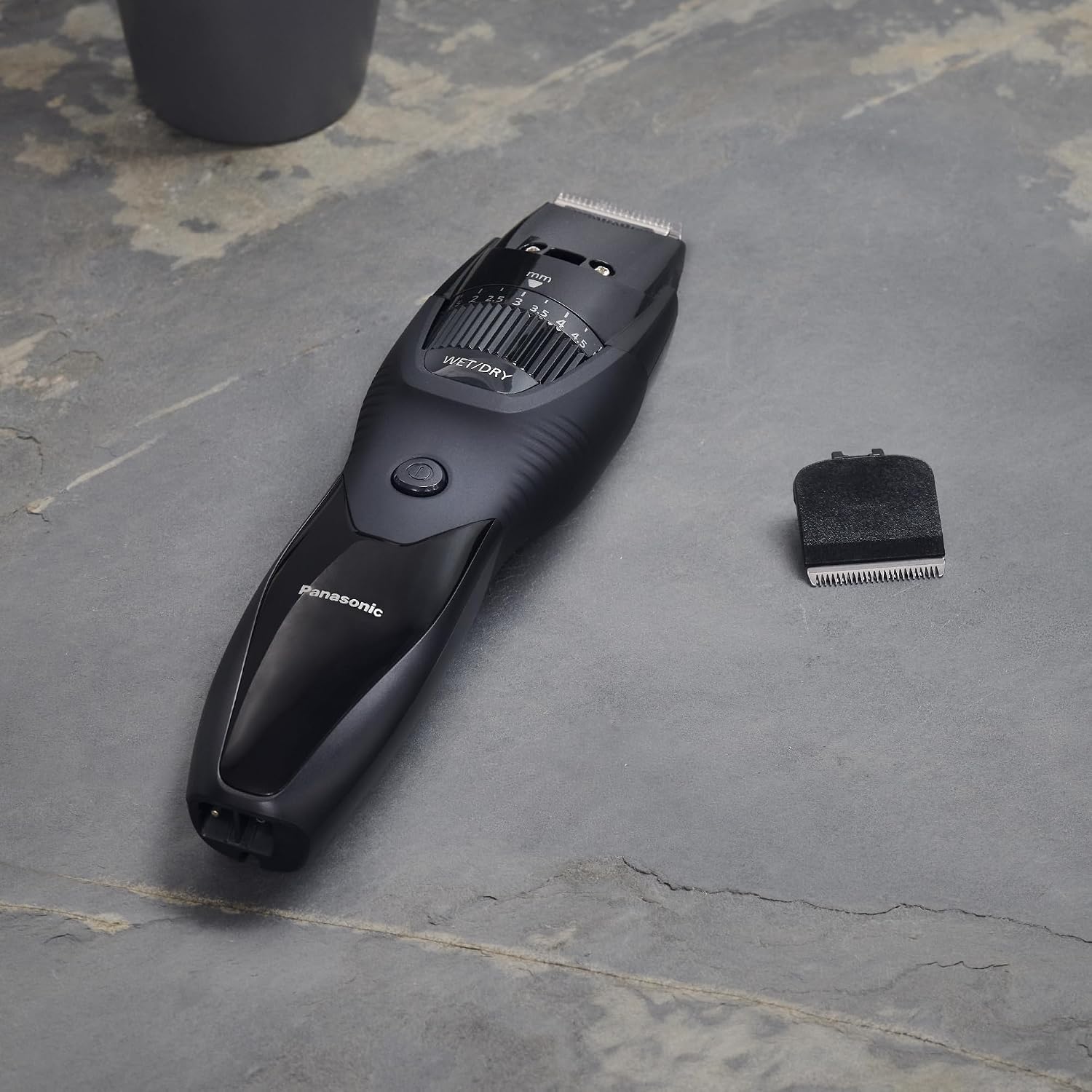
Figure 4: Trimmer and Detached Blade. A Panasonic trimmer lying next to its detached replacement blade on a textured surface, illustrating the ease of removal and installation.
4. Maintenance
To ensure optimal performance and longevity of your trimmer and its new blade:
- Cleaning: After each use, clean the blade unit by brushing away hair clippings. For models that support wet cleaning, rinse the blade under running water as per your trimmer's instructions. Allow the blade to air dry completely before reattaching or storing.
- Lubrication: Periodically apply a drop of lubricating oil (typically supplied with your trimmer) to the blades to maintain smooth operation and reduce wear.
- Replacement Frequency: For consistent high shaving performance, it is recommended to replace the inner blades of your beard trimmer/hair clipper approximately every 36 months (3 years), or sooner if you notice a decrease in cutting efficiency or discomfort during use.

Figure 5: Precision Blade Technology. An image highlighting the 'Japanese Blade Tech' with a 45-degree cutting angle, emphasizing precision and quality for effective trimming.

Figure 6: Blade Features. An illustration detailing the personal care features, including a 45-degree ultra-thin blade, wet & dry usability, and suitability for beard trimming.
5. Specifications
| Feature | Detail |
|---|---|
| Model Number | WER9606Y136 |
| Material | Stainless Steel |
| Weight | 15 Grams |
| Product Dimensions | 11 x 8 x 2.01 cm |
| Country of Origin | Japan |
| Components Included | 1 Replacement Inner Blade |
| Recommended Use | Moustache, Beard |
6. Important Safety Information and Warnings
Please read and adhere to the following warnings:
- Always ensure the trimmer is turned off and unplugged before attempting to replace the blade.
- Handle the blade with care as it is sharp. Avoid direct contact with the cutting edges.
- Keep replacement blades out of reach of children.
- The product packaging may contain different information than that shown on our website. Please always read the label, warnings, and instructions provided with the product before use or consumption.
- Use only genuine Panasonic replacement parts to ensure proper function and safety.
7. Troubleshooting
If you experience issues after replacing the blade:
- Poor Cutting Performance: Ensure the blade is correctly seated and fully secured in the trimmer head. Check for any hair or debris lodged between the blades.
- Unusual Noise: Verify that the blade unit is properly assembled and attached to the trimmer body. Ensure no foreign objects are interfering with the blade's movement.
If problems persist, consult your trimmer's original user manual or contact Panasonic customer support.
8. Warranty and Support
For warranty information regarding your Panasonic trimmer or replacement parts, please refer to the documentation provided with your original trimmer purchase or visit the official Panasonic website. For further assistance, you can visit the Panasonic Store on Amazon.