1. Introduction
Thank you for choosing the SOLE TT8 Treadmill. This manual provides essential information for the safe and effective use, maintenance, and troubleshooting of your new fitness equipment. The SOLE TT8 Treadmill is designed to elevate your fitness journey with its powerful 4.0 HP motor and expansive 22"x 60" running surface. It offers versatile workouts with a wide range of fitness programs and integrated smart technology.

2. Safety Information
Before operating the SOLE TT8 Treadmill, please read and understand all safety instructions. Failure to do so may result in injury or damage to the equipment.
- Always attach the safety key to your clothing before beginning a workout. The treadmill will stop if the safety key is disengaged.
- Keep children and pets away from the treadmill during operation.
- Ensure the treadmill is placed on a level surface with adequate clearance around it.
- Do not use the treadmill if you feel dizzy, faint, or experience any pain. Consult a physician.
- Wear appropriate athletic footwear during use.

3. Setup
3.1. Delivery and Unpacking
The SOLE TT8 Treadmill requires assembly. Please ensure you have updated contact information for delivery scheduling. The shipment may be subject to delivery without an appointment if contact cannot be made. It is recommended to have two people for assembly due to the weight of the components.

3.2. Placement
Choose a location with a stable, level surface. Ensure there is sufficient space around the treadmill for safe operation and maintenance. A minimum of 6 feet of clear space behind the treadmill and 2 feet on each side is recommended.
3.3. Power Connection
Connect the treadmill to a grounded electrical outlet. The SOLE TT8 Treadmill operates on corded electric power. Avoid using extension cords if possible; if necessary, ensure the extension cord is of appropriate gauge and rating for the treadmill's power requirements.
4. Operating Instructions
4.1. Control Panel Overview
The SOLE TT8 features a 15.6" touchscreen display, providing access to various programs and settings. The console includes controls for speed, incline, program selection, and integrated Bluetooth and Wi-Fi connectivity.

4.2. Starting a Workout
- Ensure the safety key is properly attached.
- Step onto the treadmill belt.
- Press the 'Start' button on the console. The belt will begin to move at a low speed.
- Adjust speed and incline using the dedicated buttons on the console or the handrail controls.
4.3. Workout Programs
The treadmill offers a variety of pre-programmed workouts including Manual, Hill, Fat Burn, Cardio, Strength, HIIT, 10K, Custom, HRC*2, Fit. Test*7, and Template*12. Select a program from the touchscreen to begin a guided workout.
4.4. Speed and Incline Adjustment
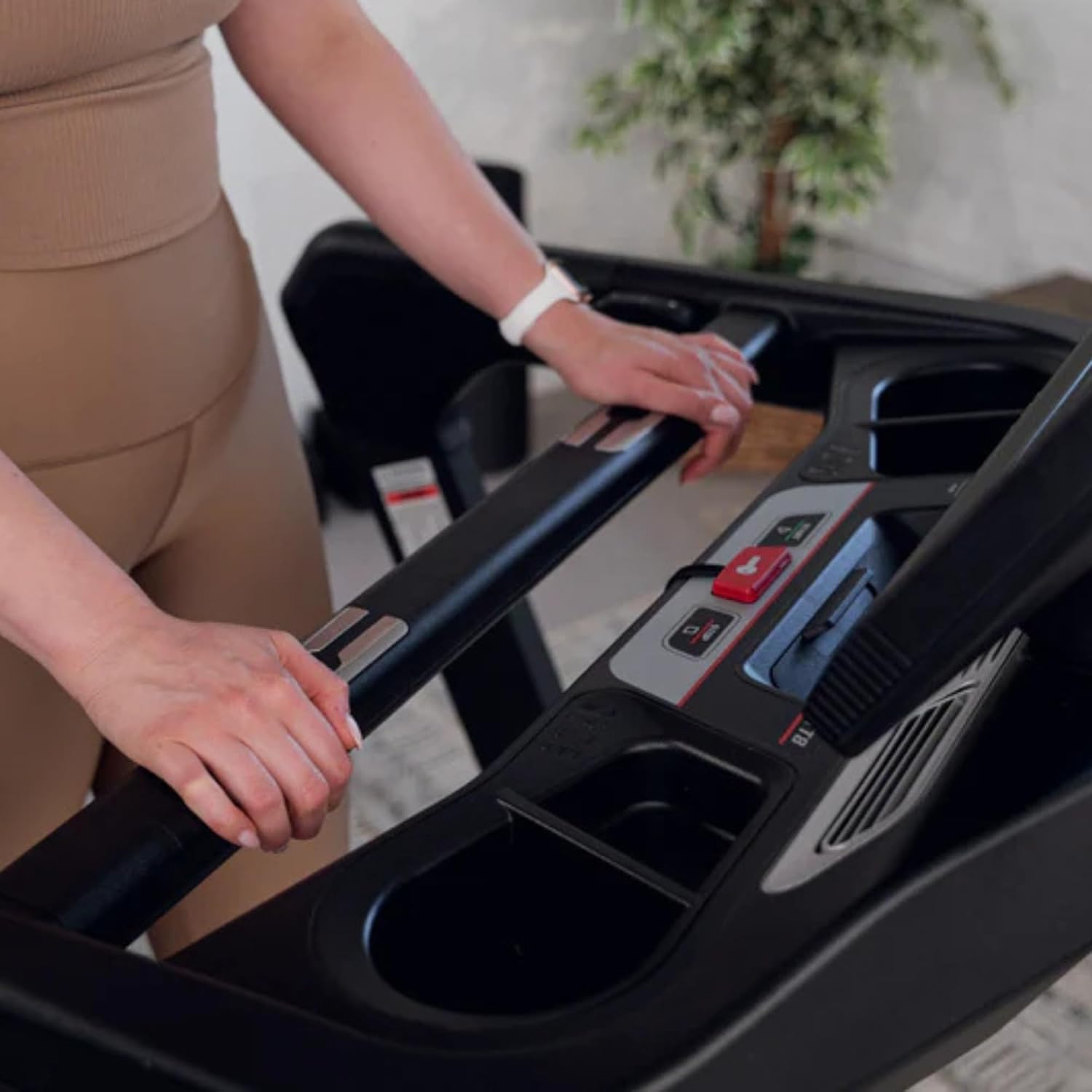
The SOLE TT8 allows for a speed range of 0.5-12 MPH (1-22 Kph) and an incline/decline range from -6 to 15 levels. Use the 'Up' and 'Down' arrows on the console or the quick-access buttons on the handrails to adjust these settings during your workout.
4.5. Heart Rate Monitoring
The treadmill includes heart rate monitors integrated into the handrails. Grip these sensors during your workout to display your current heart rate on the console. This feature is useful for heart rate controlled programs.
4.6. Smart Technology & Multimedia
The SOLE TT8 Treadmill features integrated Bluetooth capabilities for connecting with speakers, heart rate monitors, and fitness apps. Wi-Fi connectivity is also available. The 15.6" touch screen display supports multimedia entertainment, allowing you to access various apps during your workout.

5. Maintenance
Regular maintenance ensures the longevity and optimal performance of your SOLE TT8 Treadmill.
5.1. Cleaning
Wipe down the treadmill after each use with a damp cloth to remove sweat and dust. Avoid using abrasive cleaners or solvents.
5.2. Lubrication
The running deck requires periodic lubrication to reduce friction and extend belt life. Refer to the included user manual for specific lubrication instructions and recommended frequency. Lubricant is included with the product.
5.3. Belt Adjustment
Over time, the running belt may become misaligned or loose. Consult the detailed user manual for instructions on how to properly tension and center the running belt.
6. Troubleshooting
This section addresses common issues you might encounter with your SOLE TT8 Treadmill.
- Treadmill Not Starting: Ensure the power cord is securely plugged in and the safety key is properly inserted. Check the circuit breaker if the unit won't turn on or stops working.
- Belt Slipping: The running belt may need tensioning. Refer to the maintenance section or the full user manual for adjustment instructions.
- Unusual Noises: Inspect the treadmill for loose parts. If the noise persists, contact customer support.
- Console Display Issues: Ensure all connections to the console are secure. If the console is unresponsive, try power cycling the unit.
7. Specifications
Below are the key specifications for the SOLE TT8 Treadmill:
| Feature | Specification |
|---|---|
| Brand | SOLE |
| Model Name | SOLE TT8 |
| Product Dimensions | 82.5"D x 38"W x 66"H |
| Item Weight | 296 Pounds |
| Maximum Horsepower | 4 Horsepower |
| Maximum Speed | 12 Miles per Hour |
| Maximum Incline Percentage | 15.0 |
| Minimum Speed | 0.5 Miles per Hour |
| Running Surface | 22" x 60" |
| Display Type | LCD (15.6" Touchscreen) |
| Number of Programs | 10 (plus custom/template options) |
| Connectivity Technology | Bluetooth, Wi-Fi |
| Maximum Weight Recommendation | 400 Pounds |
| Assembly Required | Yes |
| Folded Size | 83 x 37 x 17 inches |

8. Warranty and Support
8.1. Warranty Information
Your SOLE TT8 Treadmill comes with a manufacturer's warranty. Please refer to the warranty registration card included with your product for specific terms and conditions. It is recommended to register your product to activate your warranty.
8.2. Customer Support
For any questions, technical assistance, or service requests, please contact SOLE Fitness customer support. Contact details can typically be found on the SOLE Fitness website or on your warranty documentation.
For additional information and resources, visit the official SOLE Store.


