1. Introduction
The Hosa JMB025 is a robust 1/4-inch Jumbo-shell Phone Plug designed for professional audio applications. This connector is ideal for custom cable creation or repairing existing cables, ensuring reliable signal transfer in demanding stage and studio environments. Its heavy-duty construction provides enhanced durability and a secure connection.
Key Features:
- Heavy-Duty Construction: Jumbo 1/4" TS connector for robust cable building.
- Enhanced Durability: Designed for demanding stage and studio environments.
- Reliable Connection: Ensures secure and consistent audio signal transfer.
- DIY & Repair: Ideal for custom cable creation or existing cable repair.
- Easy Assembly: Simple design for straightforward soldering and assembly.
2. Setup and Assembly
The Hosa JMB025 is a solder-type connector requiring proper assembly for optimal performance. Follow these steps carefully to ensure a secure and reliable connection.
Tools Required:
- Soldering Iron
- Rosin-core Solder (audio grade recommended)
- Wire Strippers
- Small Screwdriver (for strain relief, if applicable)
- Heat Shrink Tubing (optional, for added strain relief and insulation)
Assembly Steps:
- Prepare the Connector: Unscrew the metal barrel from the connector body. Slide the barrel and any rubber strain relief components onto your cable in the correct orientation.
- Prepare the Cable: Carefully strip the outer jacket of your audio cable (e.g., coaxial or shielded twisted pair) to expose the inner conductors. For a 1/4" TS (Tip-Sleeve) connector, you will typically have a central "hot" conductor and a braided shield or ground wire. Strip approximately 1/4 to 1/2 inch of insulation from the central conductor.
- Tin the Wires: Apply a small amount of solder to the exposed copper strands of both the central conductor and the shield/ground wire. This "tinning" process helps ensure a strong solder joint.
- Solder the Tip Connection: Solder the tinned central "hot" conductor to the tip terminal of the 1/4" plug. Ensure a clean, strong solder joint without excess solder.
- Solder the Sleeve (Ground) Connection: Solder the tinned shield or ground wire to the sleeve terminal (the larger, outer terminal) of the 1/4" plug. Again, ensure a clean and solid connection.
- Inspect Connections: Visually inspect all solder joints for cold solder joints, shorts, or stray strands of wire. Tug gently on the wires to ensure they are securely attached.
- Secure Strain Relief: If your connector has a strain relief mechanism, secure the cable firmly within it. This prevents the cable from pulling on the solder joints.
- Reassemble the Connector: Carefully slide the metal barrel back over the connector body and screw it tightly into place.

Figure 1: The Hosa JMB025 1/4-inch Jumbo-Shell Phone Plug, showing its robust construction.

Figure 2: A view of the Hosa JMB025 connector, illustrating the internal components and soldering points when disassembled.
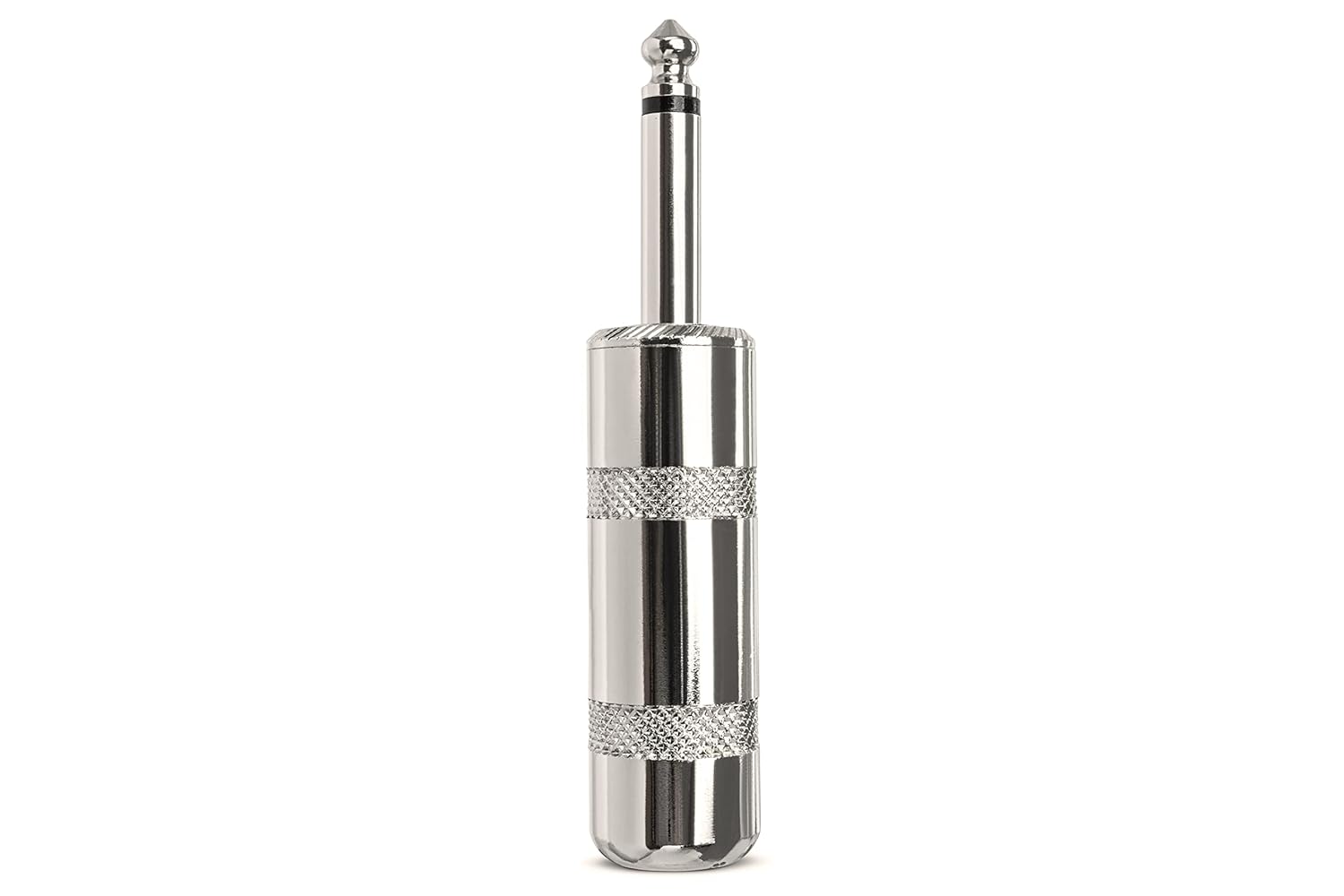
Figure 3: Side view of the Hosa JMB025 connector, highlighting its overall length and design.
3. Operating Instructions
Once assembled, the Hosa JMB025 connector functions as a standard 1/4-inch TS audio plug. Its operation is straightforward:
- Connect to Device: Insert the assembled 1/4-inch plug firmly into the corresponding 1/4-inch TS (Tip-Sleeve) jack on your audio equipment (e.g., amplifier, speaker, instrument, mixer).
- Ensure Full Insertion: Push the plug in completely until it clicks or seats firmly. A partial insertion can lead to intermittent sound or no sound at all.
- Disconnecting: To disconnect, grasp the metal barrel of the plug and pull it straight out from the jack. Avoid pulling on the cable itself, as this can damage the internal connections over time.
This connector is designed for unbalanced audio signals. Ensure compatibility with your equipment's input/output requirements.
4. Maintenance
Proper maintenance extends the lifespan and ensures the reliability of your Hosa JMB025 connector.
- Cleaning: Periodically wipe the metal contacts of the plug with a clean, dry, lint-free cloth to remove dust or grime. For stubborn dirt, a small amount of isopropyl alcohol on a cloth can be used, ensuring the connector is completely dry before use.
- Inspection: Regularly inspect the plug for signs of wear, corrosion, or damage to the metal barrel or the tip/sleeve contacts. Check the cable entry point for fraying or damage.
- Storage: Store cables equipped with these connectors neatly coiled and away from extreme temperatures, moisture, and direct sunlight. Avoid sharp bends or kinks in the cable near the connector.
- Re-soldering: If intermittent sound or signal loss occurs, the solder joints may need to be re-inspected and re-soldered if necessary.
5. Troubleshooting
If you experience issues with your Hosa JMB025 connector, consider the following common problems and solutions:
| Problem | Possible Cause | Solution |
|---|---|---|
| No Sound / Intermittent Sound | Loose or cold solder joint; damaged cable; incorrect connection. |
|
| Humming / Buzzing Noise | Poor ground connection (sleeve); unshielded cable; ground loop. |
|
| Plug feels loose in jack | Worn jack on equipment; worn plug contacts. |
|
6. Specifications
| Model Number: | JMB025 |
| Connector Type: | 1/4-inch TS (Tip-Sleeve) Phone Plug |
| Construction: | Jumbo-shell, Heavy-Duty Metal |
| Compatible Devices: | Speakers, Amplifiers, Mixers, Instruments, and other audio equipment with 1/4-inch TS jacks. |
| Product Dimensions: | 6.5 x 4.1 x 1.3 inches (approximate packaging dimensions); 0.01 ounces (item weight) |
| Color: | Black (as per product listing, actual finish may be chrome/silver as shown in images) |
| Manufacturer: | Hosa |
7. Warranty and Support
For detailed warranty information and technical support regarding your Hosa JMB025 connector, please refer to the official Hosa website or contact Hosa customer service directly.
You can visit the Hosa Store for more information and products: Hosa Official Store


