
GEWA KS-30B
GEWA KS-30B Keyboard Bench Instruction Manual
Model: KS-30B | Brand: GEWA
1. Introduction
Thank you for choosing the GEWA KS-30B Keyboard Bench. This manual provides essential information for the safe and effective use, setup, and maintenance of your new keyboard bench. Please read this manual thoroughly before use and keep it for future reference.

Figure 1.1: The GEWA KS-30B Keyboard Bench. This image shows the overall design of the black, foldable keyboard bench with its padded seat and X-style frame.
2. Safety Information
Your safety is paramount. Please adhere to the following safety guidelines:
- Weight Limit: Do not exceed the recommended weight limit for the bench. Exceeding this limit may cause damage to the bench or lead to injury.
- Height Adjustment: Always ensure the height adjustment mechanism is securely locked in place before sitting on the bench. Incorrect adjustment can lead to instability.
- Stable Surface: Place the bench on a flat, stable, and non-slip surface to prevent tipping or sliding.
- Assembly: Ensure all parts are correctly assembled and tightened according to the instructions to maintain stability.
- Children: Keep children away from the bench during assembly and adjustment to prevent pinching or other injuries.
3. Product Features
The GEWA KS-30B Keyboard Bench is designed with the musician's comfort and convenience in mind. Key features include:
- Robust Construction: Made with a sturdy steel tube frame, providing excellent stability and durability for reliable support.
- Foldable Design: The bench is foldable, making it easy to transport and store, minimizing space when not in use.
- 4-Way Height Adjustable: Offers four different height settings to find the optimal playing position, promoting an ergonomic posture.
- Comfortable and Elegant Seat: The generous 60 x 30 cm seat is upholstered with durable synthetic leather in elegant black, offering high seating comfort and easy cleaning.
4. Setup and Assembly
The GEWA KS-30B Keyboard Bench comes largely pre-assembled for quick setup. Follow these steps:
- Unfolding the Bench: Carefully unfold the X-style frame of the bench until it forms a stable base. Ensure the cross-braces are fully extended.
- Adjusting Height:
- Locate the adjustment knob and pin mechanism on the side of the bench's frame.
- Loosen the adjustment knob.
- Pull out the locking pin.
- Adjust the height of the bench by sliding the upper part of the frame up or down to one of the four available settings.
- Once the desired height is reached, re-insert the locking pin into the corresponding hole and tighten the adjustment knob securely.
- Stability Check: Before use, gently rock the bench to ensure it is stable and all connections are secure.
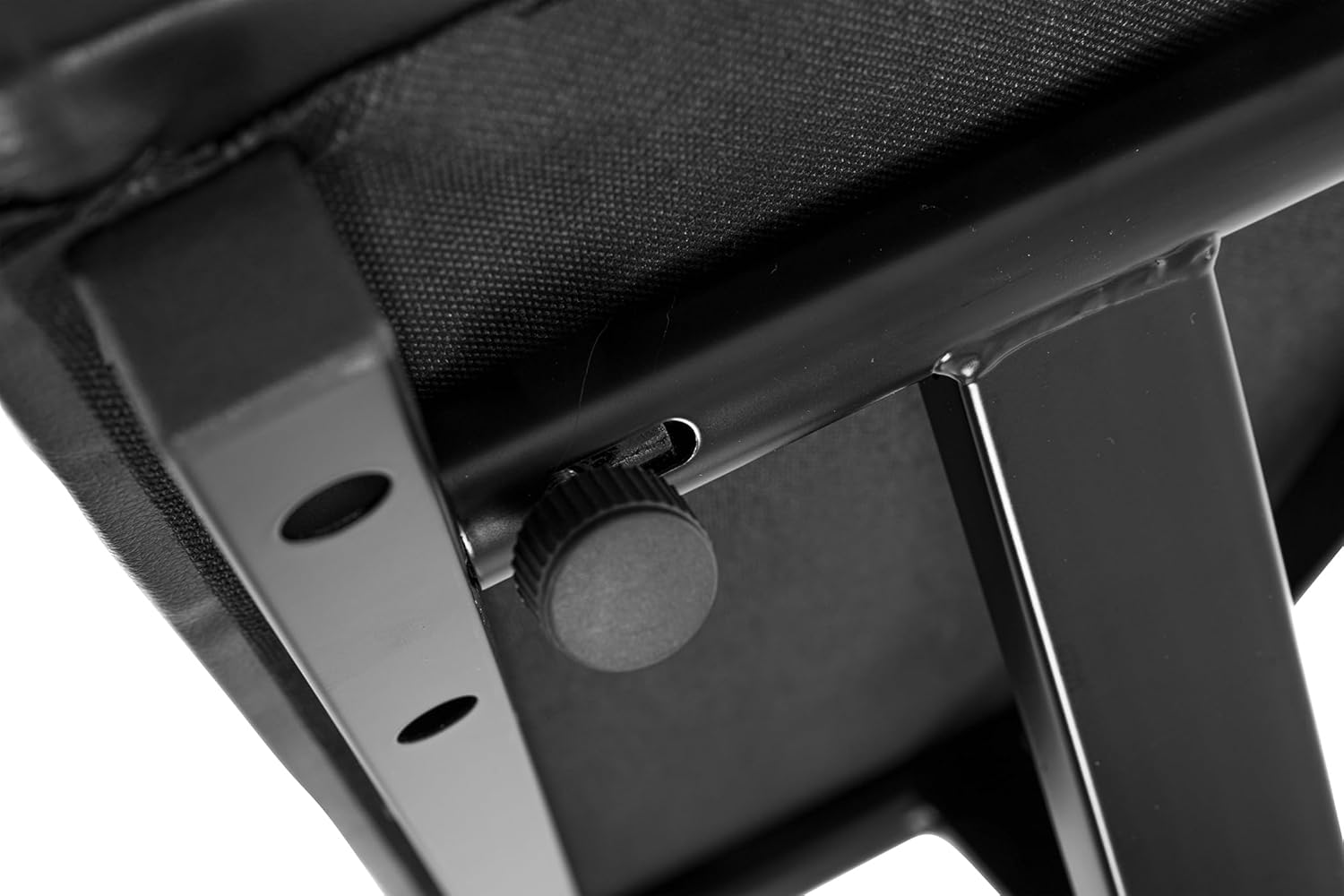
Figure 4.1: Close-up of the height adjustment mechanism. This image highlights the holes and the sliding part of the frame used for setting the bench height.

Figure 4.2: Detail of the adjustment knob. This image shows the black plastic knob used to secure the height setting.

Figure 4.3: View of the non-slip foot cap. This image displays the ribbed rubber cap on the end of the bench leg, designed to prevent slipping.
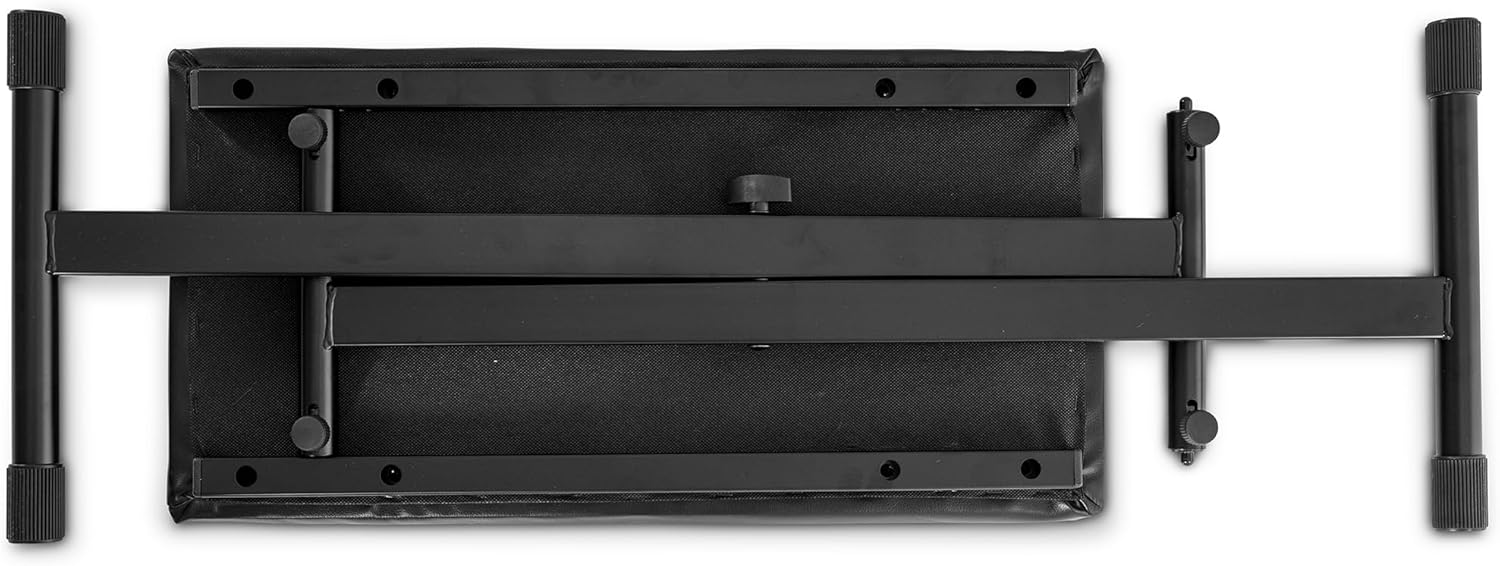
Figure 4.4: Top-down view of the bench, illustrating its compact, folded state for storage or transport.
5. Operating the Bench
Once assembled and adjusted, the GEWA KS-30B Keyboard Bench is ready for use. Simply sit on the padded seat, ensuring your posture is comfortable and ergonomic for your instrument. The bench is designed to provide stable support for extended periods of playing.
6. Maintenance and Care
To ensure the longevity and appearance of your GEWA KS-30B Keyboard Bench, follow these maintenance tips:
- Cleaning the Seat: The synthetic leather seat is easy to clean. Use a soft, damp cloth with mild soap and water to wipe away dust and spills. Avoid harsh chemicals or abrasive cleaners, which can damage the material.
- Frame Care: Wipe the steel frame with a dry or slightly damp cloth to remove dust. Avoid prolonged exposure to moisture to prevent rust.
- Regular Checks: Periodically check all screws, bolts, and adjustment mechanisms to ensure they are tight and functioning correctly. Tighten any loose fasteners as needed.
- Storage: When not in use, especially for extended periods, fold the bench and store it in a dry place away from direct sunlight and extreme temperatures.
7. Troubleshooting
While the GEWA KS-30B Keyboard Bench is designed for reliability, minor issues may occasionally arise:
- Bench feels unstable: Ensure the bench is placed on a flat, even surface. Check that the height adjustment pin is fully engaged and the knob is tightened. Verify all frame connections are secure.
- Difficulty adjusting height: Ensure the adjustment knob is fully loosened and the pin is pulled out completely. Check for any obstructions in the adjustment holes. Do not force the mechanism.
- Squeaking or noise: This can sometimes occur with metal components. Ensure all bolts are adequately tightened. A small amount of silicone spray on pivot points may help, but avoid getting it on the seat or floor.
If you encounter persistent issues not covered here, please contact GEWA customer support.
8. Specifications
| Attribute | Value |
|---|---|
| Model Number | 900533 |
| Product Dimensions | 82 x 34 x 15 cm (folded) |
| Item Weight | 7 Kilograms |
| Color | Black |
| Material Type | Alloy Steel (Frame), Synthetic Leather (Seat) |
| Seat Dimensions | Approximately 60 x 30 cm |
| Height Adjustment | 4-fold adjustable (55 - 68 cm) |
| Manufacturer | GEWA |
| ASIN | B003VMZ284 |
9. Warranty and Support
For warranty information and customer support, please refer to the documentation provided with your purchase or visit the official GEWA website. Keep your proof of purchase for any warranty claims.
For further assistance, you may contact GEWA customer service directly through their official channels.
Ask a question about this manual
Ask about setup, troubleshooting, compatibility, parts, safety, or missing instructions. Manuals+ will review the question and use this page’s manual context to help answer it.