
Introduction
The Logitech Gaming Keyboard G510 is designed to provide gamers with advanced control and information. It features a GamePanel LCD for real-time data, customizable backlighting for personalized aesthetics and visibility, and integrated USB audio for clear communication. This manual provides instructions for setting up, operating, and maintaining your G510 keyboard.
What's in the Box
- Logitech Gaming Keyboard G510
Setup
1. Connecting the Keyboard
Connect the USB cable from the Logitech G510 keyboard to an available USB port on your computer. The keyboard is plug-and-play for basic functionality, but full features require software installation.
2. Software Installation
For full functionality, including GamePanel LCD customization, G-key programming, and backlighting control, install the Logitech Gaming Software. This software can be downloaded from the official Logitech support website. Follow the on-screen instructions for installation.

Image: An angled view of the Logitech G510 Gaming Keyboard, illustrating its design and USB connection point.
Operating Instructions
GamePanel LCD
The integrated GamePanel LCD displays critical in-game statistics, VoIP communication data, media player information, and more without requiring you to exit your game. Use the dedicated buttons next to the LCD to navigate through different display modes and information screens.
Custom-Color Backlighting
Personalize the keyboard's backlighting with a wide range of colors to match your gaming setup or personal preference. The backlighting also helps in locating keys in low-light conditions. Adjust colors and brightness through the Logitech Gaming Software.
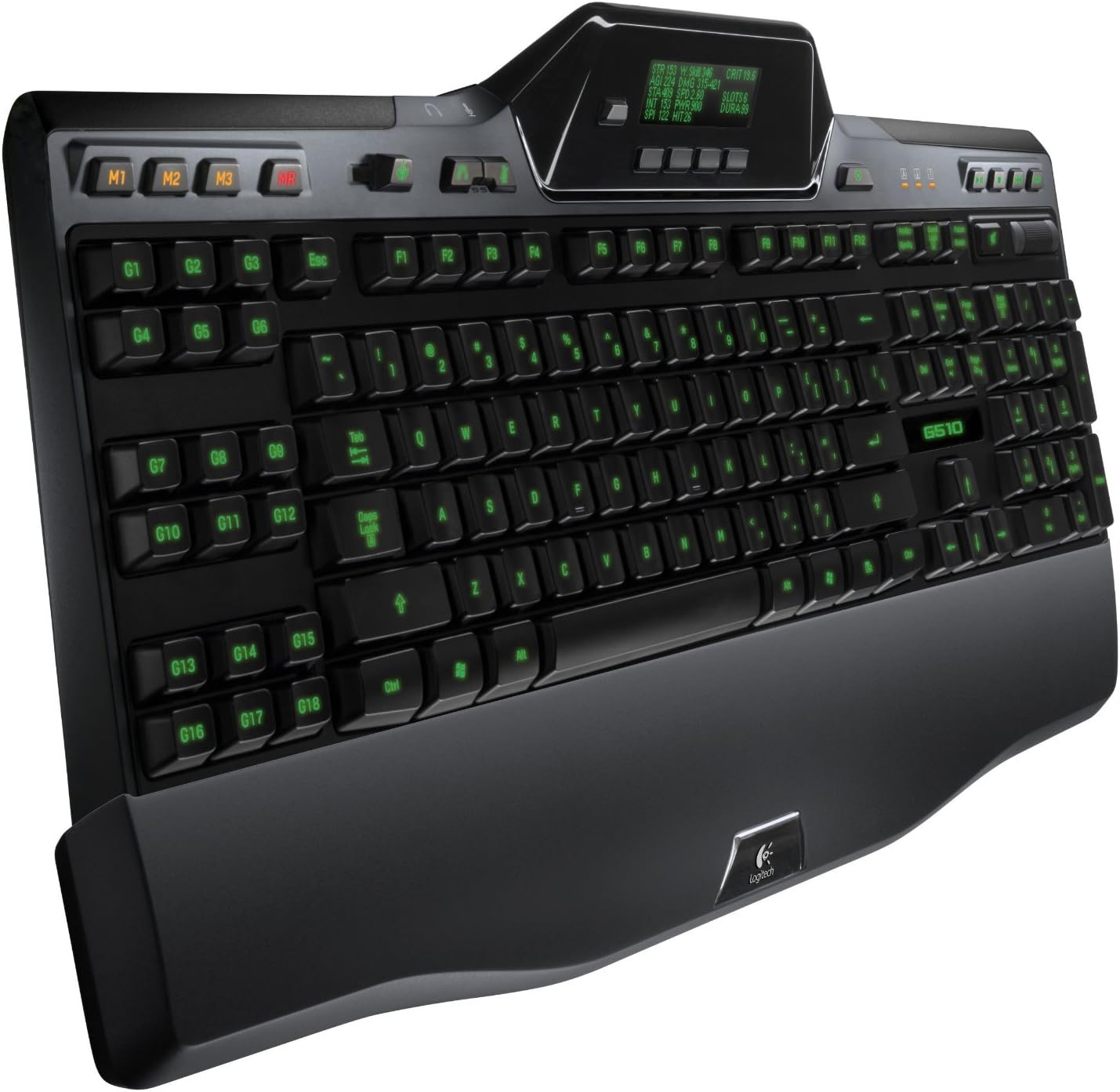
Image: The Logitech G510 Gaming Keyboard illuminated with green backlighting, showcasing the customizable key colors.

Image: The Logitech G510 Gaming Keyboard illuminated with red backlighting, demonstrating another customizable color option.
Integrated USB Audio
The keyboard features separate headphone and microphone jacks (3.5 mm) and mute buttons, allowing you to connect any analog headset directly to the keyboard. This provides clear digital audio for in-game communication.
Programmable G-keys
The G510 includes 18 programmable G-keys. Each G-key supports three mode states, enabling you to record up to 54 unique single key presses or complex macros per game. These can be configured using the Logitech Gaming Software to execute commands efficiently.
Media Controls and Game Mode
Dedicated media control buttons allow for easy playback management. A volume roller provides quick audio adjustments. The Game Mode switch disables the Windows key to prevent accidental interruptions during gameplay.
Video: An official product video showcasing the features and design of the Logitech Gaming Keyboard G510, including its customizable backlighting and GamePanel LCD.
Maintenance
Cleaning Your Keyboard
To clean your Logitech G510 keyboard, use a soft, lint-free cloth. For stubborn dirt, slightly dampen the cloth with water or a mild cleaning solution. Avoid using harsh chemicals or abrasive materials. Ensure the keyboard is disconnected from your computer before cleaning.
Troubleshooting
Keyboard Not Responding
- Ensure the USB cable is securely connected to both the keyboard and the computer.
- Try connecting the keyboard to a different USB port.
- Restart your computer.
- If using a USB hub, try connecting directly to the computer.
Software Issues / Features Not Working
- Ensure you have installed the latest version of Logitech Gaming Software from the official Logitech website.
- Check for any available software updates.
- Reinstall the Logitech Gaming Software if problems persist.
Key Responsiveness / Dragging Issues
If you experience inconsistent key responsiveness or issues with dragging actions, ensure your operating system and Logitech Gaming Software are up to date. In some cases, specific game configurations or background applications might interfere. Try testing the keyboard in different applications or games to isolate the issue.
Specifications
| Feature | Detail |
|---|---|
| Brand | Logitech |
| Model Number | 920-002530 |
| Connectivity Technology | USB |
| Keyboard Description | Gaming |
| Special Feature | Foldable |
| Color | Black |
| Material | Plastic |
| Number of Keys | 18 (Programmable G-keys) |
| Language | English |
| Power Source | Corded Electric |
| Switch Type | Mechanical |
| Keyboard Layout | QWERTY |
| Button Quantity | 104 |
| Item Weight | 3.75 Pounds |
Warranty and Support
For warranty information and technical support, please visit the official Logitech support website. You can find detailed FAQs, troubleshooting guides, and contact information for customer service there.
Website: support.logi.com


