
Harry Potter T71339
Harry Potter Monster Book of Monsters Keep Safe Box Instruction Manual
Model: T71339 | Brand: Harry Potter
Introduction
This manual provides essential instructions for the setup, operation, and maintenance of your Harry Potter Monster Book of Monsters Keep Safe Box. This replica item functions as a secure storage box, featuring electronic sensors for password protection and authentic sound effects.
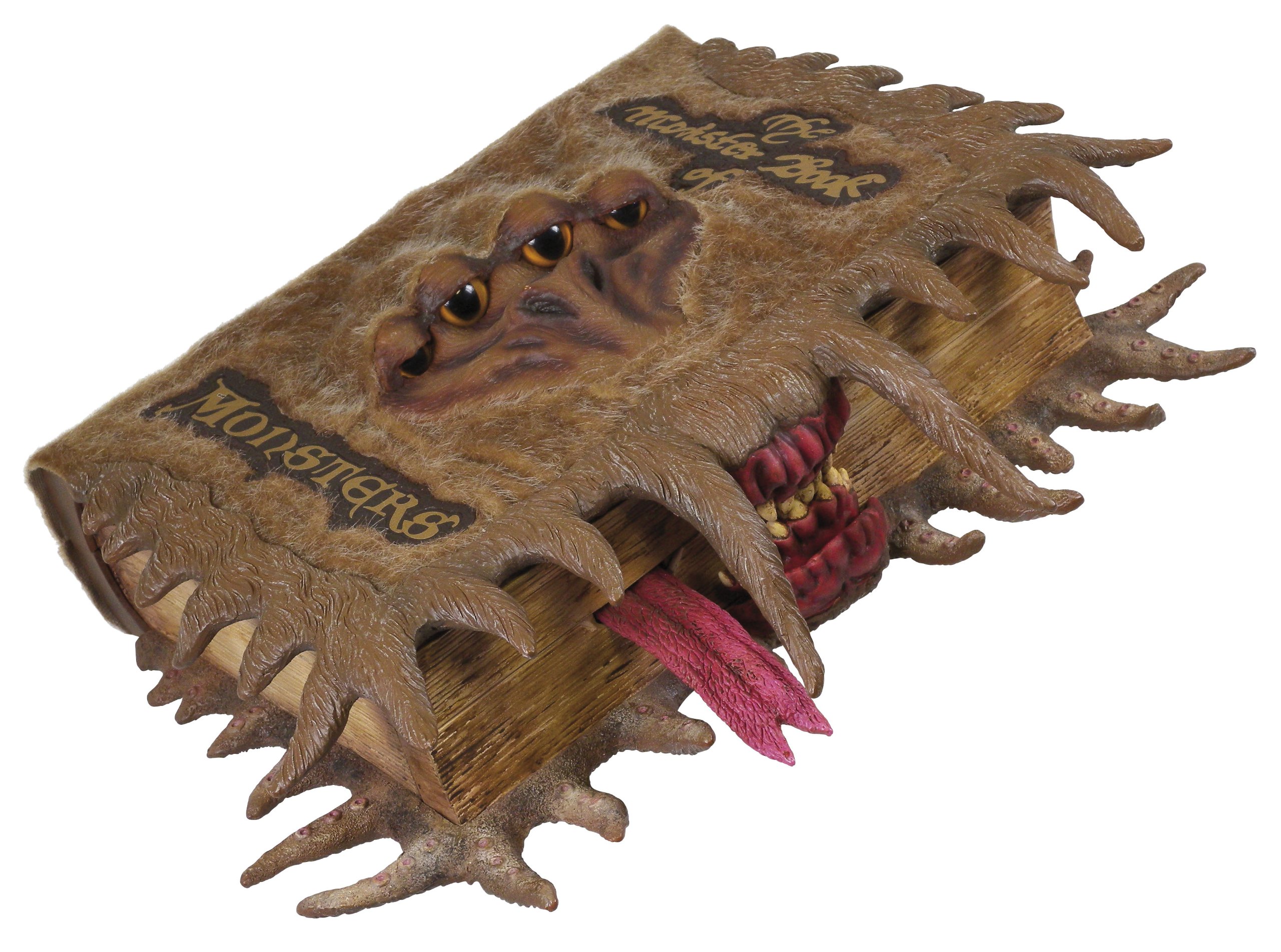
Image: The Monster Book of Monsters Keep Safe Box, closed. The cover is brown and furry, with four yellow eyes peering out. A red mouth with sharp teeth and a pink tongue is visible at the bottom, giving the appearance of a creature.
Safety Information
- Keep away from water and excessive moisture.
- Do not attempt to force open the safe.
- Ensure batteries are inserted correctly according to polarity markings.
- Remove batteries if the product will not be used for an extended period.
- This product contains small parts and is not suitable for children under 3 years. Recommended for ages 6 and up.
Package Contents
- 1 x Harry Potter Monster Book of Monsters Keep Safe Box
- 3 x AA Batteries (pre-installed or included separately)
- Instruction Manual (this document)
Setup
1. Battery Installation
- Locate the battery compartment, typically on the underside or back of the safe.
- Using a small screwdriver (not included), open the battery compartment cover.
- Insert 3 AA batteries, ensuring correct polarity (+/-) as indicated inside the compartment.
- Replace the battery compartment cover and secure it with the screw.
- The safe may emit a sound or light to indicate it is powered on.
2. Setting Your Personal Password
The Monster Book of Monsters uses a unique "knock" combination system. The default password is a specific sequence of 4 up and down knocks on the spine. You can set your own custom 4-knock sequence.
- With the safe closed, locate the "Set" button (usually a small, recessed button near the battery compartment or on the spine).
- Press and hold the "Set" button until you hear a confirmation sound or see a light indicator.
- Enter your desired 4-knock sequence on the spine. Each "up" or "down" movement of the spine counts as one knock.
- After entering your 4-knock sequence, press the "Set" button again to confirm. You should hear another confirmation sound.
- Test your new password immediately to ensure it has been set correctly.
Important: Remember your password. There is no master reset code. If you forget your password, you may not be able to open the safe.
Operating the Safe
1. Opening the Safe
- With the safe closed, gently perform your 4-knock password sequence on the spine.
- If the correct sequence is entered, the safe will emit a positive sound (e.g., a click or a friendly growl) and unlock.
- You can then open the front cover to access the storage compartment.
- If an incorrect sequence is entered, the safe will emit a "terrifying growl or grunt" to deter intruders.
2. Closing the Safe
- Close the front cover firmly until it clicks into place. The safe will automatically re-lock.
3. Sound Effects
- The safe is designed to emit growls and grunts when an incorrect password is attempted or when the spine is disturbed without the correct sequence.
- These sounds are intended to mimic the Monster Book of Monsters from the Harry Potter series.
Maintenance
1. Cleaning
- Wipe the exterior with a soft, dry cloth.
- Do not use abrasive cleaners or solvents, as these may damage the finish.
2. Battery Replacement
- When the sound effects become faint or the safe fails to respond, it is time to replace the batteries.
- Follow the "Battery Installation" steps in the Setup section to replace the 3 AA batteries.
- Dispose of old batteries responsibly according to local regulations.
Troubleshooting
| Problem | Possible Cause | Solution |
|---|---|---|
| Safe does not open with password. | Incorrect password entered; batteries low or dead; password not set correctly. |
|
| No sound effects or faint sounds. | Low or dead batteries. | Replace batteries (refer to Maintenance section). |
| Safe does not close properly. | Obstruction in the closing mechanism; misalignment. |
|
| Teeth do not move (if applicable to model). | Mechanical issue; obstruction. |
|
Specifications
- Brand: Harry Potter
- Manufacturer: Tomy
- Model Number: T71339
- Item Dimensions (L x W x H): 11.61 x 9.25 x 3.46 inches (29.5 x 23.5 x 8.8 cm)
- Item Weight: 930 Grams (2.05 lbs)
- Material Type: Paper (exterior finish)
- Power Source: 3 x AA Batteries (included)
- Operation Mode: Manual (password entry)
- Minimum Age Recommendation: 72 Months (6 years)
Warranty Information
This product is covered by a standard manufacturer's warranty. Please retain your proof of purchase for any warranty claims. Specific warranty terms and duration may vary by region. For detailed warranty information, please refer to the documentation provided at the time of purchase or contact the manufacturer directly.
Customer Support
For further assistance, technical support, or inquiries regarding your Harry Potter Monster Book of Monsters Keep Safe Box, please contact the manufacturer, Tomy, through their official website or customer service channels. Please have your model number (T71339) and purchase details ready when contacting support.
Related documentsT71339


Ask a question about this manual
Ask about setup, troubleshooting, compatibility, parts, safety, or missing instructions. Manuals+ will review the question and use this page’s manual context to help answer it.