
1. Introduction
The Veridian Digital Thermometer Model 08-300 provides accurate and reliable temperature measurements for oral, rectal, or underarm use. Designed for convenience, it features a 60-second readout, a fever alert, and memory recall for the last reading. This manual provides instructions for proper use, maintenance, and troubleshooting to ensure optimal performance.
Key Features:
- 60-second measurement with completion alert.
- Fever alert alarm for temperatures 100.0°F (37.7°C) or higher.
- Last reading memory recall.
- Switchable Fahrenheit/Celsius display.
- Water-resistant for easy cleaning.
- Automatic shut-off to conserve battery life.
- Includes storage case and probe covers.

Image: The Veridian Digital Thermometer highlighting its outstanding features such as 60-second readout, professional accuracy, peak temperature tone, last reading memory recall, fever alert, and dual scale.
2. Package Contents and Setup
Package Contents:
- Veridian Digital Thermometer
- Storage Case
- LR41 Battery (pre-installed)
- 5 Probe Covers
- Instruction Manual (English/Spanish)
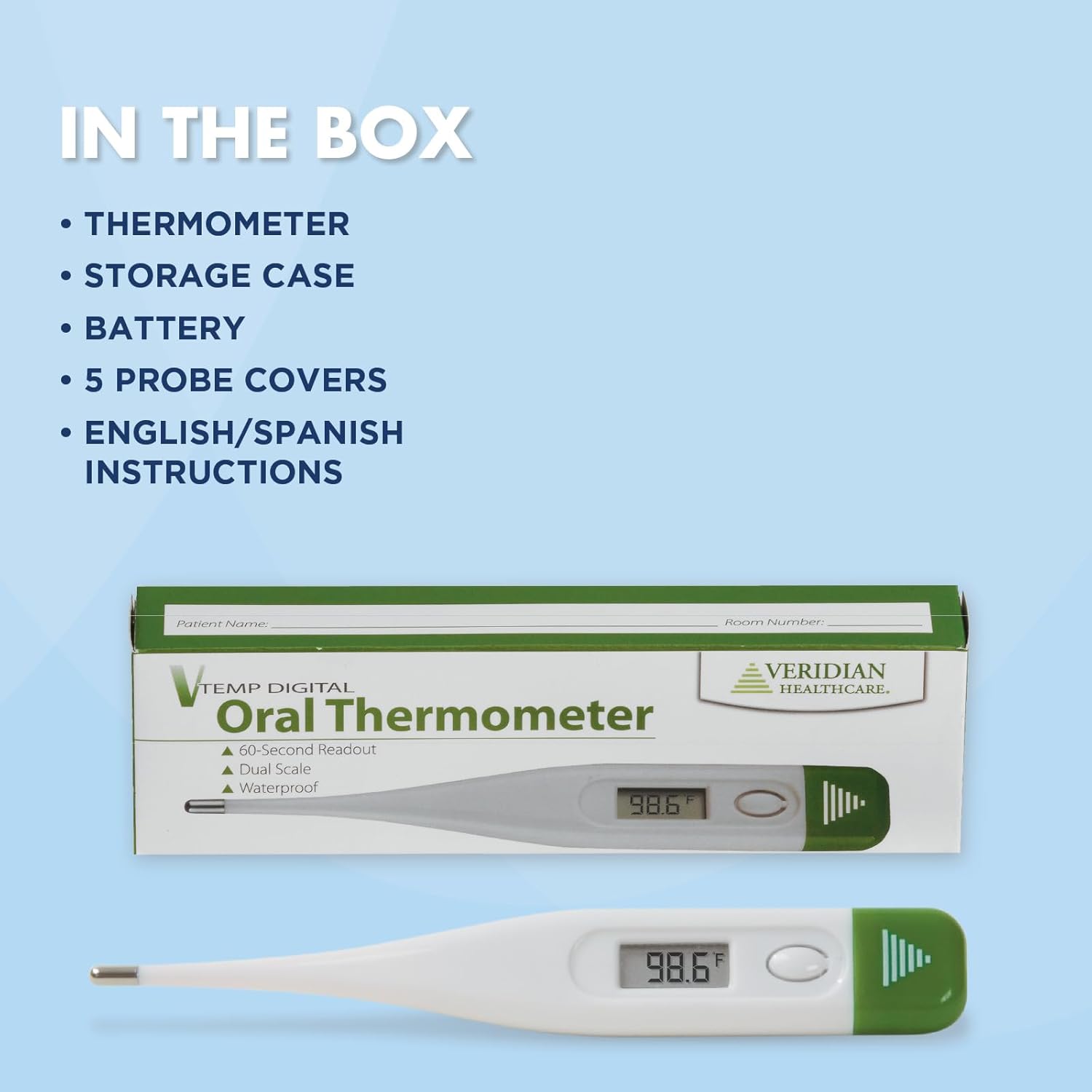
Image: A visual representation of the items included in the box: the thermometer, storage case, battery, 5 probe covers, and instructions.
Initial Setup:
- Remove the thermometer from its packaging and storage case.
- The LR41 battery is pre-installed. If the display does not turn on, refer to the 'Battery Replacement' section.
- Clean the thermometer tip before first use as per the 'Maintenance and Cleaning' section.
3. Operating Instructions
Taking a Temperature:
- Press the power button to turn on the thermometer. A short beep will sound, and the last measured temperature will display for approximately 2 seconds.
- The display will then show 'L°F' or 'L°C' with the '°F' or '°C' flashing, indicating it is ready for measurement.
- Position the thermometer tip according to the desired measurement method:
- Oral Use: Place the tip well under the tongue. Close the mouth and hold the thermometer in place.
- Rectal Use: Lubricate the tip with a water-soluble jelly. Gently insert the tip no more than 1/2 inch into the rectum.
- Underarm (Axillary) Use: Place the tip in the armpit so the tip touches the skin. Hold the arm firmly against the body.
- Hold the thermometer in position until the measurement is complete (approximately 60 seconds). The thermometer will beep when the reading is stable.
- Read the temperature displayed.
- Press the power button to turn off the thermometer. If not turned off, it will automatically shut off after approximately 10 minutes.

Image: Step-by-step visual guide for taking a temperature, showing to press the power button, place the probe tip under the tongue, and wait for the beep indicating completion.

Image: A close-up of the thermometer's rigid tip, suitable for oral, rectal, or underarm temperature measurements.
Fever Alert:
If the measured temperature is 100.0°F (37.7°C) or higher, the thermometer will emit a series of rapid beeps to indicate a fever.
Switching Between Fahrenheit and Celsius:
With the thermometer off, press and hold the power button for approximately 5 seconds until the display changes from °F to °C or vice versa. Release the button to set the desired unit.
4. Maintenance and Cleaning
Cleaning the Thermometer:
The Veridian Digital Thermometer is water-resistant and designed for easy cleaning. After each use, especially if used without a probe cover, clean the thermometer tip with soap and cool water. Alternatively, wipe the tip with an alcohol swab (70% isopropyl alcohol). Do not immerse the entire thermometer in water or any cleaning solution. The thermometer is designed for hand washing only.
Storage:
Store the thermometer in its protective storage case at room temperature, away from direct sunlight, dust, and humidity. Keep out of reach of children.
Battery Replacement:
When the battery symbol appears on the display, the LR41 battery needs to be replaced. To replace the battery:
- Carefully remove the battery cap at the end of the thermometer.
- Use a non-metallic pointed object to gently remove the old LR41 battery.
- Insert a new LR41 battery with the positive (+) side facing up.
- Replace the battery cap securely.
5. Troubleshooting
- No Display / Faint Display: Check the battery. Replace the LR41 battery if necessary. Ensure the battery is inserted correctly with the positive (+) side facing up.
- Thermometer Does Not Beep: Ensure the thermometer is turned on correctly. If the battery is low, the beeping function may be affected. Replace the battery. If the issue persists, contact customer support.
- Inaccurate Readings: Ensure the thermometer tip is placed correctly for the chosen measurement method. Avoid taking temperature immediately after eating, drinking, or exercising. Allow 15-30 minutes for body temperature to stabilize. Ensure the tip is clean.
- 'Err' Message: This indicates a measurement error. Ensure the thermometer is used within its operating temperature range and that the tip is properly placed. Turn the thermometer off and on again, then re-attempt the measurement.
6. Specifications
| Model Number | 08-300 |
| Display Type | Digital |
| Measurement Range | 90.0°F - 109.9°F (32.0°C - 42.9°C) |
| Accuracy | ±0.2°F (±0.1°C) between 96.0°F - 102.0°F (35.5°C - 39.0°C) |
| Power Source | 1 x LR41 button cell battery |
| Battery Life | Approximately 200 hours of continuous operation |
| Dimensions | 5 x 2 x 1 inches |
| Weight | 0.32 ounces |
| Material | Plastic |
| Included Components | Thermometer, case, 5 probe covers, LR41 battery & instructions |
| Standard Met | ASTM |
7. Warranty and Support
Warranty Information:
The Veridian Digital Thermometer Model 08-300 comes with a one-year limited warranty from the date of purchase. This warranty covers manufacturing defects under normal use. It does not cover damage resulting from misuse, accidents, or unauthorized alterations.
Customer Support:
For any questions, concerns, or assistance with your Veridian Digital Thermometer, please contact Veridian Healthcare customer care. A toll-free number for support is available in the included instructions. You may also visit the official Veridian Healthcare website for more information.
