
Introduction
This manual provides instructions for the proper use and maintenance of your Cole-Parmer Contact Tachometer, Model AO-08204-80. This device is designed for accurate measurement of rotational speed (RPM) and linear speed/length in various industrial applications. Please read this manual thoroughly before operating the instrument.

Image 1: Cole-Parmer Contact Tachometer with LED Display. This image shows the main unit with a contact wheel attached, displaying a reading of 243.6.
Package Contents
Verify that all items are present in the package:
- Cole-Parmer Contact Tachometer (Model AO-08204-80)
- Contact accessories (various tips and a contact wheel)
- 2 x AAA Batteries
- Carrying case
- Instruction Manual (this document)
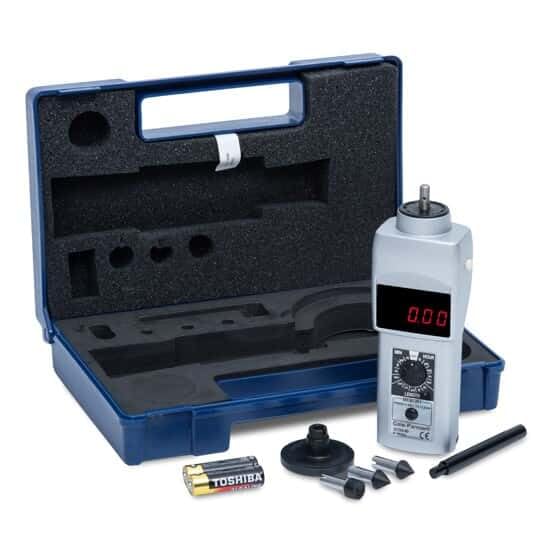
Image 2: The tachometer and its accessories, including various contact tips, a contact wheel, and AAA batteries, neatly organized within a blue carrying case.
Setup
1. Battery Installation
- Locate the battery compartment cover on the back of the tachometer.
- Slide or unclip the cover to open.
- Insert two AAA batteries, ensuring correct polarity (+/-).
- Replace the battery compartment cover securely.
2. Attaching Contact Accessories
The tachometer comes with various contact tips and a contact wheel for different measurement applications.
- For rotational speed (RPM) measurements, attach the appropriate cone or funnel tip to the shaft.
- For linear speed or length measurements, attach the contact wheel to the shaft.
- Ensure the accessory is firmly seated on the shaft to prevent inaccurate readings or detachment during operation.
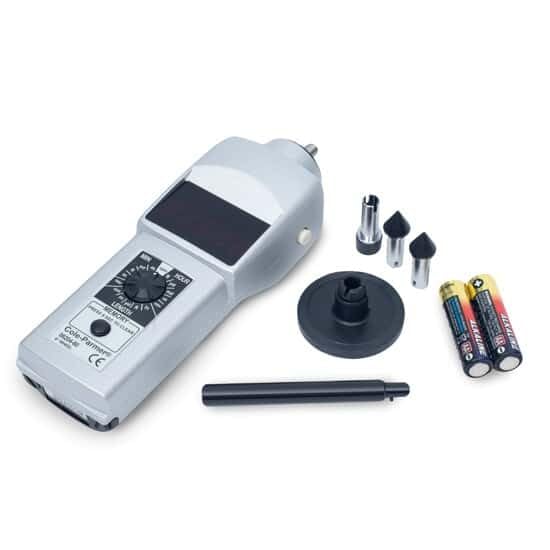
Image 3: The tachometer unit displayed alongside its various contact tips and the contact wheel, ready for attachment.
Operating Instructions
1. Powering On/Off
Press the power button located on the side of the unit to turn the tachometer on. The LED display will illuminate. Press the button again to turn the unit off.
2. Selecting Measurement Mode
The tachometer features a front-panel dial to select from 16 different measurement modes. Rotate the dial to choose the desired unit:
- RPM: Revolutions Per Minute (for rotational speed)
- m/min: Meters Per Minute
- ft/min: Feet Per Minute
- yd/min: Yards Per Minute
- in/min: Inches Per Minute
- m: Meters (for length)
- ft: Feet (for length)
- yd: Yards (for length)
- in: Inches (for length)
- cm: Centimeters (for length)
- mil: Miles (for length)
- rev: Revolutions (for total revolutions)
- HOUR: Hours (for time measurement)
- Additional modes may be available; refer to the dial markings for all 16 options.
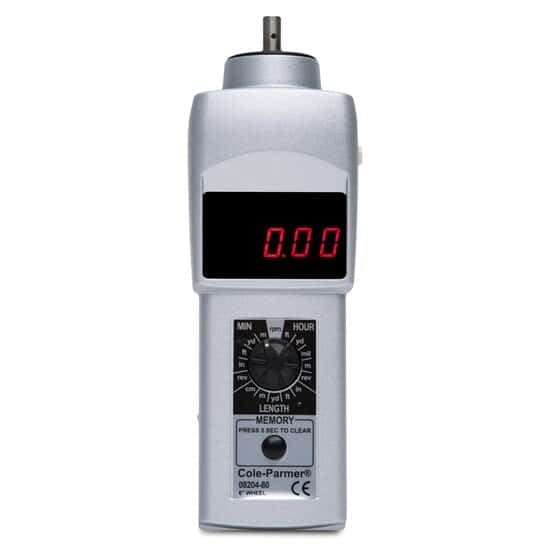
Image 4: A close-up front view of the tachometer, highlighting the bright red LED display and the rotary dial used for selecting measurement units.
3. Taking Measurements
Once the desired mode is selected, gently press the contact tip or wheel against the rotating or moving surface. The display will show the measurement in real-time. Maintain steady contact for accurate readings.
4. Memory Function
The tachometer stores the last ten readings, as well as the maximum and minimum values recorded. To access these values, press the MEMORY button. Repeated presses will cycle through the stored data. To clear the memory, press and hold the MEMORY button for 5 seconds.
Maintenance
1. Cleaning
Wipe the instrument with a soft, dry cloth. For stubborn dirt, a slightly damp cloth with mild detergent can be used. Do not use abrasive cleaners or solvents, as these may damage the housing or display.
2. Battery Replacement
When the low-battery indicator appears on the display, replace the AAA batteries as described in the "Setup" section. Prompt replacement ensures continuous accurate operation.
3. Storage
Store the tachometer and its accessories in the provided carrying case when not in use. Keep it in a cool, dry place, away from direct sunlight and extreme temperatures. Remove batteries if storing for extended periods to prevent leakage.
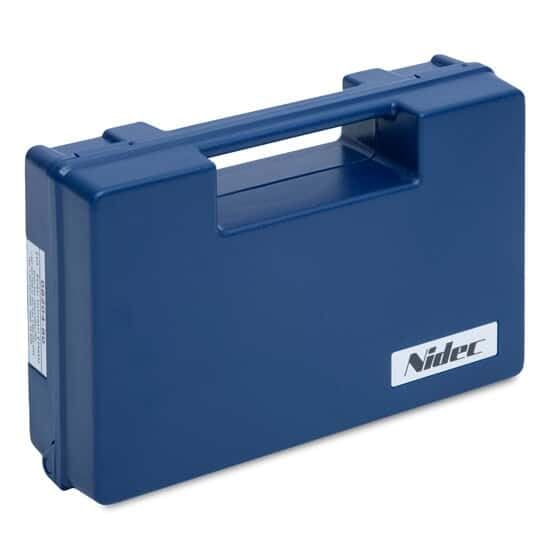
Image 5: The closed blue carrying case, designed to protect the tachometer and its accessories during storage and transport.
Troubleshooting
- No Display / Unit Does Not Turn On:
- Check battery installation and polarity.
- Replace batteries with fresh AAA batteries.
- Inaccurate Readings:
- Ensure the correct measurement mode is selected on the dial.
- Verify that the contact accessory is firmly attached and making consistent contact with the surface being measured.
- Check for any obstructions or debris on the contact tip/wheel.
- Low Battery Indicator:
- Replace batteries immediately to ensure continued accurate operation.
Specifications
| Model Number | AO-08204-80 |
| Brand | Cole-Parmer |
| Display Type | 5-digit LED, 0.4687 inch |
| Measurement Modes | 16 (RPM, m/min, ft/min, yd/min, in/min, m, ft, yd, in, cm, mil, rev, HOUR, etc.) |
| RPM Accuracy | 0.06% of reading or 3 RPM max |
| Memory | Last 10 readings, minimum, maximum |
| Battery Type | 2 x AAA (included) |
| Battery Life | Approximately 40 hours |
| Construction Material | Aluminum |
| Item Weight | 0.01 Ounces (approximately 0.28 grams) |
| Manufacturer | Cole-Parmer |
Warranty and Support
Warranty Information
Specific warranty details for the Cole-Parmer Contact Tachometer Model AO-08204-80 are not provided in this document. Please refer to the warranty card included with your product or contact Cole-Parmer directly for warranty terms and conditions.
Customer Support
For technical assistance, service, or further inquiries regarding your Cole-Parmer product, please contact Cole-Parmer customer support. Contact information can typically be found on the manufacturer's official website or on the product packaging.
You may also visit the official Cole-Parmer store for additional product information and support resources: Cole-Parmer Store on Amazon