1. Introduction
This manual provides essential information for the safe and effective use of your Mitutoyo 102 Series Standard Outside Micrometer. Please read these instructions thoroughly before operation and retain for future reference. This precision instrument is designed for accurate external measurements in various industrial and research applications.
2. Product Features
- The frame is painted and includes a heat insulating cover to minimize thermal expansion during handling.
- The anvil side frame is cut, facilitating easier measurement in narrow or confined spaces.
- Equipped with a constant force device (ratchet stop) to ensure consistent measuring pressure, enhancing measurement repeatability.
- Measuring surfaces are equipped with ultra-hard alloy tips for durability and resistance to wear, maintaining accuracy over time.
3. Components Overview
The Mitutoyo 102 Series Standard Outside Micrometer consists of several key components working together for precise measurement. Familiarize yourself with these parts before operation.
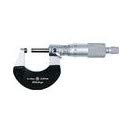
An image showing the Mitutoyo 102 Series Standard Outside Micrometer. The micrometer features a painted frame, a thimble with graduations, a spindle, and an anvil. It is designed for precise external measurements.
Typical components include the frame, anvil, spindle, sleeve, thimble, ratchet stop, and locking clamp (if present).
4. Setup
- Unpacking and Inspection: Carefully remove the micrometer from its packaging. Inspect for any visible damage that may have occurred during shipping.
- Cleaning: Before first use, gently wipe all surfaces, especially the measuring faces (anvil and spindle), with a clean, lint-free cloth to remove any protective oil or dust.
- Environmental Conditions: Ensure the measurement environment is stable in temperature and humidity to prevent thermal expansion or contraction of the instrument or workpiece.
- Zero-Point Adjustment: Close the measuring faces completely by rotating the ratchet stop until it clicks 2-3 times. Check if the zero line on the thimble aligns perfectly with the datum line on the sleeve. If not, use the provided wrench to adjust the sleeve or thimble until alignment is achieved. Refer to the specific adjustment procedure for your model if detailed instructions are available.
5. Operating Instructions
Follow these steps for accurate measurement using your micrometer:
- Clean Measuring Surfaces: Before each measurement, gently wipe the measuring surfaces (anvil and spindle) with a clean, lint-free cloth to remove any dust or oil.
- Hold the Micrometer: Hold the micrometer by the frame, ensuring your hand does not transfer excessive heat to the instrument, which could affect accuracy.
- Position the Workpiece: Place the workpiece securely between the anvil and the spindle.
- Advance the Spindle: Rotate the thimble or ratchet stop to advance the spindle towards the workpiece. When the spindle makes contact, continue rotating the ratchet stop until it clicks 2-3 times. This ensures a constant and repeatable measuring force.
- Lock the Spindle (Optional): If your micrometer has a locking clamp, gently tighten it to secure the spindle position before reading, especially for larger measurements or when removing the workpiece.
- Read the Measurement: Read the measurement from the sleeve and thimble scales. For precise readings, ensure your eye is directly in line with the scale to avoid parallax error.
- Record Measurement: Note down the measurement immediately.
6. Maintenance
Proper maintenance ensures the longevity and accuracy of your micrometer:
- Cleaning: After each use, wipe the micrometer clean with a dry, soft cloth. For stubborn dirt or grime, use a cloth lightly dampened with instrument cleaning oil, then wipe dry immediately.
- Storage: Always store the micrometer in its protective case when not in use. Keep it in a dry, temperature-stable environment, away from direct sunlight, high humidity, corrosive substances, and extreme temperatures.
- Lubrication: Do not apply excessive oil to the spindle or other moving parts unless specifically instructed by Mitutoyo. Over-lubrication can attract dust and debris, affecting performance.
- Handling: Avoid dropping or subjecting the micrometer to impact, as this can damage its precision components.
- Calibration: Regular calibration by a qualified technician is highly recommended to maintain the instrument's accuracy, especially for critical measurements or after prolonged use.
7. Troubleshooting
If you encounter issues with your micrometer, consider the following common problems and solutions:
- Inaccurate Readings:
- Check the zero-point adjustment. Re-adjust if necessary.
- Ensure measuring surfaces are clean and free from debris or burrs.
- Verify that the constant measuring force (ratchet stop) is used correctly and consistently.
- Check for wear or damage to the measuring surfaces or spindle.
- Ensure the workpiece is properly seated and not tilted.
- Stiff Spindle Movement:
- Clean the spindle and internal threads to remove any accumulated dust or dried lubricant.
- Do not force movement. If cleaning does not resolve the issue, professional servicing may be required.
- Loose Spindle Movement:
- If the spindle feels too loose, check the friction thimble or locking clamp (if applicable) for proper engagement.
- Excessive looseness may indicate internal wear, requiring professional inspection.
- Difficulty Reading Scale:
- Ensure adequate lighting.
- Read the scale directly to avoid parallax error.
- Clean the sleeve and thimble surfaces if they are obscured by dirt.
8. Specifications
| Specification | Value |
|---|---|
| Measuring Range | 0 - 25 mm |
| Graduation | 0.001 mm |
| Instrumental Error | ±1 µm |
| Flatness | 0.3 µm |
| Parallelism | 1 µm |
| Constant Force Device | Ratchet Stop |
| Measuring Force | 5 - 10 N |
| Product Weight | 180 g |
| Package Dimensions | 16.5 x 8.3 x 2.9 cm |
| Part Number | 102-311 |
| Manufacturer | Mitutoyo |
Note: Specifications are subject to change without notice for product improvement.
9. Warranty and Support
For detailed warranty information, technical assistance, or service inquiries regarding your Mitutoyo 102 Series Standard Outside Micrometer, please refer to the official Mitutoyo website or contact your local authorized Mitutoyo distributor. It is recommended to keep your purchase receipt as proof of purchase for any warranty claims.


