Introduction
The Tripp Lite TLP74RB surge protector provides economical AC surge suppression for workstations, desktop PCs, telecom systems, and other sensitive electronics. It shields connected equipment from damage and performance issues caused by transient surges and line noise. This unit features 7 total outlets, including 6 right-angle outlets and 1 designated transformer outlet, along with a 4-foot cord and a diagnostic LED to indicate suppressor status.
Key Features
- 7 AC Outlets: Includes 6 right-angle NEMA 5-15R outlets for easy cord management and 1 dedicated transformer outlet to accommodate bulky power adapters without blocking other outlets.
- Surge Protection: Provides 1080 joules of surge suppression to protect connected equipment from power surges and spikes.
- Diagnostic LED: A green LED indicator confirms that your connected equipment is protected.
- Automatic Shutoff: The unit automatically cuts power to all outlets if the protection circuit is compromised, safeguarding your devices.
- 4-Foot Power Cord: A NEMA 5-15P plug with a 4-foot AC power cord offers flexible placement options.
- Mounting Options: Keyhole slots on the bottom panel allow for convenient wall or desk mounting.
- Durable Housing: Features an attractive black housing designed for longevity.
Setup
- Unpack the Unit: Carefully remove the Tripp Lite TLP74RB surge protector from its packaging.
- Choose a Location: Select a dry indoor location near the electronic devices you wish to protect. Ensure the 4-foot power cord can reach a standard 3-prong grounded AC outlet.
- Mounting (Optional): If desired, use the keyhole slots on the bottom of the unit to mount it to a wall, baseboard, or desk surface using appropriate screws (not included).
- Plug into Wall Outlet: Insert the surge protector's NEMA 5-15P plug into a standard 3-prong grounded AC wall outlet.
- Verify Protection: Once plugged in, the green 'PROTECTED' LED indicator on the unit should illuminate, confirming active surge protection.
- Connect Devices: Plug your electronic devices into the 7 available outlets. Utilize the right-angle outlets for standard plugs and the transformer outlet for bulkier power adapters.

Figure 1: Tripp Lite TLP74RB 7-Outlet Surge Protector Power Strip. This image shows the main view of the black surge protector with its 7 outlets and power switch.
Operating Instructions
Power Switch
The surge protector features a master ON/OFF switch. Press the switch to the 'ON' position to supply power to all connected outlets. Press it to the 'OFF' position to cut power to all outlets.
LED Indicators
- 'PROTECTED' (Green LED): This light indicates that the surge protection circuitry is active and functioning correctly. If this light is off, the surge protection has been compromised, and the unit should be replaced.

Figure 2: Close-up of the power switch and 'PROTECTED' indicator light. The green light confirms active surge protection.
Right-Angle Outlets and Transformer Outlet
The 6 right-angle outlets are designed to accommodate standard plugs efficiently, reducing cable clutter. The single transformer outlet is spaced further apart to allow for larger power adapters (e.g., laptop chargers) without obstructing adjacent outlets.
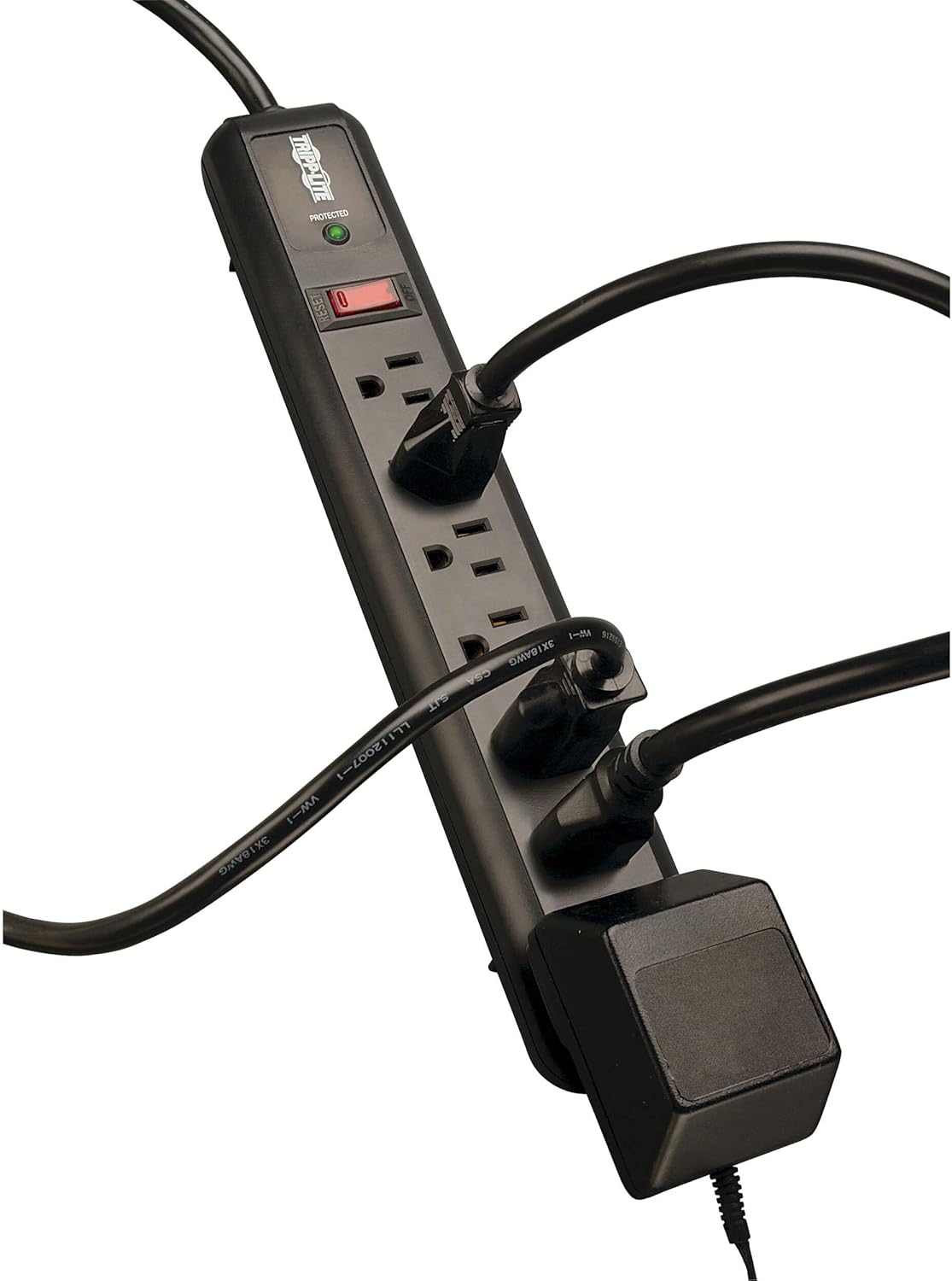
Figure 3: The surge protector with various plugs inserted, demonstrating the utility of right-angle and transformer outlets for efficient space usage.
Maintenance
- Regular Inspection: Periodically check the 'PROTECTED' LED indicator. If it is off, the surge protection has been exhausted, and the unit should be replaced to ensure continued protection for your devices.
- Cleaning: Disconnect the surge protector from the wall outlet and all connected devices before cleaning. Use a soft, dry cloth to wipe the exterior. Do not use liquid cleaners or aerosols.
- Avoid Overloading: Do not exceed the unit's maximum electrical rating (typically 15 amps). Overloading can cause the circuit breaker to trip or damage the unit.
Troubleshooting
- No Power to Devices:
- Ensure the surge protector's ON/OFF switch is in the 'ON' position.
- Check if the wall outlet is functioning by plugging in another device directly.
- If the 'PROTECTED' LED is off, the surge protection may be compromised. Replace the unit.
- If the circuit breaker has tripped (the switch might be slightly extended), press it back in to reset. Reduce the load if it trips frequently.
- 'PROTECTED' LED is Off: This indicates that the surge protection components have absorbed a significant surge and are no longer providing protection. The unit should be replaced immediately to ensure continued safety for your electronics.
Specifications
| Feature | Specification |
|---|---|
| Model Number | TLP74RB |
| Total Power Outlets | 7 (6 Right Angle, 1 Transformer) |
| Surge Protection (Joules) | 1080 |
| Cord Length | 4 feet |
| Input Voltage | 120 Volts |
| Item Weight | 1.1 pounds |
| Product Dimensions | 1.37 x 3.26 x 14.05 inches |
| Color | Black |
| Certifications | Conforms to UL 1449 3rd Edition safety standards |
What's in the Box
- TLP74RB Protect It! 7-Outlet Surge Protector, Black Housing
- Owner’s manual

Figure 4: The Tripp Lite TLP74RB surge protector shown alongside its owner's manual.
Warranty and Support
The Tripp Lite TLP74RB is backed by a Lifetime Limited Warranty. Additionally, it includes $25,000 Ultimate Lifetime Insurance (USA & Canada Only), which covers any connected equipment damaged by a power surge while properly connected to the unit. For warranty claims or technical support, please refer to the contact information provided in the owner's manual or visit the official TRIPP LITE website.
Product Videos
Tripp Lite Surge Protector Overview
This video provides a general overview of the Tripp Lite Surge Protector, highlighting its features and benefits. It demonstrates the product's design and functionality.


