Introduction
This manual provides essential information for the proper installation, operation, and maintenance of your NetApp X6558-R6 SAS Cable. Please read this manual thoroughly before using the product to ensure optimal performance and longevity.
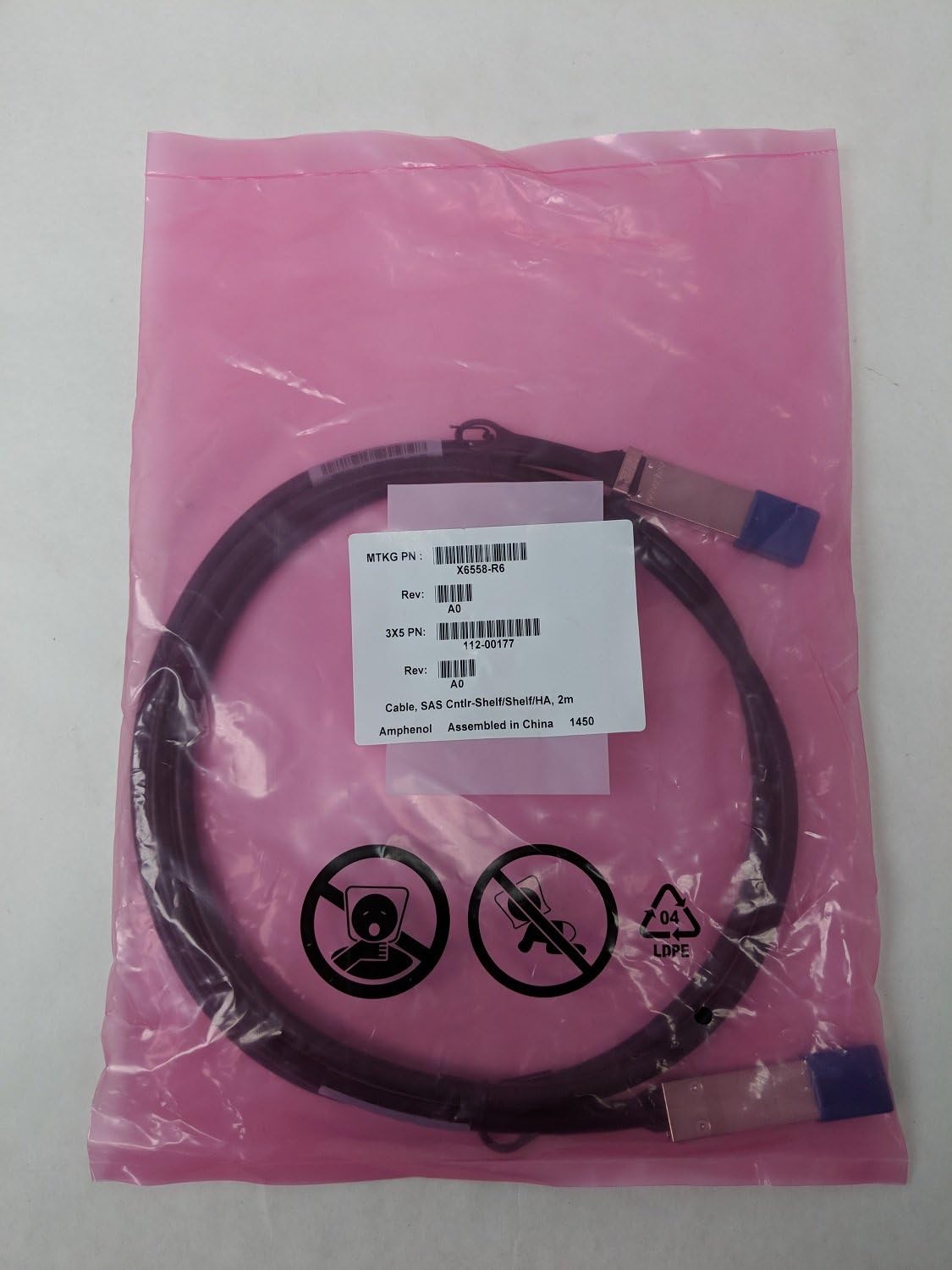
Image: The NetApp X6558-R6 SAS cable, coiled inside its sealed pink anti-static bag. A white product label is affixed to the bag, displaying the model number X6558-R6, revision A0, and indicating it is a "Cable, SAS Cntlr-Shelf/Shelf/HA, 2m" manufactured by Amphenol and assembled in China. The cable features QSFP connectors on both ends.
Setup
The NetApp X6558-R6 is a SAS (Serial Attached SCSI) cable designed for connecting storage controllers to disk shelves or other compatible SAS devices. Follow these steps for proper setup:
- Identify Ports: Locate the appropriate SAS ports on your NetApp storage controller and the target disk shelf or device. These ports are typically labeled for SAS connectivity.
- Connector Orientation: Observe the orientation of the QSFP (Quad Small Form-factor Pluggable) connectors on the X6558-R6 cable. Ensure they align correctly with the corresponding ports. The connectors are designed to fit in only one orientation.
- Insert Connectors: Gently but firmly insert one end of the cable into a SAS port on the controller. You should feel a slight click as the connector locks into place. Repeat this process for the other end of the cable, connecting it to the SAS port on the disk shelf or device.
- Secure Connection: Verify that both ends of the cable are fully seated and secured. Avoid forcing the connectors, as this can damage the ports or the cable.
- Cable Management: Route the cable neatly to prevent tangling and to ensure proper airflow within your rack or enclosure. The cable features a tangle-free design for easier management.
Note: Always ensure that power to the devices is off or in a safe state before connecting or disconnecting SAS cables to prevent data corruption or hardware damage.
Operating
Once the NetApp X6558-R6 SAS cable is properly connected, its operation is passive. It facilitates high-speed data transfer between connected SAS devices. The cable supports data transfer rates of up to 5 Gigabits Per Second, ensuring efficient communication for your storage infrastructure.
- Data Flow: The cable enables bidirectional data flow between the controller and the storage device.
- Hot-Plugging: While some SAS environments support hot-plugging, it is generally recommended to consult your specific controller and disk shelf documentation before hot-plugging SAS cables to avoid service disruption.
Maintenance
Proper maintenance extends the life of your NetApp X6558-R6 SAS cable and ensures reliable performance:
- Handling: Always handle the cable by its connectors, not by the cable itself, to prevent strain on the internal wiring.
- Cleaning: Keep the connectors clean and free of dust and debris. Use a lint-free cloth and, if necessary, a small amount of isopropyl alcohol for cleaning the metal contacts. Ensure connectors are dry before re-connecting.
- Storage: When not in use, store the cable coiled loosely in a dry, dust-free environment. Avoid sharp bends or kinks, which can damage the internal conductors.
- Inspection: Periodically inspect the cable for any signs of physical damage, such as frayed insulation, bent pins, or cracked connectors. Replace damaged cables immediately.
Troubleshooting
If you encounter issues with your NetApp X6558-R6 SAS cable, consider the following troubleshooting steps:
- No Connection/Device Not Detected:
- Ensure both ends of the cable are fully and securely seated in their respective ports.
- Verify that the correct SAS ports are being used on both the controller and the disk shelf.
- Try disconnecting and re-connecting the cable.
- Test with a known-good cable if available, to rule out the cable as the source of the problem.
- Check the status indicators on your controller and disk shelf for error codes or connection status.
- Intermittent Connectivity:
- Inspect the cable for any physical damage, especially near the connectors.
- Ensure the cable is not being strained or bent sharply.
- Check for dust or debris in the ports or on the cable connectors.
- Slow Data Transfer:
- While rare for a cable, ensure the cable is not excessively long for the environment or near sources of electromagnetic interference.
- Verify that both connected devices are operating at their expected speeds and are not experiencing other bottlenecks.
If issues persist after performing these steps, consult the documentation for your NetApp storage controller and disk shelf, or contact NetApp support.
Specifications
| Feature | Detail |
|---|---|
| Model Number | X6558-R6 |
| Brand | NetApp |
| Cable Type | SAS (Serial Attached SCSI) |
| Connector Type | QSFP-QSFP (Quad Small Form-factor Pluggable) |
| Connector Gender | Male-to-Male |
| Length | 2 meters (approx. 6.56 feet) |
| Material | Copper (Cu) |
| Data Transfer Rate | 5 Gigabits Per Second |
| Special Feature | Tangle Free |
| Shape | Round |
| Manufacturer | Netapp (Assembled by Amphenol in China) |
| Item Weight | 1.5 pounds (approx. 0.68 kg) |
| Package Dimensions | 11.5 x 9 x 0.8 inches (approx. 29.2 x 22.9 x 2.0 cm) |
| UPC | 748006181322, 748006181339 |
| ASIN | B003GDMMZE |
| Date First Available | November 5, 2010 |
Warranty and Support
For information regarding warranty coverage, technical support, and service options for your NetApp X6558-R6 SAS Cable, please refer to the official NetApp website or contact NetApp customer support directly. Specific warranty terms may vary based on your region and purchase agreement.
NetApp Official Website: www.netapp.com


