
Introduction
Thank you for choosing the Black+Decker DV9605KN Dustbuster. This 9.6V handheld vacuum cleaner is designed for quick and efficient cleaning tasks around your home and car. Featuring Cyclonic Action for strong suction and an energy-efficient smart charger, this device offers convenience and performance. Please read this manual carefully before use to ensure safe and optimal operation.

The "Dustbuster Extreme Duo cyclonic action" logo, indicating a key feature of the product.
Safety Instructions
Always observe basic safety precautions when using electrical appliances to reduce the risk of fire, electric shock, and personal injury.
- Do not use the appliance outdoors or on wet surfaces.
- Do not allow it to be used as a toy. Close attention is necessary when used by or near children.
- Use only as described in this manual. Use only manufacturer's recommended attachments.
- Do not use with damaged cord or plug. If appliance is not working as it should, has been dropped, damaged, left outdoors, or dropped into water, return it to a service center.
- Do not pull or carry by cord, use cord as a handle, close a door on cord, or pull cord around sharp edges or corners. Do not run appliance over cord. Keep cord away from heated surfaces.
- Do not unplug by pulling on cord. To unplug, grasp the plug, not the cord.
- Do not handle plug or appliance with wet hands.
- Do not put any object into openings. Do not use with any opening blocked; keep free of dust, lint, hair, and anything that may reduce air flow.
- Keep hair, loose clothing, fingers, and all parts of body away from openings and moving parts.
- Do not pick up anything that is burning or smoking, such as cigarettes, matches, or hot ashes.
- Use extra care when cleaning on stairs.
- Do not use to pick up flammable or combustible liquids, such as gasoline, or use in areas where they may be present.
- Do not pick up toxic material, such as chlorine bleach, ammonia, or drain cleaner.
- Do not use in an enclosed space where vapors are given off by oil base paints, paint thinner, some mothproofing substances, flammable dust, or other explosive or toxic vapors.
- Do not pick up hard or sharp objects such as glass, nails, screws, coins, etc.
- Do not use without dust bag and/or filters in place.
- Prevent unintentional starting. Ensure the switch is in the off-position before connecting to battery pack, picking up or carrying the appliance.
Package Contents
Your Black+Decker DV9605KN Dustbuster package includes the following items:
- Black+Decker DV9605KN Dustbuster Handheld Vacuum
- Charging Station
- Crevice Tool
- Furniture Nozzle
- Floor Nozzle Set (includes extension tubes)
- Brush Attachment
- Mesh Storage Bag

The Black+Decker DV9605KN Dustbuster handheld vacuum with its charging base and several attachments (crevice tool, floor nozzle, extension tubes).

A collection of Black+Decker Dustbuster attachments, including a brush tool, crevice tool, floor nozzle, extension tubes, and a mesh storage bag.

A grey mesh storage bag with a drawstring, featuring the Black+Decker logo, designed for organizing vacuum attachments.
Setup
Charging the Dustbuster
- Place the Dustbuster onto its charging station. Ensure the contacts on the vacuum align with the contacts on the charging base.
- Plug the charging station into a standard wall outlet.
- The charge status indicator (LED) on the unit will illuminate, indicating that the battery is charging.
- Allow the unit to charge for the recommended time (refer to specifications) or until the LED indicates a full charge. The energy-efficient smart charger reduces power consumption once fully charged and charges up to 3 times faster than comparable handheld vacuum cleaners.
Attaching Accessories
To attach any accessory, simply push it firmly onto the nozzle opening of the Dustbuster until it clicks into place. To remove, pull it off gently.

A close-up view of a specialized nozzle attachment for the Black+Decker Dustbuster, designed for specific cleaning tasks.
Operating Instructions
Powering On/Off
To turn the Dustbuster on, slide the power switch located on the handle to the 'ON' position. To turn it off, slide the switch back to the 'OFF' position.
Using the Two Speed Settings
Your Dustbuster features two speed settings for varying cleaning needs. Use the lower speed for delicate surfaces or extended run time, and the higher speed for maximum suction on tougher messes. Toggle between speeds using the dedicated switch.
Using Attachments
- Crevice Tool: Ideal for reaching tight spaces, corners, and between cushions. The extendable crevice nozzle provides extra reach.
- Furniture Nozzle: Designed for upholstery and fabric surfaces.
- Floor Nozzle Set: Attach the extension tubes to the main unit, then connect the floor nozzle for cleaning larger floor areas and rugs.
- Brush Attachment: Use for dusting delicate surfaces like curtains, blinds, or keyboards.
A person using the Black+Decker DV9605KN Dustbuster with the floor attachment to clean a rug in a living room setting.

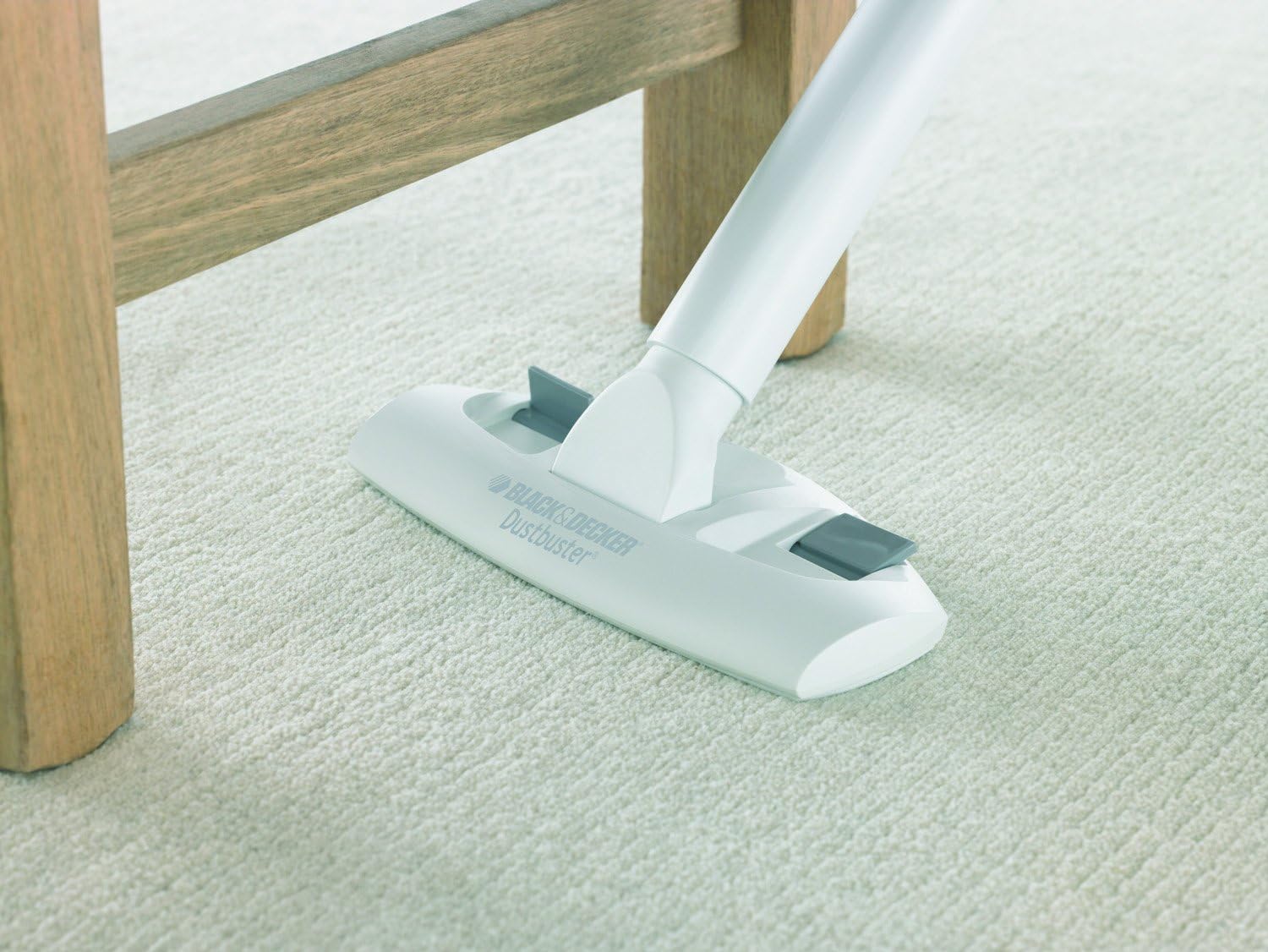
A close-up shot of the Black+Decker Dustbuster floor attachment cleaning a light-colored carpet, demonstrating its use on soft surfaces.

The Black+Decker Dustbuster with an extended brush attachment being used to clean curtains, illustrating its versatility for vertical surfaces.
Maintenance
Emptying the Dustbin
For optimal suction and performance, empty the dustbin regularly, especially after each significant use. To empty:
- Ensure the Dustbuster is turned off.
- Press the dustbin release button and detach the dustbin from the main unit.
- Carefully empty the contents into a waste bin.
Cleaning the Filter
The Dustbuster features an excellent two-stage filter system and an improved filter cleaning wheel. Regular filter cleaning is crucial for maintaining suction power.
- After emptying the dustbin, remove the filter assembly.
- Tap the filter gently over a waste bin to dislodge dust.
- For a more thorough clean, the filter can be rinsed under cold running water. Ensure the filter is completely dry before reinserting it into the dustbin and reattaching it to the vacuum. Do not use detergents or hot water.
- Reassemble the filter and dustbin, then reattach to the main unit.
Troubleshooting
| Problem | Possible Cause | Solution |
|---|---|---|
| Vacuum does not turn on. | Battery is discharged. | Charge the battery fully. |
| Reduced suction power. | Dustbin is full. Filter is clogged. Nozzle or hose is blocked. | Empty the dustbin. Clean or replace the filter. Clear any blockages from the nozzle or hose. |
| Battery not charging. | Charger not properly connected. Faulty charger or battery. | Ensure charger is securely plugged into both the unit and the wall outlet. Contact customer support if the issue persists. |
| Unusual noise during operation. | Blockage in the air path. Damaged motor. | Check for and remove any blockages. If noise persists, discontinue use and contact customer support. |
Specifications
| Brand | BLACK+DECKER |
| Model Name | DV9605KN |
| Model Number | DV9605KN-QW |
| Special Features | Cyclonic Action, Charge Control LED, NiMH Battery Technology |
| Filter Type | Two-stage filter system |
| Power Source | Battery |
| Voltage | 9.6 Volt |
| Wattage | 16 Watt |
| Cordless | Yes |
| Included Components | Crevice Tool, Furniture Nozzle, Floor Nozzle Set |
| Recommended Uses | Floors, Furniture, Car |
| Color | White with Red Accents |
| Portable | Yes |
| Number of Power Levels | 2 |
| Indoor/Outdoor Use | Indoor |
| Battery Description | NiMH |
| Run Time | Up to 16 hours (standby/charging efficiency) |
Warranty and Support
Black+Decker products are manufactured to high quality standards. For warranty information, please refer to the warranty card included with your purchase or visit the official Black+Decker website.
For technical support, spare parts, or service, please contact Black+Decker customer service. Contact details can typically be found on the product packaging or the official brand website.


