
1. Product Overview
The Brookstone Wireless Weather-Resistant Indoor/Outdoor Speaker and Dock system provides wireless audio transmission for both indoor and outdoor environments. This system includes a portable speaker and a transmitter dock, designed to deliver clear audio from your connected devices.
Key features include a weather-resistant design, a powerful 5-inch woofer and 1-inch tweeter for omnidirectional sound, and a wireless transmission range of up to 150 feet. The system operates on three selectable channels to minimize interference.
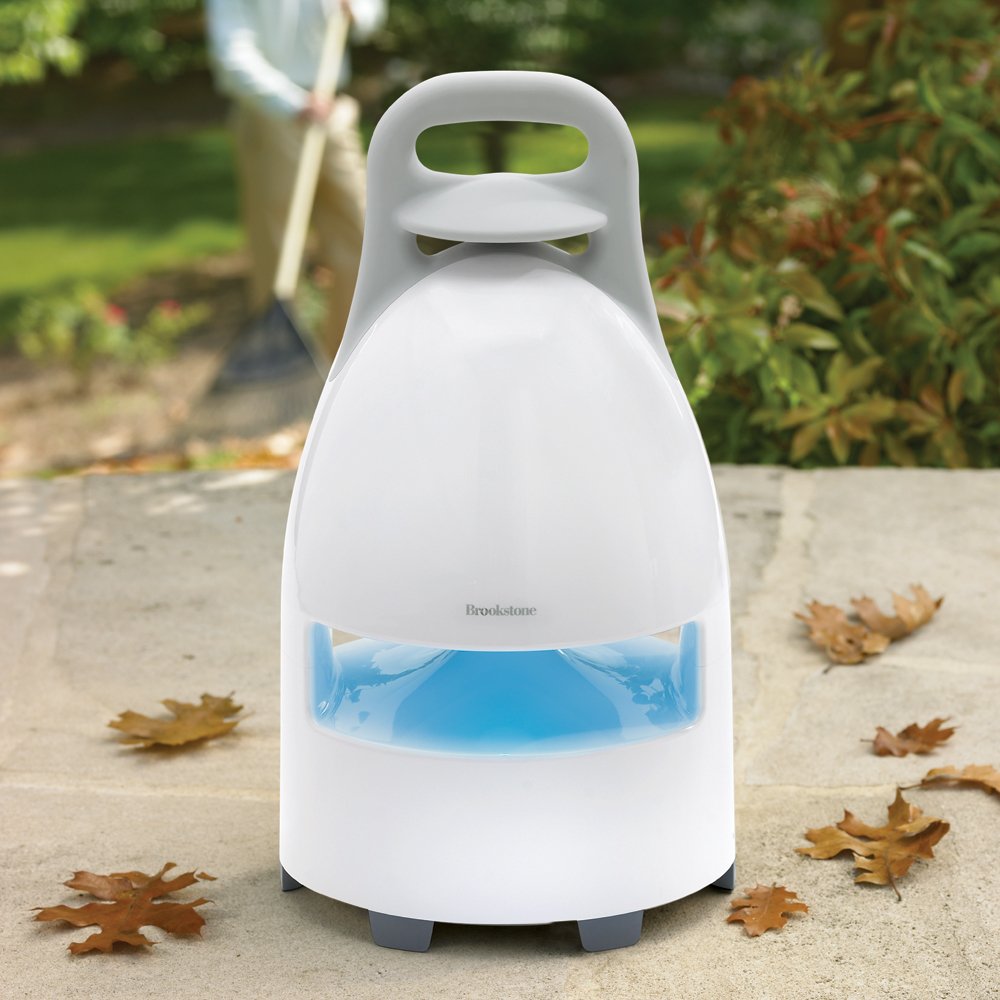
Image 1.1: The Brookstone Wireless Weather-Resistant Speaker shown next to a pool with a smartphone connected to the dock.
2. Package Contents
Please verify that all items are present in the package:
- Wireless Weather-Resistant Speaker
- Wireless Transmitter Dock
- AC Power Adapter for Speaker
- AC Power Adapter for Transmitter Dock
- Audio Connection Cable (RCA to 3.5mm)
3. Setup Instructions
3.1. Powering the Speaker
The speaker can be powered using the included AC adapter or by 8 'D' batteries (not included).
- For AC power, connect the speaker's AC adapter to the speaker's power input and then to a standard electrical outlet.
- For battery power, open the battery compartment, insert 8 'D' batteries, ensuring correct polarity, and close the compartment securely.
3.2. Powering the Transmitter Dock
The transmitter dock can be powered using its included AC adapter or by 6 'AA' batteries (not included).
- For AC power, connect the transmitter's AC adapter to the dock's power input and then to a standard electrical outlet.
- For battery power, open the battery compartment, insert 6 'AA' batteries, ensuring correct polarity, and close the compartment securely.
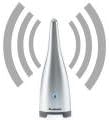
Image 3.1: The wireless transmitter dock, which sends audio signals to the speaker.
3.3. Connecting the Audio Source
Connect your audio device (e.g., MP3 player, stereo system, TV) to the transmitter dock using the provided audio connection cable.
- Plug one end of the audio cable into the audio output jack of your device.
- Plug the other end of the audio cable into the audio input jack(s) on the transmitter dock.
3.4. Selecting a Channel
Both the speaker and the transmitter dock have a channel selector switch (1, 2, or 3). To ensure proper communication and minimize interference, set both the speaker and the transmitter to the same channel.
4. Operating Your Speaker System
4.1. Powering On/Off
Press the Power button on both the speaker and the transmitter dock to turn them on. The system will automatically establish a wireless connection on the selected channel. Press the Power button again to turn them off.
4.2. Wireless Audio Transmission
Once both units are powered on and set to the same channel, the transmitter will send audio wirelessly to the speaker. The Phase Lock Loop (PLL) circuitry automatically locks in and maintains a clear and strong audio signal.
4.3. Volume Control
Adjust the volume directly on the speaker using its dedicated volume controls. You may also adjust the volume on your connected audio source device.
4.4. Night Use
The speaker features a blue light for enhanced visibility and ambiance during night use.

Image 4.1: The wireless speaker positioned outdoors, demonstrating its portability and weather-resistant design.
5. Care and Maintenance
- Cleaning: Wipe the speaker and dock with a soft, damp cloth. Do not use abrasive cleaners or solvents.
- Weather Resistance: The speaker is weather-resistant, suitable for outdoor use. However, avoid submerging it in water or exposing it to heavy rain for extended periods. Store indoors during extreme weather conditions.
- Battery Care: If using batteries, remove them if the unit will not be used for an extended period to prevent leakage. Replace all batteries simultaneously with new ones of the same type.
- Storage: Store the unit in a cool, dry place away from direct sunlight and extreme temperatures.
6. Troubleshooting Guide
If you encounter issues with your Brookstone Wireless Speaker system, refer to the following common problems and solutions:
| Problem | Possible Cause | Solution |
|---|---|---|
| No sound from speaker | Speaker or transmitter not powered on; incorrect channel selection; audio cable disconnected; low battery. | Ensure both units are powered on. Verify speaker and transmitter are on the same channel. Check all audio cable connections. Replace batteries or use AC power. |
| Static or poor sound quality | Interference from other wireless devices; units too far apart; incorrect channel; low battery. | Change to a different channel (1, 2, or 3) on both units. Move speaker closer to the transmitter. Ensure no obstructions. Replace batteries or use AC power. |
| Short wireless range | Obstructions (walls, floors); interference; environmental factors. | Reposition the transmitter and speaker to minimize obstructions. Try a different channel. Ensure units are within the 150-foot range. |
| Howling or feedback noise | Speaker too close to audio source or transmitter; high volume settings. | Increase distance between speaker and transmitter/audio source. Reduce volume on either the speaker or the audio source. |
7. Technical Specifications
- Model Number: 656736
- Speaker Dimensions (H x W x D): 16.8" x 8.4" x 9.2"
- Transmitter Dimensions (H x W x D): 4.84" x 5.48" x 1.6"
- Speaker Weight: Approximately 6.4 lbs
- Woofer Diameter: 5 inches
- Tweeter Diameter: 1 inch
- Wireless Frequency: 900MHz
- Maximum Wireless Range: Up to 150 feet (line of sight)
- Power Source (Speaker): AC adapter (included) or 8 x 'D' batteries (not included)
- Power Source (Transmitter): AC adapter (included) or 6 x 'AA' batteries (not included)
- Audio Output Mode: Stereo
- Water Resistance Level: Water Resistant (not waterproof)
- Control Method: Touch (on speaker)
8. Warranty and Customer Support
For information regarding product warranty, returns, or technical support, please contact Brookstone customer service directly. Refer to the product packaging or the official Brookstone website for the most current contact details and warranty terms.
Manufacturer: Brookstone
Date First Available: May 5, 2003


